
Affiliate disclosure: FieldOpsLab may earn a commission from some links on this page if affiliate links are added later. Our recommendations are based on evidence and buyer fit, not whether a product has an affiliate program.
Written by: LPSA
Evidence level: research_based
Product information checked: 2026-07-02
Pricing checked: 2026-07-02
Last meaningfully updated: 2026-07-02
Evidence status
Evidence status: This is a research_based workflow guide built from public vendor pricing pages, official help-center documentation, payment documentation, import/export documentation, billing and terms pages, and product feature pages checked on 2026-07-02.
FieldOpsLab did not use a controlled software account, paid account, vendor demo, live residential-cleaning workflow, original screenshots, vendor correspondence, or operator interviews for this article. Based on public documentation, this article can show what a healthy recurring-cleaning workflow should look like and what buyers should verify. It cannot prove any vendor’s live recurring-cleaning behavior in practice. Vendor confirmation is required before purchase.
Quick answer
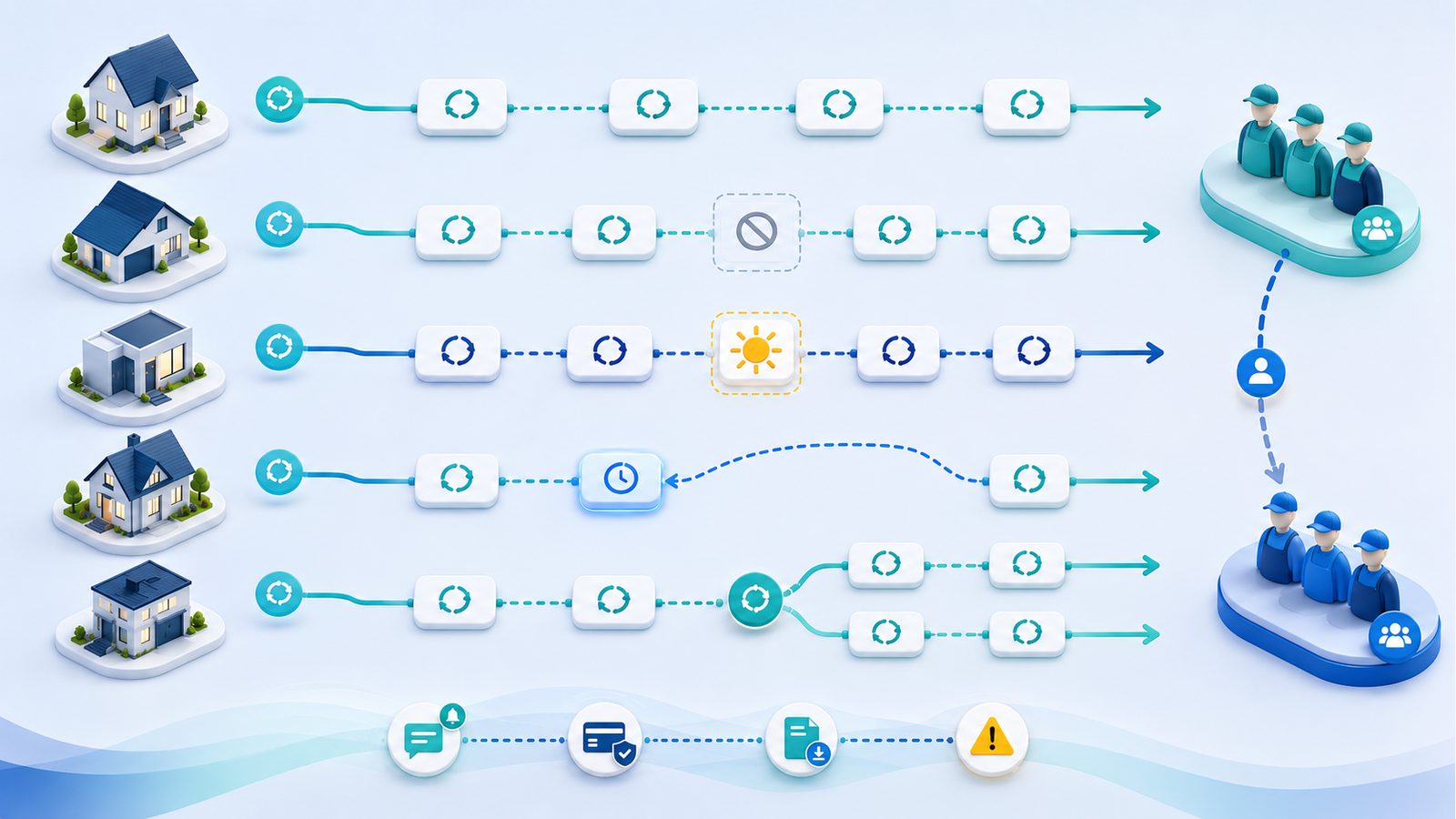
Recurring scheduling for a residential cleaning team should not mean “copy this appointment forever.” It should mean a durable service relationship with rules for frequency, crew assignment, reminders, job detail, billing, payments, exceptions, and data portability.
The most important test is whether the software can safely edit one occurrence without changing the whole series, and change all future visits without damaging completed history. A buyer should ask vendors to prove skipped visits, holidays, lockouts, one-off reschedules, cleaner reassignment, reminder updates, billing behavior, and exports before buying.
This is a research_based workflow guide, not a hands-on software test. FieldOpsLab did not verify any vendor’s live recurring-cleaning workflow.
Quick verdict
Recurring scheduling software is a fit only when it can handle series rules and exceptions without corrupting completed history. Buyers should verify one-occurrence and future-series edits, skips, holidays, reassignment, reminders, billing, and export behavior in writing or in a controlled trial.
In this article
Key facts
| Item | Research-based finding |
|---|---|
| Target buyer | A US residential cleaning business with 2–20 field workers and 1–2 office users. |
| Primary purpose | This guide helps buyers understand recurring-cleaning workflow before they choose, configure, or migrate to software. |
| What this article is not | It is not a product review, a hands-on test, a vendor comparison, a pricing roundup, or a universal “best software” article. |
| Highest-risk workflow issues | Recurring-series setup, skipped visits, one-occurrence edits, future-series edits, cleaner reassignment, reminders, billing, payments, exports, and migration. |
| Evidence limitation | FieldOpsLab did not verify live recurring scheduling, live exports, live migration, live payment behavior, or support quality in a controlled account. |
| Why this topic deserves its own guide | Recurring cleaning breaks at the exception layer. The hardest problems are usually not creating a recurring job, but safely changing it later. |
| Public vendor examples reviewed | Official public documentation from Jobber, Housecall Pro, ZenMaid, and BookingKoala. |
| Current planning caution | Pricing, packaging, user limits, provider rules, SMS costs, payment fees, and add-ons can change. Treat this article as a diligence framework, not a vendor quote. |
Takeaway: If recurring scheduling is weak, the rest of the system will usually feel weak later too, even if quoting, invoicing, or booking looks good in the sales call.
Best for
- Cleaning business owners replacing spreadsheets, Google Calendar, texting, paper notes, and manual invoices.
- Residential cleaning teams with recurring customers and regular schedule exceptions.
- Owners preparing for a software demo or a free-trial review.
- Teams comparing broad field service management (FSM) tools, cleaning-specific tools, and booking-first tools.
- Buyers who need a practical workflow checklist before buying or committing annually.
- Teams using FieldOpsLab planning scenarios such as 2 field workers + 1 office user, 5 field workers + 1 office user, or 15 field workers + 2 office users.
Avoid if
- You want a final vendor recommendation instead of a workflow framework.
- You want a hands-on software review or a live demo verdict.
- You need a final quote instead of a planning and verification guide.
- You want a generic scheduling article for all industries.
- You have not defined team size, cleaner-login needs, payment path, or export needs.
- You expect this article to prove any vendor’s live workflow quality by itself.
Buyer scenario
The primary buyer is a US residential cleaning company with recurring home-cleaning customers, 2–20 field workers, and 1–2 office users. The current workflow may still rely on spreadsheets, Google Calendar, texting, paper job notes, manual invoices, disconnected payment tools, basic web forms, and no structured recurring-series workflow.
FieldOpsLab uses three planning scenarios in this article. These are planning scenarios, not real customer case studies and not vendor quotes.
| Planning scenario | How recurring complexity changes | What usually matters most |
|---|---|---|
| 2 field workers + 1 office user | Lower volume, but still enough recurring work for manual tools to start breaking down. | Simple recurring routing, reminder follow-through, saved payment methods, and one-click schedule changes without enterprise complexity. |
| 5 field workers + 1 office user | The exception load becomes heavier. Skips, reassignments, vacation weeks, and route pressure are harder to manage manually. | Stronger exception handling, cleaner assignment control, day-capacity visibility, and more predictable reminder and billing behavior. |
| 15 field workers + 2 office users | More moving parts, more role separation, and more risk if the schedule model is weak. | Permissions, reporting, export depth, migration planning, support responsiveness, and careful user or provider math. |
Takeaway: Small cleaning teams do not need “enterprise scheduling,” but they do need recurring scheduling that survives vacations, holidays, sick days, and one-off changes without turning into office chaos.
Recurring scheduling workflow analysis
What recurring scheduling should mean
Recurring scheduling should not mean copying the same appointment indefinitely. It should mean a durable service relationship with clear rules for frequency, timing, cleaner or crew assignment, reminders, job detail, billing, payment, exceptions, reporting, and exportability.
In residential cleaning, a recurring customer is usually buying an ongoing service pattern, not a single calendar slot. That means the software should understand more than “every other Tuesday at 10 a.m.” It should also understand who is usually assigned, what happens when that cleaner is out, what the customer should hear when the visit changes, whether the skipped visit is billed, when the invoice should be generated, and what data still exists if the business later changes software.
Based on public documentation, official vendor language varies. Jobber separates the overall job from individual visits. Housecall Pro documents editing one recurring job versus the whole series. BookingKoala uses booking-form frequencies and recurring booking settings. ZenMaid positions recurring scheduling as a cleaning-first workflow.
If the software only creates a repeating appointment but cannot handle exceptions safely, it is not strong enough for a real recurring residential-cleaning operation.
Recurring scheduling definitions
Buyer regret often starts with unclear terminology. Two vendors can both say “recurring scheduling” while meaning different things operationally.
| Term | What it should mean for a cleaning team |
|---|---|
| Recurring customer | A customer who receives ongoing service on a repeating schedule, even if some visits are skipped or moved. |
| Recurring cleaning series | The master service pattern that controls future visits, usually including frequency, service details, start rules, and default assignment. |
| Recurring job | The recurring work record tied to the customer and property. In some systems this is the “master” record; in others the naming differs. |
| Recurring visit / occurrence / appointment | One specific scheduled service date inside the recurring series. |
| Recurring booking | A recurring appointment created from an online booking or booking form workflow rather than a back-office schedule setup. |
| Recurring invoice | An invoice created automatically on a pattern, per visit, or from completed recurring work. |
| Card-on-file / automatic payment | A stored payment method used to charge recurring customers after the visit, at invoicing, or on another approved billing rule. |
| Cleaner assignment | The person or people expected to complete a specific visit or series. |
| Crew / pair / team | Two or more cleaners working together on one job, either permanently or temporarily. |
| Skipped visit | A visit the customer does not receive, usually without ending the full recurring relationship. |
| Cancellation | A visit or series that is stopped. This may apply to one appointment, all future appointments, or the customer relationship itself. |
| Lockout | A failed service attempt because the team cannot access the property. Some businesses bill a fee. Software should not force lockouts to look like normal completed cleans. |
| Pause | A temporary stop in recurring service with the intention to resume later. |
| Reschedule | A change to date or time. It may apply to one visit only or to the whole remaining series. |
| One-occurrence edit | A change that affects only one scheduled visit. |
| Future-series edit | A change that affects the current visit and all future visits, or all future visits from a selected point onward. |
Takeaway: If a vendor cannot define the difference between a recurring series and a single recurring visit clearly, the buyer should expect trouble later with reminders, billing, reassignment, and reporting.
The ideal recurring cleaning workflow
A good recurring-cleaning system should support the full cycle below. It should not force the office to rebuild the logic manually every time something changes.
| Step | What should happen | What can go wrong | What to verify in software |
|---|---|---|---|
| Lead or customer intake | The office collects contact details, address, service type, preferences, and whether the customer wants one-time or recurring service. | Recurring prospects get treated like one-time jobs, creating bad setup later. | Can intake distinguish one-time versus recurring from the beginning? |
| Quote or booking | The business creates a quote, request, or online booking that can become a recurring schedule later. | Recurring work starts from an improvised one-time job with missing details. | Can a one-time quote or booking convert into recurring work without retyping everything? |
| First cleaning setup | The first visit is scheduled with the right duration, price, customer instructions, and team assignment rules. | The first clean is booked, but no recurring logic is attached. | Can the first visit be different from later recurring visits if needed? |
| Recurring frequency selection | The office chooses weekly, biweekly, every 4 weeks, monthly, or a custom pattern. | Monthly logic gets confused with every 4 weeks, or unsupported patterns get improvised manually. | Which recurring rules are supported natively, and where are the limits? |
| Customer profile and property notes | Entry instructions, pets, supplies, room priorities, and preferences are stored once and reused where appropriate. | Critical details stay in texts, paper notes, or one person’s memory. | Do cleaners see the right notes on mobile, and can one-time notes be added without overwriting the base record? |
| Cleaner or crew assignment | The office can assign a solo cleaner, pair, crew lead, or floating team. | The system treats recurring jobs as one-person jobs only, or reassignment is too manual. | Can assignment differ for one visit versus all future visits? |
| Route, day, and time-slot placement | The recurring visit is placed on a realistic day and time with route and day-capacity awareness. | The office overbooks a day or builds an impossible route. | Can office users see day pressure, availability, and route conflicts? |
| Reminder and confirmation setup | The system knows when to send reminders, confirmations, or “on my way” messages. | Messages fire at the wrong time after a change, or SMS costs are unclear. | What happens to reminders after a reschedule, skip, or reassignment? |
| Cleaner mobile job view | Cleaners can see address, notes, contact details permitted by role, checklists, and completion steps. | Cleaners call the office for missing details, or notes are not visible in the field. | What exactly do cleaners see before, during, and after the job? |
| Job completion | The visit is marked complete, with notes, photos, checklist status, and time data if used. | Completion and billing do not align, or job history becomes messy. | How does a completed recurring visit appear in history and reporting? |
| Invoice or automatic payment | The office or system creates the invoice, charges the saved card if approved, or sends a payment request. | Skipped visits still bill incorrectly, or payment timing does not match the business rule. | Can billing rules reflect completed, skipped, canceled, and lockout visits correctly? |
| Review or follow-up | The system can send a follow-up or review request at the right time. | The customer gets a review request after a bad reschedule or failed visit. | Can follow-up timing be tied to actual completed visits? |
| Skips, reschedules, and exceptions | The office can skip, pause, move, or cancel without corrupting future visits or history. | The office deletes visits manually and loses clean audit history. | Can the system preserve past history while safely changing future work? |
| Reporting | Owners and office users can see recurring workload, upcoming work, completed visits, exceptions, and billing outcomes. | Recurring work exists, but the team cannot report on it cleanly. | What recurring-specific reports or filters exist? |
| Export or migration readiness | The business can export the data needed if it changes systems later. | Recurring logic is trapped in the old tool and must be rebuilt manually. | Can the vendor show sample exports before purchase? |
Takeaway: Good recurring scheduling is a connected workflow. Bad recurring scheduling pushes the office back into spreadsheets, texting, and memory even after software has been purchased.
Frequency and series setup
A healthy recurring-cleaning system should support the schedule patterns residential cleaners actually sell. That usually means weekly, biweekly, every 4 weeks, monthly, and at least some custom interval logic.
The difference between monthly and every 4 weeks matters. Every 4 weeks means every 28 days. Monthly means the same month-based pattern, which may shift based on weekday rules and month length. Those are not the same operationally, and software that treats them as the same can create avoidable customer confusion.
Based on public documentation, Jobber describes recurring jobs with visits on repeating schedules such as every two weeks or the first Monday of every month. Housecall Pro documents editing recurring-job frequency and schedule details. BookingKoala lets businesses set up form frequencies and notes that certain date-specific monthly patterns are not currently offered. ZenMaid publicly positions recurring scheduling around routine clients, though FieldOpsLab has not verified its full edge-case behavior in a controlled account.
| Frequency question | Operational risk | What good software should support | Vendor-proof question |
|---|---|---|---|
| Weekly vs biweekly | If the rule is unclear, the office will eventually schedule the wrong week. | Simple repeat rules with a clear next-visit preview. | “Show weekly and biweekly setups, then show the next 6 generated visits.” |
| Every 4 weeks vs monthly | These patterns diverge over time and affect capacity planning. | Separate setup options, not an assumed equivalence. | “Show both patterns and explain the future dates each one generates.” |
| Custom intervals | Special customers get handled outside the system if custom rules are weak. | Enough flexibility for real recurring offers without manual calendar hacks. | “Show the least common interval your system supports natively.” |
| Specific weekday and time | The customer may expect Tuesday mornings, not just “sometime next week.” | Day-specific scheduling with time or route-slot control. | “Can we keep a day-of-week promise but leave the visit as an anytime route stop?” |
| First visit vs future visits | The first clean may be longer or priced differently. | A way to handle the first visit separately when needed. | “Can the first visit differ from the standing recurring pattern?” |
| End date vs no end date | Temporary arrangements and paused customers need clean stop rules. | Open-ended series and scheduled end dates. | “Show a recurring customer that ends after a set period.” |
| Fixed crew vs floating crew | Some customers want the same people; some businesses route by availability. | Default assignment rules without forcing permanent lock-in. | “Can we keep a preferred team but reassign one visit without breaking the series?” |
| Recurring quote or booking to schedule conversion | Recurring service often starts with a quote, request, or first-clean booking. | A smooth transition from interest to real recurring work. | “Show how a quoted or booked first clean becomes an active recurring series.” |
Takeaway: Recurring frequency should be explicit, previewable, and understandable by the office before the first invoice is ever sent.
Skips, holidays, lockouts, cancellations, pauses, and reschedules
Recurring cleaning fails in real life at the exception layer, not at the “create recurring job” layer. Customers travel. Holidays shift routes. Homes are inaccessible. Cleaners call out sick. The right software should make those exceptions manageable without forcing the office to delete and rebuild everything.
Official public examples show why buyers should verify this carefully. Jobber documents visit-level edits, duplicate visits, and prompts to send rescheduling notifications. Housecall Pro documents editing only one recurring job or the current and all future jobs in the series. BookingKoala documents customer-side cancel, postpone, resume, and “cancel just one or all appointments” options if permitted by settings.
| Exception type | What should happen | Why it matters | What to verify | Red flag |
|---|---|---|---|---|
| Skipped visit with no charge | The visit is recorded as skipped or canceled correctly, with the next recurring visit preserved. | The customer relationship continues even though one visit does not happen. | Does the next normal visit remain intact? | The office must delete the appointment and recreate the future schedule manually. |
| Holiday skip | The office can skip or move that week’s visit without damaging future dates. | Holiday weeks are routine, not rare edge cases. | Can one holiday week be handled in seconds, and what messages update automatically? | The system shifts the whole series unintentionally. |
| Customer vacation pause | The series pauses cleanly and can resume later. | Longer pauses should not look like permanent cancellations. | Can the office pause and resume without rebuilding? | Pause means deleting the series and starting over later. |
| Lockout | The visit is marked in a way that preserves the failed attempt and any fee rule. | A lockout is not the same as a normal completed clean. | Can the visit status support lockout, notes, and billing decisions? | Lockouts must be disguised as completed or deleted visits. |
| Late cancellation fee | The business can record the cancellation and bill the correct fee if policy allows. | The billing record should match the real event. | How is a cancellation fee shown on the visit, invoice, and report? | The fee requires a fake completed job or a separate manual invoice every time. |
| One-time reschedule | Only one visit changes, while future visits stay intact. | This is one of the most common recurring exceptions. | Do reminders and cleaner assignment update on the moved visit only? | The whole series changes when only one visit should move. |
| Permanent schedule change | The current and future visits update from a chosen point onward. | Customers often change from one day pattern to another. | Can the office shift all future visits without rewriting history? | Past history is overwritten or future visits must be rebuilt by hand. |
| Change all future visits | The series changes from the selected point onward, with completed history preserved. | This is the core recurring-series test. | Which fields can update across the future series? | The vendor cannot show a safe “future series” action. |
| Preserving past job history | Completed visits remain accurate even if future logic changes. | History affects reporting, customer records, and billing review. | What happens to old notes, prices, and assignments after a future-series edit? | Past visits are quietly regenerated or overwritten. |
Takeaway: The best recurring schedule is not the one that looks clean on the day it is created. It is the one that still looks clean after a holiday week, a sick day, a vacation pause, and three one-off changes.
One occurrence vs future-series edits
This is the central recurring-scheduling test because it reveals whether the software understands the difference between a series and a single visit inside the series.
A one-occurrence edit should change only one appointment. That might include a one-time new date, a substitute cleaner, an extra note, or a special line item for that visit only. A future-series edit should change the standing pattern from a chosen point forward. That might include a new cleaner, a new time window, a new frequency, or a new line-item setup for the remaining visits.
The software should also preserve past job history. Completed visits should remain completed. Notes that belonged only to one past visit should not be pushed into future visits. Billing records should still match the visit that actually happened. Reminder history should stay intact, while future reminders should update to fit the new plan.
Based on public documentation, Jobber says editing a visit only changes that particular visit, while “Save and update future visits” can apply certain changes, such as time of day, repeating schedule, assigned team, and line items, to future visits. Jobber also warns that editing a job’s schedule generates new visits and can overwrite customized incomplete-visit details. Housecall Pro documents “Only this job” versus “This job and all future jobs.” BookingKoala documents customer-side options to cancel just one or all recurring appointments when settings allow. FieldOpsLab did not verify these behaviors in a controlled account.
| Edit action | Expected behavior | What could break | Demo question | Evidence confidence |
|---|---|---|---|---|
| Edit one visit date or time | Only that visit moves. Future visits keep their original pattern. | Series shifts accidentally, reminders go wrong, or assignment resets. | “Show one recurring appointment moved one time only.” | Medium for Jobber and Housecall Pro based on official docs; lower for unverified edge cases. |
| Edit all future visits | The standing pattern changes from the chosen point forward. | Past history gets regenerated, incomplete future notes disappear, or billing logic resets. | “Show the current visit plus all future visits changing to a new day and time.” | Medium for documented vendor examples; still unverified in practice. |
| Change assigned cleaner for one visit | Only that visit gets the substitute assignment. | The permanent team gets changed by accident. | “Show a one-day cleaner replacement without touching the rest of the series.” | Medium where official docs mention visit-level assignments, such as Jobber. |
| Change assigned cleaner for future visits | The standing assignment changes from that point onward. | The office has to edit every future appointment manually. | “Show a permanent team change for the remaining series.” | Medium for Jobber and Housecall Pro examples; vendor confirmation required. |
| Change reminders after a reschedule | Future communications reflect the updated appointment details. | The customer gets an outdated reminder or no notice. | “After moving a visit, what exact reminder and reschedule messages will the customer receive?” | Medium for Jobber reschedule notifications; lower elsewhere without direct proof. |
| Rebuild the series manually | This should be unnecessary in normal exception handling. | History breaks, reports split, and billing becomes inconsistent. | “In which cases would we have to delete and recreate the whole recurring series?” | High confidence as a buyer-risk principle; vendor-specific threshold remains unverified. |
Takeaway: If the vendor cannot demonstrate one-occurrence edits and future-series edits clearly, stop the demo there. That is usually where hidden recurring-workflow risk begins.
Cleaner, crew, pair, and mobile workflow
A recurring schedule is not useful if cleaners cannot reliably see the right day, address, notes, customer preferences, entry instructions, and completion steps in the field.
A good system should handle solo cleaners, two-person pairs, permanent teams, temporary pairs, and at least a practical substitute process for sick days and time off. It should also separate one-visit reassignment from future-series reassignment.
Public vendor examples show several pieces of this. Jobber documents visit-level team assignment and future-visit updates. Housecall Pro documents admin, office, and field-tech roles, and says field techs only access their accounts through the mobile app. ZenMaid publicly says cleaners can view schedules, notes, photos, time tracking, “On my Way,” and client details such as entry instructions, pet notes, checklists, and special requests. BookingKoala documents provider-app access to schedules, teams, availability, checklists, job media, directions, and on-the-way or clock-in workflows.
| Team workflow need | What good software should support | What to verify in demo | Red flag |
|---|---|---|---|
| Assigning one cleaner | Clear solo assignment on both office and mobile views. | Show where the cleaner sees today’s recurring jobs. | The mobile view is vague or office-only. |
| Assigning a two-person pair | Two named cleaners on one visit, not a workaround note. | Show both people on the same recurring appointment. | The second person is invisible to the actual appointment record. |
| Permanent team | A repeatable preferred team for future visits. | Show a recurring customer that normally gets the same pair. | The office must reassign each occurrence manually. |
| Temporary pair or substitute | One-visit replacement without changing the future team. | Show a substitute for one day only. | Any replacement changes the whole series. |
| Crew lead behavior | A practical way to define who carries more responsibility or visibility. | Show whether permissions or assignment views differ for a lead. | Everyone has the same access and no way to separate responsibility. |
| Availability and PTO | Cleaner availability should affect recurring assignments and reschedules realistically. | Show what happens when one cleaner is off next week. | Time off exists, but recurring assignments ignore it. |
| Sick-day replacement | The office can replace one cleaner fast without damaging the series. | Show a same-day substitute workflow. | The office has to touch every connected record manually. |
| Mobile job detail | Address, notes, phones if permitted, directions, checklists, photos, supplies, entry instructions, pets, and special requests. | Show the exact mobile screen a cleaner uses before arrival. | Critical notes live only on the desktop account. |
| Permissions | Office, owner, lead, and cleaner roles should differ where needed. | Show what a field user can and cannot change. | Shared logins are suggested or permission logic is fuzzy. |
Takeaway: Cleaning software often looks fine to the owner on desktop. The better test is whether a cleaner can run the day confidently from the mobile view without calling the office for missing details.
Customer communication and reminders
Recurring schedules work better when reminders and status messages behave predictably. Customers should hear the right thing at the right time, especially after changes.
At minimum, most residential cleaning teams should think through appointment reminders, schedule-change notifications, skip or reschedule notifications, on-my-way messages, job-complete messages, and review or follow-up timing. The key question is not only whether those messages exist, but what happens when the appointment changes after the original reminder logic was already set.
Based on public documentation, Jobber prompts users to send a rescheduling notification when a visit changes, and Jobber’s pricing page also describes automated client notifications, appointment reminders, on-my-way texts, automated reminders, and two-way SMS on certain plans. Housecall Pro’s pricing page describes customer communication and automated reminders, while its permissions documentation describes the messaging point-of-contact model for customer replies. ZenMaid publicly describes automated appointment reminders, automatic confirmation emails, and on-my-way notifications. BookingKoala documents customer-side reschedule, cancel, postpone, and resume options when enabled.
SMS cost caution
Do not assume SMS is included unless official docs prove it clearly. Treat message cost as a separate verification item.
For example, ZenMaid’s pricing page states that SMS charges are not included in plan pricing. BookingKoala’s help center documents Twilio setup for automated SMS notifications, which means buyers should model both software workflow and external SMS economics. Messaging may also vary by plan in Jobber and Housecall Pro.
Ask vendors to show what happens if a reminder is already scheduled and the visit then gets moved, skipped, or reassigned. That is where buyer pain usually appears.
Billing, payments, and accounting connection
Recurring scheduling is not complete until the billing and payment rules match the schedule logic. The office should know when invoices are created, when cards are charged, what happens after a failed payment, and how all of that appears to the bookkeeper.
| Billing or payment need | What good software should support | What to verify | Official example to inspect |
|---|---|---|---|
| Invoice after completion | The visit can create an invoice when the work is done. | Does billing depend on completion status, and can skipped visits avoid billing properly? | ZenMaid invoicing says invoices are tied to appointments and can be generated after a job is marked complete. |
| Card on file | The business can charge an approved saved payment method according to its rule. | What exact rate applies to saved cards, and when is the charge triggered? | Jobber pricing describes automatic payments for recurring work. Housecall Pro distinguishes saved-card pricing. ZenMaid describes stored cards through Stripe or Square. |
| ACH or bank payment | The customer can pay by bank where supported. | Is ACH available on your plan, and what are timing and fee rules? | Jobber pricing lists ACH at 1% in the US. Housecall Pro ACH FAQ notes a standard 1% fee but says plan-specific variation should be confirmed. |
| Tap to Pay or field collection | Field staff can take payment only if the business wants that workflow. | Do cleaners need permission to collect payment, and does your process actually want that? | Housecall Pro roles and payment docs; Jobber pricing. |
| Failed payment flow | The office can identify failed payments quickly and follow up without losing visit history. | What happens after a saved-card failure or ACH issue? | Vendor confirmation required in writing. |
| Refunds and credits | Refunds should still preserve the original visit record and accounting trail. | How are refunds shown on invoices, payment history, and accounting sync? | BookingKoala QuickBooks overview mentions syncing booking charges and refunds. |
| Deposits or prepayment | If used, the workflow should be explicit. | Can the system support deposits or pre-authorizations realistically? | ZenMaid credit-card processing says deposits and pre-authorizations are not supported at this time. |
| QuickBooks or accounting handoff | The business knows which system is the source of truth and what syncs automatically. | Does the sync move invoices, payments, customers, refunds, and edited invoices the way your bookkeeper expects? | Housecall Pro QuickBooks Online sync; BookingKoala QuickBooks overview; Jobber pricing; ZenMaid pricing. |
Takeaway: A recurring appointment is not done when it is placed on the calendar. It is done when the scheduling rule, reminder rule, invoice rule, payment rule, and accounting rule all point in the same direction.
Payment-path examples from public docs
Public documentation shows meaningful differences between vendors. Jobber’s pricing page lists Tap to Pay at 2.7% + 30¢, ACH at 1% in the US, and automatic payments for recurring work. Housecall Pro publicly lists 2.59% for tapped, swiped, or chipped standard cards, 2.99% for customer-entered online cards, 3.49% for manually entered or saved cards on file, and 1% for ACH, with additional notes in its ACH FAQ. ZenMaid says cards paid through invoices are stored via Stripe or Square for future use, batch charging is available from the calendar view, and the platform does not support deposits or pre-authorizations at this time. BookingKoala says it can connect to Stripe, Square, PayPal via Braintree, and Authorize.net, but only one payment processor can be connected per account at a time.
Accounting sync caution
Do not treat a QuickBooks logo as workflow proof. Housecall Pro’s QuickBooks Online documentation says the integration typically functions one-way from Housecall Pro to QuickBooks Online and lists invoices, payments, new customer information, and new price-book items as synced objects. BookingKoala’s QuickBooks documentation says businesses select which QuickBooks accounts to use for booking charges, refunds, and gift card purchases. ZenMaid’s pricing page still labels QuickBooks integration as “coming soon.” Public evidence helps frame the diligence questions, but it does not verify live reconciliation quality in your actual bookkeeping process.
Export, migration, and recurring data portability
Before switching software, a cleaning business should know which recurring objects it must preserve. Customers are only one part of the picture. The harder items are often recurring-series metadata, future appointments, notes, stored preferences, attachments, and exception history.
Public documentation can show that some exports exist, but it does not prove that the exported data will be complete or migration-ready for every use case. For example, Jobber documents client export, and Jobber also documents a recurring jobs report export. Housecall Pro documents job and customer import/export and data-import help on MAX for certain objects. BookingKoala documents customer CSV export and warns in its account-cancellation documentation that canceled accounts are deleted and previously stored data cannot be retrieved. ZenMaid’s pricing page lists “Export of your data” on Pro Max, but public object-level export depth remains limited.
| Data object | Why it matters | Should be exportable? | What to ask vendor | Risk if missing |
|---|---|---|---|---|
| Customer records | You need names, phones, emails, and addresses. | Yes | “Show a customer export sample now.” | Basic contact data gets trapped. |
| Job and visit history | History matters for service review and billing questions. | Yes | “Can completed recurring visits be exported, not just open jobs?” | You lose operational history and audit trail. |
| Recurring-series metadata | This is the hardest item to rebuild manually. | Yes, if possible | “What fields define the recurring series, and can they be exported?” | Every recurring customer must be rebuilt by hand. |
| Future scheduled visits | You need the next weeks and months ready on day one after migration. | Yes | “Can future appointments be exported separately from history?” | Schedule continuity breaks. |
| Notes and customer preferences | Entry instructions and room preferences are operationally critical. | Yes | “Can customer notes, property notes, and visit notes all be exported?” | Cleaners lose the real service context. |
| Checklists | Recurring quality routines often live here. | Preferably | “Do checklist templates and checklist results export?” | Consistency drops after migration. |
| Attachments and photos | These can matter for issue history and team notes. | Preferably | “How are images and attachments retrieved if we leave?” | Visual job history disappears. |
| Invoices and payments | Bookkeeping and customer balance questions depend on them. | Yes | “Can invoices, payments, refunds, and status history be exported?” | Accounting continuity becomes messy. |
| Reminders and communications | Communication history helps explain missed or moved visits. | Preferably | “What customer communication logs are accessible or exportable?” | Office loses message history. |
| Cleaner assignments | Preferred teams and future workload matter during migration. | Preferably | “Can assigned cleaners or teams be included in an export?” | Rebuilding future routes takes longer. |
| Skipped and canceled visit history | Exception handling often affects billing and client-service context. | Preferably | “Can we distinguish completed, skipped, canceled, and lockout-type outcomes later?” | Exception patterns vanish. |
| Saved payment methods | Card-on-file transitions are often difficult. | Usually separate verification | “What must customers reauthorize if we move systems?” | Collections slow down after migration. |
Takeaway: The data that makes recurring cleaning actually work is usually deeper than a customer CSV. Ask for sample exports before committing, not after deciding to leave.
Scenario-specific workflow requirements
| Scenario | Recurring scheduling complexity | Key workflow risk | Cleaner assignment risk | Pricing and user-count implication | Reminder and payment risk | Export and migration risk | What to ask in a demo | Confidence level |
|---|---|---|---|---|---|---|---|---|
| 2 field workers + 1 office user | Moderate but manageable if the recurring model is clean. | Buying software that still behaves like a calendar, not a system. | One absent cleaner can break the week’s route. | Entry plans can stop fitting once every cleaner needs a login or provider slot. | Reminder setup and card-on-file collection must be simple enough to save office time. | Migration from manual tools may look easy but still requires pattern cleanup. | “Show one weekly customer, one biweekly customer, one skipped visit, and one automatic payment.” | High |
| 5 field workers + 1 office user | Higher exception load and more route pressure. | One-off changes become common enough to expose weak recurring logic. | Pairing, substitute coverage, and future-series reassignment matter a lot more. | Named-user or provider thresholds often start to matter materially. | SMS volume, saved-card rates, and failed-payment follow-up become more visible. | More data needs to survive import and export correctly. | “Show one substitute cleaner for one visit, one permanent day change, and one exported recurring report.” | High |
| 15 field workers + 2 office users | Complex enough that permissions, reporting, and support response matter. | Weak recurring logic creates office bottlenecks fast. | Crew leads, role separation, PTO handling, and route balancing are harder to fake manually. | User or provider math, add-ons, and support tiers should be confirmed in writing. | The business needs consistent message logic and cleaner payment-policy boundaries. | Export depth, onboarding scope, and offboarding rules become serious purchase criteria. | “Show permissions, recurring reports, migration scope, sample exports, and cancellation or data-access rules.” | Medium |
Takeaway: As team size grows, recurring scheduling stops being just a calendar problem and becomes a permissions, reporting, billing, and migration problem too.
Product-category notes
Broad FSM tools such as Jobber and Housecall Pro: These are useful when the buyer wants broad scheduling, dispatch, reminders, payments, and accounting workflow in one system. Based on public docs, they are good categories to evaluate when the business needs more than maid-service scheduling alone. Verify cleaning-specific exception handling, seat math, and how recurring edits behave in practice.
Cleaning-specific tools such as ZenMaid: These are useful when the business mainly runs recurring maid-service appointments and wants cleaner notes, reminders, checklists, and a cleaning-first workflow. Verify SMS economics, team-access treatment, QuickBooks status, export depth, and larger-team scalability before purchase.
Booking-first tools such as BookingKoala: These are useful when online booking, customer self-service, provider scheduling, and standardized intake are the main bottlenecks. Based on official help docs, BookingKoala supports frequencies, recurring booking settings, provider-app workflows, Twilio-based SMS setup, payment processors, and QuickBooks connection. Verify provider counting, recurring exception behavior, payment flow, and export depth carefully.
Spreadsheets and calendar systems: These are useful only as an interim workflow. They may work for very small teams, but they usually break down around skipped visits, cleaner visibility, reminders, payment collection, export readiness, and schedule-change history.
Red flags in recurring scheduling software
- The vendor cannot show one-occurrence edits and future-series edits clearly.
- Skipped visits require deleting and recreating jobs manually.
- Schedule changes do not update reminders or reschedule notifications reliably.
- Cleaner reassignment is manual for every future visit.
- Recurring customers cannot pause and resume cleanly.
- Past job history is overwritten when future schedule changes are made.
- Billing cannot distinguish skipped, canceled, completed, and lockout-type visits cleanly.
- There is no clear cleaner mobile view for recurring jobs.
- Customer notes, entry instructions, pets, or preferences are not visible to cleaners in the field.
- SMS pricing is vague, or the vendor implies it is included without real cost detail.
- Export does not include meaningful recurring-series metadata or future schedules.
- Migration requires rebuilding every recurring customer manually with no sample workflow.
- The vendor pushes an annual commitment before recurring workflow proof is documented.
Buyer verification checklist
Use this checklist before buying. The goal is not to hear “yes.” The goal is to get answers specific enough that the owner can explain the workflow back in writing.
| Area | What to ask the vendor |
|---|---|
| Recurring frequency support | Which recurring patterns are supported natively: weekly, biweekly, every 4 weeks, monthly, and custom? |
| First visit vs future visits | Can the first clean differ from later recurring visits in duration, price, or setup? |
| One occurrence vs future-series edits | Show a one-visit change and a future-series change on the same customer. |
| Skipped visits | How do you skip one visit with no charge while preserving the next normal visit? |
| Holiday handling | How do you handle a holiday week without corrupting the recurring pattern? |
| Lockout and late-cancel rules | How do lockouts and cancellation fees appear on the schedule, invoice, and reports? |
| Pause and resume | Can a recurring customer pause for travel and resume later without rebuilding the series? |
| Cleaner reassignment | Show one-visit reassignment and all-future reassignment. |
| Crew, pair, and lead behavior | Can the system assign pairs, preferred teams, and substitute cleaners cleanly? |
| Cleaner mobile detail | What exactly do cleaners see on mobile for recurring jobs? |
| Availability and PTO | How do sick days, PTO, and cleaner availability affect future recurring work? |
| Reminders and schedule changes | What happens to reminders and confirmations after a visit is moved or skipped? |
| SMS costs | Is SMS included, add-on priced, usage-based, or dependent on a third party such as Twilio? |
| Payment timing | When is the invoice created, and when is the card or ACH payment taken? |
| Card-on-file behavior | What counts as a saved-card payment, and what exact rate applies? |
| Failed payments | What happens if a recurring customer’s payment fails after a completed visit? |
| Accounting sync | What syncs to QuickBooks or accounting, in which direction, and what still needs manual review? |
| Reports | Which reports show recurring workload, completed recurring visits, exceptions, and billing outcomes? |
| Exports | Can you show customer, job, recurring, and invoice exports before purchase? |
| Migration | What recurring data can be imported, and what must be rebuilt manually? |
| Cancellation and data access | How do downgrade, cancellation, and post-cancellation data access work? |
Takeaway: The safest buy is the one where the vendor answers these questions clearly enough that nothing important is left to assumption.
What we could not verify
- Live recurring scheduling behavior inside any vendor’s real account.
- Exact edge-case handling for a specific vendor account and specific settings.
- Real cleaner mobile adoption and day-to-day field usage quality.
- Actual support quality during schedule problems.
- Actual migration effort for a real cleaning company dataset.
- Complete export quality for every object a buyer may need.
- Exact final pricing for team logins, providers, or field users in every scenario.
- Final payment-account behavior after underwriting or processor setup.
- Accounting reconciliation quality in a live bookkeeping workflow.
- Real cancellation experience for every vendor.
- Whether a vendor’s demo answers hold up in the final contract, invoice, or live implementation.
Before rebuilding recurring series in a new platform, use FieldOpsLab’s cleaning software migration checklist to plan exports, exception handling, customer notes, and the cutover sequence.
Final recommendation
A residential cleaning team should buy recurring scheduling software only after the vendor has shown the recurring series, one-off edits, future-series edits, skips, holidays, lockouts, cleaner reassignment, reminders, payment timing, accounting handoff, exports, and cancellation or data-access rules clearly enough that the owner can explain the workflow back in writing.
Do not commit annually until the vendor has confirmed the key workflow, pricing, payment, accounting, export, migration, and cancellation assumptions in writing.
If you are still earlier in the buying process, start with FieldOpsLab’s cleaning business software guide. If you are preparing for a sales call or trial, use the companion cleaning software demo questions guide. If you are already shortlisting products, the product-analysis pages for Jobber, Housecall Pro, ZenMaid, and BookingKoala can help frame vendor-specific diligence.
Methodology
This article uses the evidence level research_based. FieldOpsLab reviewed public pricing pages, official help-center articles, terms, payment documentation, import/export documentation, and integration pages from selected vendors relevant to small residential cleaning teams.
FieldOpsLab did not use a controlled account, vendor demo, or live residential-cleaning workflow for this article. The planning scenarios in this article are FieldOpsLab editorial research scenarios for teams with 2 field workers + 1 office user, 5 field workers + 1 office user, and 15 field workers + 2 office users. They are planning models, not quotes.
Public documentation can support a workflow framework, but it cannot prove live workflow quality, support quality, export quality, or the real effort needed to migrate a cleaning company from spreadsheets or another software platform. Buyers should verify current pricing, packaging, support, and workflow behavior directly with vendors before purchase.
Sources
FieldOpsLab related reading
- Cleaning Business Software Guide
- Cleaning Software Demo Questions
- Jobber
- Housecall Pro
- ZenMaid
- BookingKoala
Jobber official sources
- Jobber pricing
- Jobber Help Center: Visits
- Jobber Help Center: Export Client Information
- Jobber Help Center: Recurring Jobs Report
- Jobber Terms of Service
Housecall Pro official sources
- Housecall Pro pricing
- Housecall Pro Help Center: Manage Recurring Jobs
- Housecall Pro Help Center: Team Member Roles & Permissions
- Housecall Pro Help Center: Payment Processing Options
- Housecall Pro Help Center: ACH Payments FAQ
- Housecall Pro Help Center: Online Booking FAQs
- Housecall Pro Help Center: QuickBooks Online Syncing Information
- Housecall Pro Help Center: Import and Export Jobs and Customers
- Housecall Pro Help Center: Billing and Account Management
ZenMaid official sources
- ZenMaid pricing
- ZenMaid cleaning scheduling
- ZenMaid cleaning business app
- ZenMaid booking software
- ZenMaid invoicing
- ZenMaid credit-card processing
- ZenMaid Terms of Service
- ZenMaid Privacy Policy
BookingKoala official sources
- BookingKoala Help Center: Customer dashboard explained
- BookingKoala Help Center: Provider app overview
- BookingKoala Help Center: Setting up frequencies for every form
- BookingKoala Help Center: Scheduling tab settings
- BookingKoala Help Center: Payment processors overview
- BookingKoala Help Center: QuickBooks overview
- BookingKoala Help Center: Set up Twilio
- BookingKoala Help Center: How to export customer data
- BookingKoala Help Center: Close or cancel your account