
Affiliate disclosure: FieldOpsLab may earn a commission if you sign up for Workiz through links on this page. This does not change the price you pay. Our recommendations are based on evidence and buyer fit, not affiliate relationships.
Written by: LPSA
Evidence level: research_based
Product information checked: 2026-07-06
Pricing checked: 2026-07-06
Last meaningfully updated: 2026-07-06
Evidence status
Evidence status: This is a research-based shortlist guide for US residential cleaning companies with 2–20 field workers and 1–2 office users. FieldOpsLab reviewed public vendor pricing pages, help-center articles, terms, integration documentation, time-tracking documentation, export documentation, and related FieldOpsLab research. FieldOpsLab has not verified these products in a controlled account, vendor demo, payroll export, global positioning system (GPS) location check, migration run, vendor correspondence, or operator interview.
Use this article as a planning guide. Public documentation can show what vendors describe, but it cannot prove live app reliability, GPS accuracy, geofence behavior, cleaner adoption, payroll compliance, export completeness, support quality, cancellation experience, or final payable cost.
Quick answer
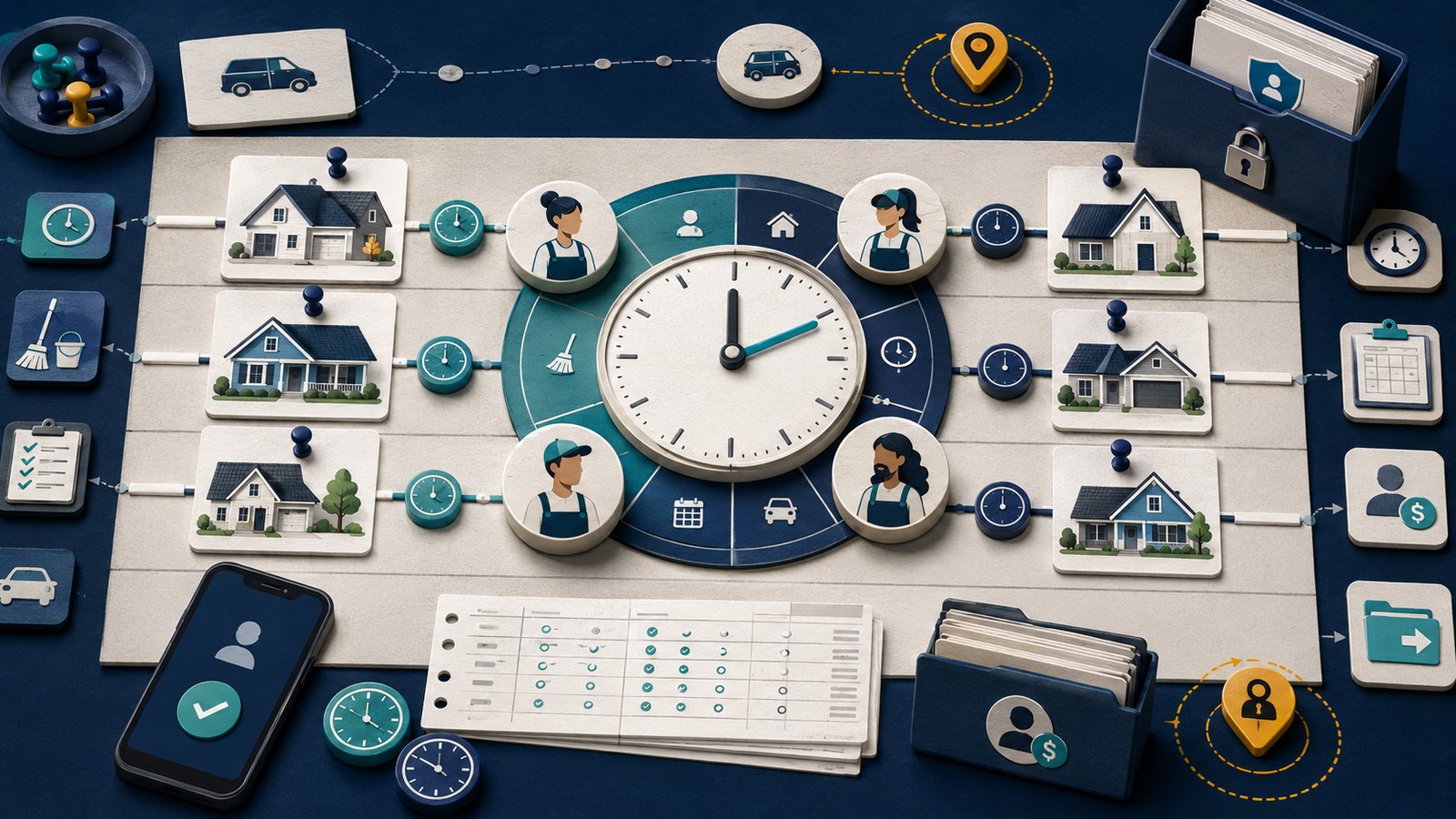
Cleaning-company time tracking is not just a generic employee punch clock. A residential cleaning business usually needs time records tied to jobs, cleaner assignments, solo or pair work, mobile clock-in and clock-out, travel or “on the way” status, timesheets, payroll or accounting handoff, and exportable history.
Based on public documentation, Jobber is the strongest shortlist when time tracking must sit inside broad field service management (FSM), jobs, visits, scheduling, mobile field workflow, payments, Client Hub, and QuickBooks Online (QBO). Housecall Pro is the strongest shortlist when field tech roles, team assignment, GPS or employee tracking language, timesheets, payment workflows, QuickBooks Desktop (QBD), and broader home-service operations matter. ZenMaid is the strongest shortlist when cleaning-specific cleaner assignment, checklists, job notes, availability and paid time off (PTO), and recurring maid-service workflow matter more than broad FSM depth. BookingKoala is the strongest shortlist when provider dashboards, provider app workflows, teams or pairs, clock-in/out, job media, and booking-to-provider workflow are the bottleneck. Workiz is the strongest shortlist when time tracking and assignment need to sit beside dispatch, phone, SMS, artificial intelligence (AI) answering, lead intake, client portal, and communication-heavy operations. Manual tools are temporary only.
Treat all pricing references in this article as planning estimates, not vendor quotes. Vendor confirmation is required for final plan fit, user or provider counts, GPS scope, payroll export behavior, QBD scope, SMS or phone packages, AI add-ons, payment-processing fees, migration, export depth, and cancellation terms.
Quick verdict
| Option | Research-based verdict | Verify first if |
|---|---|---|
| Jobber | Strongest shortlist when job-level time tracking must sit inside broad FSM workflow, jobs, visits, scheduling, mobile field workflow, payments, Client Hub, and QBO. | Every cleaner needs a login, location timers matter, QBO workflow must support payroll or job costing, or extra-user pricing changes the budget. |
| Housecall Pro | Strongest shortlist when field tech roles, team assignment, GPS/employee tracking, timesheets, payment workflows, QBD, and broader home-service operations matter. | Multi-cleaner jobs, QBD scope, payroll-style reporting, vehicle GPS, card-on-file payments, add-ons, or cancellation process are important. |
| ZenMaid | Strongest shortlist when cleaning-specific cleaner assignment, checklists, job notes, availability/PTO, and recurring maid-service workflow matter more than broad FSM depth. | You need advanced payroll exports, broad accounting integrations, multi-crew job costing, or large-team controls. |
| BookingKoala | Strongest shortlist when provider dashboards, provider app, teams/pairs, clock-in/out, job media, and booking-to-provider workflow are the bottleneck. | Provider-count pricing, GPS distance tracking, provider payouts, accounting handoff, or export/cancellation terms drive the decision. |
| Workiz | Strongest shortlist when time tracking and assignment need to sit beside dispatch, phone, SMS, AI answering, lead intake, client portal, and communication-heavy operations. | Pro User versus Free User fit, phone/SMS/AI packages, QBD scope, location tracking, or add-on costs could materially change the quote. |
| Manual baseline | Temporary only for very small teams or migration prep. | The business has more than a few cleaners, needs job-level records, needs payroll handoff, or needs audit history. |
Takeaway: Do not choose by a universal winner. Choose by whether the system can connect time records to cleaning jobs, cleaner assignments, mobile field use, payroll/accounting handoff, and exportable history.
In this article
- Key facts
- Buyer scenario
- What time tracking means for cleaning companies
- What team assignment means for cleaning companies
- Comparison table
- Scenario: 2 field workers + 1 office user
- Scenario: 5 field workers + 1 office user
- Scenario: 15 field workers + 2 office users
- Pricing and hidden costs
- GPS, location, payroll, and compliance cautions
- Export, migration, cancellation, and time-data risk
- What we could not verify
- Final recommendation
- Methodology
- Sources
Key facts
| Item | Research-based finding |
|---|---|
| Target buyer | US residential cleaning companies with 2–20 field workers and 1–2 office users that need job-level time tracking and cleaner assignment software. |
| Evidence level | research_based. Public documentation only; no controlled account, demo access, payroll export run, GPS check, vendor correspondence, or operator interview was used. |
| Core buying question | Can the software tie each time record to the right cleaning job, cleaner, crew or pair, mobile workflow, timesheet report, payroll/accounting handoff, and exportable history? |
| Not a generic time-clock list | The article focuses on cleaning-specific job timing, travel status, assigned cleaners, role permissions, and recurring residential workflows, not only employee punch-in/punch-out tools. |
| Pricing status | Use official vendor pricing pages as the current source. Scenario totals are lower-confidence planning estimates where user, provider, add-on, GPS, payroll, phone, SMS, AI, tax, migration, or quote-only costs are unclear. |
| GPS and geofencing | Public documentation describes location features in several products, but FieldOpsLab has not confirmed location accuracy, geofence reliability, device-permission behavior, or employee privacy compliance. |
| Payroll and accounting | Public documentation describes timesheets, exports, QuickBooks, payroll, or payroll-style workflows in some products. FieldOpsLab has not confirmed payroll compliance, payroll export completeness, or accounting sync behavior in a controlled account. |
| Export and cancellation risk | Time logs, assignments, notes, photos, GPS data, and payroll summaries may not export as one clean dataset. Buyers should confirm export and post-cancellation access before committing. |
Takeaway: The practical shortlist depends on the full workflow: job timers, assigned cleaners, mobile access, timesheets, payroll/accounting handoff, GPS caution, and exit risk.
Best for
This guide is best for a residential cleaning owner or operations manager who has outgrown paper timesheets, shared calendars, Google Sheets, texting, or generic employee time-clock tools. It is especially useful when cleaners work across recurring homes, occasional deep cleans, pair jobs, substitute assignments, and mobile checklists.
It is also useful when the business is deciding whether to buy a broad FSM platform, a cleaning-specific platform, a provider/booking-first tool, a communications-heavy dispatch system, or a temporary manual process while preparing migration data.
Avoid if
Avoid using this article as a final software quote, payroll compliance guide, legal guide, or proof that any vendor’s GPS, time tracking, payroll export, QuickBooks sync, migration, support, or cancellation workflow works exactly as described in public documentation.
Also avoid buying solely from a low starting price. A cleaning company’s real cost may depend on field-worker logins, office-user logins, provider counts, team-size thresholds, GPS packages, payroll tools, payment-processing fees, SMS usage, phone tools, AI answering, onboarding, migration, taxes, annual commitments, and export/cancellation risk.
Buyer scenario
The assumed buyer is a US residential cleaning business with recurring weekly or biweekly customers, one-time deep cleans, occasional pair jobs, and a small office team. The business wants to replace manual logs or disconnected tools with software that can assign cleaners, capture job-level time, review timesheets, and hand labor data to payroll or accounting.
| Scenario | Typical workflow | Pricing confidence | Why confidence is limited |
|---|---|---|---|
| 2 field workers + 1 office user | Small operation with one or two cleaners per day, light office scheduling, and occasional paired jobs. | Medium-low for final totals | Public pricing can change, user rules vary by vendor, and scenario assumptions should be rechecked against the buyer’s exact login, provider, add-on, tax, and contract requirements. |
| 5 field workers + 1 office user | Growing team with multiple jobs per day, a mix of solo and two-cleaner work, and more need for timesheet review. | Medium-low for final totals | Whether every cleaner needs a login, provider slot, or pro user can materially change cost. |
| 15 field workers + 2 office users | Mid-sized cleaning operation with multiple crews, recurring routes, schedule changes, and more formal reporting needs. | Low for final totals | Large-team pricing, add-ons, onboarding, migration, exports, phone/SMS/AI, and quote-only packaging require vendor confirmation. |
Takeaway: Use these scenarios to ask better vendor questions. Do not treat any scenario total as a final quote.
What time tracking means for cleaning companies
For cleaning companies, time tracking should answer more than “who was clocked in today?” It should connect labor time to a specific home, visit, cleaner, job status, and timesheet record.
| Time-tracking need | Why it matters in residential cleaning | Buyer question |
|---|---|---|
| Job-level timer | Labor cost and accountability depend on how long each cleaner spent at each customer visit. | Does the mobile app tie clock-in/out to the appointment, job, visit, or booking record? |
| Travel versus work time | Some teams want to separate driving status from cleaning time for payroll review, job costing, or route analysis. | Where does “On My Way,” travel time, or route time appear in reports? |
| Cleaner mobile access | Cleaners need a simple workflow from a phone, not a desktop-only admin screen. | Can a cleaner see only the work they need and clock time without office permissions? |
| Timesheet review | Managers need to review entries before payroll or job-costing decisions. | Can office staff edit, approve, lock, export, or audit time entries? |
| Payroll/accounting handoff | Tracked hours may need to reach a payroll provider, accountant, or QuickBooks workflow. | Does the export include employee, job, date, start time, end time, breaks, travel, and pay-period fields? |
| Location evidence | GPS or geofence features can help with accountability, but they are not automatically reliable or legally sufficient. | What happens when location permission is disabled, the phone is offline, or the cleaner arrives just outside the geofence? |
Takeaway: A useful cleaning time-tracking system should connect time entries to jobs and people, then make those records usable for review, payroll/accounting handoff, and export.
What team assignment means for cleaning companies
Team assignment is the software’s ability to decide who works a cleaning job and how that assignment is shown, changed, tracked, and reported. In residential cleaning, this can be one cleaner, a pair, a small crew, or a crew lead with helpers.
| Assignment pattern | Cleaning-company example | Software issue to confirm |
|---|---|---|
| Solo cleaner | One cleaner handles a recurring apartment or small house. | Can the office assign one cleaner and let that cleaner see only relevant job details? |
| Pair assignment | Two cleaners handle a larger home or first-time deep clean. | Can both cleaners be assigned to the same job and have separate time entries? |
| Crew assignment | Three or more people handle a move-out, turnover, or large home. | Can the system track each person, or does it require a crew lead workaround? |
| Crew lead model | Only a supervisor logs in and records work for the group. | Does this reduce seat cost at the expense of cleaner-level accountability? |
| Substitute cleaner | A regular cleaner is unavailable and another cleaner covers the job. | Is the change visible in job history, customer notifications, and time records? |
| Role permissions | Office staff schedule work; cleaners see mobile tasks; supervisors review timesheets. | Can roles separate office access, field access, payroll visibility, and admin settings? |
Takeaway: Pair and crew work are where generic time clocks often fall short. The buyer should verify whether the same job can hold multiple cleaners and separate time records.
Shortlist methodology
FieldOpsLab shortlisted products based on documented fit for residential cleaning teams that need time tracking and team assignment, not on affiliate status or generic popularity. The research favored official vendor sources for product and pricing claims.
| Criterion | How it was used |
|---|---|
| Job-level time tracking | Looked for public documentation describing timers, time logs, job time, shift time, or timesheets connected to jobs, visits, bookings, or field work. |
| Mobile cleaner workflow | Looked for mobile app documentation or product pages that describe field workers, technicians, providers, or cleaners clocking in, updating status, or viewing work. |
| Team/pair/crew assignment | Looked for evidence that more than one worker can be associated with work, or that roles/providers/field techs can be assigned and managed. |
| Timesheets and payroll/accounting handoff | Looked for documented timesheets, reports, exports, QuickBooks, payroll, or payroll-style workflows, while keeping unconfirmed export and compliance questions visible. |
| GPS/location cautions | Recorded documented GPS, location, geofence, map pin, or vehicle tracking claims as public documentation only, not as accuracy proof. |
| Pricing transparency | Used official pricing pages where available and marked unclear user/provider/add-on pricing as vendor-confirmation items. |
| Export, migration, and cancellation risk | Looked for official export, terms, or help documentation and treated missing detail as a buyer risk. |
Takeaway: The shortlist weights workflow fit and evidence discipline over broad “top software” language.
Comparison table
| Product | Public documentation describes | Most plausible fit | Main cautions | Research confidence |
|---|---|---|---|---|
| Jobber | Job timers and timesheets in the Jobber app, location timers, scheduling, Client Hub, payments, and QBO-related workflow on public pages. | Cleaning teams that want time tracking inside broader FSM operations. | Extra-user pricing, plan gates, geofence behavior, QBO/payroll handoff, QBD absence or workaround, and export depth require confirmation. | Medium-high for documented feature existence; lower for live workflow fit. |
| Housecall Pro | Time tracking with field status steps, timesheet reporting, team roles, payments, QBO/QBD references, employee GPS language, and broader home-service workflows. | Teams that value tech roles, mobile status, timesheet reporting, payments, and accounting breadth. | Multi-cleaner jobs, GPS scope, QBD behavior, payroll export completeness, vehicle tracking, add-ons, and cancellation process need written confirmation. | Medium-high for documentation; lower for crew workflow and final cost. |
| ZenMaid | Cleaning-specific scheduling, cleaner app workflow, clock-in/out references, checklists, notes, availability/PTO, and pricing tiers on official pages. | Maid-service teams prioritizing cleaning-specific operations over broad FSM depth. | Per-cleaner or team-size pricing, payroll/export wording, QuickBooks status, multi-cleaner assignment, and larger-team fit need confirmation. | Medium for cleaning workflow fit; lower for payroll/export detail. |
| BookingKoala | Provider app, booking time logs, “On The Way” and clock-in/out workflow, provider/team assignment fields, booking operations, and official provider-based pricing. | Booking-centric companies where providers, teams/pairs, and booking-to-provider flow are the bottleneck. | Provider thresholds, GPS distance behavior, provider payouts, accounting handoff, export completeness, and cancellation terms need confirmation. | Medium for provider workflow; lower for payroll/accounting fit. |
| Workiz | Job and shift time logging, timesheet reports, location pins when enabled, dispatch, client portal, phone/SMS/AI-oriented operations, and official pricing/contact paths. | Communication-heavy teams that want time tracking beside dispatch and call/text workflows. | Pro User versus Free User fit, current pricing, phone/SMS/AI package costs, QBD scope, GPS behavior, and export/cancellation detail need confirmation. | Medium for time documentation; lower for pricing and add-on totals. |
| Manual / lightweight baseline | Spreadsheets, paper timesheets, shared calendars, forms, and texting. | Temporary process for very small teams or migration prep. | No reliable job-level audit trail, no automated payroll handoff, weak assignment history, and high manager labor cost. | High for limitations; not a scalable software recommendation. |
Takeaway: Jobber and Housecall Pro are broader FSM candidates, ZenMaid is cleaning-specific, BookingKoala is booking/provider-centric, Workiz is communications-heavy, and manual tools are a stopgap.
Scenario: 2 field workers + 1 office user
At this size, the business may still survive with manual methods, but the decision turns on whether each cleaner needs a mobile login and whether the office wants job-level records now. Pricing confidence is medium-low because public pricing can change and final costs depend on seats, provider counts, add-ons, payments, taxes, and contract terms.
| Option | Scenario-based read | Planning caution |
|---|---|---|
| Jobber | Most plausible when the owner wants job timers inside broader FSM, Client Hub, payments, scheduling, and QBO workflow. | Confirm whether all three people need paid logins, which plan includes required time/location features, and how exports work. |
| Housecall Pro | Most plausible when field tech roles, timesheets, payments, QBD/QBO references, and broader office workflow matter early. | Confirm seat rules, time-tracking workflow, QBD scope, GPS/employee tracking scope, add-ons, and payment fees. |
| ZenMaid | Best fit for a cleaning-specific team that values cleaner assignment, checklists, notes, and recurring maid-service workflow without broad FSM complexity. | Confirm current pricing, cleaner/user rules, payroll wording, exports, SMS charges, and any appointment limits. |
| BookingKoala | Most plausible when online booking and provider app workflow are already central. | Confirm provider pricing, whether the office user counts separately, GPS plan gates, and export options. |
| Workiz | Usually only plausible if the small team already needs dispatch plus phone, SMS, or AI answering tools. | Confirm current official pricing, Pro User versus Free User rules, and whether communication packages make the platform overbuilt. |
| Manual baseline | Can be acceptable temporarily if the business has few jobs, simple payroll, and low risk tolerance. | Not a growth solution; job-level history and payroll handoff remain manual. |
Takeaway: For 2+1, the safest shortlist is usually one cleaning-specific option and one broader FSM option, with manual tools used only if the team is still validating its process.
Scenario: 5 field workers + 1 office user
At 5 field workers, time tracking and assignment become operationally important. Paired jobs, missed clock-ins, schedule swaps, and payroll review can become recurring office problems. Pricing confidence remains medium-low because the cost model may turn on the sixth login, provider thresholds, SMS/phone usage, or add-ons.
| Option | Scenario-based read | Planning caution |
|---|---|---|
| Jobber | Strong shortlist when the business wants job-level time tracking inside scheduling, visits, payments, Client Hub, and QBO workflow. | Confirm extra-user pricing, plan gates for location timers or automatic time features, multi-cleaner assignment behavior, and timesheet export fields. |
| Housecall Pro | Strong shortlist when the office needs tech roles, timesheets, payment workflows, QBD references, employee tracking language, and broader home-service tooling. | Confirm whether 6 users force a higher plan, how pair jobs are handled, and which GPS/payroll/payment features are included or add-ons. |
| ZenMaid | Plausible when cleaning-specific recurring workflow and cleaner instructions matter more than broad integrations. | Confirm per-cleaner or team-size pricing, availability/PTO workflow, payroll/export detail, and whether pair jobs work without awkward workarounds. |
| BookingKoala | Plausible when provider app workflow, team/pair assignment, booking time logs, and booking-to-provider operations are central. | Confirm provider thresholds, GPS plan gates, reports, provider payouts, and accounting handoff. |
| Workiz | Plausible if dispatch and communications are becoming as important as time tracking. | Confirm Workiz pricing directly, including Pro Users, Free Users, phone, SMS, AI, location, and QBD-related scope. |
| Manual baseline | Increasingly risky because payroll review and assignment history become harder to manage. | Use only as a short migration bridge, not the main system. |
Takeaway: For 5+1, manual tracking starts to break down. The buyer should prioritize mobile cleaner workflow, pair assignment, timesheet review, and exact seat/provider cost.
Scenario: 15 field workers + 2 office users
At 15 field workers, the choice is no longer just about clock-in buttons. The business needs role permissions, repeatable assignment rules, exportable labor history, payroll/accounting handoff, reporting, support expectations, and a clear cancellation/export plan. Pricing confidence is low for final totals because larger-team pricing, add-ons, migration, and quote-only packaging can materially change cost.
| Option | Scenario-based read | Planning caution |
|---|---|---|
| Jobber | Strong shortlist when the team wants broad FSM with jobs, visits, mobile workflow, payments, Client Hub, and QBO. | Confirm large-team pricing, extra seats, plan gates, QBO/payroll handoff, export depth, and whether team assignment matches multi-crew cleaning operations. |
| Housecall Pro | Strong shortlist when QBD references, role permissions, timesheets, payments, GPS/employee tracking language, and broader operations matter. | Confirm 17-user pricing, QBD scope, GPS scope, multi-cleaner job handling, payroll export fields, add-ons, and cancellation process. |
| ZenMaid | Only plausible if the business wants cleaning-specific workflow and the vendor confirms larger-team fit. | Confirm pricing at this headcount, export depth, payroll/reporting expectations, and whether the platform is operationally deep enough. |
| BookingKoala | Potentially strong if provider/team assignment and booking-to-provider workflow are the operating center. | Confirm provider thresholds, unlimited-provider claims if applicable, GPS, reports, provider payouts, data export, and accounting workflow. |
| Workiz | Plausible when the business wants time tracking plus dispatch, phone, SMS, AI answering, lead intake, and client portal tools. | Confirm itemized quote for users, phone, SMS, AI, location, QBD-related workflow, onboarding, and support. |
| Manual baseline | Not recommended as the main system. | Too much assignment, payroll, and export risk for this team size. |
Takeaway: For 15+2, every shortlist should include a written quote, a demo script, a migration plan, and export/cancellation confirmation before annual commitment.
Jobber time tracking and team assignment notes
Based on public documentation, Jobber is the most natural shortlist when the cleaning business wants time tracking inside a broader FSM workflow. Jobber’s public help articles describe timers, timesheets, location timers, schedules, and client-facing workflow. That public evidence supports a research-based shortlist, but not account-level confirmation.
Jobber strengths
- Public documentation describes timers and timesheets in the Jobber app, which is relevant to job-level time tracking.
- Public documentation describes location timers, which may help teams that want location-based prompts or accountability.
- Jobber’s broader workflow includes jobs, visits, scheduling, payments, Client Hub, and QBO-related operations.
- It is most plausible when the business wants one platform for scheduling, time, invoicing, payments, and customer workflow.
Jobber cautions
- FieldOpsLab has not confirmed time-clock reliability, location accuracy, geofence behavior, or cleaner adoption in a controlled account.
- Vendor confirmation is required for current user pricing, extra-user pricing, plan gates, location timer availability, and any automatic time-tracking features.
- Jobber is strongest around QBO in public materials; do not assume QBD support without vendor confirmation.
- For pair or crew jobs, confirm whether multiple cleaners can be assigned to the same visit and whether each worker’s time exports cleanly.
- Confirm which time, GPS, notes, and assignment fields export before cancellation.
Takeaway: Jobber is a strong research-based candidate when time tracking needs to live inside broad FSM operations, but buyers should confirm seat cost, location features, multi-cleaner behavior, and export fields.
Housecall Pro time tracking and team assignment notes
Based on public documentation, Housecall Pro is a strong shortlist when field tech roles, timesheets, payments, QBO/QBD references, GPS or employee tracking language, and broader home-service operations matter. Public docs describe field workflows, time tracking, team roles, payment processing, QuickBooks, and import/export paths, but the live fit for cleaning crews remains unconfirmed.
Housecall Pro strengths
- Public documentation describes mobile time tracking and field status workflows, including travel and job-time concepts.
- Public documentation describes team roles such as Admin/Owner, Office Staff, and Field Tech, which is useful for cleaner versus office permissions.
- Public pricing and help materials reference QBO and QBD, payments, online booking, review management, and broader home-service workflows.
- Import/export help documentation gives buyers a starting point for data-portability questions.
Housecall Pro cautions
- Confirm how multi-cleaner or crew jobs work. Do not assume one job can cleanly track multiple cleaners’ individual time without a demo or vendor confirmation.
- Confirm what employee GPS, vehicle GPS, and location tracking mean on the exact plan and device setup.
- Confirm QBD scope, payroll-style reporting, timesheet export fields, and whether the output fits your payroll provider or bookkeeper.
- Payment, card-on-file, ACH, phone, SMS, AI, websites, payroll, accounting, and vehicle GPS can add cost. Do not treat unknown add-ons as zero.
- Cancellation, refund, and post-cancellation data access should be confirmed in writing before annual billing.
Takeaway: Housecall Pro is a broad and plausible fit, but buyers should verify crew assignment, GPS scope, QBD scope, payroll handoff, add-ons, and cancellation details before purchase.
ZenMaid time tracking and team assignment notes
Based on public documentation, ZenMaid is the cleaning-specific option in this shortlist. It is most plausible when cleaner assignment, notes, checklists, availability/PTO, and recurring maid-service workflow matter more than broad FSM depth.
ZenMaid strengths
- ZenMaid is oriented around maid-service and residential cleaning workflows rather than generic field service.
- Public materials describe cleaner app workflows, checklists, job notes, availability/PTO, and cleaning-specific scheduling concepts.
- It is often the most natural shortlist when the business wants cleaner-facing simplicity more than broad sales, dispatch, and communications tooling.
ZenMaid cautions
- Confirm current pricing, per-cleaner or team-size rules, appointment limits, SMS costs, and plan gates on the official pricing page.
- Confirm what “payroll,” “reports,” or export language means in practice, especially if you need payroll-provider-ready columns.
- Confirm whether pair or crew assignment is native or requires workaround processes.
- Confirm QuickBooks, Zapier, export, and data-retention details before relying on ZenMaid as the system of record.
- FieldOpsLab has not confirmed clock-in/out reliability, optional GPS behavior, or mobile cleaner adoption in a controlled account.
Takeaway: ZenMaid should be shortlisted when cleaning-specific workflow is the priority, but larger teams and payroll/export-heavy buyers need vendor confirmation.
BookingKoala time tracking and team assignment notes
BookingKoala is the booking/provider-centric option. Based on public documentation, it is most plausible when provider dashboards, provider app, teams or pairs, clock-in/out, job media, and booking-to-provider workflow are the bottleneck.
BookingKoala strengths
- Public help documentation describes booking time logs and provider app status steps such as “On The Way” and clock-in/out.
- The workflow is provider-oriented, which can fit cleaning businesses that treat field workers as providers assigned to bookings.
- Public documentation describes assigned providers or teams in time-log context, making it relevant to pair or team workflows.
- Official pricing should be evaluated by provider thresholds and the features needed at each tier.
BookingKoala cautions
- Confirm provider count rules, admin versus provider access, and whether every cleaner requires a provider account.
- Confirm GPS plan gates, distance tracking behavior, and what happens when providers decline or disable location.
- Confirm provider payout, payroll, accounting, QuickBooks, export, and cancellation workflows before using it as the labor system of record.
- Confirm whether the booking-first workflow matches recurring maid-service operations, not only one-time online bookings.
Takeaway: BookingKoala is especially relevant when provider assignment and booking flow drive the operation, but payroll/accounting and export questions need careful review.
Workiz time tracking and team assignment notes
Workiz is most plausible when time tracking and assignment need to sit beside dispatch, phone, SMS, AI answering, lead intake, client portal, and communication-heavy operations. Its official help documentation describes logging hours for jobs and shifts and tracking time spent on jobs and shifts.
Workiz strengths
- Public help documentation describes job and shift time logging.
- Public help documentation describes timesheet reporting and location pins when location tracking is enabled.
- Workiz can be relevant for teams that want communications and dispatch in the same operational stack as time tracking.
- It may fit businesses where call intake, texting, lead workflow, and client portal needs are central.
Workiz cautions
- Confirm current official pricing directly. Workiz pricing, Pro User versus Free User fit, phone packages, SMS packages, AI packages, and add-on totals are vendor-confirmation items.
- Confirm whether job-level time tracking, shift tracking, and location pins work the way your cleaners will use them.
- Confirm multi-cleaner or crew assignment behavior before assuming pair jobs are cleanly supported.
- Confirm QBO/QBD scope, export fields, payroll handoff, cancellation terms, and post-cancellation data access.
Takeaway: Workiz belongs in the shortlist when communications are a major operational problem, not when the buyer only needs a lightweight cleaner time clock.
Manual / lightweight baseline
Manual tools include paper timesheets, Google Sheets, shared calendars, Google Forms, generic time-clock apps, and texting. They can be reasonable for a very small team that is still defining its process, but they should not be treated as a durable system for a growing cleaning company.
- Use temporarily if: the team is tiny, jobs are simple, payroll is easy, and the owner needs time to clean customer data before migration.
- Avoid as the main system if: multiple cleaners work daily, pair jobs are common, payroll review is time-consuming, or the office needs job-level history.
- Main risk: no reliable connection between customer jobs, cleaner assignments, timestamps, edits, payroll summaries, and exportable history.
Takeaway: Manual tools are a short-term bridge, not a serious long-term answer for job-level labor records.
Pricing and hidden costs
For this article, pricing should be treated as a planning model, not a quote. Public pricing pages can change, and the real cost for a cleaning company can depend on users, providers, GPS, payroll, payments, SMS, phone, AI, add-ons, onboarding, migration, tax, and cancellation terms.
| Cost layer | Why it matters | Products where this is especially important |
|---|---|---|
| Field-worker logins | Every cleaner with mobile access may become a paid user, pro user, provider, or seat depending on the vendor. | Jobber, Housecall Pro, ZenMaid, Workiz, BookingKoala |
| Office users | Schedulers, owners, supervisors, and payroll reviewers may need different permissions. | All options |
| Provider counts | Booking-first tools may price or gate around providers rather than classic users. | BookingKoala |
| GPS or vehicle tracking | Location features may be plan-gated, device-dependent, or separate from vehicle tracking packages. | Housecall Pro, Jobber, BookingKoala, Workiz, ZenMaid |
| Payroll or accounting handoff | Timesheets may export differently from payroll-ready files; QuickBooks sync may not cover payroll fields. | Jobber, Housecall Pro, Workiz, ZenMaid |
| Payments | Card, card-on-file, ACH, Tap to Pay, instant payout, refunds, and chargebacks can materially change total cost. | Jobber, Housecall Pro, BookingKoala, Workiz |
| SMS, phone, and AI | Message volume, phone lines, call answering, and AI answering can be separate packages. | Workiz, Housecall Pro, Jobber, ZenMaid |
| Onboarding and migration | Moving customers, jobs, recurring schedules, notes, checklists, and history can require setup work beyond subscription cost. | All options |
| Export and cancellation | Export access before or after cancellation may not include all time logs, GPS data, photos, notes, or assignment history. | All options |
Takeaway: Do not treat unknown costs as zero. Ask each vendor for an itemized quote that includes seats, providers, add-ons, payments, messaging, onboarding, migration, taxes, and cancellation terms.
Before you choose: Use this guide with related FieldOpsLab research on recurring cleaning scheduling, multi-crew route planning, customer reminders, online booking, cleaning business software, migration planning, and hidden software costs.
If Workiz is on the shortlist for time tracking or team assignment, ask Workiz to confirm team roles, mobile workflow, GPS, payroll handoff, exports, and pricing fit.
Time-tracking and team-assignment demo questions buyers should ask
For a broader vendor-demo checklist, see FieldOpsLab’s cleaning software demo questions guide.
A generic demo is not enough. Ask the vendor to walk through cleaning-specific work with the exact team size and roles you expect to use.
- Show a solo cleaner clocking in and out of a recurring cleaning job from the mobile app.
- Show two cleaners assigned to the same job and how each cleaner’s time appears in the timesheet.
- Show a crew lead with helpers, including how helper hours are recorded if helpers do not have logins.
- Show “On My Way,” travel time, job start, job pause, job finish, and clock-out, if the vendor supports those statuses.
- Show what happens if the cleaner has no data connection or location permission is disabled.
- Show how an office user edits, approves, locks, or exports a timesheet entry.
- Show a payroll or QuickBooks handoff using sample data, including the actual export columns.
- Show a substitute cleaner replacing the originally assigned cleaner for one visit.
- Show whether assignment history is visible after a job is reassigned.
- Show exports for customers, jobs, visits, assigned cleaners, time logs, notes, checklists, photos, and any location data.
- Show what data remains accessible if the subscription is canceled or downgraded.
Takeaway: The best demo is not a sales overview. It is a step-by-step simulation of your actual cleaner assignment and timekeeping workflow.
GPS, location, payroll, and compliance cautions
Location and payroll features can create false confidence if buyers treat public documentation as proof. FieldOpsLab has not confirmed GPS accuracy, geofence reliability, payroll compliance, or payroll export completeness for any product in this guide.
| Area | Safe interpretation | What to confirm |
|---|---|---|
| GPS and geofencing | Public documentation may describe GPS, location pins, geofences, or vehicle tracking, but this does not prove accuracy. | Device settings, employee consent, location permission behavior, offline behavior, map visibility, report exports, and state/local requirements. |
| Employee privacy | Location tracking can raise workplace privacy and notice issues. | Confirm requirements with an attorney or HR advisor before tracking staff location. |
| Payroll compliance | Timesheets can help prepare payroll, but software does not replace wage-hour compliance review. | Overtime, breaks, rounding, travel time, paid/nonpaid time, employee classification, and state rules with payroll provider, accountant, attorney, or HR advisor. |
| Employee versus contractor | Software roles do not decide worker classification. | Confirm classification rules with a qualified advisor. |
| QuickBooks and payroll | QBO or QBD integration may support accounting workflows, but it may not send payroll-ready labor data. | Which fields sync, which fields export, and how your payroll provider consumes them. |
Takeaway: Treat GPS and payroll features as operational aids. They are not substitutes for legal, tax, payroll, wage-hour, or HR advice.
Export, migration, cancellation, and time-data risk
Time and assignment records become business-critical once payroll, job costing, customer disputes, and employee accountability depend on them. The risk is that a system may export customers or jobs but not the full context attached to time logs.
| Data type | Why it matters | Question to ask before purchase |
|---|---|---|
| Customers and service addresses | Needed for migration and future operations. | Can you export all contacts, service addresses, access notes, and communication preferences? |
| Jobs, visits, and bookings | Needed to preserve operational history and recurring service context. | Do exports include job IDs, visit dates, recurrence data, statuses, and assignments? |
| Time logs | Needed for payroll review, job costing, and dispute history. | Can you export start/end times, travel time, breaks, edits, employee names, job references, and pay periods? |
| Assigned cleaner history | Needed to know who worked which customer and when. | Does the export preserve who was assigned, who actually clocked in, and who changed the assignment? |
| GPS or location data | May matter for accountability, but can be difficult to export. | Can location points, map pins, or geofence events be exported in bulk? |
| Notes, photos, and checklists | Cleaning quality and customer context often live outside the invoice. | Can notes, photos, checklists, and job media be exported or downloaded in usable form? |
| Cancellation access | Exit risk rises if data access ends quickly after cancellation. | How long can you log in after cancellation, and can you request a final export? |
Takeaway: Before committing, ask each vendor to show sample exports for the exact records you would need if you leave later.
What we could not verify
Public documentation is useful, but it cannot answer the most important operational questions by itself.
| Unconfirmed item | Why it matters | How to handle it |
|---|---|---|
| Cleaner adoption | A mobile workflow only works if cleaners use it correctly during busy days. | Run a controlled account evaluation or vendor-guided pilot before annual commitment. |
| Timer reliability | Missed taps, offline work, or app confusion can distort payroll and job costing. | Test clock-in/out, pause, travel, and edits with real cleaning scenarios. |
| GPS accuracy | Location data can be imprecise or blocked by phone settings. | Confirm device requirements, permissions, and report behavior before using GPS for accountability. |
| Payroll export completeness | Payroll providers need specific fields and pay-period logic. | Export sample data and have your payroll provider review it. |
| QBD scope | A public QBD mention does not explain every sync or import path. | Have your bookkeeper verify QBD workflow with the vendor. |
| Multi-cleaner job behavior | Pair and crew jobs are common in cleaning. | Ask the vendor to demonstrate multiple cleaners on one job with separate time entries. |
| Export completeness | Not every vendor exports notes, media, GPS, assignment history, or recurring metadata. | Ask for sample exports before importing full data. |
| Support and cancellation experience | Public docs do not prove response quality or cancellation friction. | Review terms and get cancellation steps in writing. |
| Final monthly cost | Users, providers, add-ons, taxes, payments, phone, SMS, AI, migration, and annual terms can change the total. | Request an itemized written quote for your exact scenario. |
Takeaway: These are not reasons to reject every product. They are the questions that separate a safe shortlist from a risky purchase.
Buyer verification checklist
- Count field workers, office users, supervisors, crew leads, contractors, and total people who need logins.
- Ask whether pricing uses users, providers, pro users, free users, vehicles, contacts, storage, or quote-only tiers.
- Confirm the exact plan and price for 2+1, 5+1, and 15+2 scenarios.
- Ask whether every cleaner can be assigned to a job and whether pair jobs can track separate time entries.
- Have the vendor demonstrate mobile clock-in/out, travel status, pause, edit, and clock-out.
- Ask what happens when a cleaner disables location, loses service, clocks late, or forgets to clock out.
- Ask whether managers can edit, approve, lock, and export timesheets.
- Export sample payroll data and have your payroll provider review it.
- Have your accountant or bookkeeper confirm QBO or QBD workflow before relying on an integration claim.
- Confirm card, ACH, card-on-file, Tap to Pay, instant payout, refund, chargeback, and payout timing costs.
- Confirm SMS, phone, AI, marketing, receptionist, vehicle GPS, payroll, accounting, onboarding, and migration add-ons.
- Ask for customer, job, visit, booking, assignment, time log, GPS, notes, media, and checklist export examples.
- Get cancellation steps, renewal terms, refund rules, and post-cancellation data access in writing.
Final recommendation
There is no universal winner. The safest shortlist changes by team size, workflow, and cost tolerance.
2 field workers + 1 office user
For a small team, shortlist ZenMaid if cleaning-specific workflow and simplicity matter most. Shortlist Jobber or Housecall Pro if the office also wants broader FSM features such as payments, client workflow, QuickBooks, and more formal reporting. BookingKoala is most plausible if online booking and provider workflows are central. Workiz is usually only sensible if phone, SMS, or AI answering already matters. Manual tools can remain temporary while the business prepares data and standardizes process.
5 field workers + 1 office user
For a growing team, prioritize mobile cleaner workflow, pair assignment, timesheets, export fields, and exact user/provider cost. Jobber becomes attractive when job-level time must live inside broad FSM. Housecall Pro becomes attractive when roles, timesheets, QBD references, payments, and broader operations matter. BookingKoala should be evaluated if provider/team booking workflow is the center of the business. ZenMaid remains relevant if cleaning-specific simplicity matters more than broad FSM depth. Workiz fits only if communication tools justify the added pricing diligence.
15 field workers + 2 office users
For a larger cleaning team, do not rely on public pricing alone. Shortlist Jobber, Housecall Pro, BookingKoala, and Workiz only after each vendor provides an itemized scenario quote and demonstrates assignment, time tracking, payroll/accounting handoff, export, and cancellation workflows. ZenMaid may still fit a cleaning-first operation, but larger-team pricing, reporting, payroll/export detail, and crew workflow need vendor confirmation. Manual tools should not be the main system.
Takeaway: Choose the product that proves the workflow for your team size. The right answer is the system that can connect cleaner assignments, time logs, payroll/accounting handoff, and exportable history without hiding key costs.
Methodology
This article uses a research_based evidence standard. FieldOpsLab reviewed public vendor pricing pages, official help-center articles, terms, integration documentation, time-tracking documentation, payment documentation, export documentation, and related FieldOpsLab research. Product information and pricing were checked on 2026-07-06.
FieldOpsLab did not use a controlled account, paid account, vendor-controlled demo, GPS route check, geofence check, payroll export, QuickBooks export, migration run, support interaction, cancellation attempt, vendor correspondence, or operator interview for this article. Public documentation supports planning and buyer questions, but it does not confirm live workflow behavior.
The 2+1, 5+1, and 15+2 scenarios are editorial planning scenarios. Pricing confidence is limited because vendor costs can depend on users, providers, add-ons, phone, SMS, AI, GPS, payroll, payments, taxes, onboarding, migration, and quote-only packaging. Treat the scenarios as planning estimates, not vendor quotes.
Sources
Jobber sources
- Jobber pricing
- Jobber: Timers and Timesheets in the Jobber App
- Jobber: Timesheets
- Jobber: Location Timers in the Jobber App
- Jobber: Schedule Overview
- Jobber Terms of Service
Housecall Pro sources
- Housecall Pro pricing
- Housecall Pro time tracking
- Housecall Pro: Time Tracking Overview Guide
- Housecall Pro: Team Member Roles & Permissions
- Housecall Pro: Payment Processing Options
- Housecall Pro: QuickBooks Online Integration Onboarding Guide
- Housecall Pro: QuickBooks Online Syncing Information
- Housecall Pro: Import and Export Jobs and Customers
- Housecall Pro Vehicle GPS Tracking
- Housecall Pro Terms