
Affiliate disclosure: FieldOpsLab may earn a commission if you sign up for Workiz through links on this page. This does not change the price you pay. Our recommendations are based on evidence and buyer fit, not affiliate relationships.
Written by: LPSA
Evidence level: research_based
Product information checked: 2026-07-06 to 2026-07-07
Pricing checked: 2026-07-06 to 2026-07-07
Last meaningfully updated: 2026-07-07
Evidence status
This is a research-based shortlist guide for US residential cleaning companies with 2–20 field workers and 1–2 office users. FieldOpsLab reviewed public vendor pricing pages, official help-center documentation, payment documentation, integration documentation, export documentation, and related public source material.
FieldOpsLab has not verified these products in a controlled account, paid account, vendor demo, vendor correspondence process, or operator interview process. Live invoicing behavior, payment processing, card-on-file setup, automated clearing house (ACH) behavior, chargebacks, payout timing, QuickBooks sync behavior, export completeness, support quality, cancellation experience, saved-card portability, and final total cost remain unverified in practice.
| Evidence item | Status for this article |
|---|---|
| Evidence level | research_based |
| Product access | FieldOpsLab did not use a controlled account or paid account. |
| Vendor demo | No vendor demo was used. |
| Payment workflow | Public documentation was reviewed, but payment behavior remains unverified in practice. |
| Accounting workflow | Public documentation was reviewed, but QuickBooks or accounting sync behavior remains unverified in practice. |
| Pricing basis | Public pricing and product information checked from 2026-07-06 to 2026-07-07. Treat any pricing discussion as a planning estimate, not a vendor quote. |
Takeaway: This article can help narrow a shortlist and prepare buyer questions. It should not be read as account-validated proof of payment behavior, accounting sync, payout timing, export completeness, or final cost.
Quick answer
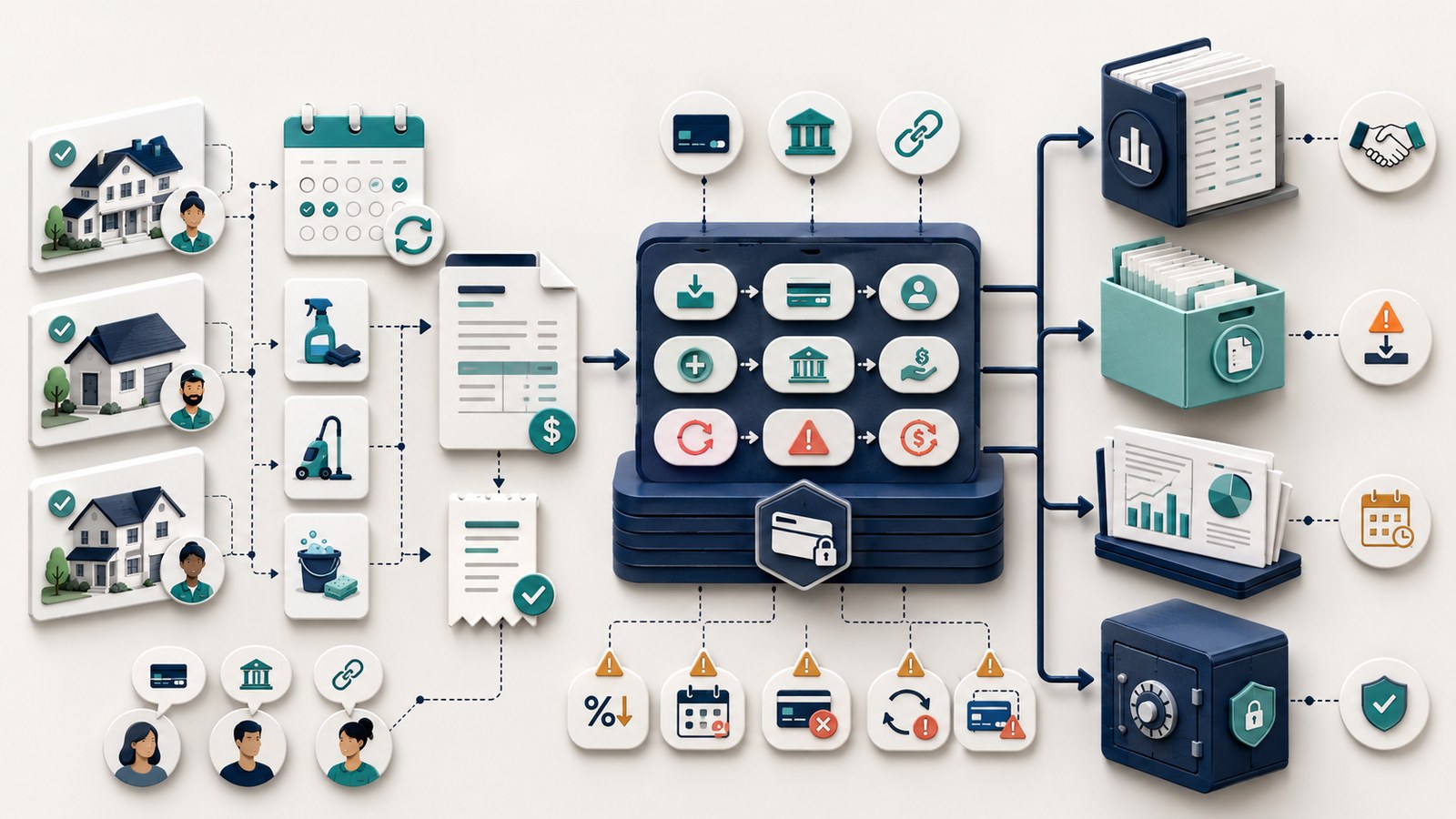
Cleaning businesses need more than generic invoice software. The real decision is whether invoices and payments connect to jobs, quotes, bookings, recurring schedules, reminders, accounting handoff, exports, and cancellation risk.
Based on public documentation, Jobber is the strongest shortlist when a cleaning business wants broad field service management (FSM) for jobs, quotes, invoices, reminders, online payments, and documented QuickBooks Online (QBO) integration. Housecall Pro is strongest when the buyer wants broad home-service workflow, customer-facing payment options, and documented QBO and QuickBooks Desktop (QBD) positioning. ZenMaid is strongest when cleaning-specific scheduling and processor-connected invoicing/payments matter most. BookingKoala is strongest when booking forms, deposits, customer self-service, and booking-to-payment flow are central. Workiz is strongest when invoicing and payments need to sit inside dispatch, call, short message service (SMS), and sales workflows. Manual tools are most plausible only for very small or transitional workflows.
Do not choose only on subscription price. Payment-processing fees, SMS, phone, artificial intelligence (AI) features, add-ons, taxes, onboarding, migration, quote-only services, and cancellation risk can materially change the real budget. If pricing or workflow behavior is unclear, vendor confirmation is required.
Quick verdict
| Product | Scenario-based verdict |
|---|---|
| Jobber | Strongest shortlist when a cleaning business wants broad FSM workflow for jobs, quotes, invoices, reminders, online payments, and documented QBO integration. |
| Housecall Pro | Strongest shortlist when a cleaning business wants broad home-service workflow, customer-facing payment options, and documented QBO/QBD positioning. |
| ZenMaid | Strongest shortlist when the buyer wants cleaning-specific scheduling and processor-connected invoicing/payments. |
| BookingKoala | Strongest shortlist when booking forms, deposits, customer self-service, and booking-to-payment flow are central. |
| Workiz | Strongest shortlist when invoicing and payments need to sit inside dispatch, call/SMS, and sales workflows. |
| Manual baseline | Consider only when the buyer is very small and only needs invoices and payment links. |
Takeaway: There is no universal winner. The safest shortlist depends on whether the business is FSM-first, cleaning-specific, booking-first, communications-heavy, or still small enough for manual invoicing and payment links.
In this article
- Key facts
- Best for
- Avoid if
- Buyer scenario
- What invoicing and payment software means for cleaning businesses
- Shortlist methodology
- Comparison table
- Scenario: 2 field workers + 1 office user
- Scenario: 5 field workers + 1 office user
- Scenario: 15 field workers + 2 office users
- Jobber invoicing and payment notes
- Housecall Pro invoicing and payment notes
- ZenMaid invoicing and payment notes
- BookingKoala invoicing and payment notes
- Workiz invoicing and payment notes
- Manual / lightweight baseline
- Pricing, payment fees, and hidden costs
- Demo questions buyers should ask
- Payment, accounting, tax, and compliance cautions
- Export, migration, cancellation, and payment-data risk
- What we could not verify
- Buyer verification checklist
- Final recommendation
- Methodology
- Sources
Key facts
| Item | Research-based finding |
|---|---|
| Target buyer | US residential cleaning businesses with 2–20 field workers and 1–2 office users that need invoicing and payments connected to operations. |
| Products compared | Jobber, Housecall Pro, ZenMaid, BookingKoala, Workiz, and a manual/lightweight baseline using tools such as QuickBooks, Square, Stripe, or PayPal. |
| Main decision | Whether the buyer needs broad FSM, broad home-service workflow, cleaning-specific scheduling, booking-first payments, communications-heavy dispatch, or only basic invoice/payment links. |
| Important payment workflows | Job-linked invoices, quote-to-invoice conversion, booking-to-payment flow, recurring billing, card-on-file, ACH/bank payments, deposits, tips, refunds, failed payments, reminders, customer portal payment, and payout reporting. |
| Accounting workflow | Public documentation describes QBO, QBD, or accounting-related positioning for some products, but FieldOpsLab has not verified sync behavior, mapping, duplicate handling, or error recovery. |
| Pricing status | Use current official vendor pricing pages only. Treat subscription references as planning context, not final vendor quotes. |
| Hidden-cost categories | Payment-processing fees, ACH fees, card-on-file fees, instant payout fees, refund/dispute costs, SMS, phone, AI, add-ons, taxes, onboarding, migration, quote-only costs, and cancellation risk should not be treated as zero. |
| Export risk | Customer export may be easier than payment-data migration. Saved cards and payment tokens may be tied to a processor, platform, merchant account, or authorization flow. |
| Evidence level | research_based. |
Takeaway: A cleaning business should evaluate invoicing and payment software as part of the full job, booking, recurring service, accounting, export, and cancellation workflow—not as a standalone invoice template.
Best for
This guide is the best fit for a residential cleaning company that has outgrown spreadsheets, manual invoice emails, disconnected payment links, and ad hoc reminders. It is especially useful when the business has recurring weekly, biweekly, or monthly clients plus one-time deep cleans, move-out cleans, first-time cleans, deposits, tips, refunds, and customer payment follow-up.
It is also useful for buyers comparing broad FSM tools such as Jobber, broad home-service platforms such as Housecall Pro, cleaning-specific options such as ZenMaid, booking-first platforms such as BookingKoala, communications-heavy tools such as Workiz, and manual payment-layer tools such as QuickBooks, Square, Stripe, or PayPal.
Avoid if
Avoid using this guide as a final vendor quote, payment-compliance review, accounting recommendation, or proof that a specific payment workflow works in practice. Public documentation can describe software capabilities, but it does not prove payment approval, payout timing, card-on-file behavior, ACH behavior, recurring-payment behavior, QuickBooks sync behavior, export completeness, support quality, cancellation experience, or final total cost.
Also avoid choosing a product before writing down who needs logins, how invoices are created after completed cleanings, how deposits are applied, how recurring customers are billed, which payment methods customers use, what your bookkeeper needs, what data must be exported, and what happens if you cancel or downgrade later.
Buyer scenario
The buyer is a US residential cleaning company with 2–20 field workers and 1–2 office users. The company may have recurring residential clients, one-time deep cleans, move-out cleans, new-customer jobs, deposits, tips, refunds, and overdue invoices. Its current workflow may combine spreadsheets, Google Calendar, texting, QuickBooks invoices, Square invoices, Stripe payment links, PayPal requests, checks, bank transfers, and manual follow-up.
The buyer wants software that can connect invoices to jobs, quotes, or bookings; reduce unpaid balances; support customer payment links or portals; help with recurring cleaning billing; and create a cleaner handoff to accounting. The buyer also needs to understand cost after users, providers, SMS, phone, AI, payment processing, add-ons, taxes, onboarding, migration, quote-only items, and unknown costs.
| Scenario | Field workers | Office users | Conservative access assumption | Why it matters |
|---|---|---|---|---|
| 2 field workers + 1 office user | 2 | 1 | 3 people may need access if each cleaner and the office user logs in. | Solo or owner-only invoice tools may become insufficient if cleaners need mobile job access and job-linked invoicing. |
| 5 field workers + 1 office user | 5 | 1 | 6 people may need access if each cleaner and the office user logs in. | User tiers, reminders, SMS volume, payment-processing fees, and add-ons can materially change the budget. |
| 15 field workers + 2 office users | 15 | 2 | 17 people may need access if each cleaner and both office users log in. | This size often requires vendor confirmation because public pricing may cap included users or route larger teams to sales. |
Takeaway: Count users before comparing invoice features. A cleaner who needs a mobile login can change both cost and workflow capability.
What invoicing and payment software means for cleaning businesses
For a cleaning company, invoicing and payment software should not be reduced to “send an invoice.” The stronger question is whether the billing record connects to the job, quote, booking, customer, cleaner, payment method, reminder, accounting handoff, and export trail.
Job-linked invoicing
Job-linked invoicing means the invoice is tied to a scheduled or completed cleaning job rather than created as a standalone accounting document. Based on public documentation, broad FSM products often describe jobs, quotes, invoices, payments, and reminders as connected workflows. FieldOpsLab has not verified live job completion or invoice generation behavior in a controlled account.
Quote-to-invoice and booking-to-payment flow
Quote-to-invoice conversion matters when a deep clean, move-out clean, first-time clean, or upsell starts as an estimate. Booking-to-payment flow matters when an online booking collects a deposit, stores a payment method, requests payment, or creates a later invoice. Public documentation can describe these flows, but buyers should ask each vendor to demonstrate the exact workflow for their service mix.
Recurring cleaning billing
Recurring scheduling and recurring payment collection are separate requirements. A product may support recurring jobs or service plans but still require separate configuration for recurring invoices, automatic charges, saved cards, ACH, failed-payment follow-up, or payment reminders. Treat public recurring-payment language as a planning clue, not proof of live behavior.
Card-on-file, ACH, and payment links
Card-on-file means a payment method may be stored through a processor or platform token. ACH or bank payment support means the customer may pay by bank transfer or linked bank account. FieldOpsLab has not verified card-on-file setup, ACH setup, customer authorization, returns, failed-payment retries, payout timing, or saved-card portability. Payment links and customer portals may reduce office follow-up, but buyer confirmation is required for plan availability, fees, customer experience, and export data.
Deposits, tips, refunds, and failed payments
Cleaning companies may need deposits for deep cleans, tips after service, refunds for adjusted jobs, and follow-up for failed payments. Public documentation may describe deposits, tips, refunds, or payment reminders, but that does not prove refund behavior, dispute handling, chargeback handling, payout timing, or reminder performance in a buyer’s account.
Accounting handoff and export
Accounting handoff means invoices, payments, fees, deposits, customers, and related records may sync or export to QuickBooks or another accounting system. Public documentation does not prove live sync behavior, duplicate handling, error recovery, mapping accuracy, fee reconciliation, or bookkeeper approval. Export matters because payment records, payout history, disputes, refunds, recurring billing setup, and saved-card tokens are often harder to move than ordinary customer records.
Shortlist methodology
FieldOpsLab built this shortlist from public official sources and conservative evidence labels. The article prioritizes official pricing pages, help-center articles, payment-processing documentation, invoicing and estimate documentation, booking and recurring-service documentation, QuickBooks or accounting integration documentation, import/export documentation, billing and cancellation documentation, and terms pages where available.
QuickBooks, Square, Stripe, PayPal, and other payment processors are used only as payment-layer context or directly documented integration context. Generic invoicing or payment pages are not used as proof that a cleaning-software product works well for cleaning businesses.
| Evaluation area | What FieldOpsLab looked for |
|---|---|
| Invoice workflow | Job-to-invoice linkage, quote-to-invoice conversion, booking-to-payment flow, deposits, tips, partial payments, and invoice status. |
| Payment workflow | Online payments, card-on-file, ACH/bank payments, customer portal payment, recurring payments, failed-payment follow-up, refunds, disputes, payout reports, and payment fees. |
| Cleaning fit | Recurring cleaning schedules, field-worker access, customer reminders, online booking, service plans, and customer self-service. |
| Accounting fit | Documented QuickBooks or accounting positioning, export fallback, fee handling, duplicate handling, and bookkeeper diligence needs. |
| Cost risk | Subscription, payment-processing fees, SMS, phone, AI, add-ons, taxes, onboarding, migration, quote-only items, and unknown costs. |
| Exit risk | Customer export, invoice export, payment export, transaction export, refund/dispute export, saved-card portability, token portability, cancellation, and post-cancellation access. |
Takeaway: The shortlist is based on public documentation and buyer-fit analysis. Vendor documentation is useful, but it is not the same as live workflow proof.
Comparison table
| Product | Operating model | Invoice workflow | Payment methods | Card-on-file / ACH | Recurring-payment fit | Payment reminders | Accounting fit | Fee transparency | Export/migration/cancellation risk | Best-fit scenario | Confidence |
|---|---|---|---|---|---|---|---|---|---|---|---|
| Jobber | Broad FSM platform. | Public documentation describes quotes, jobs, invoices, online payments, client communication, and reminders. Live job-to-invoice behavior remains unverified. | Public documentation describes online payment options through Jobber Payments. Current fees and availability should be checked on official pricing and payment pages. | Public documentation describes saved cards and ACH/bank payments. Setup, authorization, fees, returns, and token behavior remain unverified. | Strong plausible fit for recurring service businesses, but recurring charge behavior requires vendor confirmation. | Public documentation describes reminders and follow-ups; delivery and performance remain unverified. | Public documentation describes QBO and Xero sync. Live sync behavior remains unverified. | Relatively useful public pricing, but final cost depends on plan, users, processing, add-ons, tax, and usage. | Customer export is documented, but invoice/payment export completeness and saved-card portability remain unverified. | Broad FSM workflow for growing teams that want connected jobs, invoices, payments, and client communication. | Medium for public feature positioning; low for live payment/accounting/export behavior. |
| Housecall Pro | Broad home-service platform. | Public documentation describes estimates, invoices, payments, scheduling, dispatch, online booking, and customer workflows. Live cleaning workflow remains unverified. | Public pricing and payment pages describe customer-facing payment options. Current fees and eligibility require confirmation. | Public documentation describes card-on-file and bank payment concepts. Authorization, automatic charges, returns, and fees remain unverified. | Public documentation describes service-plan or recurring concepts, but recurring payment behavior should be demonstrated by the vendor. | Public documentation describes customer communication and reminders; failed-payment handling and delivery remain unverified. | Public documentation describes QBO and QBD support. Sync behavior and duplicate handling remain unverified. | Useful public pricing, but larger-team, add-on, and payment costs may require confirmation. | Customer/job export is documented; payment, dispute, payout, invoice-history, and post-cancellation access require confirmation. | Broad home-service workflow when QuickBooks and customer-facing payment flow matter. | Medium for public feature positioning; low for live payment/accounting/export behavior. |
| ZenMaid | Cleaning-specific scheduling and operations platform. | Public documentation and pricing describe scheduling, appointment workflows, invoicing, and online payments through connected processors. Live invoice behavior remains unverified. | Public documentation describes online payments with Stripe and Square. Processor-specific methods and fees require current processor confirmation. | Card-on-file and ACH depend on processor configuration. Saved-card setup, ACH availability, and token portability remain unverified. | Plausible for recurring cleaning operations, but recurring automatic charge behavior requires vendor and processor confirmation. | Public documentation describes communication features and templates; costs and limits require confirmation. | Accounting depth requires confirmation. Do not assume verified QuickBooks behavior. | Public pricing can support plan planning, but SMS, processor fees, export tiering, and add-ons must be separated. | Export scope and saved-card portability are key risks, especially if plan tiers affect export access. | Cleaning-specific workflow for smaller or recurring maid-service teams comfortable with processor-based payments. | Medium for public product fit; low for payment, ACH, sync, and portability behavior. |
| BookingKoala | Booking-first platform with customer self-service and provider workflows. | Public documentation describes booking flows, invoices, payment processors, deposits or card-related setup, and customer/provider records. Live booking-to-payment behavior remains unverified. | Public documentation describes processor integrations. Exact methods depend on configuration, region, and current packaging. | Saved-card behavior appears tied to processor/platform setup. ACH and token portability require vendor confirmation. | Plausible when membership, recurring booking, or booking-related charges matter, but recurring charge behavior should be demonstrated. | Public documentation describes notifications and booking communication; payment reminder performance remains unverified. | Current accounting behavior should be confirmed from official docs before making claims. | Pricing and packaging can be difficult to compare without current official plan review and vendor confirmation. | Import/export support is publicly discussed, but payment, refund, dispute, payout, token, and post-cancellation access require confirmation. | Booking-first workflow when deposits, booking forms, and customer self-service are central. | Medium for booking workflow fit; low for exact pricing, ACH, accounting, and portability. |
| Workiz | Field service and communications-centered platform. | Public documentation describes estimates, invoices, payments, service plans, and communication workflows. Live cleaning-specific behavior remains unverified. | Public documentation describes Workiz Pay and payment requests, but current fees, availability, and payout rules require vendor confirmation. | Public documentation describes card and ACH concepts in Workiz Pay materials. Saved-card setup, ACH setup, returns, and token portability remain unverified. | Plausible for recurring service plans, but automatic charge behavior and authorization flow require demonstration. | Communications features are a main reason to consider Workiz, but SMS, phone, AI, and failed-payment behavior require confirmation. | Public documentation describes QBO integration. Live sync behavior remains unverified. | Quote and add-on treatment require vendor confirmation. Non-official totals should not be used. | Export, migration, payment-token portability, and post-cancellation access require direct confirmation. | Larger or communications-heavy teams that want payments integrated with dispatch and sales workflows. | Medium for documented product direction; low for pricing, payment, sync, export, and cancellation behavior. |
| Manual / lightweight baseline | Accounting or processor layer rather than cleaning operations software. | QuickBooks, Square, Stripe, PayPal, or similar tools can send invoices or payment links, but do not prove cleaning-specific job linkage. | Payment methods depend on the processor and account setup. | Card-on-file, ACH, token portability, disputes, refunds, and payout timing depend on the processor. | Recurring invoices or subscriptions may exist at the processor/accounting layer, but cleaning workflow automation is limited. | Reminder features may exist, but cleaning-specific follow-up and job context are limited. | Strongest when the buyer already keeps books in the accounting tool. | Processor pricing pages may be transparent, but customer mix and processor account rules affect final cost. | Data may be more portable at the accounting layer, but cleaning job context and saved payment methods may not migrate cleanly. | Very small teams or transitional setups that do not yet need full operations software. | Medium for baseline context; low as proof of cleaning-specific workflow fit. |
Takeaway: Jobber and Housecall Pro are the broadest FSM-style options, ZenMaid is the most cleaning-specific shortlist candidate, BookingKoala is booking-first, Workiz is more communications and dispatch oriented, and manual tools are a temporary baseline rather than a complete cleaning workflow system.
Scenario: 2 field workers + 1 office user
This scenario assumes three people may need access if each cleaner and the office user logs in. It is a planning model, not a quote.
| Cost or risk category | Planning treatment |
|---|---|
| Subscription planning estimate | Use the current official pricing page for each vendor. A small-team plan may be sufficient for some products, but exact plan fit depends on logins, field access, and whether recurring invoices or payments require a higher plan. Vendor confirmation required before relying on exact totals. |
| Payment-processing fees | Separate from subscription. Confirm card, keyed card, card-on-file, ACH/bank payment, Tap to Pay, wallet, refund, dispute, chargeback, instant payout, and payout-related fees. |
| SMS/phone/AI costs | Separate unless the current official pricing page clearly says otherwise. Confirm SMS, two-way texting, phone, receptionist, AI, call answering, and marketing add-ons. |
| Add-ons | Confirm online booking, customer portal, marketing, reviews, recurring-service features, automation, forms, deposits, and accounting add-ons. |
| Taxes | Do not model a fixed tax percentage. Vendor confirmation required. |
| Onboarding and migration | Even small teams may need contact import, calendar import, payment setup, and accounting setup. Confirm whether onboarding or migration help is included or billed separately. |
| Quote-only costs | Treat sales-led plans, custom payment rates, and implementation services as unknown until confirmed in writing. |
| Unknown costs | Payment fees, SMS usage, processor account requirements, bank verification, chargebacks, refunds, import help, cancellation, downgraded data access, and support tier. |
| Confidence level | Medium for public workflow positioning; low for final cost and live payment behavior. |
| Buyer verification action | Ask each vendor to show a completed recurring cleaning invoice, deep-clean deposit, payment reminder, customer portal payment, card-on-file setup, ACH setup, refund workflow, QuickBooks handoff, and export screen using this exact 2+1 scenario. |
Takeaway: For a 2+1 team, the main risk is overbuying a broad platform before proving that the invoice, deposit, recurring payment, reminder, and accounting workflow fits the business.
Scenario: 5 field workers + 1 office user
This scenario assumes six people may need access. It often creates a plan-threshold issue in named-user software. It is not a final vendor quote.
| Cost or risk category | Planning treatment |
|---|---|
| Subscription planning estimate | Use each current official pricing page and avoid unsupported scenario totals. Some vendors may require a higher plan, extra users, or a sales quote once six people need access. Vendor confirmation required before publishing exact plan totals. |
| Payment-processing fees | Separate from subscription and likely more material at this size. Confirm card, keyed card, card-on-file, ACH/bank payment, failed-payment, refund, dispute, chargeback, instant payout, and payout-related fees. |
| SMS/phone/AI costs | Communication volume may increase with five field workers. Confirm SMS bundles, overages, two-way texting, call/phone tools, AI assistants, receptionist tools, and marketing messages. |
| Add-ons | Confirm customer reminders, automations, online booking, customer portal, deposits, recurring billing, QuickBooks integration, review requests, marketing tools, and reporting. |
| Taxes | Do not use a fixed tax percentage. Vendor confirmation required. |
| Onboarding and migration | This team may need customer import, recurring schedule import, payment setup, QuickBooks mapping, staff training, and data cleanup. Confirm whether help is included. |
| Quote-only costs | Treat larger-team pricing, custom rates, implementation, application programming interface (API) access, service plans, and payment-processing review as unknown unless official documentation or a vendor quote confirms them. |
| Unknown costs | Exact seat path, processor approval, card-on-file authorization, ACH eligibility, reminder volume, export scope, support tier, migration effort, and cancellation terms. |
| Confidence level | Medium for product positioning; low to medium for subscription planning; low for final cost and payment behavior. |
| Buyer verification action | Ask vendors to walk through a recurring cleaning completed by a field worker, converted or generated into an invoice, paid through the customer portal, handed off to accounting, and exported as invoice/payment data. |
Takeaway: At 5+1, manual follow-up becomes riskier. The buyer should pay close attention to reminders, deposits, field status, payment fees, and accounting handoff before committing.
Scenario: 15 field workers + 2 office users
This scenario assumes 17 people may need access. It should be treated as a sales-confirmed purchase for most vendors. Do not present public-price arithmetic as a final quote.
| Cost or risk category | Planning treatment |
|---|---|
| Subscription planning estimate | Vendor confirmation required. Public pricing may cap included users, route larger teams to sales, or depend on plan, role, region, billing term, implementation, and add-ons. |
| Payment-processing fees | Separate from subscription and potentially material. Confirm current processing rates, custom rates, card-on-file fees, ACH fees, refund fees, dispute/chargeback fees, payment holds, payout timing, and instant payout fees. |
| SMS/phone/AI costs | Communication volume can materially affect cost. Confirm SMS, phone, AI, call answering, receptionist, campaigns, two-way texting, and usage overages. |
| Add-ons | Larger teams may need role permissions, reporting, routing, automations, API access, premium support, onboarding, marketing, call tracking, quote/proposal tools, or multiple locations. Vendor confirmation required. |
| Taxes | Do not model a fixed percentage. Vendor confirmation required. |
| Onboarding and migration | Implementation and migration can become a project. Confirm who imports customers, recurring schedules, historical invoices, payment records, price lists, staff roles, accounting settings, and customer payment methods. |
| Quote-only costs | Treat custom quotes, implementation fees, training packages, premium support, API access, migration help, and custom payment-processing rates as unknown until confirmed. |
| Unknown costs | Final contract, plan packaging, add-ons, payment processor underwriting, reserves/holds, payout timing, export depth, cancellation obligations, data retention, and support quality. |
| Confidence level | Low for public pricing and final cost; medium for broad product positioning; low for live payment, accounting, export, and cancellation behavior. |
| Buyer verification action | Require written confirmation covering recurring cleaning invoice generation, deposits, customer portal payment, card-on-file, ACH, failed-payment follow-up, refunds, disputes, payout reports, accounting handoff, exports, migration, cancellation terms, and post-cancellation data access. |
Takeaway: At 15+2, the buyer should treat every product as a vendor-confirmed purchase. Subscription, payments, communications, onboarding, migration, and cancellation terms should be confirmed before signing.
Jobber invoicing and payment notes
Strongest shortlist when: The buyer wants a broad FSM platform where jobs, quotes, invoices, client communication, online payments, reminders, and documented QBO integration are part of one operating workflow.
Not best fit when: The buyer wants a cleaning-only product, highly specialized maid-service workflow, low-cost logins for every cleaner, or proof of live payment/accounting behavior without doing additional buyer diligence.
Invoicing strengths: Public documentation describes quotes, invoices, job workflows, Client Hub, reminders, and invoice/payment features. Treat these as official vendor claims that remain unverified in practice.
Payment strengths: Public documentation describes Jobber Payments, online payment collection, automatic payment concepts, saved cards, ACH/bank payments, tips, Tap to Pay, and payout-related features. FieldOpsLab has not verified any of these behaviors in a controlled account.
Card-on-file / ACH cautions: Confirm customer authorization flow, whether card-on-file is tied to Jobber Payments or another processor, ACH setup, returns, failed payments, retry behavior, and whether recurring charges require a specific plan or setting.
Payment-processing cautions: Confirm current card, keyed card, card-on-file, ACH, Tap to Pay, instant payout, refund, chargeback, dispute, and payout-related fees on the official pricing and payment pages. Do not assume any payment cost is included or zero.
Accounting cautions: Public documentation describes QBO and Xero sync. QuickBooks sync behavior remains unverified in practice. Buyers should verify invoice, payment, fee, refund, deposit, duplicate handling, and error recovery with their bookkeeper.
Pricing, seat, and provider cautions: Use Jobber’s current official pricing page only. Final cost depends on team size, users, billing term, plan, add-ons, payment fees, taxes, onboarding, migration, and usage.
Export, migration, and cancellation cautions: Public documentation describes some customer export paths, but FieldOpsLab has not verified export completeness for invoices, payments, transactions, refunds, disputes, payout history, recurring billing, notes, attachments, or saved-card tokens.
What to verify: Completed recurring cleaning invoice, quote-to-invoice conversion, deep-clean deposit, customer portal payment, payment reminders, card-on-file, ACH, failed-payment follow-up, refund, payout report, QuickBooks sync, invoice/payment export, recurring billing export, saved-card portability, and downgrade/cancellation data access.
Housecall Pro invoicing and payment notes
Strongest shortlist when: The buyer wants a broad home-service platform with scheduling, estimates, invoices, payments, customer-facing payment options, service-plan concepts, and documented QBO/QBD positioning.
Not best fit when: The buyer needs a cleaning-only workflow, simple low-cost staff access, fully self-evident public pricing for a larger team, or verified live payment/accounting behavior without buyer diligence.
Invoicing strengths: Public documentation describes estimates, invoices, payments, online booking, scheduling, and customer workflow features. These are official vendor claims that FieldOpsLab has not verified in practice.
Payment strengths: Public documentation describes card and bank payment options, card-on-file concepts, mobile check deposit, financing options, tips, payment reminders, and Instapay-related positioning. FieldOpsLab has not verified payment approval, payment holds, failed payments, refunds, disputes, or payouts.
Card-on-file / ACH cautions: Confirm card-on-file authorization, recurring charge behavior, bank payment setup, bank payment fees, payment returns, customer authorization records, and whether card-on-file is available on the selected plan.
Payment-processing cautions: Confirm current card, bank payment, card-on-file, Tap to Pay, instant payout, refund, dispute, chargeback, and payout-related fees. Public pages may state starting rates, but final rates and eligibility require confirmation.
Accounting cautions: Public documentation describes QBO and QBD support. QuickBooks sync behavior remains unverified in practice. Buyers should verify invoice, payment, fee, refund, deposit, duplicate handling, and error recovery with their bookkeeper.
Pricing, seat, and provider cautions: Use Housecall Pro’s current official pricing page only. Larger teams, add-ons, accounting services, call/AI/phone tools, Service Plans packaging, and additional users may require vendor confirmation.
Export, migration, and cancellation cautions: Public documentation describes some customer/job and price-book export paths. Export completeness for invoice history, payment records, transaction history, refunds, disputes, payout history, accounting sync history, and recurring billing records remains unverified.
What to verify: Completed recurring cleaning invoice, estimate-to-invoice conversion, booking-to-payment flow, deep-clean deposit, customer portal payment, tips, payment reminders, card-on-file, ACH/bank payment setup, failed-payment follow-up, refund, payout timing, QuickBooks handoff, invoice/payment export, token portability, and cancellation data access.
ZenMaid invoicing and payment notes
Strongest shortlist when: The buyer wants cleaning-specific scheduling, appointment management, cleaner/customer communication, and online payments through connected processors such as Stripe or Square.
Not best fit when: The buyer needs broad FSM features, native ACH clarity, deeply verified accounting sync, advanced export guarantees, or a final cost without confirming SMS, processor, and plan details.
Invoicing strengths: Public documentation and pricing describe invoicing and online payments as part of the cleaning workflow. FieldOpsLab has not verified appointment-to-invoice behavior, recurring invoicing, or invoice export completeness.
Payment strengths: Public documentation describes online payments with Stripe and Square. This is useful but processor-mediated. It does not prove card-on-file behavior, ACH behavior, failed-payment retries, refunds, disputes, or payout timing in ZenMaid.
Card-on-file / ACH cautions: Confirm whether saved cards live in Stripe or Square, whether ZenMaid can initiate future charges, whether ACH is supported in the specific processor setup, and whether tokens can be migrated.
Payment-processing cautions: Processor fees, refunds, disputes, chargebacks, instant payouts, ACH fees, and payout timing should be checked with the connected processor and ZenMaid. Do not treat processor fees as zero.
Accounting cautions: Confirm current QuickBooks/accounting options, sync direction, supported objects, duplicate handling, and export fallback before buying.
Pricing, seat, and provider cautions: Use the current ZenMaid pricing page only. Confirm appointment limits, staff/user rules, SMS charges, export availability, migration help, and add-ons.
Export, migration, and cancellation cautions: Confirm customer export, appointment export, invoice export, payment record export, transaction export, refund/dispute export, recurring billing records, and post-cancellation access. Saved cards or tokens may be tied to Stripe or Square rather than ZenMaid.
What to verify: Appointment-to-invoice flow, recurring cleaning invoice, deep-clean deposit, booking form payment, Stripe/Square setup, card-on-file, ACH availability, tips, refunds, payment reminders, QuickBooks/accounting handoff, CSV exports, saved-card portability, and cancellation data access.
BookingKoala invoicing and payment notes
Strongest shortlist when: The buyer’s invoicing and payment problem starts with online booking, deposit collection, customer self-service, provider assignments, and booking-linked payment workflows.
Not best fit when: The buyer wants a simple invoice app, a lightweight cleaning-only scheduling tool, fully transparent public total cost, or verified accounting/payment behavior without vendor confirmation.
Invoicing strengths: Public documentation describes invoices, booking workflows, payment processors, import/export concepts, and customer/provider records. FieldOpsLab has not verified how completed cleanings turn into invoices or how deposits apply to invoices.
Payment strengths: Public documentation describes payment processor connections and booking-related payment flows. Exact supported payment methods depend on processor configuration and current plan packaging.
Card-on-file / ACH cautions: Confirm whether saved cards are stored through Stripe or another processor, whether ACH is supported, whether cards can be matched or imported from an existing processor account, and whether tokens remain portable after leaving.
Payment-processing cautions: Confirm current processor fees, platform fees, refund behavior, dispute/chargeback behavior, payout timing, payment holds, deposit application, cancellation fee handling, and customer payment-account requirements.
Accounting cautions: Confirm current QuickBooks or accounting integration details before making claims. Accounting sync behavior remains unverified in practice and requires buyer confirmation.
Pricing, seat, and provider cautions: Use the current BookingKoala pricing page only. Confirm provider/user limits, booking volume rules, storage/contact limits, required add-ons, and quote-only costs.
Export, migration, and cancellation cautions: Public documentation discusses imports and exports, but FieldOpsLab has not verified export completeness for customers, bookings, invoices, payment records, transactions, refunds, disputes, payout history, recurring billing, or post-cancellation access.
What to verify: Booking-to-payment flow, deep-clean deposit applied to invoice, customer portal payment, tips, refunds, card-on-file, ACH, failed-payment follow-up, QuickBooks/accounting export, customer/provider export, invoice/payment export, saved-card portability, and cancellation data access.
Workiz invoicing and payment notes
Strongest shortlist when: The buyer wants invoicing and payment workflows tied to dispatch, communication, call/SMS workflows, sales pipeline, service plans, and QBO positioning.
Not best fit when: The buyer needs the lowest-complexity cleaning-only tool, current self-serve total pricing, or verified Workiz Pay behavior without vendor confirmation.
Invoicing strengths: Public documentation describes estimates, invoices, payment requests, service plans, and client communication. FieldOpsLab has not verified live cleaning invoice workflows.
Payment strengths: Public documentation describes Workiz Pay, card payments, ACH concepts, saved cards, payment links, and recurring/service-plan payment behavior. FieldOpsLab has not verified any of these behaviors.
Card-on-file / ACH cautions: Confirm Workiz Pay setup, customer authorization, saved-card ownership, ACH setup, return/failed-payment handling, recurring charge timing, token portability, and account approval.
Payment-processing cautions: Vendor confirmation required for current Workiz Pay card fees, ACH fees, refund fees, dispute/chargeback fees, instant payout fees, payment holds, and payout timing. Do not use non-official totals.
Accounting cautions: Public documentation describes QBO integration. QuickBooks sync behavior remains unverified in practice. Buyers should verify invoices, payments, fees, deposits, refunds, duplicate handling, and error recovery.
Pricing, seat, and provider cautions: Current quote and plan packaging require vendor confirmation. Confirm users, phone, SMS, AI, automations, payments, implementation, onboarding, support, and add-ons.
Export, migration, and cancellation cautions: Confirm customer export, job export, invoice export, payment record export, transaction export, refund/dispute export, payout history, accounting sync history, service-plan records, token portability, and post-cancellation access.
What to verify: Completed recurring cleaning invoice, estimate-to-invoice conversion, payment links, service-plan billing, card-on-file, ACH, failed-payment follow-up, refund workflow, payout report, QuickBooks export/sync, SMS/phone/AI costs, saved-card portability, and cancellation access.
Manual / lightweight baseline
Strongest shortlist when: The business is very small, already uses QuickBooks, Square, Stripe, PayPal, or bank payments, and can tolerate manual job tracking, reminders, and payment follow-up.
Not best fit when: The buyer needs job-linked invoicing, recurring cleaning workflow automation, cleaner mobile status, customer portals, deposits tied to bookings, recurring payment setup, or automatic accounting handoff from field-service jobs.
Invoicing strengths: QuickBooks, Square, Stripe, and PayPal can send invoices or payment links, depending on account setup. This is payment-layer or accounting-layer context, not proof of cleaning workflow fit.
Payment strengths: Processor tools can support common payment methods depending on account, region, risk review, and product configuration.
Card-on-file / ACH cautions: Saved-card and ACH behavior are processor-specific. Confirm authorization, token ownership, recurring payments, refunds, disputes, chargebacks, payment holds, and token portability directly with the processor.
Payment-processing cautions: Processor fees depend on payment method, country, card type, account pricing, custom rates, disputes, refunds, chargebacks, instant payout, and payout setup.
Accounting cautions: QuickBooks may be the accounting source of truth, but field job context and service details may remain disconnected unless manually added or integrated.
Pricing, seat, and provider cautions: Subscription may be lower than full operations software, but labor time, manual follow-up, disconnected customer records, and processor fees still matter.
Export, migration, and cancellation cautions: Accounting exports may be easier than cleaning-operations exports, but saved cards and tokens may still be tied to the processor and may not move freely.
What to verify: Invoice templates, recurring invoice setup, payment links, card-on-file, ACH, reminders, refund/dispute workflow, payout timing, customer export, invoice export, transaction export, and whether job context can be preserved.
Pricing, payment fees, and hidden costs
Do not create one fake universal monthly total for invoicing and payment software. A realistic budget separates subscription, processing, messaging, add-ons, taxes, onboarding, migration, quote-only services, and unknowns. If a current official vendor source does not make the cost clear, vendor confirmation is required.
| Cost category | How to handle it |
|---|---|
| Subscription | Use only the current official vendor pricing page. If plan path, team size, role pricing, billing cadence, or larger-team treatment is unclear, vendor confirmation is required. |
| Payment-processing fees | Separate from subscription. Confirm card-present, card-not-present, keyed card, saved-card, ACH/bank payment, refund, dispute, chargeback, instant payout, and payout-related fees. |
| SMS | Do not assume included or zero. Confirm included messages, overages, two-way texting, reminders, marketing messages, and regional availability. |
| Phone | Do not assume included or zero. Confirm call tracking, call answering, AI receptionist, voice solution, phone numbers, minutes, recordings, and usage charges. |
| AI | Do not assume included or zero. Confirm AI assistant, receptionist, routing, summary, automation, and marketing AI charges. |
| Add-ons | Confirm online booking, marketing, reviews, proposal tools, service plans, routing, automations, API access, premium support, advanced reporting, and integrations. |
| Taxes | Do not use a fixed tax percentage. Vendor confirmation required. |
| Onboarding | Confirm whether onboarding, setup, training, migration, or implementation is included or separately billed. |
| Migration | Confirm customer, job, recurring schedule, invoice, payment, accounting, and token migration support. |
| Cancellation | Confirm cancellation process, refund policy, term commitment, data retention, downgrade effects, and post-cancellation export access. |
| Quote-only costs | Mark as vendor confirmation required unless current official pricing clearly states the cost. |
Takeaway: Treat pricing as a planning estimate, not a vendor quote. Unknown payment fees, ACH fees, SMS, phone, AI, instant payout fees, refund/dispute costs, taxes, onboarding, migration, cancellation, add-ons, and quote-only costs should never be treated as zero.
Before you choose: Use this guide with FieldOpsLab’s hidden software costs guide, cleaning software demo questions, and cleaning business software guide so the vendor has to confirm payments, reminders, accounting handoff, exports, migration, cancellation, and total cost in writing.
If Workiz is on your invoicing or payment shortlist, ask Workiz to confirm payment fees, QuickBooks behavior, exports, and workflow fit.
Invoicing and payment demo questions buyers should ask
Use these as buyer diligence prompts. They are not proof that any feature works in practice.
Core invoice workflow
- Show how an invoice is created for a completed recurring cleaning.
- Show a deep-clean invoice with a deposit applied.
- Show how an approved quote converts to an invoice.
- Show the booking-to-payment flow from customer booking to invoice or payment record.
- Show how discounts, add-ons, tips, supplies charges, or extra rooms are added before payment.
- Show how invoice status changes after partial payment, full payment, refund, or failed payment.
Payment setup and collection
- Show card-on-file setup from the customer perspective and the office perspective.
- Show ACH or bank payment setup from the customer perspective and the office perspective.
- Explain automatic or recurring payment behavior for weekly, biweekly, and monthly cleanings.
- Show what happens when a recurring payment is skipped, paused, edited, or canceled.
- Show failed-payment follow-up, including customer notification, retry options, and office task creation.
- Show the refund workflow for full and partial refunds.
- Show how tips are collected, reported, and exported.
- Show payment-processing fees by payment method and whether fees apply to tips, deposits, refunds, or chargebacks.
- Show payout timing, payout reports, payout history, payment holds, and instant payout settings.
Customer communication and portal
- Show payment reminders for upcoming, due, and overdue invoices.
- Show customer portal payment, including what the customer sees on mobile.
- Show invoice email and SMS templates, and explain which reminders cost extra.
- Show whether customers can update saved cards or bank payment methods in the portal.
- Show receipts, invoice PDFs, payment history, and customer balance views.
Accounting and reporting
- Show the QuickBooks or accounting handoff for a paid invoice.
- Show how payment fees, refunds, tips, deposits, and disputes appear in accounting.
- Show payment report export, including fields, filters, and date range limits.
- Show invoice/payment export, including whether it includes line items, taxes, tips, fees, refunds, disputes, payout IDs, and customer IDs.
- Show how duplicate invoices, edited invoices, canceled invoices, and failed syncs are handled.
Migration and exit
- Show customer export.
- Show invoice export.
- Show payment record export.
- Show transaction export.
- Show refund/dispute export.
- Show payout history export.
- Show quote-to-invoice history export.
- Show recurring billing record export.
- Explain saved-card and payment-token portability.
- Explain whether payment tokens can be moved to another processor or platform.
- Explain cancellation or downgrade data access, including how long data remains accessible after cancellation.
- Explain whether a final full export can be produced before cancellation.
Payment, accounting, tax, and compliance cautions
This article evaluates software workflow only. FieldOpsLab is not giving legal, tax, accounting, banking, payment-compliance, PCI, chargeback, refund, consumer-law, or financial advice.
Buyers should confirm card-on-file, ACH, recurring-charge authorization, refunds, deposits, tips, chargebacks, taxes, payout timing, payment holds, and payment-account requirements with their payment processor, bookkeeper/accountant, attorney, or financial advisor.
Vendor documentation does not prove compliance. It also does not prove that a buyer’s specific customer authorization flow, recurring-payment setup, refund process, dispute response, tax handling, or accounting treatment is appropriate.
Practical caution: Public documentation can describe software workflow, but it does not prove compliance for a specific cleaning business. Confirm authorization, processor requirements, refunds, chargebacks, payout timing, taxes, and accounting treatment with qualified advisors before relying on any workflow.
Export, migration, cancellation, and payment-data risk
Payment data is often harder to migrate than ordinary customer data because saved cards and payment tokens may be tied to a processor, platform, merchant account, or customer authorization flow. Do not assume any vendor provides complete payment-data portability unless the vendor directly confirms it in writing or official documentation supports that exact claim.
| Data or process | What to verify before committing |
|---|---|
| Customer export | Confirm fields, format, filters, date limits, notes, tags, addresses, service locations, and custom fields. |
| Invoice export | Confirm invoice IDs, customer IDs, service dates, due dates, line items, discounts, taxes, tips, deposits, balances, and status. |
| Payment record export | Confirm payment method, payment date, invoice linkage, customer linkage, fees, tips, deposits, refunds, and processor IDs. |
| Transaction export | Confirm transaction IDs, authorization IDs, payout IDs, processor references, gross/net amounts, fees, and status. |
| Refund/dispute export | Confirm partial refunds, full refunds, disputes, chargebacks, outcomes, fees, dates, and linked invoices. |
| Saved-card portability | Confirm whether saved cards can be used only inside the current platform or processor. |
| Payment-token portability | Confirm whether tokens can be migrated to another processor or platform, who initiates migration, and whether customers must re-authorize. |
| Payout history export | Confirm payout batch ID, deposit date, bank account reference, transaction list, net/gross amounts, fees, and adjustments. |
| Accounting sync history | Confirm whether sync logs, failed syncs, duplicates, mapping, and error history can be exported. |
| Quote-to-invoice history | Confirm whether the relationship between quote, job, booking, invoice, and payment remains exportable. |
| Recurring billing records | Confirm schedule, customer authorization, saved payment method reference, pause/cancel history, and recurring invoice history. |
| Import/migration support | Confirm who handles imports, what templates are required, whether payment data migrates, and whether historical records remain searchable. |
| Cancellation/downgrade risk | Confirm contract term, notice period, refund policy, feature loss, data retention, export access, and support access after downgrade. |
| Post-cancellation data access | Confirm how long the account remains accessible and whether a final export can be requested. |
Takeaway: Export documentation is not the same as export completeness. A help article may show that some export exists, but it does not prove that all invoice, payment, transaction, refund, dispute, payout, accounting, and recurring billing records are exportable in your account.
What we could not verify
Public documentation is useful for shortlist research, but it cannot verify several high-impact buyer questions.
| Unresolved item | Why buyer confirmation is needed |
|---|---|
| Live invoicing workflow behavior | Public documentation does not prove how a completed cleaning becomes an invoice in the buyer’s account. |
| Payment-processing approval behavior | Processor approval, underwriting, holds, reserves, and account requirements can vary. |
| Card-on-file behavior | Saved-card setup, authorization, recurring charge timing, retries, and portability remain unverified. |
| ACH behavior | ACH setup, bank verification, returns, failed payments, fees, and payout timing remain unverified. |
| Recurring payment behavior | Recurring schedules do not automatically prove recurring charges or failed-payment follow-up. |
| Payment reminder performance | Deliverability, customer response, and reminder cost remain unverified. |
| Refund, dispute, and chargeback behavior | Public docs do not prove how the workflow behaves for the buyer’s actual customers and payment account. |
| Payout timing and payment holds | Public payout language does not guarantee the buyer’s payout timing or absence of holds. |
| QuickBooks or accounting sync behavior | Public documentation does not prove mapping accuracy, duplicate handling, failed sync recovery, or bookkeeper approval. |
| Payment-report export completeness | Public export language does not prove all required fields, filters, date ranges, or linked records are available. |
| Saved-card or payment-token portability | Tokens may be tied to a processor, platform, merchant account, or customer authorization flow. |
| Final cost | Final cost after taxes, add-ons, payment fees, SMS, phone, AI, onboarding, migration, and usage remains unknown until confirmed. |
| Migration effort | Moving customers, recurring schedules, invoice history, payment history, and accounting mappings can require manual cleanup. |
| Cancellation experience | Cancellation, downgrade effects, data access, and support availability remain unverified. |
| Support quality | Public documentation does not prove support quality for a buyer’s specific account, plan, or urgency. |
Takeaway: Public evidence can support a shortlist, but the buyer still needs vendor confirmation for live payment behavior, accounting sync, export scope, migration effort, cancellation access, and final cost.
Buyer verification checklist
Before buying, collect written answers or run a controlled buyer-side evaluation that covers these questions:
- Current official plan and user count for your exact team size.
- Field-worker versus office-user access rules.
- Customer portal availability and plan packaging.
- Invoice for a completed recurring cleaning.
- Deep-clean deposit applied to final invoice.
- Quote-to-invoice conversion.
- Booking-to-payment workflow.
- Card-on-file setup and authorization flow.
- ACH/bank payment setup.
- Automatic or recurring payment behavior.
- Failed-payment follow-up.
- Refund workflow.
- Tips workflow.
- Payment-processing fees by payment method.
- Payout timing and payout report.
- Payment reminders and reminder costs.
- Customer portal payment experience.
- QuickBooks or accounting handoff.
- Payment report export.
- Invoice/payment export.
- Transaction export.
- Refund/dispute export.
- Payout history export.
- Saved-card and payment-token portability.
- Import and migration support.
- Cancellation or downgrade data access.
- Post-cancellation export access.
- SMS, phone, AI, marketing, and communication add-ons.
- Taxes and billing terms.
- Support tier and onboarding scope.
Final recommendation
For most residential cleaning companies, the safest decision process is to start with workflow category, then verify payment behavior, then price the full operating cost.
For 2 field workers + 1 office user: Consider Jobber or Housecall Pro if the business wants a broader FSM or home-service workflow and can justify the subscription after payment fees and add-ons. Consider ZenMaid if cleaning-specific scheduling is more important than broad FSM features. Consider BookingKoala if online booking and deposits are the main issue. Consider manual tools only if the team can tolerate manual follow-up and disconnected job records. Workiz may be more than this team needs unless calls, SMS, dispatch, and sales workflow are central.
For 5 field workers + 1 office user: Jobber and Housecall Pro become more plausible if connected jobs, invoices, reminders, customer portal payments, and QuickBooks positioning matter. ZenMaid remains plausible when recurring cleaning workflow is the main priority. BookingKoala remains plausible for booking-first operations. Workiz is most plausible when communication, dispatch, and payment workflows need to live together. Manual tools become riskier because invoice status, reminders, deposits, and accounting handoff can fragment.
For 15 field workers + 2 office users: Treat the purchase as vendor-confirmed. Require written confirmation for users, plan packaging, payment fees, SMS/phone/AI costs, add-ons, onboarding, migration, payment-account requirements, accounting handoff, export scope, cancellation terms, and post-cancellation data access. Jobber, Housecall Pro, BookingKoala, Workiz, or ZenMaid may each be plausible depending on workflow category, but public pricing alone should not drive the decision.
Across all scenarios, the best fit is the product that can demonstrate your exact invoice, deposit, recurring payment, reminder, accounting, export, and cancellation workflow with costs separated clearly. If a workflow or cost category is unclear, vendor confirmation is required.
Methodology
This article uses the evidence level research_based. FieldOpsLab used the approved Article 32 research report as the source of truth and relied on public vendor pricing pages, official help-center documentation, official payment documentation, official integration documentation, official import/export documentation, and related public sources listed below.
FieldOpsLab did not use a controlled account, paid account, vendor demo, live invoicing/payment workflow, payment-processing account, card-on-file setup, ACH setup, chargeback workflow, payout workflow, QuickBooks sync account, vendor correspondence, or operator interviews for this article. Public documentation can support a scenario-based shortlist, but it cannot prove live workflow behavior, payment approval, accounting sync, export completeness, support quality, cancellation experience, saved-card portability, or final total cost.
The scenario analysis uses three planning models: 2 field workers + 1 office user, 5 field workers + 1 office user, and 15 field workers + 2 office users. These models separate subscription planning from payment-processing fees, SMS, phone, AI, add-ons, taxes, onboarding, migration, quote-only costs, and unknown costs. They are not vendor quotes.
Sources
- Jobber pricing
- Jobber field service credit card processing and payments
- Jobber field service invoicing software
- Jobber Client Hub
- Jobber export client information
- Jobber recurring jobs report
- Housecall Pro pricing
- Housecall Pro payments
- Housecall Pro invoices
- Housecall Pro QuickBooks
- Housecall Pro QuickBooks Online integration onboarding guide
- Housecall Pro QuickBooks Online syncing documentation
- Housecall Pro import/export jobs and customers
- Housecall Pro price book import/export
- ZenMaid pricing
- ZenMaid contact page
- BookingKoala pricing
- BookingKoala help center
- Workiz pricing
- Workiz help center
- QuickBooks Payments
- Square Invoices
- Stripe pricing
- PayPal invoicing