
Affiliate disclosure: FieldOpsLab may earn a commission from some links on this page if affiliate links are added later. Our recommendations are based on evidence and buyer fit, not whether a product has an affiliate program.
Written by: LPSA
Evidence level: research_based
Product information checked: 2026-07-09
Pricing checked: 2026-07-09
Last meaningfully updated: 2026-07-09
Evidence status
Evidence status: This is a research_based payroll-software shortlist and buyer-risk guide for US residential cleaning companies with W-2 employees, where a W-2 employee means an employee generally paid through payroll and reported on Form W-2. A Form 1099 is a year-end information return that can be relevant when a business pays certain contractors. The target reader is a US residential cleaning company with 2–20 field workers and 1–2 office users. FieldOpsLab reviewed public vendor pricing pages, official payroll product pages, official help-center or product documentation where available, official government context pages, and prior FieldOpsLab workflow context.
FieldOpsLab did not use controlled payroll accounts, paid payroll accounts, vendor demos, vendor correspondence, bookkeeper interviews, accountant interviews, employer/operator interviews, or employee interviews. FieldOpsLab did not run live payroll runs, live W-2 payroll filing checks, live payroll-tax filing checks, benefits enrollment checks, workers’ compensation setup checks, QuickBooks/accounting sync checks, time-clock sync checks, job-costing checks, export checks, migration checks, cancellation checks, support interactions, or final invoice checks.
Public documentation can describe product features and vendor claims, but it does not prove payroll, tax, wage-and-hour, benefits, workers’ compensation, accounting, bookkeeping, state/local, support, migration, cancellation, export, or final-cost outcomes for a specific cleaning business. This article evaluates software workflow and buyer diligence only. Buyers should ask vendors to demonstrate the workflow, provide written confirmation, and involve qualified advisors where appropriate.
| Evidence item | Status for this article |
|---|---|
| Evidence level | research_based. |
| Product access | No controlled payroll account or paid payroll account was used. |
| Vendor demos or correspondence | No vendor demo access and no vendor correspondence were used. |
| Payroll workflow validation | No live payroll run, W-2 filing, Form 1099 filing, payroll-tax filing, direct-deposit timing, benefits administration, workers’ compensation, paid time off (PTO), sick leave, QuickBooks/accounting sync, time-clock sync, job-costing, support, export, migration, cancellation, or final payable cost was confirmed in practice. |
| Pricing basis | Official public pricing pages where available, checked on 2026-07-09. Treat every scenario total as a planning estimate, not a vendor quote. |
| Legal, tax, accounting, and payroll-compliance boundary | This article is not legal, tax, accounting, bookkeeping, employment-law, employee-classification, wage-and-hour, overtime, benefits-compliance, workers’ compensation, payroll-tax, state/local, Form W-4, Form I-9, Form W-2, Form 1099, refund, penalty, audit, or payroll-dispute advice. |
Takeaway: Use this article to build a payroll-software shortlist and vendor verification checklist. Do not treat it as proof that any vendor will handle payroll, filings, benefits, workers’ compensation, accounting, exports, or support correctly for a specific cleaning business.
Quick answer
Payroll software for cleaning companies with W-2 employees is not just a button that says “run payroll.” A W-2 employee is an employee who generally receives Form W-2 wage information at year end. A residential cleaning business usually needs payroll software to connect hourly cleaner time, office/admin time, pay rates, overtime visibility, timecard approvals, direct deposit or checks, employee self-service, year-end W-2 records, contractor payments where relevant, benefits options, workers’ compensation options, paid time off (PTO) or sick-leave tracking where relevant, payroll reports, accounting handoff, migration, exports, cancellation, and record access.
Based on public documentation, Gusto is a strong small-business payroll shortlist when the owner wants payroll, onboarding, employee self-service, contractor payments, benefits options, workers’ compensation options, time tools or time integrations, and accounting integrations in one broadly accessible payroll system. QuickBooks Payroll is a strong shortlist when the business already uses QuickBooks Online (QBO) and wants payroll close to bookkeeping and accounting workflows. ADP RUN and Paychex Flex are stronger shortlist candidates when the buyer wants larger payroll-provider brands, sales-led packaging, HR breadth, support breadth, benefits options, and workers’ compensation options.
Square Payroll, OnPay, Patriot Payroll, and Homebase Payroll can be plausible for smaller W-2 cleaning teams depending on hourly workflow, price sensitivity, accounting needs, and how much payroll-provider support the owner wants. Manual time cards, spreadsheets, bank transfers, QuickBooks Online without payroll, and bookkeeper-managed payroll should be treated as temporary or transitional baselines, not durable payroll systems for a growing W-2 cleaning team.
For pricing context, use each vendor’s current official pricing or quote path. FieldOpsLab’s scenario math uses standard public prices where available and excludes temporary promotional discounts, taxes, benefits premiums, workers’ compensation premiums, payroll add-ons, advisor cleanup time, and quote-only costs.
Quick verdict
| Buyer situation | Strongest shortlist direction | Verify first |
|---|---|---|
| Small W-2 cleaning team that wants payroll, onboarding, self-service, benefits options, workers’ compensation options, contractors, and integrations | Gusto, OnPay, Square Payroll, Homebase Payroll, or Patriot Payroll depending on workflow depth and budget. | Exact plan, add-ons, direct-deposit timing, time tracking, benefits/workers’ compensation costs, state/local coverage, exports, support, and cancellation. |
| Cleaning business already using QBO for bookkeeping | QuickBooks Payroll first, with Gusto, Square Payroll, OnPay, Patriot, Homebase, ADP, or Paychex considered if their accounting handoff is confirmed. | What posts to QBO, plan gates, payroll reports, class/location/job-costing questions, and bookkeeper/accountant review. |
| Growing W-2 team that wants guided payroll-provider support and HR breadth | ADP RUN or Paychex Flex, with Gusto or QuickBooks Payroll still plausible depending on fit. | Written quote, package details, time and attendance, benefits, workers’ compensation, exports, contract, support tier, cancellation, and migration scope. |
| Hourly team centered on mobile time clocks and schedules | Homebase Payroll if Homebase is the time-clock hub; Square Payroll if Square timecards are already central; Gusto, QuickBooks, ADP, Paychex, Patriot, or OnPay if their time workflow is demonstrated. | Timecard import, approvals, edits, missed punches, overtime visibility, job/location data, PTO/sick configuration, and payroll-ready reports. |
| Highly price-sensitive lower-complexity team | Patriot Payroll, Square Payroll, OnPay, or Homebase Payroll can be realistic public-price shortlists; Gusto Simple can also be considered. | What the lower plan does not include, Basic vs Full Service responsibilities, add-ons, state/local coverage, year-end form fees, exports, and advisor review. |
| Manual/bookkeeper workflow | Temporary baseline only while employee records, time tracking, prior payroll history, and accounting handoff are cleaned up. | Records needed before migration, who is responsible for filings and year-end forms, what exports exist, and what a qualified advisor recommends. |
Takeaway: There is no universal winner. The safer shortlist depends on current bookkeeping, hourly time source, employee count, support needs, benefits/workers’ compensation needs, pricing transparency, and how much risk the owner can verify before purchase.
In this article
Key facts
| Item | Research-based finding |
|---|---|
| Target buyer | US residential cleaning company with 2–20 field workers and 1–2 office users that pays cleaners as W-2 employees or is preparing to move from manual, contractor-heavy, spreadsheet, owner-run, or bookkeeper-managed payroll into payroll software. |
| Products compared | Gusto, QuickBooks Payroll, ADP RUN, Paychex Flex, Square Payroll, OnPay, Patriot Payroll, Homebase Payroll, and a manual/bookkeeper-managed baseline. |
| Main payroll question | Which payroll products should the owner shortlist, and what must be confirmed before choosing: hourly payroll, time tracking, payroll frequency, taxes and filings, W-2 and Form 1099 handling, direct deposit, benefits, workers’ compensation, contractor payments, QBO/accounting handoff, job/labor-cost visibility, migration, exports, cancellation, support, and total cost? |
| Most important workflow boundary | Payroll software should start after the cleaning business knows who worked, what time was approved, what pay type applies, and what adjustments are ready. It should not be confused with scheduling software, invoicing software, or QBO integration alone. |
| Public pricing status | Gusto, Square Payroll, OnPay, Patriot Payroll, and Homebase Payroll had visible public base/per-person pricing checked on 2026-07-09. QuickBooks Payroll showed visible Workforce Payroll + accounting bundle pricing on its public page. ADP RUN and Paychex Flex should be treated as vendor-confirmed pricing paths. |
| Government context | IRS employment-tax pages and U.S. Department of Labor (DOL) wage-and-hour pages are useful as general context only. This article does not apply those rules to a specific cleaning company. |
| Highest-risk assumption | Assuming public vendor wording proves payroll-tax behavior, W-2/Form 1099 filing behavior, state/local behavior, benefits administration, workers’ compensation behavior, direct-deposit timing, accounting sync, time-clock sync, exports, support, cancellation, or final payable cost. |
| Evidence level | research_based. |
Takeaway: The buyer should compare payroll products by workflow and verification burden, not by a single advertised monthly price.
Best for
- Residential cleaning owners moving from spreadsheets, paper timesheets, manual time cards, manual checks, bank transfers, contractor-heavy workflows, or bookkeeper-only payroll into a more structured W-2 payroll system.
- Small teams that need to connect hourly field-cleaner time, office/admin time, pay rates, payroll approvals, reports, direct deposit or checks, and year-end records.
- Growing teams that need clearer time-clock governance, payroll reporting, benefits/workers’ compensation questions, accounting handoff, and export/cancellation planning.
- Owners comparing small-business payroll tools against sales-led payroll providers without assuming one universal answer.
- Office users preparing a vendor demo checklist and a bookkeeper/accountant/payroll-advisor review before purchase.
Avoid if
- You want legal, tax, accounting, bookkeeping, employee-classification, wage-and-hour, overtime, benefits, workers’ compensation, state/local, Form W-4, Form I-9, W-2, 1099, audit, refund, penalty, or payroll-dispute advice.
- You need buyer-specific proof that any payroll vendor filed taxes, filed W-2s or 1099s, handled state/local payroll, administered benefits, handled workers’ compensation, synced with QBO, imported timecards, exported complete records, or cancelled cleanly for a cleaning company.
- You need a final vendor quote. The scenario costs in this article are planning estimates based on public pricing where available and exclude taxes, plan changes, add-ons, benefits premiums, workers’ compensation premiums, support tiers, migration, advisor cleanup time, and quote-only costs.
- You have not yet cleaned up employee records, pay rates, time-tracking rules, office/admin payroll status, contractor history, prior payroll records, and accounting expectations.
Buyer scenario
The assumed buyer is a US residential cleaning company with recurring and one-time home-cleaning work, 2–20 field workers, and 1–2 office users. Cleaners are W-2 employees, or the owner is preparing to move cleaners into a W-2 employee payroll workflow. The business may still use spreadsheets, manual time cards, paper timesheets, bank transfers, checks, a bookkeeper-managed process, QBO without payroll, a scheduling/time-tracking app, or cleaning operations software that exports time records to a separate payroll system.
The article uses three planning scenarios. In each case, the office user may be the owner, an office/admin employee, or both. Whether the office user is on payroll changes the employee count and must be confirmed before requesting a quote.
| Scenario | W-2 employees assumed | Office user assumption | Payroll pressure |
|---|---|---|---|
| 2 field workers + 1 office user | 2 field cleaners, or 3 total employees if the office user is also on payroll. | Owner/admin status must be confirmed. | Manual/bookkeeper payroll may still be tolerable temporarily, but time records, employee setup, and year-end records should be cleaned up early. |
| 5 field workers + 1 office user | 5 field cleaners, or 6 total employees if the office user is also on payroll. | Office/admin payroll status must be confirmed. | Hourly time, approvals, recurring pay runs, PTO/sick tracking, overtime visibility, and accounting handoff become more important. |
| 15 field workers + 2 office users | 15 field cleaners, or up to 17 total employees if both office users are also on payroll. | Two-office-user handoff and payroll permissions need planning. | Shared approvals, time-clock governance, support, benefits/workers’ compensation questions, multi-state/local risk, exports, migration, and cancellation access become more serious. |
Takeaway: Count paid people separately from software users. A cleaner who needs a time-clock login is not always priced the same way as a person paid through payroll, and an owner may or may not be included in the payroll employee count.
How payroll software differs from time tracking, invoicing/payment, and QuickBooks integration
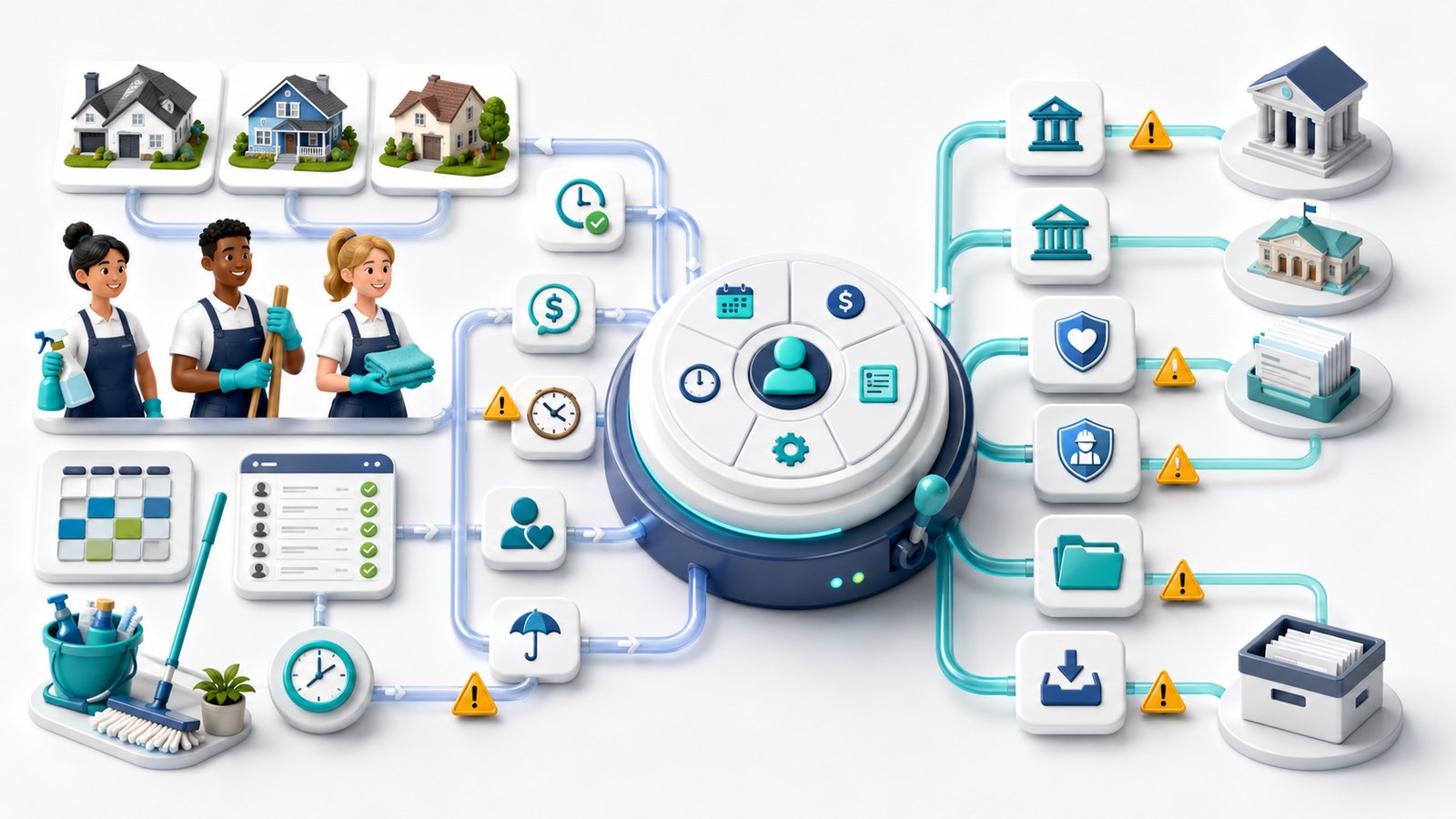
Payroll software overlaps with several tools a cleaning company may already use, but it is not the same category. Time tracking tells the office who worked and when. Scheduling tells cleaners where to go. Invoicing/payment software bills customers and collects money. QBO or another accounting system keeps the books. Payroll software sits in a different position: it uses approved worker, pay, time, adjustment, tax, deduction, and payment data to run payroll and create payroll records.
| Software category | What it usually handles | Why payroll software is different |
|---|---|---|
| Time tracking and team assignment | Clock-in/out, schedules, cleaner assignment, job status, timecards, availability, and timesheets. | Payroll needs approved pay-ready time, not just field activity. FieldOpsLab has not confirmed time-clock sync behavior for any payroll product in this article. |
| Invoicing and payment software | Customer invoices, card payments, payment reminders, deposits, refunds, and customer balances. | Customer billing does not pay W-2 employees or create payroll records. Revenue collection and wage payment need separate controls. |
| QuickBooks/accounting integration | Accounting records, bookkeeping handoff, payroll reports, expenses, liabilities, payroll journals, and reports. | A QBO connection does not prove payroll compliance, sync accuracy, class/location/job-costing fit, or export completeness. |
| Payroll software | Employee and contractor records, pay runs, direct deposit/checks, payroll reports, vendor-described tax filing, year-end forms, benefits/workers’ compensation options, and exports. | This is the system of record for payroll-related workflows. It needs stricter verification and exit planning than ordinary scheduling tools. |
Takeaway: A cleaning company should not buy payroll software only because it has a time clock or a QuickBooks logo. The buyer must verify the complete time-to-payroll-to-records workflow.
Payroll workflow map for W-2 cleaning companies
The workflow below is a software map, not payroll advice. It shows what a residential cleaning business usually needs to ask vendors to demonstrate before purchase.
| Step | What the software workflow needs to support | Buyer diligence question |
|---|---|---|
| Hire and onboard | Employee profile, pay rate, direct-deposit details, onboarding documents, employee self-service, and required internal approvals. | What employee onboarding data is collected, what remains outside the product, and what should an advisor review? |
| Set worker and pay details | Hourly pay, office/admin pay, bonuses, reimbursements, tips, deductions, PTO/sick rules where relevant, and contractor handling if used. | Can the vendor show how these items appear in payroll and reports without making this article payroll advice? |
| Collect time | Mobile clock-in/out, timecards, timesheets, Square timecards, Homebase timesheets, Gusto/QuickBooks/ADP/Paychex time tools, Patriot time add-on, or an external cleaning operations export. | What is the time-clock source, and how are edits, missed punches, approvals, and job/location fields handled? |
| Review and approve payroll | Payroll preview, pay-period dates, approved hours, adjustments, direct deposit/check choices, and reports before submission. | Can the office user see the hours and pay components clearly before approving payroll? |
| Run payments | Direct deposit, checks, Cash App or app-based options where supported, contractor payments where relevant, and timing rules. | What direct-deposit timing is available under the exact plan, and what is eligibility- or upgrade-dependent? |
| Handle vendor-described tax and filing workflow | Public vendor descriptions may mention federal, state, local, W-2, and Form 1099 workflows. | What exactly does the plan cover for this buyer, and what written confirmation will the vendor provide? |
| Post to accounting | Payroll reports, journals, accounting integration, QBO handoff, class/location/job questions, and bookkeeper review. | What data moves to accounting, and what must the bookkeeper/accountant review? |
| Retain and export records | Paystubs, payroll history, payroll reports, W-2s, Forms 1099, tax records, timecards, PTO/sick balances, benefits/workers’ compensation records, and post-cancellation access. | What can be exported before cancellation, and what remains accessible after cancellation? |
Takeaway: The strongest payroll choice is the one the owner can verify across the whole chain: employee record, timecard, payroll approval, payment, filing record, accounting handoff, export, and cancellation access.
Shortlist methodology
FieldOpsLab evaluated products for buyer fit rather than affiliate availability. The goal is to help a small residential cleaning company decide which vendors deserve written confirmation and a workflow demonstration.
| Evaluation factor | Why it matters for W-2 cleaning employees |
|---|---|
| W-2 payroll fit | The product should be plausible for paying employees, not only contractors or owners. |
| Hourly employee fit | Cleaning teams often pay hourly field workers, so timecards, approvals, multiple pay rates, and adjustments matter. |
| Pricing transparency | Public base and per-person pricing helps smaller teams plan; quote-only vendors require written confirmation. |
| Tax filing and year-end form public documentation | Public pages may describe filing scope and W-2/Form 1099 workflows, but live behavior remains unconfirmed. |
| Direct deposit and checks | Pay method and timing can affect cash planning and employee expectations; vendor confirmation is required. |
| Time tracking and time-clock integration | Payroll is only as reliable as the approved time source. |
| QBO/accounting handoff | Many cleaning owners rely on QBO or a bookkeeper; payroll reports and accounting handoff need review. |
| Benefits, workers’ compensation, HR, onboarding, PTO, and sick leave | These are sensitive workflows that can change vendor fit as a W-2 team grows. |
| Migration, export, cancellation, and support | Payroll records need a stricter exit plan than ordinary customer or scheduling records. |
Takeaway: A lower public subscription price is useful only after the buyer has confirmed plan fit, payroll scope, time source, accounting handoff, benefits/workers’ compensation needs, exports, and cancellation terms.
Comparison table
| Product | Operating model | Pricing transparency checked on 2026-07-09 | W-2 payroll fit | Hourly/time tracking fit | Accounting fit | Main risk | Confidence |
|---|---|---|---|---|---|---|---|
| Gusto | Small-business payroll, HR, benefits, and contractor-payment platform. | Public plan prices: Simple $49/mo + $6/person, Plus $80/mo + $12/person, Premium $180/mo + $22/person; Contractor Only has separate pricing. Source: Gusto pricing. | Strong public fit for small W-2 teams. | Public page lists time tools and Time & Attendance Plus add-on signals. | Public page lists accounting integrations including QuickBooks. | Add-ons, state-specific behavior, direct-deposit timing, benefits/workers’ compensation behavior, exports, and final cost need confirmation. | Medium. |
| QuickBooks Payroll | Intuit payroll and workforce tools close to QBO/bookkeeping. | Public page shows Workforce Payroll bundles with accounting products, including $88 + $6.50/employee, $125 + $6.50/employee, and $203 + $10/employee bundle prices before promotional discounts. Source: QuickBooks Payroll pricing. | Strong when QBO is already central. | Public page says time tracking is included with Workforce Premium and Elite; exact package should be rechecked. | Strong QBO proximity, but live sync and mapping remain unconfirmed. | Current packaging, payroll-only add-on path, time tools, benefits/workers’ compensation, reports, exports, and QBO behavior require confirmation. | Medium. |
| ADP RUN | Sales-led small-business payroll and HR platform from a larger payroll provider. | Public page uses Get Pricing/Get a quote calls to action. Source: ADP RUN. | Strong public fit for buyers wanting larger-provider packaging. | Public page describes time and scheduling add-ons and labor-cost language. | Public page describes integrations with accounting, point of sale, HR, and business tools. | Quote-only pricing, package gates, support scope, contract, exports, cancellation, and add-ons need written confirmation. | Medium-low. |
| Paychex Flex | Sales-led payroll/HR provider with Select, Pro, and Enterprise positioning. | Public page uses Request Pricing/Get a Quote language. Source: Paychex small business payroll. | Strong public fit for growing W-2 teams that want payroll/HR breadth. | Public page describes time and attendance and payroll automation signals. | Public page says Paychex Flex integrates with tools including QuickBooks. | Quote-only pricing, support tier, HR/time/benefits/workers’ compensation add-ons, contract, export, and cancellation details need confirmation. | Medium-low. |
| Square Payroll | Simple public-price payroll tied to Square ecosystem and timecards. | Full-service payroll: $35/mo + $6/person paid; contractor-only: $6/person paid. Source: Square Payroll pricing. | Strong for small W-2 teams when Square workflow fits. | Public page describes Square timecard import, scheduling, overtime calculations, and labor-cost reporting. | Public page lists QBO integration. | Cleaning-specific depth, state/local behavior, direct-deposit timing, QBO behavior, exports, and support need confirmation. | Medium. |
| OnPay | Straightforward-pricing small-business payroll, HR, benefits, and integrations. | Public pricing page shows Payroll Essentials at $49/month base + $6/worker per month; the same page shows a $55 one-worker starting total. Source: OnPay pricing. | Strong for small W-2 teams that value simple pricing. | Public docs list payroll, contractors, HR, PTO management, reporting, and integrations; time-clock depth needs confirmation. | Public page lists integrations. | Live pricing calculator, integration depth, exports, cancellation, direct deposit, benefits/workers’ compensation, and cleaning-specific workflow need confirmation. | Medium. |
| Patriot Payroll | Budget-oriented payroll with Basic Payroll and Full Service Payroll distinction. | Basic Payroll: $17/mo + $4/worker paid; Full Service Payroll: $37/mo + $5/worker paid. Source: Patriot pricing. | Strong for lower-complexity, price-sensitive teams if scope fits. | Public page lists Time & Attendance add-on at $6/mo + $2/employee. | Public page references payroll integration with Patriot accounting; addendum research identified QuickBooks integration signals that should be rechecked. | Basic vs Full Service responsibilities, additional-state fees, W-2/Form 1099 handling, HR/time add-ons, benefits/workers’ compensation partners, exports, and cancellation need confirmation. | Medium. |
| Homebase Payroll | Payroll connected to hourly scheduling, time clocks, timesheets, team communication, and time-off workflows. | Payroll page lists $39/mo base fee + $6/mo per active employee. Source: Homebase Payroll. | Strong if Homebase is already the hourly operations hub. | Public page describes integrated scheduling, timesheets, time clocks, overtime, PTO/time-off tracking, and payroll reports. | Public page lists QBO accounting integration. | Plan bundle details, state/local behavior, QBO behavior, PTO/sick configuration, exports, post-cancellation access, and support need confirmation. | Medium. |
| Manual/bookkeeper baseline | Bookkeeper-managed payroll, spreadsheets, manual time cards, checks, bank transfers, QBO without payroll, or scheduling app plus separate payroll. | No software price. Professional-service cost, cleanup time, and risk are buyer-specific. | Temporary only for very small or transitional workflows. | Fragile as cleaner count, timecard volume, and approvals grow. | Depends on the bookkeeper/accountant workflow. | Record gaps, filing responsibility, year-end forms, timecard errors, exports, and migration readiness. | Low-medium. |
Takeaway: Public pricing is most transparent for Gusto, Square, OnPay, Patriot, and Homebase. QuickBooks requires careful reading of current Workforce Payroll packaging. ADP RUN and Paychex Flex should be treated as written-quote purchases.
Scenario analysis: 2 field workers + 1 office user
In this scenario, assume two W-2 field cleaners. The office user may be the owner or an office/admin employee. If the office user is also paid through payroll, the planning model becomes three paid people. Complexity is still relatively low, but the business should avoid building habits that will fail at five or fifteen cleaners.
Payroll frequency can be weekly, biweekly, semimonthly, or monthly depending on the buyer’s business and applicable requirements. This article does not give pay-frequency or wage-and-hour advice. Use the payroll-frequency question as a vendor and advisor diligence item.
| Product | 2+1 fit | Public-price planning note | Main missing item | Buyer action | Confidence |
|---|---|---|---|---|---|
| Gusto | Strong if the buyer wants small-business payroll breadth. | Simple plan planning estimate: $49 + 3 people x $6 = $67/mo before add-ons, taxes, benefits, workers’ compensation, upgrades, and final quote. | State/local behavior, direct-deposit timing, benefits/workers’ compensation, time tools, exports. | Ask for a 3-person written quote and workflow demonstration. | Medium. |
| QuickBooks Payroll | Strong if QBO is already used. | Visible bundle floor: Workforce Payroll + Simple Start at $88 + $6.50/employee; for 3 employees, $107.50/mo before promo discounts and excluded costs. If already using QBO, add-payroll pricing requires confirmation. | Current package, QBO handoff, reports, time tracking, benefits/workers’ compensation. | Ask Intuit and the bookkeeper to confirm the exact payroll/accounting workflow. | Medium. |
| ADP RUN | Plausible if guided support matters more than public price. | Vendor confirmation required. | Quote, package gates, support, exports, cancellation. | Request a written 2+1 quote and cancellation/export details. | Low-medium. |
| Paychex Flex | Plausible but may be more provider than needed. | Vendor confirmation required. | Quote, support tier, add-ons, exports, contract terms. | Request written pricing and support/cancellation terms. | Low-medium. |
| Square Payroll | Strong simple-payroll candidate for hourly teams. | Full-service planning estimate: $35 + 3 people x $6 = $53/mo before excluded costs. | State/local behavior, timecard details, QBO behavior, exports. | Ask Square to show timecard-to-payroll and report workflow. | Medium. |
| OnPay | Strong straightforward-pricing candidate. | Planning estimate: $49 + 3 people x $6 = $67/mo before excluded costs. | Live calculator, benefits/workers’ compensation, integrations, exports, cancellation. | Recheck calculator and request written scope. | Medium. |
| Patriot Payroll | Strong budget-oriented candidate if complexity is low. | Basic planning estimate: $17 + 3 workers x $4 = $29/mo. Full Service planning estimate: $37 + 3 workers x $5 = $52/mo, before add-ons and excluded costs. | Basic vs Full Service responsibilities, add-ons, W-2/Form 1099, states, exports. | Review Basic vs Full Service with a payroll advisor before choosing. | Medium. |
| Homebase Payroll | Strong if Homebase time clock and scheduling are already central. | Planning estimate: $39 + 3 active employees x $6 = $57/mo before excluded costs and plan-bundle questions. | PTO/sick configuration, QBO behavior, exports, state/local behavior. | Ask for time-clock-to-payroll demonstration and written scope. | Medium. |
| Manual/bookkeeper baseline | Temporary only. | No software estimate. Professional-service and cleanup time are buyer-specific. | Records, timecard cleanup, filings, year-end forms, export history. | Use a qualified advisor and prepare migration data. | Low-medium. |
Takeaway: At 2+1, public-price payroll tools can look affordable, but the buyer still needs to confirm employee count, office-user payroll status, time source, state/local coverage, direct-deposit timing, year-end forms, exports, and advisor review.
Scenario analysis: 5 field workers + 1 office user
In this scenario, assume five W-2 field cleaners. If the office user is also paid through payroll, the planning model becomes six paid people. This is the point where timecard approvals, recurring payroll routines, PTO/sick questions, and payroll reports become harder to manage by memory.
| Product | 5+1 fit | Public-price planning note | Main missing item | Buyer action | Confidence |
|---|---|---|---|---|---|
| Gusto | Strong small-business payroll shortlist. | Simple plan planning estimate: $49 + 6 people x $6 = $85/mo before excluded costs. Plus would be $80 + 6 x $12 = $152/mo before excluded costs. | Time tools, direct-deposit timing, benefits, workers’ compensation, support tier, state/local. | Ask for a six-person quote and time/accounting demonstration. | Medium. |
| QuickBooks Payroll | Strong if QBO is the accounting layer. | Visible bundle floor: Workforce Payroll + Simple Start at $88 + $6.50/employee; for 6 employees, $127/mo before promo discounts and excluded costs. If already using QBO, add-payroll pricing requires confirmation. | Current package, QBO reports, Workforce/time tools, benefits/workers’ compensation, setup review. | Ask Intuit and the bookkeeper/accountant to review reports and accounting handoff. | Medium. |
| ADP RUN | Stronger than in the 2+1 scenario if support/HR breadth matters. | Vendor confirmation required. | Quote, package gates, time add-ons, benefits/workers’ compensation, support, contract. | Request written quote, package scope, migration, exports, and cancellation terms. | Medium-low. |
| Paychex Flex | Stronger than in the 2+1 scenario if payroll/HR provider breadth matters. | Vendor confirmation required. | Quote, support tier, time/HR/benefits/workers’ compensation add-ons, contract, exports. | Request written quote and support/cancellation/export details. | Medium-low. |
| Square Payroll | Strong if simple hourly workflow and Square timecards fit. | Full-service planning estimate: $35 + 6 people x $6 = $71/mo before excluded costs. | Job/labor-cost depth, QBO behavior, direct deposit, exports. | Ask Square to show a six-worker timecard-to-payroll flow. | Medium. |
| OnPay | Strong if straightforward pricing and payroll breadth fit. | Planning estimate: $49 + 6 people x $6 = $85/mo before excluded costs. | Integration depth, benefits/workers’ compensation, reports, exports, cancellation. | Recheck calculator and get written six-worker scope. | Medium. |
| Patriot Payroll | Strong budget candidate if complexity remains lower. | Basic planning estimate: $17 + 6 x $4 = $41/mo. Full Service planning estimate: $37 + 6 x $5 = $67/mo, before add-ons and excluded costs. | Basic vs Full Service, additional states, W-2/Form 1099, HR/time add-ons, exports. | Ask Patriot and an advisor to compare plan responsibility and records. | Medium. |
| Homebase Payroll | Strong if Homebase is already the time-clock source. | Planning estimate: $39 + 6 active employees x $6 = $75/mo before excluded costs and plan-bundle questions. | QBO/export behavior, PTO/sick setup, state/local behavior, support. | Ask for a time-clock-to-payroll workflow demonstration. | Medium. |
| Manual/bookkeeper baseline | Transitional only. | Professional-service cost and cleanup time are buyer-specific. | Timecard errors, record retention, payroll reporting, year-end forms. | Use as a bridge only while preparing migration/import data. | Low. |
Takeaway: At 5+1, payroll software should no longer be evaluated only by price. The key questions are time approvals, payroll reports, accounting handoff, PTO/sick tracking, direct-deposit timing, year-end forms, and the owner’s ability to exit with complete records.
Scenario analysis: 15 field workers + 2 office users
In this scenario, assume fifteen W-2 field cleaners. If both office users are also paid through payroll, the planning model becomes seventeen paid people. At this size, shared office approvals, permissions, payroll calendar discipline, benefits/workers’ compensation questions, state/local exposure, time-clock governance, support, migration, and exports become more important.
| Product | 15+2 fit | Public-price planning note | Main missing item | Buyer action | Confidence |
|---|---|---|---|---|---|
| Gusto | Plausible if small-business payroll model still fits. | Simple plan planning estimate: $49 + 17 people x $6 = $151/mo before excluded costs. Plus would be $80 + 17 x $12 = $284/mo before excluded costs. Premium would be $180 + 17 x $22 = $554/mo before excluded costs. | Multi-state/local, support, time, benefits, workers’ compensation, migration, exports. | Ask for a 17-person quote, implementation plan, export plan, and support details. | Medium. |
| QuickBooks Payroll | Strong if QBO is central and the office/bookkeeper wants Intuit ecosystem workflows. | Visible bundle floor: Workforce Payroll + Simple Start at $88 + $6.50/employee; for 17 employees, $198.50/mo before promo discounts and excluded costs. Workforce Premium + Plus would be $203 + 17 x $10 = $373/mo before promo discounts and excluded costs. | Current package, QBO handoff, time tools, benefits/workers’ compensation, setup review, exports. | Ask Intuit and the bookkeeper/accountant to review payroll reports and QBO workflow. | Medium. |
| ADP RUN | Strong sales-led shortlist. | Vendor confirmation required. | Quote, package gates, time/HR/benefits/workers’ compensation, support, contract, exports. | Require written quote, migration plan, support model, exports, and cancellation terms. | Medium. |
| Paychex Flex | Strong sales-led shortlist for a growing W-2 team. | Vendor confirmation required. | Quote, support tier, HR/benefits/workers’ compensation/time add-ons, contract, exports. | Require written quote and support/export/cancellation terms. | Medium. |
| Square Payroll | Plausible if workflow remains simple and Square ecosystem fits. | Full-service planning estimate: $35 + 17 people x $6 = $137/mo before excluded costs. | Multi-location/state/local, job costing, QBO, support, exports. | Ask Square to demonstrate 17-worker workflow and reports. | Medium-low. |
| OnPay | Plausible if straightforward pricing still meets complexity. | Planning estimate: $49 + 17 people x $6 = $151/mo before excluded costs. | Multi-state/local, benefits/workers’ compensation, support, exports, QBO sync. | Ask for a 17-worker quote and implementation/export details. | Medium-low. |
| Patriot Payroll | Cautious budget option only if complexity is lower. | Basic planning estimate: $17 + 17 x $4 = $85/mo. Full Service planning estimate: $37 + 17 x $5 = $122/mo, before add-ons and excluded costs. | Additional states, HR/time add-ons, reporting, support, benefits/workers’ compensation, exports. | Ask a qualified advisor and Patriot to review 17-worker workflow before purchase. | Low-medium. |
| Homebase Payroll | Plausible if Homebase governs hourly operations. | Planning estimate: $39 + 17 active employees x $6 = $141/mo before excluded costs and bundle questions. | PTO/sick setup, multi-location, QBO, support, exports, state/local behavior. | Ask for workflow demonstration and written state/location details. | Medium-low. |
| Manual/bookkeeper baseline | Not a durable recommendation. | Professional-service cost and cleanup time are buyer-specific. | Shared office controls, payroll records, time data, year-end records, exports. | Use only as transition while moving to a more controlled workflow. | Low. |
Takeaway: At 15+2, the public price is only the first screen. The buyer should require written confirmation for package, support, time tracking, benefits/workers’ compensation, state/local coverage, accounting handoff, exports, migration, cancellation, and final cost.
Product-by-product notes
Gusto
Best for: Small W-2 cleaning teams that want payroll, employee onboarding, employee self-service, contractor payments where relevant, benefits options, workers’ compensation options, time tools, and accounting integrations in a broadly accessible small-business payroll system.
Payroll strengths: Gusto’s public pricing page lists Simple, Plus, and Premium payroll plans, unlimited payroll runs, tax filings and payments language, PTO policies on the Simple plan, multi-state payroll and time tracking on Plus, dedicated support and custom reports on Premium, contractor-only pricing, benefits add-ons, workers’ compensation pricing signals, and accounting integrations including QuickBooks. These are public vendor claims and public price facts, not confirmed live behavior.
Cautions: Same-day pay, instant pay, next-day pay, Time & Attendance Plus, Priority Support, HR resources, benefits, workers’ compensation, broker integrations, state/local behavior, exports, and cancellation should be confirmed before purchase. FieldOpsLab has not confirmed payroll-tax behavior, benefits administration, workers’ compensation behavior, direct-deposit timing, time tracking, QBO/accounting integrations, support quality, or final cost in a controlled account.
QuickBooks Payroll
Best for: Cleaning businesses that already use QBO and want payroll close to bookkeeping, payroll reports, accounting reports, and Intuit ecosystem workflows.
Payroll strengths: Intuit’s public payroll page describes full-service payroll language, payroll reports, 1099 e-file, employee portal access to pay stubs and W-2s, direct-deposit timing language, benefits partners, 401(k) options, workers’ compensation through a partner, time tracking in higher-tier Workforce plans, and setup/review support language. Public pricing checked on 2026-07-09 emphasized Workforce Payroll bundles with accounting products and promotional discounts.
Cautions: Do not rely on old QuickBooks Payroll plan names or payroll-only pricing unless the current official page clearly supports them. Vendor confirmation is required for exact package, QBO add-on path, time tracking, payroll reports, direct-deposit timing, benefits, workers’ compensation, setup support, exports, cancellation, and final cost. FieldOpsLab has not confirmed QBO sync behavior, tax accuracy, direct-deposit timing, benefits administration, workers’ compensation behavior, or payroll report accuracy in practice.
ADP RUN
Best for: Buyers who want a larger payroll-provider brand, guided sales-led packaging, payroll/HR package options, HR add-ons, time and scheduling, benefits options, workers’ compensation options, and more support structure than a lightweight self-serve tool.
Payroll strengths: ADP’s public RUN page describes package options such as Essential Payroll, Enhanced Payroll, Complete Payroll & HR+, and HR Pro Payroll & HR. The page describes payroll tax filing language, flexible pay options such as direct deposit and checks, W-2 and Form 1099 creation/e-filing language, time and scheduling add-ons, health benefits, workers’ compensation, retirement, integrations, and support.
Cautions: Treat ADP RUN pricing as vendor-confirmation required. Remove third-party or inferred price estimates from the buying decision. Ask for a written quote by employee count, payroll frequency, states/localities, time and attendance, HR, benefits, workers’ compensation, implementation, support, exports, cancellation, and post-cancellation access. Do not treat ADP’s public documentation as proof of compliance for a specific cleaning business.
Paychex Flex
Best for: Growing W-2 cleaning teams that want a more full-service payroll/HR provider with employee self-service, support options, payroll tax public claims, benefits options, workers’ compensation options, time tracking, integrations, and HR breadth.
Payroll strengths: Paychex’s public small-business payroll page describes Paychex Flex Select, Pro, and Enterprise positioning, flexible support options, automatic payroll-tax calculation/filing language, W-2 and Form 1099 readiness, employee portal access, payroll reports, onboarding support, time and attendance, employee benefits, workers’ compensation, and integrations.
Cautions: Treat Paychex Flex pricing as vendor-confirmation required. Remove inferred monthly or per-employee estimates unless Paychex provides them in writing for the buyer. Ask for exact package, support tier, HR/time/benefits/workers’ compensation add-ons, implementation, migration, contract, renewal, exports, cancellation, and post-cancellation access details.
Square Payroll
Best for: Very small and growing hourly teams that want simple public pricing, full-service payroll, contractor-only payroll when relevant, Square timecard import, Square Team App familiarity, and QBO integration.
Payroll strengths: Square’s public pricing page lists full-service payroll at $35/month plus $6 per person paid and contractor-only payroll at $6 per person paid. It describes unlimited pay runs, no long-term contracts, timecard import from Square point of sale or Square Team App, scheduling, overtime calculations, labor-cost reporting, federal and state filing language, digital W-2/Form 1099 delivery, paper mailing fee of $3 per mailed W-2/Form 1099, multiple tax jurisdiction support, benefits add-ons, workers’ compensation add-on, custom reports, and QBO integration.
Cautions: Do not describe Square as account-confirmed for multi-state/local coverage for a specific cleaning company, overtime configuration, direct-deposit timing, QBO behavior, exports, or support quality. Ask Square to demonstrate the exact timecard-to-payroll-to-report workflow before purchase.
OnPay
Best for: Small cleaning teams that want straightforward pricing, payroll for employees and contractors, HR features, benefits options, workers’ compensation options, reporting, and integrations without a sales-led quote as the default starting point.
Payroll strengths: OnPay’s public pricing page lists Payroll Essentials at $49/month base plus $6/worker per month and shows a one-worker starting total of $55/month. The same public site describes payroll, contractors, HR, direct deposit, hiring/onboarding, employee self-service, PTO management, reporting, integrations, health insurance, 401(k), and workers’ compensation feature categories.
Cautions: Recheck the live pricing page or calculator before final budgeting. Do not treat “no surprise fees,” direct deposit, all-state filings, benefits/workers’ compensation, data import/export, cancellation behavior, or employee portal access as confirmed in practice. Ask for written confirmation for exact cost, supported states/localities, reports, exports, and cancellation access.
Patriot Payroll
Best for: Price-sensitive cleaning companies with lower payroll complexity that can clearly choose between Basic Payroll and Full Service Payroll after advisor review.
Payroll strengths: Patriot’s public pricing page lists Basic Payroll at $17/month plus $4 per worker paid and Full Service Payroll at $37/month plus $5 per worker paid. It lists direct deposit, employee portal, unlimited payrolls, auto payroll, contractor payments in payroll, health benefit integration, payroll reports, Time & Attendance add-on at $6/month plus $2 per employee, HR Software add-on at $6/month plus $2 per employee, and Full Service Payroll federal/state/local filing language. It also references year-end payroll tax filings at no additional fee for Full Service Payroll.
Cautions: Basic Payroll should not become do-it-yourself tax-filing instructions in this article. Ask Patriot and a qualified payroll advisor what the buyer is responsible for under Basic Payroll, what Full Service covers, what additional states cost, how W-2/Form 1099 delivery and e-filing work, what QuickBooks integration is available, what exports exist, and what records remain accessible after cancellation.
Homebase Payroll
Best for: Cleaning teams already using Homebase or strongly leaning toward Homebase for hourly scheduling, time clocks, timesheets, team communication, labor controls, PTO/time-off, onboarding, and payroll.
Payroll strengths: Homebase’s public payroll page lists $39/month base fee plus $6/month per active employee. It describes automated tax calculation, filing, and payment language, direct deposit and printable checks, W-2s and Forms 1099, unlimited payroll runs, automated payroll, integrated scheduling and timesheets, tip management, next-day payroll, payroll reports, payroll transfer/setup language, PTO/time-off tracking, 2-day direct deposit for qualified companies, QBO integration, and US availability in all 50 states and Washington, D.C.
Cautions: Homebase has multiple pricing and bundle blocks, so use the payroll page as the primary payroll-price source and confirm the exact plan bundle before purchase. Do not describe Homebase as account-confirmed for tax filing, W-2/Form 1099 generation, QBO behavior, PTO/sick setup, exports, or data access.
Manual / bookkeeper-managed baseline
Best for: Temporary transition only, especially while a very small business cleans up employee records, timecards, pay rates, prior payroll history, accounting handoff, and advisor review.
Strengths: A qualified bookkeeper, accountant, payroll advisor, attorney, or other appropriate advisor can help the owner understand what records and workflows need to be prepared before software migration.
Cautions: Do not describe manual payroll, spreadsheets, paper timecards, bank transfers, checks, QBO without payroll, or scheduling-app exports as safe, compliant, or durable for growing W-2 teams. At five or fifteen cleaners, missing records, late corrections, unclear responsibilities, and weak exports become more risky.
Pricing and hidden costs
The scenario totals in this article are planning estimates based on public pricing where available. They are not vendor quotes. They exclude taxes, promotional discounts, annual commitments, plan changes, support upgrades, benefits premiums, workers’ compensation premiums, state/local or additional-state fees unless public, time-tracking add-ons, HR add-ons, payroll-run fees unless public, year-end mailing fees unless public, migration, implementation, bookkeeper cleanup time, cancellation costs, and quote-only costs.
| Cost category | What to ask before buying | Why it matters |
|---|---|---|
| Base monthly fee | What is the exact current base fee for the selected plan? | Public prices can change and promotions can distort planning. |
| Per-employee or per-person fee | Who counts as a billable person: active employee, paid employee, worker paid, contractor paid, or all workers? | Cleaning teams can have hourly workers, office staff, seasonal workers, and contractors. |
| Per-contractor fee | What does contractor payroll cost, and only in months paid or every month? | A cleaning company with contractor history may still have occasional 1099 contractor payments. |
| Payroll-run fees | Are unlimited pay runs included, and are off-cycle runs included? | Do not assume zero unless the vendor says it. |
| Additional-state or multi-state fees | Are extra states or local jurisdictions included, and what costs extra? | Do not treat multi-state or local payroll complexity as free. |
| Year-end forms | Are W-2 and Form 1099 generation, e-filing, and mailed forms included or billed separately? | Square publicly lists a $3 mailed-form fee; other vendors require current confirmation. |
| Direct deposit | What timing is included, what is an upgrade, and what eligibility rules apply? | Timing language on a pricing page does not prove timing in practice for the buyer. |
| Benefits and workers’ compensation | What premiums, broker fees, partner fees, admin fees, or starting prices apply? | Benefits and workers’ compensation costs should never be treated as zero. |
| Time tracking and HR add-ons | Which time, scheduling, HR, onboarding, PTO, sick-leave, or support tools cost extra? | Payroll price can look low until time and HR workflow are added. |
| Accounting integrations | Which plan includes QBO or accounting handoff, and what data moves? | A payroll product can be affordable but still create bookkeeper cleanup time. |
| Implementation, migration, support, and cancellation | What setup is included, what costs extra, what support tier applies, and what happens after cancellation? | Payroll records are harder to replace than ordinary scheduling records. |
Takeaway: A fair payroll budget is not base fee plus people only. It is base fee plus people plus add-ons, taxes, benefits, workers’ compensation, time tools, accounting review, support, migration, exports, cancellation risk, and advisor cleanup time.
Before choosing payroll software: Verify current plan pricing, employee and contractor counts, time tracking, QBO/accounting handoff, benefits, workers’ compensation, exports, cancellation access, and support scope in writing before the first live payroll run.
Related FieldOpsLab checks: time tracking and team assignment software, QuickBooks Online integration risks, and hidden software costs for cleaning businesses.
Time tracking, scheduling, and job-costing handoff
Payroll software needs reliable time inputs. For a cleaning company, that time may come from Square timecards, Homebase time clocks and timesheets, QuickBooks Workforce or QuickBooks Time-related tools, Gusto time tools, ADP or Paychex time and scheduling, Patriot Time & Attendance, a cleaning operations app export, spreadsheets, or manual time cards. Public documentation can describe imports, integrations, timecards, overtime visibility, or labor-cost reporting, but FieldOpsLab has not confirmed time-clock sync behavior, payroll import accuracy, overtime configuration, global positioning system (GPS) or geofence behavior, PTO/sick configuration, or job-costing accuracy.
| Time/workflow question | Why a cleaning buyer should ask it |
|---|---|
| What is the source of approved time? | Payroll should not depend on unapproved field entries, memory, or text messages. |
| Can office/admin time be separated from field-cleaner time? | Different work types may need different reporting and review. |
| Can time be tied to jobs, locations, classes, departments, or labor categories? | Some owners want labor-cost visibility by job or service type, but job-costing accuracy remains unconfirmed. |
| How are edits, missed punches, tips, reimbursements, bonuses, and adjustments reviewed? | Payroll approval should show exceptions before payroll is submitted. |
| What can be exported after cancellation? | Timecard records can matter for payroll history, disputes, and accounting review. |
Takeaway: Do not let payroll software hide timecard risk. Ask the vendor to show exactly how cleaner hours become payroll-ready hours.
QuickBooks/accounting and payroll reports
QuickBooks Online (QBO) proximity is a major reason to shortlist QuickBooks Payroll, but payroll-to-accounting handoff is not the same as an account-confirmed QuickBooks sync. A payroll product may post payroll journals, expenses, liabilities, taxes, reimbursements, contractor payments, benefits deductions, workers’ compensation items, or reports in different ways depending on product, plan, settings, and the accounting file. Any locally installed accounting workflow, if used, should be treated as a separate workflow requiring written vendor confirmation.
| Accounting question | Buyer diligence prompt |
|---|---|
| What exactly moves to accounting? | Ask whether the system posts payroll summary, individual checks, taxes, reimbursements, contractor payments, benefits deductions, workers’ compensation records, PTO accruals, or reports. |
| Does the buyer need class, location, customer, department, job, or labor-cost dimensions? | Ask the bookkeeper/accountant what dimensions matter before relying on a payroll integration. |
| Can the vendor provide sample payroll reports and export files? | Review report formats before purchase and before cancellation. |
| Does QBO integration replace accounting review? | No. Public integration documentation does not prove mapping, duplicate handling, liability treatment, or reporting accuracy for a specific business. |
| What happens after cancellation? | Confirm access to payroll reports, paystubs, W-2s, Forms 1099, tax filing records, and accounting export records. |
Takeaway: Ask the payroll vendor and the bookkeeper to review the accounting handoff before the first live payroll run, not after month-end cleanup starts.
Benefits, workers’ compensation, HR, onboarding, PTO, and sick-leave cautions
Benefits, workers’ compensation, HR, onboarding, PTO, and sick leave are compliance-sensitive workflows. Public vendor documentation may describe benefit brokers, partner integrations, HR tools, onboarding packets, Form W-4, Form I-9, Form W-9 collection, employee self-service, PTO policies, sick time, workers’ compensation options, and compliance resources. Those descriptions do not prove that the workflow fits a specific cleaning company, state, worker type, benefit plan, insurance policy, payroll setup, or accounting file.
| Workflow | What public documentation may describe | What to verify |
|---|---|---|
| Onboarding and employee self-service | Employee portals, document collection, direct-deposit forms, tax-related forms, paystubs, and W-2 access. | Exact forms, access after cancellation, former employee access, and advisor review. |
| Benefits | Health insurance, 401(k), broker/partner integrations, and benefit deductions. | Availability, broker/carrier/partner, fees, premiums, state/company-size limitations, and records after cancellation. |
| Workers’ compensation | workers’ compensation options, pay-as-you-go language, partner/carrier references, or starting prices. | Carrier/partner, state availability, policy costs, audit workflow, records, and cancellation access. |
| PTO and sick leave | PTO policies, sick time, time-off requests, balances, and reports. | Configuration, state/local requirements, employee records, export, and advisor review. |
| HR tools | HR resources, handbooks, compliance alerts, onboarding, support, or advisor access. | Plan gate, scope, support tier, fees, and whether the vendor provides advice or only software resources. |
Takeaway: Treat benefits, workers’ compensation, HR, PTO, and sick leave as verification-heavy workflows. Public pages can support questions, but they do not replace qualified advisor review.
Export, migration, cancellation, and payroll-record risk
Payroll records need a stricter exit plan than ordinary customer records. They can include employee profiles, contractor records, paystubs, payroll history, payroll reports, tax filings, W-2s, Forms 1099, direct-deposit details, benefits deductions, workers’ compensation records, PTO/sick balances, timecards, job/labor-cost fields, and accounting handoff records.
| Exit-risk item | What to ask before purchase |
|---|---|
| Employee and contractor records | Can employee and contractor profiles be exported, and in what format? |
| Payroll history and paystubs | Can pay history, paystubs, and payroll journals be downloaded before and after cancellation? |
| Tax filing records | Are federal, state, local, W-2, and Form 1099 filing records accessible after cancellation? |
| Timecards and PTO/sick balances | Can timecards, approvals, edits, PTO balances, and sick-leave records be exported? |
| Benefits and workers’ compensation records | What benefit, deduction, premium, workers’ compensation, and policy-related records remain accessible? |
| Accounting records | Can payroll reports, accounting exports, and QBO handoff records be downloaded? |
| Cancellation and downgrade | Does cancellation remove employee portal access, reports, exports, or year-end form access? |
| Migration/import support | What prior payroll history, employee records, contractor records, and tax data can be imported, and what must be rebuilt manually? |
Takeaway: Do not buy payroll software without an exit plan. Ask for sample exports and post-cancellation access rules before the first payroll run.
What we could not verify
Public documentation and public pricing cannot verify:
- live payroll run behavior
- payroll-tax filing behavior or tax filing accuracy
- federal, state, local, multi-state, or multi-local payroll behavior for a specific buyer
- W-2 filing behavior or Form 1099 filing behavior
- direct-deposit timing in practice
- benefits enrollment or benefits administration behavior
- workers’ compensation behavior
- paid time off (PTO) configuration or sick-leave configuration
- time-clock sync behavior
- QuickBooks/accounting sync behavior
- job-costing accuracy
- support quality
- migration effort
- export completeness
- cancellation experience or post-cancellation access
- final cost after taxes, add-ons, benefits, workers’ compensation, per-employee fees, contractor fees, year-end forms, direct-deposit upgrades, support tiers, migration, and usage
Buyer verification checklist
- Confirm the exact plan and quote for 2+1, 5+1, and 15+2 scenarios.
- Confirm how many W-2 employees are included and whether office/admin users are on payroll.
- Confirm contractor count and contractor-payment costs if contractors are still used.
- Confirm supported payroll frequencies for the buyer’s workflow.
- Confirm state and local coverage and any additional-state or multi-state fees.
- Confirm payroll-tax filing scope and year-end W-2 and Form 1099 scope.
- Confirm direct-deposit timing, eligibility, upgrade costs, and paper check support if needed.
- Confirm time tracking source, timecard approvals, missed-punch edits, and overtime visibility without relying on this article as wage-and-hour advice.
- Confirm job, location, class, department, or labor-cost tracking if needed.
- Confirm benefits availability, broker/carrier/partner, and cost treatment.
- Confirm workers’ compensation availability, partner/carrier, and cost treatment.
- Confirm PTO/sick-leave tracking and what remains buyer/advisor responsibility.
- Confirm onboarding documents and employee self-service scope.
- Confirm QBO/accounting handoff, payroll reports, and export formats.
- Confirm employee, contractor, and payroll-history imports.
- Confirm cancellation, downgrade, renewal, and post-cancellation access rules.
- Confirm access to payroll reports, paystubs, W-2s, Forms 1099, tax-filing records, and employee portals after cancellation.
- Confirm support model, support hours, and support tier.
- Get written vendor confirmation before purchase.
- Ask a qualified bookkeeper, accountant, payroll advisor, attorney, or other appropriate advisor to review the workflow where relevant.
For a direct platform decision, use FieldOpsLab’s Gusto vs QuickBooks Payroll comparison. If job and customer data must also reach accounting, review the QuickBooks Online integration guide.
Final recommendation
For a W-2 residential cleaning team, build the shortlist around the problem you are actually trying to solve:
- Shortlist Gusto when small-business payroll breadth, onboarding, self-service, contractor payments, benefits options, workers’ compensation options, time tools, and integrations are more important than being inside QBO.
- Shortlist QuickBooks Payroll when QBO is already the bookkeeping center and the owner wants payroll close to Intuit accounting workflows.
- Shortlist ADP RUN or Paychex Flex when the buyer wants a sales-led payroll/HR provider with more guided support, HR breadth, benefits options, workers’ compensation options, and growing-team packaging.
- Shortlist Square Payroll when the business wants simple public pricing and Square timecards or Square Team App already fit the hourly workflow.
- Shortlist OnPay when straightforward pricing and small-business payroll breadth are attractive, after rechecking the live price calculator.
- Shortlist Patriot Payroll when budget is the pressure point and payroll complexity is lower, but only after Basic vs Full Service responsibilities are clear.
- Shortlist Homebase Payroll when Homebase is already the hourly scheduling, time clock, timesheet, communication, and PTO/time-off hub.
- Use manual or bookkeeper-managed payroll only as a transition while records, time tracking, prior payroll history, and accounting handoff are cleaned up.
The safest next step is not to pick from a table. It is to request written quotes for the buyer’s exact 2+1, 5+1, or 15+2 scenario, ask each vendor to demonstrate the time-to-payroll-to-accounting workflow, and have a qualified advisor review the workflow before purchase.
Methodology
FieldOpsLab wrote this article for US residential cleaning companies with 2–20 field workers and 1–2 office users that are evaluating payroll software for W-2 employees. The public evidence level is research_based.
FieldOpsLab checked official public vendor pricing and product pages on 2026-07-09 for Gusto, QuickBooks Payroll, ADP RUN, Paychex Flex, Square Payroll, OnPay, Patriot Payroll, and Homebase Payroll. Government pages from the IRS and the U.S. Department of Labor were used only as general context. Third-party payroll blogs, affiliate sites, user reviews, Reddit, forums, G2, and Capterra were not used as proof of current pricing or live payroll behavior.
The article separates visible public price facts from vendor-documented claims and FieldOpsLab editorial conclusions. Public pricing pages can support plan names, base fees, and per-person charges where visible. Vendor pages can support statements such as “public documentation describes” a workflow. They do not prove live payroll behavior, filing behavior, direct-deposit timing, benefits administration, workers’ compensation behavior, QBO sync, time-clock sync, job-costing accuracy, support quality, migration effort, export completeness, cancellation experience, or final payable cost.
Sources
- Gusto pricing — official vendor pricing page checked on 2026-07-09.
- QuickBooks Payroll pricing — official Intuit pricing page checked on 2026-07-09.
- RUN Powered by ADP — official ADP product page checked on 2026-07-09.
- Paychex small business payroll — official Paychex product page checked on 2026-07-09.
- Square Payroll pricing — official Square pricing page checked on 2026-07-09.
- OnPay payroll pricing — official pricing page checked on 2026-07-09.
- Patriot Software pricing — official pricing page checked on 2026-07-09.
- Homebase pricing — official pricing page checked on 2026-07-09.
- Homebase Payroll — official payroll product page checked on 2026-07-09.
- IRS employment taxes — official government context, not personalized advice.
- IRS understanding employment taxes — official government context, not personalized advice.
- U.S. Department of Labor overtime page — official government context, not personalized wage-and-hour advice.
- U.S. Department of Labor Fair Labor Standards Act page — official government context, not personalized wage-and-hour advice.