
Affiliate disclosure: FieldOpsLab may earn a commission if you sign up for Housecall Pro or Workiz through links on this page. This does not change the price you pay. Our recommendations are based on evidence and buyer fit, not affiliate relationships.
Written by: LPSA
Evidence level: research_based
Product information checked: 2026-09-15
Pricing checked: 2026-09-15
Last meaningfully updated: 2026-09-15
Evidence status
Evidence status: This is a research_based comparison built from public Housecall Pro and Workiz pricing pages, public help-center documentation, public terms, public app-store pages, and limited public review patterns. FieldOpsLab did not use a controlled Housecall Pro account, a controlled Workiz account, paid accounts, vendor-demo access, operator interviews, or live residential-cleaning workflow testing for this article.
Based on public documentation, FieldOpsLab can compare pricing transparency, visible seat logic, scheduling and dispatch positioning, recurring-job documentation, mobile-workflow signals, customer communications, online booking, client-portal signals, payments, QuickBooks positioning, integrations, export documentation, and contract-risk language. FieldOpsLab has not verified live recurring-cleaning exception handling, exact quote outcomes, actual 2+1 / 5+1 / 15+2 pricing from Workiz, practical Free User fit for cleaners, exact Service Plans packaging below Housecall Pro MAX, phone/SMS/AI usage economics, export completeness for every record type, migration effort, or post-cancellation data access in practice.
Treat all team-cost models below as planning estimates, not vendor quotes. Packaging, prices, add-ons, payment fees, SMS and phone charges, AI fees, taxes, and cancellation rules can change.
Quick answer
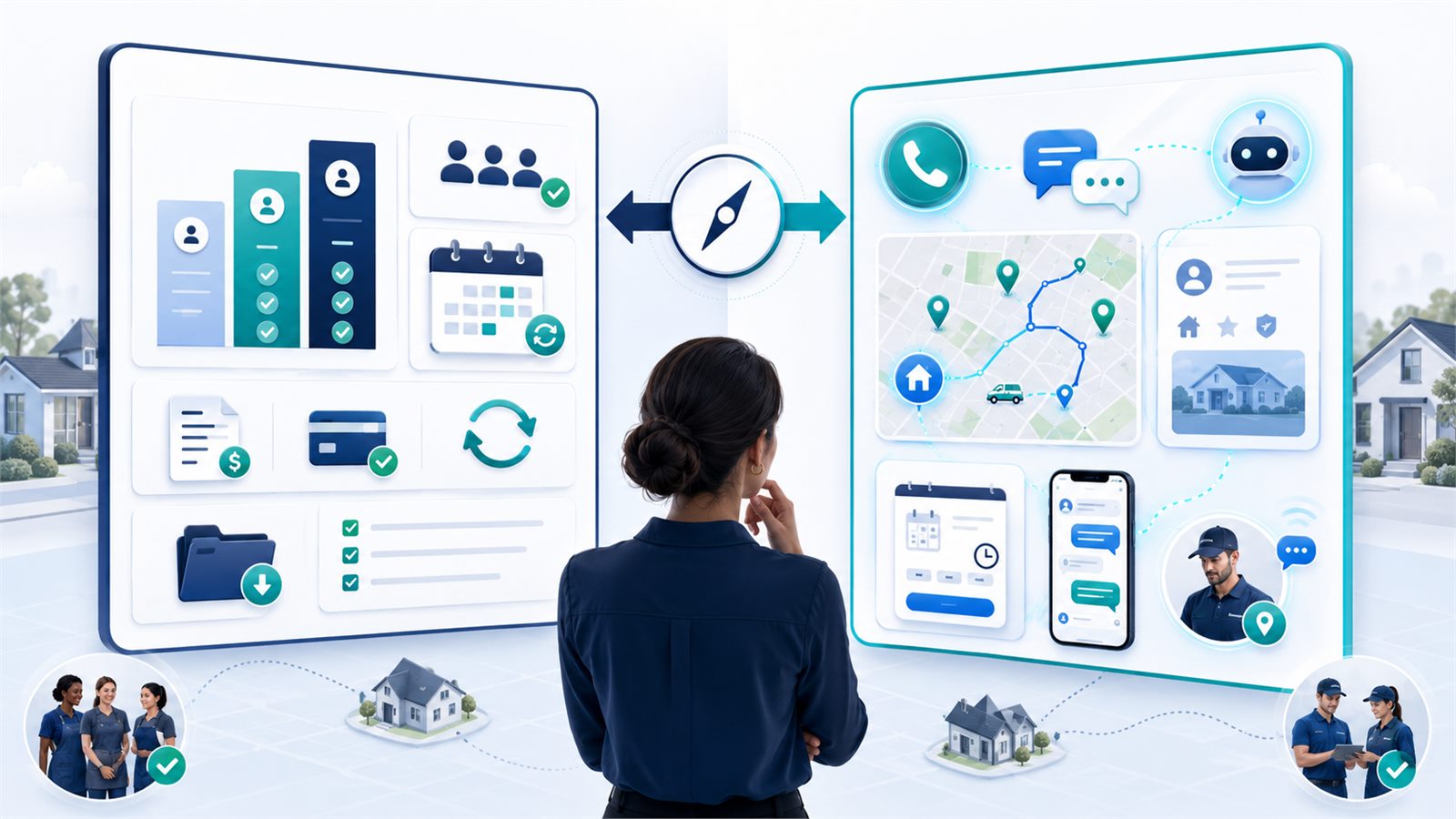
For a small US residential cleaning company, the real decision is clearer public FSM pricing and broader home-service workflow versus communications-forward FSM operations with more quote sensitivity.
Choose Housecall Pro first if you care most about documented recurring-job controls, QuickBooks Online and Desktop support, online booking, review management, card-on-file automation, and stronger public import/export documentation. Based on public pricing checked on 2026-09-15, Housecall Pro lists Basic with 1 user, Essentials with 5 users, and MAX with 8 users, while larger or additional-user configurations still need written confirmation. Get the plan, included users, additional-user cost, and billing cadence in writing. See Housecall Pro pricing.
Choose Workiz first if you care most about dispatch communication, built-in phone and messaging, AI answering, lead capture, client portal, online booking, Workiz Pay, GPS and offline mobile signals, and QuickBooks Online. Based on public documentation checked on 2026-09-15, Workiz clearly pushes communication and call workflows harder than Housecall Pro. See Workiz pricing, Workiz phone system, and Workiz Genius Answering.
Verify more before choosing either if your decision depends on recurring-cleaning edge cases, one-occurrence versus future-series edits, skipped visits, exact seat economics for every cleaner, Workiz Pro User versus Free User fit, Housecall Pro Service Plans packaging, phone/SMS/AI costs, payment-processing economics, export completeness, migration help, downgrade rules, or post-cancellation data access.
If you are still sorting out category fit before vendor fit, start with FieldOpsLab’s cleaning business software guide.
For pricing follow-up, compare FieldOpsLab’s Housecall Pro pricing analysis and Workiz pricing analysis. For broader budget risk, use the hidden-cost guide for cleaning business software.
Quick verdict
| Decision point | FieldOpsLab view |
|---|---|
| Best fit if you want clearer public pricing | Housecall Pro |
| Best fit if calls, SMS, AI answering, and dispatch communication are central | Workiz |
| Stronger public recurring-job documentation | Housecall Pro |
| Stronger public client-portal and communications positioning | Workiz |
| Stronger public QuickBooks breadth | Housecall Pro because public docs support QuickBooks Online and Desktop, while Workiz publicly emphasizes QuickBooks Online |
| Safer choice for buyer who wants written seat math before talking to sales | Housecall Pro |
| Higher diligence requirement before signing | Workiz, mainly because official public pricing is only partially transparent and communication add-ons can change the economics |
| Bottom line | Housecall Pro looks safer for a pricing-conscious small cleaning company. Workiz looks stronger for a communication-heavy operating model. |
Takeaway: Housecall Pro appears stronger when the buyer wants easier price planning and more documented general FSM workflows. Workiz appears stronger when the buyer wants communication, call handling, and portal-driven operations, and is willing to verify quote-sensitive costs.
In this article
- Key facts
- Best for
- Avoid if
- Buyer scenario
- Housecall Pro vs Workiz: operating model difference
- Pricing and real-cost comparison
- Scenario analysis for 2+1, 5+1, and 15+2 teams
- Scheduling, dispatch, and recurring workflow
- Cleaner, technician, and mobile workflow
- Customer communication, phone, SMS, AI, and reminders
- Online booking, forms, client portal, and self-service
- Estimates, invoices, payments, and card-on-file
- QuickBooks, accounting, integrations, and API
- Export, migration, cancellation, downgrade, and data risk
- User-reported patterns
- Pros and cons
- Choose Housecall Pro if
- Choose Workiz if
- Consider another option if
- What we could not verify
- Buyer verification checklist
- Final recommendation
- Methodology
- Sources
Key facts
| Item | Housecall Pro | Workiz |
|---|---|---|
| Core positioning | Broad field service management platform for home-service businesses with public emphasis on scheduling, dispatching, quotes, invoices, payments, online booking, review management, QuickBooks, and mobile app | Broad field service management platform with unusually strong public emphasis on phone, messaging, AI answering, lead capture, scheduling, dispatching, online booking, client portal, and payments |
| Public pricing visibility | Partial: base-plan monthly versus annual prices are visible, but every multi-user entitlement and total should be confirmed | Partial: Basic, Essentials, and MAX show public base-plan and included-user reference points; larger or additional-user configurations still need written confirmation |
| Visible user thresholds | Basic shows 1 user, Essentials shows 5 users, and MAX shows 8 users on the public page; the final price and treatment of larger or additional-user configurations still need confirmation. | Standard, Pro, and Ultimate use Request pricing; the current official page does not state the included-user allowance or extra-member schedule, so the base plan and seat total remain quote-sensitive |
| Recurring-job public documentation | Stronger and more specific | Present, but less detailed for cleaning-style edge cases |
| QuickBooks support | QuickBooks Online and Desktop are publicly documented | QuickBooks Online is publicly documented |
| Phone, SMS, and AI positioning | Present in the broader product story, but not the clearest public differentiator in this comparison | Major public differentiator, with integrated phone, call tracking, texting, AI answering, and AI call insights |
| Client portal public signal | Present, but thinner public documentation in this comparison | Strong public client-portal positioning |
| Export and migration documentation | Stronger public import/export documentation | Weaker public export detail than Housecall Pro |
| Cleaning-specific positioning | Not cleaning-specific software | Not cleaning-specific software based on public evidence reviewed here |
Takeaway: Housecall Pro looks more transparent as a software purchase. Workiz looks more ambitious as a communications system. Those are not the same buying goal.
Best for
Housecall Pro is best for a US residential cleaning business with 2–20 field workers and 1–2 office users that wants a broad FSM stack with clearer public pricing, visible named-user thresholds, documented recurring-job controls, QuickBooks breadth, online booking, review requests, and transparent payment-fee documentation.
Workiz is best for a US residential cleaning business that wants broad FSM plus communications-heavy operations: phone-first lead intake, two-way messaging, AI answering, call tracking, client portal, online booking, and a stronger all-in-one communication layer than Housecall Pro publicly emphasizes.
Avoid if
- Avoid Housecall Pro if your deciding factor is the lowest possible cost per cleaner login, cleaning-specific recurring maid-service workflow, or guaranteed self-service customer rescheduling and cancellation.
- Avoid Workiz if you need exact self-serve public pricing before talking to sales, or if your team economics fall apart unless every cleaner can work comfortably on a zero-cost or low-cost seat.
- Avoid choosing either product without more diligence if your operation depends on recurring-cleaning exceptions such as skips, holidays, lockouts, partial-route changes, and one-occurrence versus future-series edits.
Buyer scenario
This comparison is written for a US residential cleaning business with 2–20 field workers and 1–2 office users. The buyer may be replacing spreadsheets, Google Calendar, texting, paper notes, manual invoices, or disconnected payment tools. The buyer may also be switching from another service software platform.
The business needs to evaluate:
- scheduling and dispatch
- recurring residential cleaning jobs
- skipped visits, reschedules, and future-series edits
- cleaner mobile access and notes
- customer communication
- phone, SMS, call handling, and AI tools
- online booking and customer self-service
- estimates, invoices, payments, and deposits
- QuickBooks and accounting sync
- exports, migration, and cancellation risk
| Scenario | Field workers | Office users | Likely planning question |
|---|---|---|---|
| Small crew | 2 | 1 | Can one office user and two cleaners all get workable access without overbuying? |
| Growing team | 5 | 1 | What happens when every cleaner needs a login and recurring work becomes routine? |
| Larger small business | 15 | 2 | Does the product still fit cleanly without quote surprises, role-workarounds, or export risk? |
Housecall Pro vs Workiz: operating model difference
Based on public documentation, Housecall Pro and Workiz are both broad field service management platforms. They differ more in what they visibly optimize than in whether either one can schedule jobs or send invoices.
Housecall Pro looks like a classic home-service operating system. Its strongest public signals are pricing transparency, scheduling, dispatch, estimates, invoices, payments, reviews, online booking, QuickBooks, and general office-to-field workflow.
Workiz looks like a broad FSM platform that leans harder into communications. Its strongest public signals are built-in phone, two-way communication, AI answering, call insights, lead capture, portal-based customer interaction, online booking, and payment collection wrapped around dispatching and job management.
| Decision area | Housecall Pro | Workiz | Buyer implication |
|---|---|---|---|
| Primary product story | Broad home-service operations platform | Broad FSM platform with communications-forward operating model | If your workflow begins with schedules and billing, Housecall Pro is easier to frame. If your workflow begins with calls, messages, and lead capture, Workiz is more compelling. |
| Pricing posture | More self-serve and plannable | Partially public, still quote-sensitive | Housecall Pro is easier to budget before a sales conversation. |
| Recurring-workflow documentation | More specific public help docs | Higher-level public feature claims | Housecall Pro is safer if recurring-cleaning edge cases are a major pre-purchase question. |
| Communications stack | Strong customer-contact basics, but less communication-first in public positioning | Very strong public phone, SMS, AI answering, and call-tracking positioning | Workiz is more attractive if your office lives on the phone. |
| Accounting breadth | QuickBooks Online and Desktop | QuickBooks Online | Desktop QuickBooks users have a clearer public path with Housecall Pro. |
| Export and migration visibility | More documented | Less documented publicly | Housecall Pro presents lower public data-risk ambiguity. |
| Cancellation and downgrade risk | Auto-renew and refund cautions apply | Stronger contract-risk language is publicly visible, including end-of-term cancellation and non-refundable fees | Workiz requires more careful contract reading before signing. |
Takeaway: Choose the operating model first. Housecall Pro fits the buyer who wants software that is easier to budget and easier to explain internally. Workiz fits the buyer who wants communications to be part of the operating system, not a side tool.
Pricing and real-cost comparison
Housecall Pro is clearly stronger for public pricing transparency. Workiz is not fully opaque, but it is still partially public and quote-sensitive in ways that matter to a small cleaning company.
| Pricing item | Housecall Pro | Workiz |
|---|---|---|
| Basic entry plan | Basic: 1 user, $59/month billed annually or $79/month monthly | No equivalent fully public self-serve price on official site for the plans most relevant to this comparison |
| Main small-team plan | Essentials: public page shows 5 users; base-plan price and required features still need confirmation for the quoted configuration | Standard: Request pricing; included-user allowance is not publicly stated |
| Growing-team plan | MAX: public page shows 8 users; base-plan price and any additional-user treatment still need confirmation for the quoted configuration | Pro: Request pricing; included-user allowance is not publicly stated |
| Larger-team path | Public site shows an 11+ team path and demo flow; request a written larger-team quote | Ultimate is request-pricing only and positioned for bigger teams and multi-location operations |
| Extra-seat visibility | Not dependable enough in the current extracted public plan copy to calculate a final team total; confirm in writing | Current official page does not publicly state extra-member rates; request a written seat schedule |
| Sales tax note | Public pricing says sales tax may apply depending on state | Public pricing says subscription prices exclude sales tax where applicable |
| Annual discount note | Public annual versus monthly pricing clearly listed per plan | Public FAQ says annual subscriptions can save $400+, but base plan totals still require a quote |
| Phone and AI add-ons | Not the main pricing story in this article | Public pricing page says Workiz Communication is sold separately and AI Answering requires a phone plan |
Takeaway: Housecall Pro exposes clearer public user reference points, while Workiz keeps plan totals, included users, and extra-member terms quote-sensitive. Neither should be treated as a complete multi-user quote without written confirmation.
Pricing unit comparison
| Pricing unit question | Housecall Pro | Workiz |
|---|---|---|
| What is the visible seat model? | Named-user structure with team-size inputs, but incomplete public mapping from team size to final plan total | No public included-user count or extra-member schedule is stated; practical cost depends on the written quote and user type |
| Can a buyer model 2+1 from public docs alone? | Essentials shows 5 users, so the public page gives a useful starting point; final price and required features still need confirmation | Only partially, because official plan totals are still request-pricing |
| Can a buyer model 5+1 from public docs alone? | No dependable final total from the current extracted public page alone | Only partially; the official page does not state an included-user allowance or final subscription total |
| Can a buyer model 15+2 from public docs alone? | Only as a planning estimate; vendor confirmation is required | No reliable official total from public docs alone |
| What creates cost uncertainty? | Included users, additional-user charges, Service Plans packaging, add-ons, taxes, payment fees, and larger-team path | Base quote, Pro User versus Free User fit, communication add-ons, phone usage, AI, taxes, and payment fees |
Real-cost caveats
- Housecall Pro: recurring Service Plans are included on MAX according to the public pricing page, but buyers should still verify whether any lower-tier packaging, add-ons, onboarding services, or migration charges apply to their deal.
- Workiz: public terms define a Free User as someone who can be assigned to jobs, receive and respond to notifications, and view job reports, while a Pro User can perform administrative tasks such as scheduling, dispatching, and invoicing. That is helpful, but it still does not prove that Free Users give a cleaner everything a residential cleaning business needs in practice. Vendor confirmation is required.
- Workiz communication costs matter: phone plans, VoIP numbers, AI Answering, and other on-demand purchases can materially change total cost. Public terms also say some telephony charges and on-demand purchases are non-cancellable and non-refundable.
- Payment fees matter on both products: software subscription cost is not the whole cost of ownership.
Scenario analysis for 2+1, 5+1, and 15+2 teams
The table below models the same three FieldOpsLab buying scenarios. These are planning scenarios, not vendor quotes.
| Scenario | Likely Housecall Pro path | Likely Workiz path | Visible subscription floor | Cost-confidence level | Operational fit | What to verify before purchase | Buyer action |
|---|---|---|---|---|---|---|---|
| 2 field workers + 1 office user | Essentials publicly shows 5 users and provides the clearest starting point for a 3-user configuration; confirm the quoted price and required features. | Standard or Pro may fit, but the official page does not state the included-user allowance or extra-member terms. Request a written quote. | Housecall Pro: base price visible, final multi-user total unconfirmed. Workiz: not fully visible on official site. | Housecall Pro: moderate until configured. Workiz: low-to-moderate. | Housecall Pro fits if the buyer wants straightforward office-plus-cleaner access. Workiz fits if communication and portal workflows are central. | Whether every cleaner needs a paid seat, whether Workiz Free Users are practically enough, and whether Workiz communication add-ons are required. | Budget-first buyer should lean Housecall Pro. Communication-first buyer can shortlist Workiz after getting a written quote. |
| 5 field workers + 1 office user | MAX publicly shows 8 users and is the clearer starting point for a 6-user configuration; confirm any additional-user charges and billing cadence in writing. | Standard or Pro may fit, but the official page does not state the included-user allowance, extra-member terms, or whether any cleaner role can use a lower-cost path. Request a written quote. | Housecall Pro: final 6-user total requires confirmation. Workiz: base plan still quote-sensitive. | Housecall Pro: low-to-moderate until quoted. Workiz: low. | Both products need a written 6-user configuration. Workiz becomes attractive only if call handling and messaging produce meaningful operational value. | Exact seat policy for cleaners, AI and phone add-on cost, payment fees, and whether recurring workflow matches cleaning reality. | If you are cost-sensitive and roles are simple, Housecall Pro is the safer buy. If your office runs on calls and heavy customer messaging, get a detailed Workiz quote and workflow demo. |
| 15 field workers + 2 office users | The public page routes an 11+ team toward a sales conversation but does not publish a dependable 17-user total in the extracted plan copy. Request a tailored quote. | Likely Ultimate or a negotiated package, potentially mixed with extra Pro Users and some Free Users. Official total is not currently recoverable from public docs alone. | Housecall Pro: unknown without a configured quote. Workiz: unknown without quote. | Low for both until written quotes are available. | At this size, both products require vendor confirmation. Workiz may become operationally attractive if communication complexity is high. Housecall Pro may still be easier to budget if the quote matches public expectations. | Final price, user-role design, onboarding scope, migration support, data export, cancellation rules, and whether the system still fits a cleaning company cleanly at this team size. | Do not buy either product at 15+2 without written pricing, seat logic, export rights, and cancellation language. |
Takeaway: Housecall Pro is easier to model at 2+1 and 5+1. At 15+2, both products move into verify-first territory.
Scheduling, dispatch, and recurring workflow
For small residential cleaning businesses, the most important workflow question is not whether a platform can create a recurring job. It is whether public evidence suggests the platform handles real recurring-cleaning exceptions well enough to trust before purchase.
On public evidence, Housecall Pro appears stronger for recurring-job documentation. Its help-center articles publicly document daily, weekly, monthly, yearly, and custom recurring jobs, editing only one occurrence, deleting this occurrence or this and future occurrences, and known limits such as no recurrences on estimates, segments, or jobs with more than one appointment.
Workiz appears stronger for scheduling-plus-communication. Its public documentation highlights drag-and-drop scheduling, dispatch visibility, identifying the nearest technician, messaging from the calendar, recurring jobs on the pricing matrix, and service plans that can schedule regular visits and generate invoices. But public documentation is thinner on one-occurrence versus future-series edit behavior and other cleaning-specific edge cases.
| Workflow question | Housecall Pro | Workiz | Buyer read |
|---|---|---|---|
| Calendar and dispatch | Publicly supports scheduling and dispatching; mobile and web workflow are clearly part of the product story | Publicly supports drag-and-drop scheduling, dispatching, nearest-tech logic, and direct customer messaging from the calendar | Both appear capable for daily operations, but Workiz leans harder into dispatch communication. |
| Recurring jobs | Public help docs clearly document recurring-job creation and management | Recurring jobs are publicly listed in plan matrix; service plans add another recurring layer | Housecall Pro gives a buyer more public detail before purchase. |
| Recurring service plans | Service Plans are publicly included on MAX | Service Plans are publicly listed on Ultimate | Both support a maintenance-membership style layer, but neither public source proves cleaning-specific recurring economics in practice. |
| One occurrence vs future-series edits | Public docs clearly distinguish editing only this job and deleting this occurrence or this and future occurrences | Public evidence reviewed here does not clearly document this level of detail | Housecall Pro is stronger on pre-purchase recurrence clarity. |
| Skipped visits and exceptions | Some recurrence rules are documented, but cleaning-specific skip and holiday behavior remains unverified in practice | Public evidence reviewed here does not clearly prove skip handling | Verify both in a demo if recurring cleaning is core to your revenue model. |
| Route/day visibility | Publicly supports scheduling and dispatch; GPS tracking available from Essentials | Publicly supports scheduling, dispatching, GPS, and nearest-tech assignment | Workiz has the stronger dispatch-communication story; Housecall Pro has the clearer pricing story. |
Takeaway: Housecall Pro looks safer for buyers who want more documented recurrence behavior. Workiz looks stronger for buyers who want recurring work wrapped in a communication-heavy dispatch system.
If recurring-cleaning exceptions are your hardest buying question, also read FieldOpsLab’s recurring scheduling guide for cleaning teams.
Cleaner, technician, and mobile workflow
Public evidence suggests both products can support field mobile work, but they present it differently.
Housecall Pro clearly documents a Field Tech role that is mobile-only. Public help docs state that field techs can only access their accounts through the Housecall Pro mobile app and do not have web access. That is useful for controlling access, but it also means some businesses may need role workarounds if a cleaner needs broader schedule visibility.
Workiz publicly pushes the mobile app as a broader field tool. Its public mobile page says technicians can access job details and service history, update statuses, add notes and photos, work offline, use GPS tracking, generate invoices, accept payments on-site, and communicate with the office through built-in communication tools. The seat question is the complication: Workiz terms define Free Users and Pro Users differently, so a cleaning company should verify exactly what a cleaner can do on each user type before choosing Workiz on cost grounds.
| Mobile workflow need | Housecall Pro | Workiz | Buyer implication |
|---|---|---|---|
| iOS and Android mobile access | Yes, public app-store listings and product pages support this | Yes, public mobile page says iOS and Android | Both are viable as mobile-first field tools. |
| Office versus field role separation | Clear. Field techs are mobile-only in public role docs. | Less clean in public marketing docs, but terms distinguish Pro User and Free User access. | Housecall Pro gives clearer public role boundaries. |
| Notes and photos | Public sources support notes and photos; Essentials publicly adds photo reports and annotations | Public mobile sources say technicians can add notes and photos in real time | Both appear usable for property notes and field evidence. |
| Checklists | Public pricing page lists checklists on Essentials | Public feature page highlights checklists, required pics, notes, and confirmations | Both appear workable; Workiz is more aggressive in public checklist marketing. |
| GPS and team location | Employee GPS tracking is publicly listed on Essentials | Public mobile and dispatch pages emphasize real-time GPS tracking and team location tracking | Both support location-based field visibility publicly; Workiz leans into it more. |
| Offline use | Not clearly documented in the public material reviewed here | Public mobile page says offline work is supported and syncs later | Workiz has the stronger public offline signal. |
| Cleaner seat economics | Straightforward named-user planning | Potentially flexible because of Free Users, but practical fit is unresolved | Do not assume Workiz is cheaper for cleaners until written confirmation proves it. |
Takeaway: Housecall Pro looks easier to govern. Workiz looks more feature-rich in the field. The difference is whether those extra mobile and communication features are worth the pricing uncertainty.
Customer communication, phone, SMS, AI, and reminders
This is the comparison category where Workiz appears strongest.
Housecall Pro publicly supports customer communication, automated reminders, on-my-way messaging, online booking communications, and review requests. Its public help docs say review requests can be automatically sent when a job is completed or paid. For many cleaning companies, that is enough.
Workiz goes much further in its public messaging. Its pricing and feature pages emphasize a built-in phone system, call tracking, call masking, call flows, text messaging, ad and source tracking, AI answering, AI call insights, and smart messaging. Public documentation for Genius Answering says the AI can answer calls, reply to emails and SMSs, see client history and notes, book jobs, let clients reschedule upcoming jobs, and write notes into jobs. Workiz also says AI Answering is sold separately and requires a phone plan.
That strength also creates more diligence work. Public terms say telephony features may involve additional fees, VoIP plans can auto-top-up, on-demand charges can be non-cancellable and non-refundable, and customers are responsible for legal compliance such as opt-in, opt-out, do-not-call, TCPA, and call-recording consent where applicable.
| Communication area | Housecall Pro | Workiz | Buyer implication |
|---|---|---|---|
| Automated reminders | Yes | Yes | Both meet the baseline expectation. |
| Two-way customer messaging | Publicly supported through customer communication and chat workflows | Major public product theme | Workiz is the stronger communication-first choice. |
| Phone system | Not the main public strength in this comparison | Major built-in differentiator | If your office lives on calls, Workiz is hard to ignore. |
| Call tracking and masking | Not the main documented strength here | Publicly emphasized | Workiz is better positioned for lead attribution and call control. |
| AI answering | Some AI signals exist in the broader Housecall Pro product story, but not as central here | Publicly central, sold separately, requires phone plan | Workiz wins on AI answering signals, but cost and compliance diligence matter. |
| Review requests | Strong public review-management documentation | Not the same level of built-in review-management clarity in public docs reviewed here | Housecall Pro is stronger if review requests are a systematic growth channel. |
Takeaway: Workiz appears stronger for communications, phone, SMS, and AI call handling. Housecall Pro appears stronger for simpler customer communication plus review-request automation without the same telephony complexity.
Online booking, forms, client portal, and self-service
Both products show strong public online-booking signals, but Workiz has the stronger public self-service and client-portal story.
Housecall Pro’s public materials say customers can book through your website and through Google, and its online-booking FAQ documents how available hours are calculated from booking hours, service duration, available employees, and assigned employees. Housecall Pro also says returning customer records are matched to reduce duplicates. One important limitation is public and clear: customers cannot cancel jobs they booked through Housecall Pro Online Booking and must contact the company directly.
Workiz’s public booking and portal pages go further. Workiz says online booking can use booking rules, availability controls, unique booking links, Reserve with Google, Google Local Services Ads, and optional full or partial payment at booking. Its client portal publicly supports viewing past and upcoming services, estimates, invoices, payment history, job history, documents, pictures, and service plans. That is a stronger public self-service signal for a cleaning company that wants customers to do more on their own.
| Self-service area | Housecall Pro | Workiz | Buyer implication |
|---|---|---|---|
| Online booking | Yes, with employee and availability controls | Yes, with booking rules, source tracking, and optional checkout | Both are viable; Workiz exposes more booking-market features publicly. |
| Reserve with Google | Yes, publicly referenced in booking FAQs | Yes, publicly emphasized in booking features and integrations | Both support Google-origin booking workflows publicly. |
| Customer portal | Client portal is publicly mentioned | Client portal is heavily documented | Workiz has the stronger public portal case. |
| Customer can cancel or reschedule self-serve | Public FAQ says customers cannot cancel online-booked jobs themselves | Portal and AI sources suggest richer self-service, but exact portal reschedule/cancel rules should still be demo-verified | Workiz appears stronger, but prove the exact policy in writing. |
| Deposits during booking | Not clearly documented in the public booking FAQ reviewed here | Yes, publicly supported | Workiz has a stronger booking-to-payment story. |
Takeaway: Housecall Pro’s booking story is capable but more traditional. Workiz’s booking and portal story is more self-service-oriented.
Estimates, invoices, payments, and card-on-file
Housecall Pro is stronger for payment-fee transparency. Workiz is stronger for portal-based payment flexibility and communications around payment.
Housecall Pro publicly documents card, ACH, Tap to Pay, card reader, Klarna, consumer financing, and payout timing. Its payment docs also publish fee ranges by payment type. Public docs further confirm card-on-file automatic payments, with triggers for charging on job completion or on invoice due date.
Workiz publicly documents online payments through invoice links and the client portal, payment by credit card, debit card, digital wallets, ACH, consumer financing, deposits, partial payments, and late fees. That is strong public payment coverage. The weaker point is fee transparency: the public sources reviewed here did not clearly publish Workiz payment-processing percentages in the same way Housecall Pro does.
Public Workiz terms add some financial caution: Workiz says fees and on-demand purchases are generally non-refundable unless otherwise stated, and a $25 non-refundable chargeback fee may apply regardless of outcome.
| Payment area | Housecall Pro | Workiz | Buyer implication |
|---|---|---|---|
| Estimates and invoices | Strong public documentation and plan-level visibility | Strong public documentation and plan-level visibility | Both cover the basics well. |
| Deposits | Supported through standard payment workflows | Strong public deposit and partial-payment positioning | Workiz has the stronger public deposit-at-booking story. |
| ACH | Publicly documented at standard 1% fee, with note that rate may vary by plan | Publicly supported, but percentage fee not clearly published in reviewed sources | Housecall Pro is easier to forecast financially. |
| Card-on-file and automatic payments | Clearly documented publicly | Public equivalent remains less clear in the sources reviewed here | Housecall Pro is stronger for recurring payment automation planning. |
| Payment-fee transparency | Strong | Weaker | Housecall Pro is better for finance planning before purchase. |
| Portal-linked payments | Present | Major public strength | Workiz is stronger if customer self-service payments matter a lot. |
Housecall Pro public payment-fee reference points checked on 2026-09-15:
- 2.59% for standard cards swiped, tapped, or chipped using a card reader or Tap to Pay on Mobile
- 2.99% for standard cards entered online by the customer through a digital invoice
- 3.49% for cards entered manually by staff, scanned in the mobile app, or saved as a card on file
- 1% for ACH, with public docs also noting the rate may vary by plan
- Tap to Pay on Mobile adds $5 per active device per month
Takeaway: Housecall Pro gives the finance-minded buyer more clarity. Workiz gives the customer-experience-minded buyer a richer portal-payment story, but with less public fee transparency.
QuickBooks, accounting, integrations, and API
Housecall Pro looks stronger if QuickBooks breadth and documented data movement are major buying criteria.
Public Housecall Pro sources say QuickBooks Online and QuickBooks Desktop are included on Essentials and MAX. Housecall Pro’s public docs also state that the QuickBooks Online integration typically functions one-way from Housecall Pro to QuickBooks Online, with some exceptions, and publicly document imports from QuickBooks Online into Housecall Pro for customers, tax rates, invoices, products, services, income accounts, and classes.
Workiz publicly documents QuickBooks Online and says invoices, customers, and payments can sync automatically. Workiz’s public integrations page also shows Zapier, Google Calendar, Reserve with Google, Mailchimp, NiceJob, and other third-party tools. Its public pricing matrix lists Open API on the higher-end feature matrix, but public API detail is thinner than Housecall Pro’s public MAX-and-open-API story.
| Integration area | Housecall Pro | Workiz | Buyer implication |
|---|---|---|---|
| QuickBooks Online | Yes | Yes | Both can work for QBO-focused businesses. |
| QuickBooks Desktop | Yes, publicly supported | Not publicly emphasized in reviewed sources | Housecall Pro is stronger for desktop-accounting buyers. |
| Sync-direction clarity | Stronger public documentation | Higher-level public description | Housecall Pro is easier to evaluate before purchase. |
| Zapier | Publicly available on MAX | Publicly listed in integrations | Both have no-code automation potential. |
| Google Calendar | Google is referenced in public integrations and product pages | Publicly listed | Workiz exposes Google Calendar more directly in public integrations. |
| Mailchimp / review / marketing stack | Public integrations include Mailchimp and multiple reputation tools | Public integrations include Mailchimp and NiceJob | Both can connect outward, though neither should be chosen on integrations alone. |
| Open API | Publicly tied to MAX | Public feature matrix lists Open API on higher-tier comparisons | Neither platform’s public API story is detailed enough here to replace a technical review. |
Takeaway: Housecall Pro looks stronger if QuickBooks documentation and accounting clarity are central. Workiz looks adequate for QuickBooks Online but stronger for communication-centric integrations.
Export, migration, cancellation, downgrade, and data risk
This category matters more than many small cleaning companies expect. It affects how painful it will be to leave if the software is not a fit.
Housecall Pro has stronger public migration and export documentation. Public help articles clearly describe importing and exporting customers and jobs, as well as importing and exporting price-book services and materials. Public docs also say MAX customers can work directly with a data-import team, with a basic transfer option free and possible additional fees for more complex transfer work.
Workiz’s public export and migration detail is thinner. Its public site reviewed here clearly explains pricing, feature tiers, communications, and contract terms much more than detailed export coverage. That does not prove poor export capability. It means a buyer should request explicit examples and written commitments before signing.
Public contract language is materially important on both products. Housecall Pro public terms say subscriptions automatically renew unless terminated beforehand and that subscription fees are generally not prorated or refunded. Workiz public terms say termination by the customer happens by emailing cancel@workiz.com, effective at the end of the current term, with no refund of prepaid fees. Workiz also says the customer should download or back up its content because terminated account data may be permanently deleted.
| Data-risk area | Housecall Pro | Workiz | Buyer risk | What to request before buying |
|---|---|---|---|---|
| Customer and job export | Publicly documented | Not clearly documented to the same depth in reviewed public sources | Workiz carries more public export ambiguity | Sample export files for customers, jobs, invoices, payments, and recurring records |
| Price book export | Publicly documented | Not clearly documented to the same depth here | Housecall Pro is safer for pre-purchase data planning | Whether services, custom fields, and price-book structures export cleanly |
| Migration help | MAX has public import-team support language | Public onboarding exists, but migration scope is less explicit | Migration effort may be harder to predict with Workiz | Written onboarding scope and any migration fees |
| Cancellation process | Public help docs say contact support; public terms also provide cancellations email | Public terms say email cancel@workiz.com; effective end of current term | Neither should be treated as instant self-serve cancellation | Exact cancellation steps and who must request cancellation |
| Refunds | Public terms say subscription fees generally are not prorated or refunded | Public terms say fees and many on-demand purchases are non-refundable | Both require serious billing review | Written confirmation on refund treatment for subscriptions, upgrades, and add-ons |
| Downgrade rules | Public pricing FAQ says downgrades can happen at end of billing period | Public terms are stricter, especially on annual plans and customized packages | Workiz has higher downgrade-risk complexity | Which billing cycle allows downgrades and when changes take effect |
| Post-cancellation data access | Not fully clear in reviewed public docs | Public terms warn of immediate loss of access and possible deletion | Workiz has stronger visible post-cancellation risk language | How long data remains available after cancellation and in what export form |
Takeaway: Housecall Pro looks lower-risk on data portability because public docs are fuller. Workiz looks higher-risk mainly because the contract language is clearer than the export language.
If you are migrating from spreadsheets or another app, also review FieldOpsLab’s cleaning software migration checklist.
User-reported patterns
User reviews are not product proof. They are useful as buyer-risk prompts.
Vendor-curated testimonials
Both vendors publish customer stories that emphasize growth, time savings, and smoother operations. Those stories are useful for understanding product positioning, but they should not be treated as independent evidence.
Independent review patterns
Public G2 data checked on 2026-07-03 showed Housecall Pro at 4.3/5 from 204 reviews and Workiz at 4.5/5 from 227 reviews. G2’s review summaries and review-tag patterns suggest that both products are generally seen as easy to use, feature-rich, and valuable for bringing scheduling, invoicing, and communication into one place.
The main negative themes were different in emphasis:
- Housecall Pro: some review patterns pointed to mobile-app rough edges, pricing concerns, limited customization, and occasional missing-feature complaints.
- Workiz: review patterns pointed to pricing issues, customization difficulty, learning curve, and some complaints related to mobile lag.
App-store patterns
Housecall Pro has substantial public app-store volume. On the Apple App Store page checked on 2026-07-03, it showed 4.6 based on 27K ratings. The Google Play listing also showed substantial mobile presence with 500K+ downloads, but FieldOpsLab did not rely on a Google Play review-count finding for this comparison. Treat app-store signals as mobile-adoption context, not proof that either product fits a specific cleaning workflow.
Workiz’s public mobile marketing is strong, but accessible public app-store evidence was thinner in this review than Housecall Pro’s. Treat that as a diligence prompt rather than a negative verdict.
Community patterns
Public community evidence was more fragmented than official docs and G2 in this review. The practical lesson is simple: if you shortlist either product, ask specifically about recurring exceptions, mobile limitations, seat rules, and cancellation/export steps in writing.
Takeaway: Review patterns support both products as serious FSM options. They do not remove the need to verify pricing, mobile fit, and recurring-cleaning details.
Pros and cons
Housecall Pro pros
- Clearer public pricing and user-threshold math than Workiz
- Strong public documentation for recurring jobs and related edits
- QuickBooks Online and Desktop support are publicly documented
- Review-management workflow is better documented publicly than Workiz’s built-in equivalent
- Payment-processing fees are publicly documented in detail
- Customer/job and price-book import/export are clearly documented publicly
- Cleaner role boundaries are easier to understand from public docs
Housecall Pro cons
- Not cleaning-specific software
- Public evidence does not prove every recurring-cleaning edge case in practice
- MAX is likely required sooner once every cleaner needs a login
- 11+ team path still needs vendor confirmation
- Customer self-service cancellation through online booking is publicly limited
- Phone, AI, and communication positioning are not as strong publicly as Workiz’s
Workiz pros
- Very strong public communication and phone-system positioning
- Strong public signals for AI answering, call insights, and lead capture
- Client portal and online booking are stronger public differentiators
- Mobile workflow signals are strong, including offline access and GPS tracking
- Online payments, deposits, and customer self-service flow are publicly well developed
- QuickBooks Online, Zapier, Google Calendar, and portal/marketing integrations are publicly visible
Workiz cons
- Official public pricing is only partially transparent for real team budgeting
- Base plan totals are still request-pricing on the official site
- Free User versus Pro User practical fit remains unverified for small cleaning teams
- Phone, VoIP, SMS, AI, and on-demand charges can complicate total cost
- Public export and migration detail is thinner than Housecall Pro’s
- Public contract language creates meaningful downgrade, refund, and post-cancellation diligence needs
- Public evidence does not clearly prove recurring-cleaning exception handling
Choose Housecall Pro if
Choose Housecall Pro when:
- you want the safer public-pricing decision
- you need to model seat math before contacting sales
- you want stronger public documentation for recurring jobs and recurring edits
- you use or may need QuickBooks Desktop
- you value built-in review requests and reputation workflows
- you want payment-fee transparency before signing
- you care about publicly documented customer/job and price-book export workflows
Housecall Pro is especially plausible for a cleaning company that wants a broad FSM platform but still wants to keep the purchase decision relatively straightforward.
Housecall Pro is less ideal when communication, phone, intake, and AI answering are the center of your operating model, or when you want a richer public self-service portal story than the public Housecall Pro sources clearly show.
What to verify first: whether every cleaner really needs a named login, whether MAX is required sooner than expected, how Service Plans are packaged for your deal, and whether live recurring-cleaning behavior matches your exception-heavy workflow.
Choose Workiz if
Choose Workiz when:
- your office runs on phone calls, texts, booking links, and customer follow-up
- you want a built-in phone and message stack rather than separate tools
- you want AI Answering, call insights, and call-tracking signals in the same system as dispatch
- you want a stronger public client-portal and online-booking story
- you use QuickBooks Online rather than QuickBooks Desktop
- you are comfortable getting a written quote and clarifying seat logic before buying
Workiz is especially plausible for a cleaning company that sees itself less as a route-and-checklist business and more as a high-communication service business with frequent inbound calls, reschedules, lead capture, and customer touchpoints.
Workiz is less ideal when you need transparent public pricing with no sales friction, or when your economics only work if every cleaner can operate comfortably on a very low-cost seat without compromise.
What to verify first: exact quote for your team size, whether cleaners can realistically use Free Users, phone and AI costs, payment-processing rates, and what data you can export if you leave.
Consider another option if
- Jobber if clearer recurring-visit control and public seat modeling matter more than the communications stack. See Jobber and Jobber vs Housecall Pro.
- ZenMaid if cleaning-specific recurring maid-service workflow and lower visible list pricing matter more than broad FSM depth. See ZenMaid.
- BookingKoala if booking-first customer intake and self-service matter more than classic FSM office controls. See BookingKoala and ZenMaid vs BookingKoala.
- Spreadsheets and calendar only if you are still too early to commit to real seat costs and only need a temporary stopgap workflow.
What we could not verify
- live residential-cleaning workflow behavior inside either product
- recurring-cleaning edge cases such as skips, pauses, and holiday handling in practice
- one-occurrence versus future-series behavior for Workiz in the same detail publicly documented by Housecall Pro
- actual 2+1, 5+1, and 15+2 final quotes from Workiz
- whether Workiz Free Users are a full practical fit for cleaner mobile workflows
- Housecall Pro final 11+ team pricing outcome and any negotiated packaging differences
- phone, SMS, VoIP, and AI usage economics over time on Workiz
- deep payment workflow details such as reserves, holds, or real-world underwriting outcomes
- export completeness for photos, notes, checklists, recurring series, and every operational object
- migration effort and actual onboarding workload
- post-cancellation data access experience in practice
- whether either product fits a 15+2 cleaning team cleanly without vendor confirmation
Buyer verification checklist
Before signing either product, get these answers in writing:
- Exact quote for 2+1, 5+1, and 15+2 scenarios
- Who needs a login and which roles each person actually needs
- Housecall Pro named-user count and whether MAX is required now or later
- Workiz Pro Users versus Free Users, including what a cleaner can do on each
- Whether cleaners can see only their own jobs or broader schedule views
- How recurring edits work for one visit versus future visits
- How skips, pauses, holidays, and lockouts are handled
- All phone, SMS, VoIP, and AI answering costs
- All payment-processing fees, ACH rates, device charges, and any chargeback fees
- QuickBooks sync direction and object mapping for your accounting process
- Exactly what can be exported at any time and in what format
- What migration help is included and what costs extra
- How downgrades, renewals, and cancellations work
- How long data remains accessible after cancellation
- Who owns backup responsibility after termination
If you are booking demos, you can use FieldOpsLab’s cleaning software demo questions guide.
Final recommendation
FieldOpsLab recommendation: if you are a small residential cleaning company and your main decision factors are pricing transparency, named-user math, recurring-job documentation, QuickBooks breadth, payment-fee visibility, and export clarity, Housecall Pro is the safer first choice.
If your main decision factors are phone-heavy operations, dispatch communication, AI answering, client portal, booking flow, and customer self-service, Workiz is the more distinctive option and may be the better fit. But it should be purchased only after a more careful written quote and workflow review.
That means Housecall Pro wins the safer purchase decision. Workiz may win the higher-upside communication decision. Which one is better depends on what kind of cleaning business you are trying to build.
Before choosing either product: confirm current plan pricing, user counts, service-plan or user-role packaging, payment-processing fees, phone/SMS/AI costs, onboarding, migration, cancellation terms, and data export access in writing.
If Housecall Pro is the safer fit for your business, explore Housecall Pro’s current offer.
If Workiz is the stronger fit because calls, SMS, AI answering, and client-portal workflow matter more, ask Workiz to confirm pricing and workflow fit.
Methodology
FieldOpsLab evaluated Housecall Pro and Workiz for a US residential cleaning business with 2–20 field workers and 1–2 office users. This article focused on public pricing transparency, seat logic, recurring residential cleaning fit, mobile access, customer communication, phone and AI tools, online booking, client portal, payments, QuickBooks, integrations, export, migration, cancellation risk, and real team-cost planning.
This is a research_based comparison. FieldOpsLab did not use controlled accounts, paid subscriptions, demos, operator interviews, or hands-on workflow testing for this article. Where public evidence was incomplete, the article labels the issue as unverified rather than guessing.
Sources
- Housecall Pro pricing
- Housecall Pro recurring jobs: create
- Housecall Pro recurring jobs: manage
- Housecall Pro team roles and permissions
- Housecall Pro online booking FAQs
- Housecall Pro reviews overview
- Housecall Pro payment processing options
- Housecall Pro card on file automatic payments
- Housecall Pro ACH payments FAQ
- Housecall Pro QuickBooks Online integration onboarding
- Housecall Pro QuickBooks Online sync behavior
- Housecall Pro integrations
- Housecall Pro import and export for jobs and customers
- Housecall Pro price book import and export
- Housecall Pro billing and account management
- Housecall Pro terms
- Workiz pricing
- Workiz scheduling
- Workiz dispatching
- Workiz service plans
- Workiz mobile app
- Workiz checklists
- Workiz phone system
- Workiz Genius Answering
- Workiz online booking
- Workiz client portal
- Workiz online payments
- Workiz integrations
- Workiz terms and conditions
- G2: Housecall Pro reviews
- G2: Workiz reviews
- Apple App Store: Housecall Pro
- Google Play: Housecall Pro