
Affiliate disclosure: FieldOpsLab may earn a commission if you sign up for Housecall Pro or BookingKoala through links on this page. This does not change the price you pay. Our recommendations are based on evidence and buyer fit, not affiliate relationships.
Written by: LPSA
Evidence level: research_based
Product information checked: 2026-08-14
Pricing checked: 2026-09-15
Last meaningfully updated: 2026-09-16
Evidence status
Evidence status: This is a research_based alternatives guide for United States residential cleaning businesses with 2–20 field workers and 1–2 office users. FieldOpsLab reviewed public official pricing pages, public feature pages, public help-center documentation, public terms pages, public payment pages, public import and export pages, and public integration pages checked on 2026-08-14; Housecall Pro pricing was rechecked on 2026-09-16.
FieldOpsLab did not use a controlled account, paid account, vendor-led demo account, operator interviews, vendor correspondence, or a live residential-cleaning workflow to write this article. Based on public documentation, this page can support a practical shortlist. It cannot prove live workflow fit, exact final quote, actual migration effort, export completeness, cancellation experience, support quality, or cleaner adoption in practice.
Important: Treat every pricing example below as a planning estimate, not a vendor quote. Packaging, pricing, payment fees, short message service (SMS) fees, phone fees, artificial intelligence (AI) add-ons, onboarding, exports, cancellation terms, and feature access can change.
Housecall Pro seat-pricing refresh — 2026-09-16: Official pricing lists Essentials with 5 users and MAX with 8, plus $35/month per additional MAX user. Count all required logins, including office staff. Published rates support planning; confirm cadence, taxes, add-ons, and final contractual terms.
Quick answer
If you run a recurring residential cleaning business, Jobber is still the baseline broad field service management (FSM) comparison, not because it is universally better, but because its public pricing is relatively legible for named users and it publicly documents recurring visits, reminders, payments, Client Hub, online booking, and QuickBooks Online support on higher plans.
Based on public documentation checked on 2026-08-14, with Housecall Pro pricing rechecked on 2026-09-16, Housecall Pro becomes the strongest alternative when QuickBooks Desktop (QBD), reviews, online booking, and broader home-service operations matter enough to use its published Essentials 5-user or MAX 8-user reference. The 11+ path, add-ons, and final commercial terms still need written confirmation. ZenMaid becomes the strongest specialist alternative when cleaning-specific recurring workflow matters more than broad FSM depth. BookingKoala becomes strongest when provider scheduling, customer self-service, and booking-form control are the real bottlenecks. Workiz becomes most plausible when phone, AI answering, lead intake, and communications matter enough to tolerate quote-sensitive pricing and heavier contract diligence.
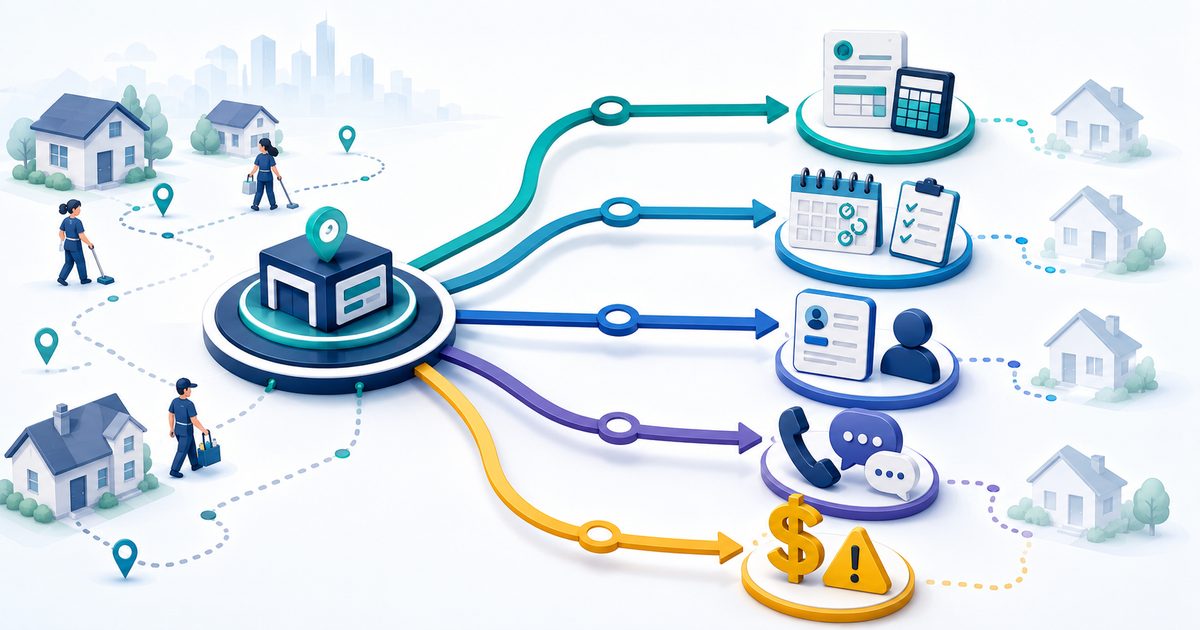
There is no universal best Jobber alternative for recurring residential cleaning teams because these products count people differently, expose costs differently, and optimize for different operating models. A good shortlist starts with your real bottleneck: recurring workflow, bookings, accounting, communications, or seat math.
If the bottleneck is quotes, estimates, approvals, or quote-to-job conversion rather than broad scheduling, use FieldOpsLab’s estimating and quote software guide alongside this Jobber alternatives shortlist.
Quick verdict
| Product | Strongest shortlist when | Main reason to slow down | Most plausible fit | Confidence |
|---|---|---|---|---|
| Jobber | You want broad FSM coverage, clearer named-user math, recurring visits, reminders, payments, Client Hub, and QuickBooks Online (QBO). | Two-way SMS, automations, and higher-tier workflow controls raise cost. Export access is not universal across every plan and workflow. | Default baseline for most 2–20 worker teams. | High |
| Housecall Pro | You need QBD, review management, online booking, and broader home-service workflow depth. | The jump from 5 users to MAX can be material, and larger-team cost modeling still needs written confirmation. | Strongest broad alternative when accounting and home-service breadth matter. | High |
| ZenMaid | Your company is primarily a recurring maid-service operator and wants cleaning-specific workflow over broad FSM complexity. | Visible price is low, but workforce math, export access, and accounting status still need careful confirmation. | Strongest specialist alternative for recurring house cleaning. | Medium |
| BookingKoala | Customer booking flow, customer dashboard, provider scheduling, and customer self-service are your real bottlenecks. | Each team member counts as a provider, SMS uses Twilio, and cancellation/data handling needs careful review. | Strongest booking-first alternative. | Medium |
| Workiz | Calls, SMS, AI answering, lead intake, client portal, and communications-forward operations matter as much as scheduling. | Public pricing is still not transparent enough for confident team modeling, and QuickBooks scope needs vendor confirmation. | Most plausible communications-first alternative. | Medium-low |
| Spreadsheets + Google Calendar | You are cleaning data before a migration and need a short transition baseline. | They do not solve recurring workflow control, reminders, payments, customer self-service, or cleaner access at scale. | Temporary transition only. | High |
Takeaway: For recurring residential cleaning teams, the strongest shortlist is usually Jobber plus one alternative that directly fits the real bottleneck, not a generic round-up of “top apps.”
In this article
- Why cleaning teams look for Jobber alternatives
- When Jobber is still the right baseline
- Comparison table
- Scenario: 5 field workers + 1 office user
- Recurring scheduling and cleaner mobile workflow
- Pricing and hidden costs
- Payments, QuickBooks, and accounting
- Export, migration, cancellation, and data risk
- Buyer verification checklist
- Final recommendation
Key facts
- Jobber remains the baseline because its current pricing page still shows named-user team bands, extra-user math, reminders, payments, online booking, and QBO support on higher plans.
- Housecall Pro is the clearest broad alternative when you need QuickBooks online and desktop, review management, online booking, and MAX-level features.
- ZenMaid is still the cleaning-specific specialist, but its public pricing page also asks for cleaner and office-manager counts, says SMS is not included, and still labels QuickBooks as coming soon.
- BookingKoala uses provider math, not named-user math, and its pricing page says that if you have teams, each team member counts as a provider.
- Workiz is the communications-first outlier. Its current public materials strongly emphasize phone and messaging, AI answering, online booking, and a client portal, but public price planning still needs caution.
- Spreadsheets and Google Calendar are not real long-term alternatives for growing recurring teams. They can help with pre-migration cleanup, but not with reminders, payments, self-service, or reliable recurring-edit control.
Best for
- US residential cleaning companies with 2–20 field workers and 1–2 office users.
- Businesses deciding between Jobber and a narrower alternative before they commit to a platform.
- Teams running recurring home cleanings with some one-time work mixed in.
- Owners who need help comparing seat math, skipped visits, mobile access, reminders, payments, accounting handoff, booking flow, migration risk, and cancellation risk.
- Businesses that want a scenario-based shortlist, not a fake “best overall software” list.
Avoid if
- You want a hands-on product review or controlled-account workflow validation.
- You need an exact final quote without speaking to vendors.
- You want a universal winner instead of a scenario-based shortlist.
- You are shopping outside the 2–20 field-worker range.
- Your business is primarily commercial janitorial, franchise multi-location enterprise, or a non-cleaning trade with very different workflow priorities.
Buyer scenario
This article is written for a US residential cleaning company with recurring and one-time residential jobs, 2–20 field workers, and 1–2 office users. The current workflow may include Jobber, spreadsheets, Google Calendar, texting, manual invoices, QuickBooks, or another tool. The buyer is either considering Jobber or trying to determine whether a cleaner-specific, booking-first, or communications-first alternative fits better before purchase.
| Scenario | Field workers | Office users | Why it matters |
|---|---|---|---|
| Small recurring team | 2 | 1 | Tests whether a broad FSM platform is still worth it versus a specialist or booking-first tool. |
| Growing recurring team | 5 | 1 | Tests the first serious pricing and workflow breakpoints, especially provider math and recurring controls. |
| Larger local team | 15 | 2 | Tests whether initial savings still hold once user, provider, reminder, payment, and migration complexity increase. |
Takeaway: In this market, the decision is rarely just “which app schedules jobs?” The decision is usually about how the product counts people, handles recurring exceptions, and adds costs after the base subscription.
Why cleaning teams look for Jobber alternatives
Most residential cleaning buyers do not start looking for Jobber alternatives because Jobber is obviously wrong. They usually start because something more specific matters.
- Seat cost pressure: Jobber’s named-user model is clearer than many competitors, but it still becomes a real budget decision once every cleaner and office worker needs access. Its current pricing page shows 5-, 10-, and 15-user bands and directs teams at 16+ users to sales.
- Cleaning-specific recurring workflow: Some maid-service operators want a more cleaning-specific system than a broad FSM platform. That is where ZenMaid often enters the shortlist.
- QuickBooks Desktop needs: If your office still depends on QBD, Housecall Pro publicly documents QuickBooks online and desktop, while Jobber’s current public pricing page emphasizes QBO.
- Booking-first growth needs: If leads are being lost before the job is even scheduled, BookingKoala can look more relevant because it puts booking forms, customer dashboards, provider dashboards, and customer self-service closer to the center.
- Phone, text, and AI operations: If your office is call-heavy and lead intake matters as much as scheduling, Workiz is more interesting than a typical scheduling-first app.
- Migration and exit risk: A buyer may also leave Jobber off the shortlist if export availability, billing terms, or post-cancellation access are not clear enough for comfort. That concern exists with every vendor, not just Jobber.
- Visible subscription versus real cost: Some alternatives look cheaper at first glance but move cost into SMS, payment processors, provider counting, onboarding, or quote-only packaging. FieldOpsLab covers that pattern in the hidden costs guide.
When Jobber is still the right baseline
Jobber still deserves the default baseline role when you want a broad home-service operating system and your business does not need a more specialized operating model.
Based on public documentation checked on 2026-08-14, Jobber still looks strong when you want:
- Recurring visits and general scheduling flexibility: Jobber’s Visits documentation supports scheduled, anytime, and unscheduled visits, visit duplication, reassignment, checklist access, and rescheduling notifications.
- Clearer named-user math: Its pricing page defines a user and publishes 1-, 5-, 10-, and 15-user examples. That makes scenario planning easier than provider-based or quote-sensitive systems.
- Client reminders and self-service: Jobber publicly positions automated reminders, Client Hub, and online booking. Client Hub lets customers approve quotes, see appointment details, pay invoices, and request work.
- Payments and recurring billing: The pricing page currently lists online card payments, tap-to-pay, ACH bank payments, and automatic payments for recurring work.
- QBO is enough: If your accounting workflow works with QBO rather than QBD, Jobber remains easier to shortlist than some specialist alternatives.
- You want one product that can serve many cleaning teams well enough without becoming a cleaning-only system.
What to verify first with Jobber: Double-check the current team-band examples on the pricing page because the page can render multiple user variants densely. Confirm whether Connect is enough or whether your team actually needs Grow for two-way SMS and automations. Confirm which export actions your plan includes, because client export is available on select plans. Confirm your annual-versus-monthly commitment assumptions in writing before purchase.
Comparison table
| Product | Operating model | Better than Jobber when | Jobber may be better when | Pricing model risk | Recurring workflow fit | Cleaner mobile fit | Payments and accounting fit | Booking and self-service fit | Export, migration, and cancellation risk | Confidence |
|---|---|---|---|---|---|---|---|---|---|---|
| Jobber | Broad FSM for home-service operations. | Baseline, not the challenger. | You want clearer user math, QBO, Client Hub, reminders, and broad workflow breadth. | Moderate. Named users are clear, but higher tiers and extra users still add up. | Strong public evidence for recurring visits and rescheduling. | Strong public evidence for visit details, checklists, notes, and team assignments. | Strong if QBO is enough. Public card and ACH pricing is visible. | Strong for Client Hub and online booking, but less self-service-heavy than BookingKoala. | Client export is documented, but export scope and post-cancellation access still need confirmation. | High |
| Housecall Pro | Broad FSM with stronger public home-service breadth than cleaning specialization. | You need QBD, reviews, customer portal, online booking, and MAX-tier depth. | You prefer simpler user math beyond 8 users or want a cleaning-specific operating model. | Moderate-to-high. 5-user and 8-user thresholds can create a real jump. | Strong public evidence for single-occurrence versus future-series edits. | Good public mobile signal for teams; cleaning-specific nuance is less central. | Strong public payments signal and public QBO/QBD support. | Good online booking and customer portal signal. | Public import/export help is stronger than many competitors. Final migration effort still unverified. | High |
| ZenMaid | Cleaning-specific recurring maid-service software. | You want cleaner-centered recurring workflow more than broad FSM depth. | You want transparent larger-team user pricing or a fully public accounting story today. | High. Visible price is low, but workforce representation, SMS, and access math need confirmation. | High category fit for recurring cleaning, but some edge cases remain unverified in public evidence. | Strong public cleaner-mobile signal with notes, photos, checklists, and GPS on higher plans. | Payments work through Stripe or Square; QBO is still marked coming soon. | Good booking-form signal for cleaning businesses. | Export is listed on Pro Max. Terms are strict on logins, refunds, and cancellation. | Medium |
| BookingKoala | Booking-first service-business platform with customer and provider dashboards. | You need stronger booking forms, customer dashboard controls, and provider scheduling. | You want simple named-user pricing and a lower-risk data-exit story. | High. Provider counting, storage, contacts, Twilio, and feature gates complicate planning. | Potentially strong, especially for self-service, but live recurring edge-case quality still needs verification. | Good public provider-app signal with schedules, payments, files, and availability management. | Broad processor support and QuickBooks/Zapier documentation, but processor economics vary by setup. | Very strong public self-service signal. | Help-center cancellation language and terms language need careful review together. | Medium |
| Workiz | Communications-forward FSM with phone, AI, booking, portal, and payments emphasis. | You care most about calls, texts, AI answering, booking, and lead handling. | You want the safest public pricing transparency or cleaner-specific workflow proof. | High. Public pricing remains too quote-sensitive for confident scenario math. | Core scheduling exists, but recurring cleaning edge cases remain less verified publicly. | Strong public mobile signal, including offline access and GPS tracking. | Strong public payments signal; QuickBooks scope still needs written confirmation. | Strong public signal for online booking and client portal. | Terms create real diligence around renewals, fee increases, downgrades, and backups. | Medium-low |
| Spreadsheets + Google Calendar | Manual transition baseline. | You are still cleaning data before migration. | You need reliable recurring controls, reminders, payments, or customer self-service. | Low subscription cost, high labor cost and error risk. | Weak beyond very small manual teams. | Weak and inconsistent. | No built-in fit. | No real fit. | You own the files, but the operating risk stays with you. | High |
Takeaway: The most important difference is not the feature list. It is the operating model: named users, providers, cleaner-and-office math, or communications-heavy packaging.
Scenario: 2 field workers + 1 office user
This is the first point where a recurring cleaning team can plausibly choose either a broad FSM platform or a specialist tool. The wrong choice here is usually not “too few features.” It is paying for the wrong operating model too early.
| Product | Likely public plan path | Planning subscription signal | Main reason to choose | Main cost risk | Main workflow risk | Buyer action | Confidence |
|---|---|---|---|---|---|---|---|
| Jobber | Connect 5-user band is the most realistic baseline if you want reminders, automatic payments, and QBO. | $199/month no commitment or lower on annual commitment for the 5-user Connect example. | Clear user math, recurring visits, reminders, payments, Client Hub, and online booking. | You may pay for more breadth than a tiny recurring-only team needs. | Not the most cleaning-specific workflow if that is your main priority. | Shortlist first if you want one broad system that can still scale. | High |
| Housecall Pro | Essentials includes 5 users, covering this 3-login scenario; confirm billing cadence and any add-ons. | $189/month or lower with annual billing. | QBO/QBD, review management, online booking, and broader home-service flexibility. | Higher visible subscription than some alternatives at this size. | May be more software than a very simple recurring maid-service team needs. | Shortlist if QBD or reviews already matter. | High |
| ZenMaid | Pro is the more realistic planning floor than Starter for most recurring teams. | $39/month visible floor; Pro Max visible floor is $49/month. | Cleaning-specific workflow and cleaner-friendly mobile focus. | SMS is extra, and the visible price should not be treated as the full access quote. | Accounting story is still limited publicly because QBO is marked coming soon. | Shortlist if recurring maid-service workflow matters more than broad FSM. | Medium |
| BookingKoala | Starter, assuming 2 cleaners count as 2 providers. | $27/month visible floor. | Booking flow, customer dashboard, and customer self-service. | Twilio, payment processor fees, and provider math can make the headline price incomplete. | You are buying a booking-first system, not a simple named-user FSM. | Shortlist if lost leads and self-service are the main problem. | Medium |
| Workiz | Public packaging exists, but final fit still needs vendor confirmation. | Quote-sensitive from a practical planning perspective. | Strong calls, texts, AI answering, booking, portal, and payment story. | Public total cost is not transparent enough for confident small-team planning. | Recurring cleaning edge cases remain less proven publicly. | Shortlist only if communications are central from day one. | Medium-low |
| Spreadsheets + Google Calendar | Temporary baseline only. | Low software spend, high labor cost. | Useful for customer cleanup and migration prep. | Reminder, payment, and schedule error risk remain manual. | Does not solve scale or self-service. | Use only while preparing to migrate. | High |
Most plausible short list at 2+1: Jobber as the default baseline, ZenMaid if your team is strongly maid-service-specific, or BookingKoala if booking conversion is the real constraint.
Scenario: 5 field workers + 1 office user
This is where pricing models start to matter more than homepage feature lists. A 5-cleaner team can trigger user-band jumps, provider caps, or the need for stronger recurring controls.
| Product | Likely public plan path | Planning subscription signal | Main reason to choose | Main cost risk | Main workflow risk | Buyer action | Confidence |
|---|---|---|---|---|---|---|---|
| Jobber | Connect 10-user band is the clearest baseline; Grow 10-user band if you need two-way SMS and automations. | $299/month on Connect or $399/month on Grow for the current 10-user examples. | Clearer planning math for a team that wants broad FSM coverage and room to grow. | Monthly spend jumps if Grow is truly required. | Still less specialized than ZenMaid for maid-service-first operators. | Use as the core baseline unless another bottleneck is clearly stronger. | High |
| Housecall Pro | MAX includes 8 users and covers this 6-login scenario without additional-user charges. Essentials includes only 5; confirm final billing cadence and add-ons. | $329/month or lower with annual billing for MAX. | QBD, reviews, recurring service plans, add-on flexibility, and open API access on MAX. | The 5-to-6-user step can push you into a more expensive operating band. | Still a broad home-service platform rather than a cleaning-specific one. | Shortlist if QBD, reviews, or broader office controls justify the jump. | High |
| ZenMaid | Usually Pro or Pro Max. | $39–$49/month visible floor, but not a safe final quote for total access. | Cleaning-specific recurring workflow can still be compelling here. | Workforce math, SMS, and login rules create more quote uncertainty than named-user platforms. | Public accounting fit remains weaker than Jobber or Housecall Pro. | Shortlist if operational fit matters more than accounting breadth. | Medium |
| BookingKoala | Growing is the safer planning floor. | $57/month visible floor. | Strong booking forms, dashboard controls, provider scheduling, and self-service. | Starter’s provider ceiling is too tight once you count all 5 cleaners and any turnover. | Provider-based math may still be a worse fit than named users if office workflow matters more than bookings. | Shortlist if self-service and lead conversion beat all other concerns. | Medium |
| Workiz | Public planning still needs vendor confirmation because included-user and paid-user math are not clear enough. | Quote-sensitive. | Communication-heavy operations, AI answering, and portal-based payments. | Calls, SMS, AI, and contract terms can materially change the real bill. | The recurring-cleaning workflow still needs stronger practice-level validation. | Shortlist only if communication tooling is central to revenue. | Medium-low |
| Spreadsheets + Google Calendar | Past due for most teams. | Low software spend, high operating drag. | Useful only for staging a migration. | The hidden cost is owner time, missed reminders, and preventable rescheduling errors. | No durable team workflow. | Move off this stack unless migration is already in progress. | High |
Most plausible short list at 5+1: Jobber versus Housecall Pro for broad platforms, ZenMaid for cleaning-specific recurring operations, or BookingKoala if customer self-service is the real growth lever.
Scenario: 15 field workers + 2 office users
At this size, headline prices become less useful. You need to think in terms of logins, providers, communication spend, payment volume, and migration risk.
| Product | Likely public plan path | Planning subscription signal | Main reason to choose | Main cost risk | Main workflow risk | Buyer action | Confidence |
|---|---|---|---|---|---|---|---|
| Jobber | Sales-confirmed 17-user path. | The current pricing page directs teams at 16+ users to sales. Request a written quote instead of extending the 15-user band with a historical per-user amount. | Named-user math remains relatively straightforward at larger team size. | Choosing the wrong tier can move cost materially. | Still not the most specialized booking-first or cleaning-only workflow. | Shortlist first if you want the safest public planning math. | High |
| Housecall Pro | Configured larger-team quote for 17 users. | The current public page does not support a dependable 17-user total in its extracted plan copy. Request the plan, included users, additional-user charges, and cadence in writing. | Strongest broad alternative if QBD, reviews, and MAX-level workflow matter. | Seat expansion past 8 users can become expensive. | You still need to confirm your exact packaging in writing. | Shortlist if accounting and broader-office depth justify the spend. | Medium-high |
| ZenMaid | Do not treat list price as the full commercial answer for 17 total users. | $39–$49/month visible floor only. | If the company is still fundamentally a recurring maid-service operator, the specialist workflow can remain attractive. | The visible price does not safely answer larger-team billing, login math, or support expectations. | Public evidence does not fully de-risk larger-team accounting and export questions. | Get a written commercial confirmation before relying on the list price. | Medium-low |
| BookingKoala | Growing is the visible provider floor at 15 cleaners; Premium may still become more realistic. | $57/month visible floor at 15 providers, but $197/month Premium can become the more realistic working tier once storage, forms, contacts, or provider churn matter. | Very strong if online booking and self-service run the business. | Provider caps count the field team directly, and deactivated providers matter when downgrading. | A larger team may hit more dashboard, permissions, and data-process questions. | Model provider caps and cancellation risk before shortlisting seriously. | Medium |
| Workiz | Larger-team fit likely requires direct sales confirmation. | Quote-sensitive and contract-sensitive. | Communications-heavy offices may get the most strategic value here. | Pricing, upgrades, renewals, VoIP usage, and AI features can change the real economics. | Recurring residential-cleaning edge cases remain less verified publicly than broad sales-and-dispatch claims. | Only shortlist if communication tooling is a core profit driver. | Low-to-medium |
| Spreadsheets + Google Calendar | No longer a serious operating option. | Software spend may stay low, but labor loss and error exposure become unacceptable. | Can still hold export backups and cleanup files during migration. | Owner time and data inconsistency become the real cost center. | No safe control over recurring changes, reminders, payments, or permissions. | Stop relying on this as the operating system. | High |
Most plausible short list at 15+2: Start with Jobber or Housecall Pro unless your business is clearly booking-first, cleaning-specialist-first, or communication-first. That is where generic alternatives lists usually mislead buyers.
Housecall Pro as a Jobber alternative
Best fit for: residential cleaning companies that want a broad home-service platform, need QBD, care about review management, and can justify a larger software budget for stronger general-office controls.
Based on its current pricing page, Housecall Pro publicly offers Basic with 1 user, Essentials with 5 users, and MAX with 8 users, then routes 11+ teams through a sales-led path. Essentials publicly includes QuickBooks online and desktop. MAX adds advanced reporting, a dedicated onboarding specialist, escalated support, and included add-ons such as Sales Proposal Tool and Service Plans; confirm final add-on and billing terms in writing.
For recurring teams, Housecall Pro’s recurring-jobs documentation is one of its strongest public advantages. It explicitly documents editing a single job versus the entire series and deleting one occurrence versus future occurrences. That is directly relevant to skipped visits, one-off reschedules, and recurring-service exceptions.
Where it may be better than Jobber: when QBD matters, when review generation matters, when you want stronger broad home-service workflow depth, and when you are comfortable moving into Essentials or MAX.
Where Jobber may still be safer: when you want simpler team-band planning from the public pricing page, when QBO is enough, or when you want a lower-friction baseline for recurring residential cleaning without a MAX-style threshold.
What to verify: your exact MAX user path, any add-ons you actually need, the package details for Service Plans in your sales flow, export scope for your data, and any migration charges beyond the published import and export guidance.
Before choosing Housecall Pro as a Jobber alternative: compare current plan pricing, user counts, QuickBooks needs, recurring-job workflow, payment-processing fees, onboarding, migration, cancellation terms, and export access against the Jobber workflow you are replacing.
If Housecall Pro looks like the better alternative for your team, explore Housecall Pro’s current offer.
ZenMaid as a Jobber alternative
Best fit for: recurring maid-service operators who care more about cleaner-centered scheduling, client notes, booking forms, and cleaning-specific workflow than broad FSM breadth.
ZenMaid’s public pricing page still shows a simple visible structure: Starter at $19 per month, Pro at $39, and Pro Max at $49. But public evidence also shows why buyers should not mistake that simplicity for a complete commercial answer. The pricing page asks how many cleaners and office managers you have, says SMS charges are not included, and still marks QuickBooks integration as coming soon. The terms also say each individual user must have unique logins and that inaccurate workforce information can affect billing rate or subscription plan.
What makes ZenMaid more interesting than many general alternatives is its cleaning-specific public positioning. The mobile app page emphasizes client entry instructions, pet notes, checklists, photos, “On my Way” notifications, and simple clock in/out tracking. That is more directly aligned with maid-service realities than a generic trade-service mobile story.
Where it may be better than Jobber: when cleaner adoption, recurring house-cleaning workflow, and cleaning-specific operating detail matter more than broad FSM add-ons.
Where Jobber may still be safer: when you need clearer user math, a stronger current accounting story, more public payment-fee clarity, or a broader home-service growth path.
What to verify: exact commercial terms for your cleaner and office count, SMS spend, whether Pro or Pro Max is truly required, current accounting roadmap, and what “export of your data” on Pro Max includes in practice.
BookingKoala as a Jobber alternative
Best fit for: businesses whose main growth problem is not dispatch depth but booking friction, customer self-service, and provider scheduling.
BookingKoala is meaningfully different from Jobber because it is booking-first. Its pricing page centers providers, forms, dashboards, storage, and contacts. It also says that a service provider is the person performing the service and that if you have teams, each team member counts as a provider. That is the single most important public pricing fact for cleaning buyers.
Public documentation also gives BookingKoala unusually strong self-service signals. The customer dashboard allows customers to edit, reschedule, cancel, postpone, or resume bookings if your settings allow it. For recurring services, the public help page says customers can cancel just one appointment or all appointments. On the provider side, the provider app covers schedules, job management, payments, files, reviews, and availability management.
Where it may be better than Jobber: when customer dashboard control, provider/team scheduling, self-service, and booking-form sophistication matter more than broad FSM simplicity.
Where Jobber may still be safer: when you want named-user math instead of provider math, when you want a less complicated cost model, or when you care more about broad office workflow than customer-facing booking control.
What to verify: provider caps for your real staffing model, Twilio setup and SMS spend, QuickBooks flow, what Premium features you truly need, and how you want to handle account closure. The current help article says canceling deletes the account and stored data, while the terms say cancellation takes effect at the end of the current paid term. Read both before purchase.
Before choosing BookingKoala as a Jobber alternative: compare provider-count pricing, booking-form fit, customer self-service, Twilio/SMS spend, payment setup, exports, downgrade rules, and cancellation/data-retention terms against the Jobber workflow you are replacing.
If BookingKoala looks like the better booking-first alternative for your team, explore BookingKoala’s current offer.
Workiz as a Jobber alternative
Best fit for: residential cleaning companies that care heavily about calls, text communication, lead intake, AI answering, booking, and client portal workflow, and are willing to do more commercial diligence.
Workiz is not the clearest pricing alternative to Jobber. It is the communications-forward alternative. Current public materials strongly emphasize the communications suite, AI answering, online booking, client portal, and online payments. That is a different operating bet than Jobber or ZenMaid.
The public terms also make the role model important. Workiz defines a Pro User differently from a Free User. A Free User can be assigned to jobs, receive and respond to notifications, and view job reports, while a Pro User is the administrative access role for scheduling, dispatching, and invoicing. That is useful in theory, but buyers should still get written confirmation on exactly which team members need which role.
Where it may be better than Jobber: when communications, call handling, client portal usage, offline mobile access, GPS, and AI-assisted lead handling are real profit drivers. The mobile app page also publicly documents offline access, GPS tracking, job details, notes, photos, and synced schedule updates.
Where Jobber may still be safer: when you want clearer public pricing logic, clearer team-band modeling, and a lower-diligence buying process.
What to verify: the exact plan and user structure for your team, any phone or AI spend outside the base subscription, QuickBooks Online versus QuickBooks Desktop scope, renewal terms, fee increases, downgrade rights, and backup responsibilities. The Workiz terms include automatic renewals, non-refundable fees, possible annual fee increases, and the expectation that you back up your own data.
Spreadsheets and Google Calendar as a temporary baseline
Spreadsheets and Google Calendar are not durable alternatives to Jobber for a growing recurring cleaning team. They can still be useful in one narrow phase: migration preparation.
They are useful when you need to:
- clean customer names, addresses, emails, and phone numbers,
- normalize recurring frequencies and service notes,
- identify duplicate customers, inactive customers, and inconsistent tags,
- create a portable archive before changing vendors,
- map which people actually need logins and which only need schedules.
They stop being acceptable once missed reminders, skipped-visit confusion, manual payment collection, or office-to-cleaner communication starts costing more than the software you are trying to avoid buying.
Recurring scheduling and cleaner mobile workflow
Recurring cleaning software fails in practice when it cannot handle skipped visits, one-off reschedules, series edits, or cleaner-facing appointment detail without confusion. This is one of the most important buyer checks in the category. For a deeper framework, see FieldOpsLab’s recurring scheduling guide.
| Product | Edit one occurrence vs future series | Skipped visits and canceling recurring work | Cleaner reassignment and crews | Cleaner-facing notes and checklists | Public mobile evidence quality |
|---|---|---|---|---|---|
| Jobber | Strong public evidence for visit-level edits and future-visit updates through the Visits docs. | Rescheduling notifications and deleting visits are publicly documented. | Assigned team members and visit duplication are documented publicly. | Checklists, notes, visit instructions, and reminders are visible in public docs. | High |
| Housecall Pro | The recurring-jobs help article explicitly distinguishes “Only this job” versus “This job and all future jobs.” | Deleting one occurrence versus future occurrences is explicitly documented. | Assigned technician changes are public in recurring-job docs. | Checklists and notes are publicly referenced on pricing and feature pages. | High |
| ZenMaid | Public category fit is strong, but FieldOpsLab has not verified every edge case in a controlled account. | Public evidence strongly suggests recurring-cleaning focus, but exact exception behavior still needs vendor confirmation. | Cleaner profiles, GPS tracking on higher plans, and cleaner-centered mobile workflow are public. | Entry instructions, pet notes, checklists, notes, and photos are publicly emphasized. | Medium |
| BookingKoala | Customer dashboard docs support edit, reschedule, and recurring cancellation choices if enabled. | Public docs say customers can cancel one or all recurring bookings if your settings allow it. | Provider and team dashboards are central to the product. | Checklists, GPS clock-in/out, and provider mobile access are publicly listed on pricing/features. | Medium |
| Workiz | Basic scheduling is clearly public, but recurring cleaning exception handling remains less explicit in public documentation. | Public evidence is weaker here than for Jobber or Housecall Pro. | Strong real-time dispatch, GPS, and mobile scheduling signals. | Job details, service history, notes, and photos are publicly documented on the mobile page. | Medium |
Takeaway: If your buying decision depends on skip one, edit one, edit future, reassign the pair, preserve notes, and notify the client correctly, Jobber and Housecall Pro are easier to evaluate from public documentation. ZenMaid may still fit better in practice for maid-service teams, but that remains less fully verifiable from public sources alone.
Pricing and hidden costs
This is where generic alternatives lists often fail. The real cost is not just the subscription. It is people-count math, reminders, payment fees, add-ons, onboarding, exports, and contract behavior. For deeper context, read FieldOpsLab’s hidden-costs guide.
| Product | Subscription model | People-count model | SMS, phone, and AI cost exposure | Payment-fee visibility | Main hidden-cost risk |
|---|---|---|---|---|---|
| Jobber | Public self-serve team bands on the pricing page. | Named users. | Two-way SMS and more automation appear higher in the plan ladder. | Publicly visible: card 2.9% + 30¢, tap-to-pay 2.7% + 30¢, ACH 1%. | Choosing the wrong tier and underestimating user growth. |
| Housecall Pro | Public Basic, Essentials, MAX structure. | Published 1/5/8-user allowances, with MAX listing $35/month per additional user above 8; confirm larger-team packaging, add-ons, and final terms. | Add-ons and broader workflow tools can change the commercial picture. | Publicly visible starting point: card fees start at 2.59%, ACH 1%. | The jump into MAX and add-on assumptions. |
| ZenMaid | Low visible list price. | Cleaner and office-manager math with unique-login rules in terms. | SMS charges explicitly not included. | Processor fees depend on Stripe or Square; ZenMaid says it does not add an extra fee on top. | Visible price can understate real access and usage cost. |
| BookingKoala | Starter, Growing, Premium, then larger Premium tiers. | Providers, storage, and contacts. | SMS runs through Twilio. | Processor-dependent because you bring Stripe, Square, PayPal/Braintree, or Authorize.net. | Provider counting, contact thresholds, and data-exit diligence. |
| Workiz | Public packaging exists, but final math remains quote-sensitive. | Pro User versus Free User logic matters, but real commercial fit still needs confirmation. | Very high exposure because phone, VoIP, and AI are central to the product story. | Public feature pages show payment methods, but exact processing-fee math is not clear enough publicly. | Underestimating the real cost of communications and contract terms. |
| Spreadsheets + Google Calendar | Low direct price. | No formal access control model. | Manual texting and call handling move cost into labor. | No built-in payments. | Owner time, errors, and cleanup later. |
Takeaway: The cheapest-looking software is not always the cheapest operating decision. Visible subscription floor and real monthly operating cost are different things.
Payments, QuickBooks, and accounting
For this article, QuickBooks Online (QBO) and QuickBooks Desktop (QBD) matter because many residential cleaning businesses use one or the other as the back-office source of truth. If you use an application programming interface (API) or automation layer such as Zapier, that is still an accounting decision, not just a technical detail.
| Product | Card and bank payment signal | Card-on-file or recurring collection signal | Accounting and QuickBooks signal | What to verify |
|---|---|---|---|---|
| Jobber | Public card, tap-to-pay, and ACH rates. | Automatic payments for recurring work are publicly listed. | Strong public QBO signal on higher plans. | Whether QBO is enough for your office and whether your exact sync meets bookkeeper expectations. |
| Housecall Pro | Cards, bank payments, card on file, tap-to-pay, check deposits, and financing. | Strong card-on-file public evidence. | QuickBooks online and desktop are publicly listed on Essentials and above. | Your exact accounting workflow, reconciliation process, and whether MAX or add-ons are required. |
| ZenMaid | Stripe and Square support. | Card storage is processor-based through Stripe or Square. | QuickBooks is still marked coming soon. | Do not assume a live QBO workflow until the vendor confirms your exact use case. |
| BookingKoala | Stripe, Square, PayPal/Braintree, and Authorize.net. | Automatic charges and processor-specific workflows are publicly documented. | QuickBooks overview and Zapier integration are public. | Whether your exact flow is native enough for your accountant and how you want to sync payment events. |
| Workiz | Cards, ACH, digital wallets, deposits, and financing are publicly emphasized. | Strong deposits and portal-payment signal. | Workiz publicly markets QuickBooks, but FieldOpsLab recommends vendor confirmation on exact QBO versus QBD scope. | Written confirmation on accounting scope, payout behavior, payment fees, and bookkeeper fit. |
Takeaway: If your buying decision turns on QBD, Housecall Pro jumps up the shortlist. If QBO is enough, Jobber remains easier to model. If accounting is still unresolved, ZenMaid and Workiz need more written confirmation before purchase.
Online booking, customer self-service, and communications
This is where the products separate most clearly by operating style.
| Product | Online booking | Customer self-service | Reminders and messaging | Phone and AI signal |
|---|---|---|---|---|
| Jobber | Strong public online-booking signal, including automatic team assignment based on availability. | Client Hub covers quotes, appointments, invoices, and work requests. | Automated reminders and two-way texting appear publicly in the plan ladder. | Present, but not the central differentiation. |
| Housecall Pro | Strong public online-booking signal. | Customer portal and service plans are part of the public feature story. | Automated reminders, payments, and customer communication are public. | Present, but less central than Workiz. |
| ZenMaid | Cleaning-specific booking forms are a major public selling point. | Good lead and booking-form story; less public emphasis on a broad customer dashboard than BookingKoala. | SMS is extra; cleaner and client communications are emphasized. | Not a phone-first platform. |
| BookingKoala | Very strong booking-first structure with embedded forms and plan-gated form sophistication. | Customer dashboard is one of the strongest public self-service stories in the category. | SMS notifications are broad but require Twilio. | Phone is not the main differentiator. |
| Workiz | Strong online-booking signal with rules, deposits, and lead-source tracking. | Client portal supports estimates, invoices, deposits, documents, and service history. | Very strong public messaging signal. | Phone and AI answering are major product themes. |
Takeaway: If the core problem is “customers are not booking cleanly enough on their own,” BookingKoala is often the alternative to examine first. If the core problem is “the office is drowning in calls and follow-ups,” Workiz is more plausible.
Export, migration, cancellation, and data risk
Every software switch has an exit problem as well as an entry problem. Public evidence helps, but it does not fully verify how complete an export will be for recurring schedules, notes, attachments, photos, payment history, or message history.
| Product | Public export and import signal | Migration help signal | Cancellation and downgrade signal | Main buyer risk |
|---|---|---|---|---|
| Jobber | Client export is documented, but available on select plans. | Public documentation is decent, but migration effort is still situation-specific. | Public pricing shows both no-commitment and annual options. | Assuming export completeness without checking the exact objects you need. |
| Housecall Pro | Import and export of jobs and customers is publicly documented. | MAX publicly mentions onboarding and data migration support. | Public FAQ says there is no long-term contract and cancellation is simple. | Assuming your exact data shape will import cleanly without review. |
| ZenMaid | Export of your data is listed on Pro Max. | The pricing page advertises free 1:1 transfer of contacts and calendar. | Terms are strict on refunds, cancellation inside billing settings, and potential content loss on downgrade. | Assuming visible plan price equals safe exit rights. |
| BookingKoala | Pricing and help materials publicly mention import tools and export of booking data. | Import and syncing tools are publicly mentioned on the pricing page. | The terms and help center need to be read together because they create different expectations about timing and deletion. | Misunderstanding provider deletion, downgrade limits, and post-cancel data access. |
| Workiz | Public export detail is weaker than Jobber or Housecall Pro in the sources reviewed. | Migration help is not transparent enough publicly to model effort safely. | Terms include automatic renewals, non-refundable fees, annual fee increase rights, and the need to back up your own content. | Signing without understanding renewal, downgrade, and backup obligations. |
Takeaway: Before switching away from Jobber or choosing another platform first, ask for written confirmation on what you can export, when you lose access, and how recurring data migrates.
When not to switch away from Jobber
You should usually stay with Jobber, or at least evaluate Jobber first, when the following are true:
- Your team already understands the software and uses it consistently.
- Your primary need is broad FSM coverage, not a specialist booking or communications stack.
- QBO is enough for accounting.
- Client Hub, reminders, online payments, and online booking already cover most of what you need.
- The alternative does not clearly solve a real business problem beyond “the homepage sounds more specialized.”
- You have not yet resolved export and migration questions for the alternative.
- Your real issue is training, process design, or data cleanliness rather than the platform itself.
For many residential cleaning teams, switching costs are more expensive than the feature gap they are trying to solve. That is especially true if the only reason for switching is to chase a lower visible subscription without modeling users, providers, payments, SMS, and migration labor.
Buyer verification checklist
- Why are we looking for Jobber alternatives in the first place?
- Is the actual problem cost, recurring workflow, booking conversion, QBD, cleaner mobile adoption, SMS, payments, or migration risk?
- What does the alternative do better than Jobber for our exact operation?
- What does Jobber still do better for our exact operation?
- What is the written quote for our 2+1, 5+1, and 15+2 scenarios?
- Who needs full logins, who only needs limited access, and who needs no access?
- How are field workers, providers, cleaners, and office users counted?
- Can we edit one recurring occurrence versus the future series?
- How are skipped visits, pauses, and cleaner reassignments handled?
- What does the cleaner mobile app actually show?
- What are the SMS, phone, VoIP, and AI charges?
- What are the card, ACH, payout, and chargeback fees?
- What is the exact QuickBooks and accounting workflow?
- What can customers book, edit, cancel, or pay themselves?
- What can we export before canceling?
- What migration help is included, and what costs extra?
- What happens on downgrade, cancellation, or non-renewal?
- Can the vendor confirm every important assumption in writing before purchase?
What public evidence cannot verify
- Live recurring-cleaning workflow quality in your actual operation.
- Cleaner mobile adoption and training friction.
- Exact final quote after discounts, taxes, add-ons, phone usage, SMS usage, and payment volume.
- Migration effort for your current data structure.
- Export completeness across every object, including message history, recurring metadata, photos, and attachments.
- Post-cancellation access timing and real support experience.
- Whether every role and permission behaves exactly how your office expects in practice.
- Whether Workiz’s current QuickBooks scope matches QBO only, broader QuickBooks support, or a sales-specific package.
- Whether ZenMaid’s current commercial handling of workforce math and login requirements fits your exact team shape.
- Whether BookingKoala’s office-user treatment and provider math line up with your internal staffing setup.
Final recommendation
If you need one default starting point: start with Jobber. It remains the safest public baseline for most recurring residential cleaning teams because the public user math is clearer than many alternatives and the current documentation covers the core buying concerns better than most: recurring visits, reminders, payments, Client Hub, online booking, and QBO.
If QBD, reviews, and broader office workflow matter more than a lower visible subscription: move Housecall Pro onto the shortlist quickly.
If you run a true maid-service operation and want a cleaner-specific system first: move ZenMaid onto the shortlist, but do not treat the visible list price as the final commercial answer.
If online booking and customer self-service are the actual bottleneck: move BookingKoala closer to the front of the line than generic alternatives articles usually do.
If your office wins or loses jobs on calls, texts, and lead response speed: consider Workiz, but only with written confirmation on pricing, user roles, QuickBooks scope, and contract terms.
If you are still on spreadsheets and Google Calendar: use them only long enough to clean your data and prepare a switch. Do not treat them as a durable alternative for a growing recurring team.
For broader shortlist context by team size, see FieldOpsLab’s guides for the 2–5-person team, 6–10-person team, and 11–20-person team.
Methodology
This article was written as a research_based alternatives guide. FieldOpsLab reviewed public official pricing pages, official feature pages, official help-center articles, official payment documentation, official import and export documentation, official integration documentation, and official terms pages checked on 2026-08-14. FieldOpsLab also used prior internal FieldOpsLab product and pricing analyses for Jobber, Housecall Pro, ZenMaid, BookingKoala, Workiz, recurring scheduling, hidden costs, and team-size buying guides to keep the shortlist consistent with the rest of the site.
FieldOpsLab did not verify these products in a controlled account for this article. That is why this guide uses language such as based on public documentation, based on public pricing, public evidence suggests, and treat this as a planning estimate, not a vendor quote.
Sources
- Jobber pricing
- Jobber Help Center: Visits
- Jobber Help Center: What do your clients see in Client Hub?
- Jobber Help Center: Export client information
- Jobber online booking
- Housecall Pro pricing
- Housecall Pro Help Center: Manage recurring jobs
- Housecall Pro Help Center: Import and export jobs and customers
- Housecall Pro payments
- Housecall Pro online booking
- ZenMaid pricing
- ZenMaid terms of service
- ZenMaid credit card processing
- ZenMaid mobile app
- ZenMaid scheduling software
- ZenMaid booking software
- BookingKoala pricing
- BookingKoala Help Center: Customer dashboard explained
- BookingKoala Help Center: Provider app overview
- BookingKoala Help Center: Set up Twilio
- BookingKoala Help Center: Payment processors overview
- BookingKoala Help Center: QuickBooks overview
- BookingKoala Help Center: Zapier integration
- BookingKoala Help Center: Upgrade or downgrade your subscription
- BookingKoala Help Center: Close or cancel your account
- BookingKoala terms of use
- Workiz terms and conditions
- Workiz communications suite
- Workiz Genius Answering
- Workiz online booking
- Workiz client portal
- Workiz online payments
- Workiz mobile app
- FieldOpsLab: Jobber
- FieldOpsLab: Jobber pricing
- FieldOpsLab: Housecall Pro
- FieldOpsLab: Housecall Pro pricing
- FieldOpsLab: ZenMaid
- FieldOpsLab: ZenMaid pricing
- FieldOpsLab: BookingKoala
- FieldOpsLab: BookingKoala pricing
- FieldOpsLab: Workiz
- FieldOpsLab: Workiz pricing
- FieldOpsLab: Jobber vs ZenMaid
- FieldOpsLab: Recurring scheduling for cleaning teams
- FieldOpsLab: Cleaning business software guide
- FieldOpsLab: Hidden costs of cleaning business software