
Affiliate disclosure: FieldOpsLab may earn a commission from some links on this page if affiliate links are added later. Our recommendations are based on evidence and buyer fit, not whether a product has an affiliate program.
Written by: LPSA
Evidence level: research_based
Product information checked: 2026-07-08
Pricing checked: 2026-07-08
Last meaningfully updated: 2026-07-08
Evidence status
Evidence status: This is a research_based integration-risk guide for US residential cleaning businesses with 2–20 field workers and 1–2 office users. FieldOpsLab reviewed public Jobber pricing, official Jobber help-center documentation, official Jobber payment and export documentation, public QuickBooks Online context where relevant, and prior FieldOpsLab workflow context.
FieldOpsLab did not use a controlled Jobber account, paid Jobber account, vendor demo, live QuickBooks Online sync, live residential-cleaning workflow, original screenshots, vendor correspondence, bookkeeper interviews, operator interviews, or QuickBooks account testing for this article.
FieldOpsLab did not verify duplicate-invoice behavior, duplicate-customer behavior, payment reconciliation, deposit behavior, refund behavior, tax treatment, sync error handling, QuickBooks Desktop behavior, export completeness, disconnect behavior, downgrade behavior, cancellation experience, support quality, or final payable cost. Public documentation can describe Jobber’s QuickBooks Online workflow, but it does not prove live accounting behavior for a specific cleaning company.
Quick answer
Jobber can be a strong broad field service management (FSM) option for a residential cleaning business when QuickBooks Online (QBO) needs to sit near quotes, jobs, invoices, payments, Client Hub, recurring work, and day-to-day operations. But “Jobber integrates with QuickBooks” is not enough to rely on the connection without more diligence.
For current plan details, see Jobber pricing on the official site. FieldOpsLab’s pricing and plan-gate discussion below uses public pricing checked on 2026-07-08 and does not include temporary promotional discounts, taxes, or account-specific quotes.
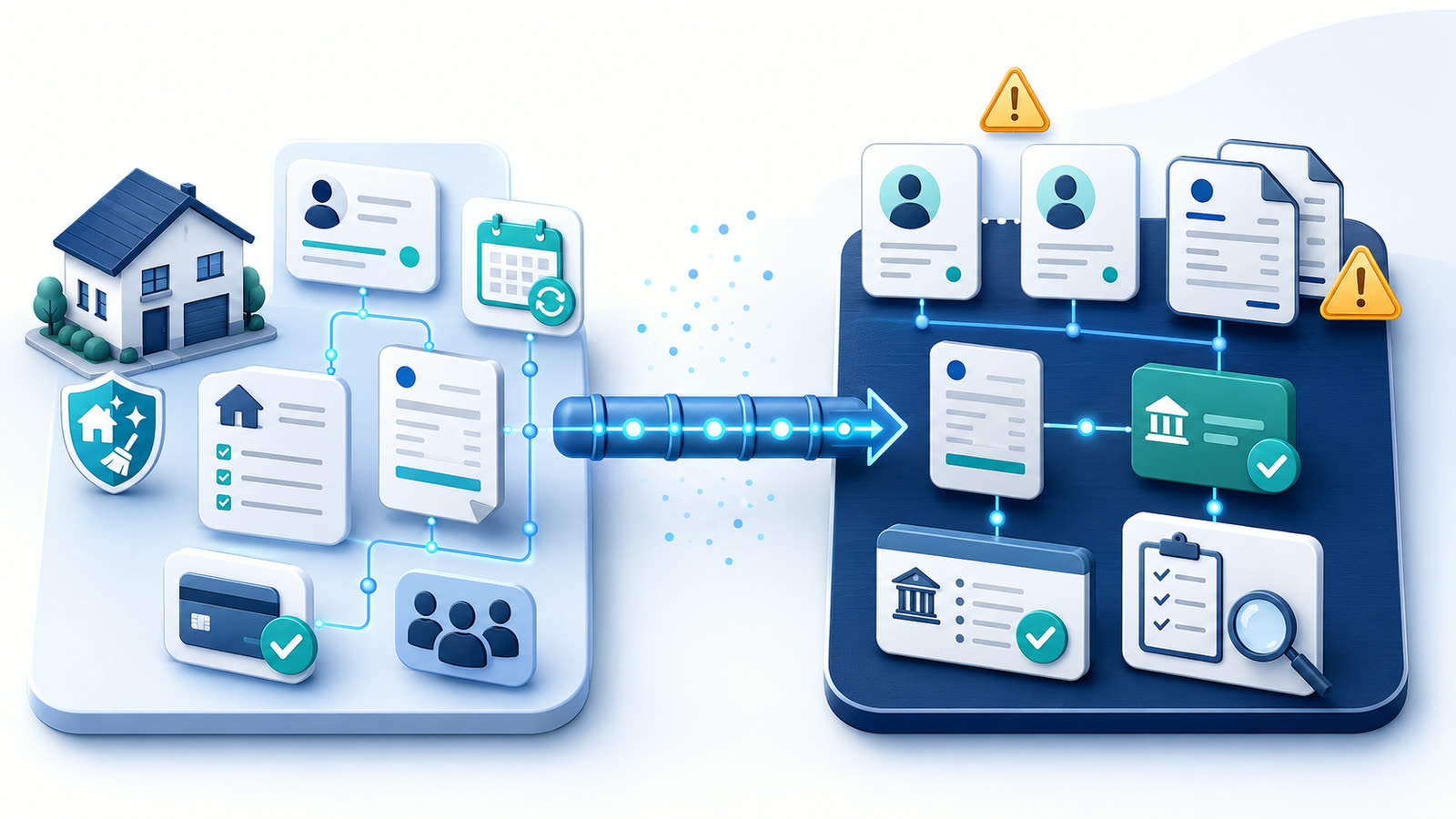
Based on public Jobber documentation, the newer Jobber + QBO integration is described as a one-way sync from Jobber to QBO for clients, products and services, invoices, and payments, with payment-related settings for refunds, tips, and Jobber Payments payout reconciliation. Public documentation also describes a one-time import from QBO into Jobber for active clients and products/services during setup. FieldOpsLab has not verified that behavior in a controlled account, and buyers should ask Jobber to demonstrate the exact workflow before connecting a live QBO account.
The practical buyer question is not just, “Does Jobber connect to QuickBooks?” It is: what syncs, what does not sync, which direction data moves, which plan is required, how customers and invoices are matched, how payments, refunds, tips, and payouts are represented, where duplicate customers or invoices can appear, and what your bookkeeper or accountant needs to review before you rely on the sync.
This article focuses on QuickBooks Online. QuickBooks Desktop (QBD) is mentioned only to avoid confusion: Jobber’s newer public QuickBooks documentation is for QBO, not QBD. This is not a QuickBooks tutorial, bookkeeping tutorial, tax guide, legal guide, or payment-compliance guide.
Quick verdict
| Decision point | FieldOpsLab view |
|---|---|
| Most plausible fit | Residential cleaning businesses that already want Jobber as the operations layer and need QBO near invoices, payments, customers, products/services, recurring work, and office workflow. |
| Main reason to evaluate | Public Jobber documentation describes QBO setup, one-time import, one-way sync from Jobber to QBO, sync settings, sync alerts, common errors, payments, refunds, tips, payouts, and timesheets. |
| Main risk | Assuming QBO sync removes bookkeeping work. Buyers still need vendor confirmation and bookkeeper/accountant review for mapping, duplicate handling, taxes, payments, refunds, deposits, payouts, and month-end cleanup. |
| Duplicate-invoice stance | Duplicate invoices and duplicate customers should be treated as integration-governance risks, not as proven Jobber defects. FieldOpsLab has not verified duplicate creation or duplicate prevention. |
| Pricing stance | Based on public pricing checked on 2026-07-08, QBO sync appears in Jobber’s Connect feature set, but final plan, user count, billing cadence, payment fees, add-ons, taxes, and larger-team pricing require current vendor confirmation. |
| Evidence level | research_based. |
Takeaway: Jobber + QBO can be a useful accounting handoff, but the buyer should treat it as a workflow to verify, not a bookkeeping guarantee.
In this article
- What Jobber + QuickBooks Online integration means
- Jobber QuickBooks setup workflow from public documentation
- What public documentation says may sync
- Duplicate-invoice and duplicate-customer risk map
- Scenario analysis
- Pricing and plan-gate implications
- Jobber + QBO demo questions buyers should ask
- Export, migration, disconnect, cancellation, and QBO data risk
- What we could not verify
- Buyer verification checklist
- Final recommendation
Key facts
| Item | Research-based finding |
|---|---|
| Target buyer | US residential cleaning business with 2–20 field workers and 1–2 office users that uses, or plans to use, Jobber for operations and QBO for bookkeeping. |
| Core buying question | What does Jobber’s public documentation say about QBO setup, sync scope, sync direction, plan availability, invoices, payments, customers, products/services, errors, duplicates, exports, and exit risk? |
| Evidence level | research_based. Public documentation and pricing only; no controlled account, paid account, vendor demo, live QBO sync, bookkeeper interview, or operator interview. |
| Plan-gate signal | Public Jobber documentation says the QBO integration is available on select plans, and Jobber’s public pricing page checked on 2026-07-08 lists “Sync with QuickBooks Online” in the Connect feature set. Current plan availability still needs vendor confirmation. |
| Sync direction signal | Public Jobber documentation for the newer integration describes a one-way sync from Jobber to QBO, plus a one-time import from QBO into Jobber during setup for active clients and products/services. |
| Objects public docs describe | Public Jobber docs describe clients, products/services, invoices, payments, refunds, tips, Jobber Payments payouts, processing fees, and timesheets in the QBO workflow. |
| Main unknowns | Live customer matching, invoice matching, duplicate prevention, duplicate creation, tax treatment, payment reconciliation, deposits, refunds, canceled/rescheduled jobs, classes/locations, export completeness, disconnect, downgrade, cancellation access, support quality, and final payable cost remain unverified. |
| Exit-risk reminder | QBO sync is not the same as a full Jobber data export. Accounting records in QBO may not preserve operational data such as recurring schedules, message history, notes, attachments, or full cleaning-job context. |
Takeaway: The most important fact is not that Jobber connects to QBO. It is that the buyer must verify the exact sync workflow before connecting a live accounting file.
Best for
- Residential cleaning businesses already leaning toward Jobber as their main operations system.
- Owners who want QBO to sit near Jobber quotes, jobs, invoices, payments, recurring work, Client Hub, and office workflow.
- Teams with enough invoice and payment volume that manual QBO entry is becoming fragile.
- Office users who are willing to define source-of-truth rules before enabling QBO sync.
- Buyers who can involve a qualified bookkeeper or accountant before syncing live data.
Avoid if
- You need account-validated proof that Jobber prevents duplicate invoices or duplicate customers.
- You expect QBO sync to remove all bookkeeping review, cleanup, reconciliation, and month-end work.
- You cannot get written confirmation of the plan gate, sync scope, sync settings, payment behavior, export options, downgrade rules, cancellation access, and final price.
- Your bookkeeper/accountant has not reviewed how customers, products/services, invoices, payments, deposits, refunds, tips, processor fees, payouts, and taxes should be handled.
- You need QBD behavior. This article focuses on Jobber’s public QBO documentation, not QBD.
- You need legal, accounting, bookkeeping, tax, refund, deposit, payroll, short message service (SMS), Telephone Consumer Protection Act (TCPA), 10-digit long code (10DLC), privacy, contract, or payment-compliance advice.
Buyer scenario
The buyer is a US residential cleaning company with recurring and one-time residential cleaning work, 2–20 field workers, and 1–2 office users. The business either already uses Jobber or is considering Jobber for scheduling, customer management, quotes, jobs, invoices, payments, reminders, Client Hub, and recurring work. QBO is used by the owner, bookkeeper, or accountant for bookkeeping.
The current workflow may include manual invoices, duplicate customer entry, payment exports, spreadsheets, disconnected scheduling, customer texts, and bookkeeper cleanup after the month ends. That can work for a small owner-led operation, but it becomes fragile as recurring volume, payment exceptions, refunds, tips, and staff handoffs increase.
| Scenario | Team shape | QBO pressure | Planning assumption |
|---|---|---|---|
| 2 field workers + 1 office user | Small owner-led team. | Manual QBO entry may still be tolerable if invoice volume is low and the owner controls every edit. | Do not enable sync casually; use this stage to define source-of-truth rules and clean QBO records. |
| 5 field workers + 1 office user | Growing recurring-cleaning team with one office person. | Recurring invoices, payment follow-up, deposits, refunds, and customer changes create enough volume that QBO integration becomes more important. | Ask Jobber to demonstrate sync settings, duplicate handling, and payment representation before purchase. |
| 15 field workers + 2 office users | Larger local cleaning business with shared office accountability. | Two office users need consistent invoice rules, payment rules, sync-error ownership, export routines, and bookkeeper review. | Treat this as a vendor-confirmed workflow with written procedures, not a self-serve toggle. |
Takeaway: As the team grows, the risk shifts from occasional manual cleanup to shared workflow governance: who creates, edits, syncs, fixes, exports, and reconciles records.
What Jobber + QuickBooks Online integration means
In this workflow, Jobber is the operations layer and QBO is the accounting layer. Jobber may hold the operational record: client details, properties, quotes, jobs, recurring work, invoices, payments, field users, notes, and customer communication. QBO is where the business, bookkeeper, or accountant expects accounting records to be reviewed, reconciled, reported, and closed.
That boundary matters because an integration does not automatically make two systems equivalent. Based on public Jobber documentation, the newer QBO integration treats Jobber as the source of truth for ongoing sync of clients, products/services, invoices, and payments. Public documentation also says the newer integration is gradually rolling out to select accounts, so a buyer should confirm whether their account will receive the newer workflow or a legacy workflow before relying on any public article.
A cleaning business should evaluate QBO integration as an accounting handoff. The office needs to know when an invoice is created, when it syncs, whether payment sync is enabled, how refunds and tips are represented, how payout reconciliation works, who sees errors, and what happens when a record already exists in QBO.
Takeaway: QBO sync should be evaluated as a controlled workflow, not as a checkbox on a pricing page.
How this article differs from the broad QBO shortlist article
This article is narrower than FieldOpsLab’s broad QBO software shortlist. The shortlist compares software categories and product candidates for cleaning businesses that need QBO. This article goes deeper on one product: Jobber + QBO setup, sync scope, duplicate-record risk, pricing gate risk, and exit risk.
| Related FieldOpsLab article | What that article covers | How this article stays different |
|---|---|---|
| Cleaning Business Software That Integrates with QuickBooks Online | Broad QBO shortlist across multiple products. | This article focuses only on Jobber + QBO setup, sync scope, limitations, duplicate risk, and buyer diligence. |
| Invoicing and Payment Software for Cleaning Businesses | Invoice and payment product categories, payment methods, card-on-file, reminders, and payment workflow. | This article focuses on how Jobber payment and invoice data may hand off to QBO. |
| Hidden Costs in Cleaning Business Software | Base subscription, users, payment fees, add-ons, migration, exports, cancellation, and internal labor across software categories. | This article applies those cost categories specifically to Jobber + QBO. |
| Cleaning Software Migration Checklist | Switching software, exports, recurring schedules, payment records, and cancellation planning. | This article explains why QBO sync is not a complete Jobber export or exit plan. |
| Jobber pricing and Jobber product analysis | Jobber as a broader product and pricing fit for cleaning businesses. | This article assumes Jobber is already in scope and asks whether the QBO integration risk is acceptable. |
| ZenMaid and QuickBooks | Future or separate product-specific ZenMaid + QuickBooks analysis. | This article does not evaluate ZenMaid’s current QuickBooks status except to preserve the product boundary. |
Takeaway: Use this page when the shortlist question has already narrowed to Jobber and the remaining risk is accounting handoff, duplicate records, and exit planning.
Jobber QuickBooks setup workflow from public documentation
Public Jobber documentation describes a setup workflow for the newer QBO integration. The steps below are vendor-described documentation, not FieldOpsLab-verified account behavior. Before connecting a live QBO company file, ask Jobber to demonstrate the workflow and provide written confirmation for your plan, account, and QBO company.
| Setup area | Public documentation describes | Buyer risk | Verification question |
|---|---|---|---|
| Availability and plan | Jobber says the newer QBO integration is available in Canada and the United States and available on select plans. Jobber’s pricing page checked on 2026-07-08 lists QBO sync in the Connect feature set. | A buyer may assume QBO is included on any plan or account. | Is the newer QBO integration included on the exact plan and account we are buying? |
| Admin connection | Jobber says an admin user connects from Apps, selects QuickBooks Online, logs in to QBO, and authorizes access. | The wrong QBO company or connector user can create future disconnect risk. | Which admin should connect, and what happens if that user is later deactivated? |
| One-time import | Public docs describe a one-time, one-way import from QBO into Jobber for active clients and products/services during setup. | Messy QBO customers and services can become messy Jobber data. | Can you show the import flow using existing QBO customers and service items before we touch the live file? |
| Import selection | Public docs say import toggles select all active clients or all active products/services rather than specific records. | The buyer may expect item-by-item import control. | What cleanup should happen in QBO before import, and what can be skipped? |
| Sync settings | Public docs describe settings for when clients, products/services, invoices, payment-related items, and timesheets sync. | Wrong triggers can send records earlier or later than the office expects. | Which trigger should we choose for clients, items, invoices, payments, refunds, tips, payouts, and timesheets? |
| Older items | Public docs describe syncing older invoices, payments, payouts, and timesheets with dependencies. | Historical sync can create cleanup risk if QBO already contains those records. | Should we sync older records at all, and how will duplicates be prevented or cleaned? |
| Sync errors | Public docs describe a sync activity dashboard, alerts, warnings, errors, and common error guidance. | Errors may be ignored or fixed in the wrong order. | Who receives alerts, who fixes errors, and what is the escalation process? |
| Disconnect and reconnect | Public docs describe disconnecting, reconnecting, reset/import options, and mapping effects. | The wrong reconnect option can reset mappings or create cleanup work. | What exactly happens if we disconnect, reconnect to the same QBO company, or connect to a different QBO company? |
Takeaway: The setup decision is not one click. It includes account access, plan availability, import cleanup, sync settings, historical records, error ownership, and disconnect risk.
What public documentation says may sync
The table below summarizes what Jobber’s public QBO documentation describes. Treat every row as a vendor-documented claim that remains unverified in FieldOpsLab’s own account.
| Object | Public documentation says | Direction | Buyer risk | Verification question |
|---|---|---|---|---|
| Clients / customers | Clients can sync to QBO after appearing on an invoice, payment, or timesheet, or when created. Initial setup can import active QBO customers into Jobber. | Ongoing: Jobber to QBO. Initial import: QBO to Jobber. | Customer names, display names, inactive QBO customers, sub-customers, properties, and duplicate records can create cleanup. | How will existing QBO customers match Jobber clients, and what happens with duplicates or inactive customers? |
| Products / services / items | Products and services can sync after appearing on an invoice or when created. Initial setup can import QBO products/services into Jobber. | Ongoing: Jobber to QBO. Initial import: QBO to Jobber. | Cleaning-service items, add-ons, one-off line items, cost fields, and income-account expectations may not match the bookkeeper’s workflow. | How should standard cleaning services, add-ons, discounts, and custom line items be handled? |
| Invoices | Invoices can sync after being sent or marked as sent, or when created. Public docs say edits after initial sync can continue syncing. | Jobber to QBO. | Manual QBO invoices, deleted QBO invoices, invoice edits, backdated syncs, and unclear invoice numbering can create duplicate or cleanup risk. | What happens if the invoice already exists in QBO, is edited after sync, or was deleted from QBO? |
| Payments | Payment-related information can be set to sync when collected or not sync. Public docs mention invoice payments and quote deposits. | Jobber to QBO if enabled. | Payment reconciliation depends on settings, payment method, payout timing, and bookkeeper workflow. | How do invoice payments, card-on-file payments, Automated Clearing House (ACH) payments, manually recorded payments, and quote deposits appear in QBO? |
| Tips | Public docs describe tip-related sync and payout/account behavior. | Jobber to QBO if enabled. | Tip treatment may require bookkeeper/accountant and qualified-advisor review. | How should tips be handled for this business, and does the documented sync match that process? |
| Refunds | Public docs describe refund-related sync and Refunds Clearing behavior for Jobber Payments. | Jobber to QBO if enabled. | Refunds can affect customer balances, payouts, fees, and reconciliation. | How do full and partial refunds appear, and what must be reviewed manually? |
| Jobber Payments payouts | Public docs describe payout reconciliation syncing and account mapping for Jobber Payments payouts, fees, tips, disputes, instant payouts, refunds, and negative payouts. | Jobber to QBO if enabled and configured. | Bank-feed matching, processor fees, disputes, negative payouts, instant payouts, and timing can create bookkeeper cleanup work. | How will payouts, fees, instant payouts, disputes, refunds, and bank deposits be reviewed? |
| Processing fees | Public docs describe Jobber Payments Fees account behavior and fee allocation when payouts sync. | Jobber to QBO if payout/fee sync is enabled. | Fee allocation may not match the business’s preferred bookkeeping workflow. | Which fee accounts should be reviewed before enabling payment sync? |
| Timesheets | Public docs say timesheets can sync after approval or not sync. Public docs also describe name-matching requirements for employee records. | Jobber to QBO if enabled. | Names, payroll settings, and payroll-adjacent processes may create errors or compliance questions. | Should timesheets sync at all, and who should review employee-name matching? |
| Taxes | Public docs describe QuickBooks Automatic Sales Tax warnings and suggested tax-rate behavior. | QBO warning / Jobber tax-settings interaction described publicly. | Public docs do not prove correct tax treatment for a specific cleaning business. | How should tax settings be reviewed before enabling sync? |
| Estimates / quotes | Not clearly listed in the newer QBO synced-object list reviewed for this article. | Unknown. | Buyers may assume quotes sync because invoices do. | Do quotes or estimates sync to QBO, or only invoices after conversion? |
| Jobs and recurring jobs | Public QBO docs focus on accounting objects, not operational schedule objects. Jobber separately documents a recurring jobs report. | Unknown for QBO sync. | Recurring cleaning schedules and exceptions may not live in QBO. | What job, recurring-job, canceled-job, or rescheduled-job details, if any, sync to QBO? |
| Notes, attachments, photos, and message history | Not clearly included in the public QBO sync object list reviewed for this article. | Unknown / likely not accounting sync. | Operational history may be missing from QBO and may require separate export or archive planning. | Can these records be exported or archived, and are they visible in any QBO record? |
Takeaway: The safest buyer move is to create an object-by-object sync checklist. Do not assume an operational object syncs just because an accounting object syncs.
What may not sync or remains unclear
Several details that matter to cleaning businesses remain unclear from public documentation alone. These should become demo questions, written vendor-confirmation questions, or bookkeeper/accountant review items.
| Object or behavior | Why it matters | Current public evidence | Buyer action | Confidence |
|---|---|---|---|---|
| Quotes / estimates | Deep cleans and first-time cleans may start as quotes. | Not clearly listed as synced objects in the newer QBO sync documentation reviewed. | Ask Jobber to show quote-to-invoice and whether estimate data appears in QBO. | Low. |
| Job schedules | Cleaning businesses need service dates, arrival windows, and cleaner assignments. | QBO docs focus on clients, items, invoices, payments, payouts, tips, refunds, and timesheets. | Ask whether any job schedule fields sync or export. | Low. |
| Recurring jobs | Recurring-series data is central to residential cleaning. | Jobber publicly documents a recurring jobs report, but QBO docs do not clearly list recurring schedules as a synced object. | Request sample recurring-job reports and ask how recurring schedules are archived. | Medium for report existence; low for QBO sync. |
| Canceled jobs | Canceled jobs may affect invoice timing and payment review. | Not fully resolved in public QBO docs. | Ask for examples of jobs canceled before invoice creation and after invoice sync. | Low. |
| Rescheduled jobs | Service date changes may affect invoice date, service date, and office notes. | Not fully resolved in public QBO docs. | Ask what, if anything, changes in QBO when a Jobber job is rescheduled. | Low. |
| Deposits / prepayments | Move-out, move-in, deep-clean, and first-time jobs may use deposits. | Public docs mention quote deposits in payment sections, but buyer-specific treatment remains unverified. | Ask Jobber and a qualified bookkeeper/accountant how deposits or prepayments should appear. | Medium-low. |
| Refunds and partial refunds | Refunds affect customer balances, payouts, fees, and bank matching. | Public docs describe refunds and Refunds Clearing behavior for Jobber Payments. | Ask for full and partial refund examples and month-end review steps. | Medium for public description; unverified in practice. |
| Processing fees and payouts | Processor fees, instant payouts, disputes, and negative payouts can complicate reconciliation. | Public docs describe Jobber Payments payout and fee sync behavior. | Ask the bookkeeper/accountant how to review these records and ask Jobber to show examples. | Medium for public description; unverified in practice. |
| Tax codes and Automatic Sales Tax warnings | Tax rules are location-specific and business-specific. | Public docs describe warnings and suggested tax rates, not accounting correctness for a cleaning business. | Ask a qualified advisor how tax settings should be handled before enabling sync. | Medium for public description; unverified in practice. |
| Classes and locations | Some QBO files use classes or locations for reporting. | Not clearly resolved in public Jobber QBO docs reviewed. | Ask whether classes or locations are supported, ignored, or require manual work. | Low. |
| Discounts and custom line items | Cleaning businesses may use coupons, adjustments, or one-off add-ons. | Public docs describe custom line items syncing as a Custom Service description pattern, but discounts remain less clear. | Ask how discounts, coupons, adjustments, and one-off services appear in QBO. | Low to medium. |
| Notes, attachments, message history, and photos | These records matter for access instructions, disputes, and customer context. | Not clearly included in QBO sync documentation. | Ask for export and archive options outside QBO. | Low. |
Takeaway: The unclear items are not minor edge cases for cleaning businesses. They include recurring work, canceled jobs, reschedules, deposits, refunds, tax settings, and the history the office may need later.
Duplicate-invoice and duplicate-customer risk map
Duplicate invoices and duplicate customers should be framed as integration-governance risks. Public Jobber documentation supports several diligence questions: it describes client matching, duplicate resolution during import, invoice sync behavior, deleted QBO invoice behavior, and common sync errors. FieldOpsLab has not verified duplicate creation or duplicate prevention in a controlled account.
For a cleaning business, duplicate risk matters because recurring customers often have similar names, family members at the same address, multiple properties, old QBO records, manual invoices, and payments entered from more than one workflow. The risk is not only a messy database. It can create customer confusion, bookkeeper cleanup, duplicate statements, incorrect open balances, and month-end reconciliation work.
| Risk | How it could happen | Evidence basis | Cleaning-business consequence | Prevention or diligence question |
|---|---|---|---|---|
| Duplicate customer during import | A QBO customer exists with a similar name, different email, different company name, or sub-customer/property structure. | Official Jobber documentation describes import matching and duplicate resolution; live outcomes remain unverified. | Two customer records can split invoice history, property notes, and payment context. | Can Jobber demonstrate import duplicate handling using our real naming patterns before we connect the live account? |
| Duplicate customer after ongoing sync | Staff create or edit customers in both Jobber and QBO after the source-of-truth rules are unclear. | Official Jobber documentation says Jobber is the source of truth for clients in the newer sync; FieldOpsLab editorial inference for workflow risk. | Bookkeeper cleanup and customer-history fragmentation. | Who is allowed to create or edit customers after sync is enabled? |
| Duplicate invoice from manual QBO entry | An office user or bookkeeper creates an invoice in QBO while Jobber is also configured to sync invoices from Jobber. | FieldOpsLab editorial inference based on one-way Jobber-to-QBO invoice sync; unknown requires vendor confirmation for matching behavior. | Customer may see duplicate open invoices or the bookkeeper may need to void/delete one record. | What happens if an invoice already exists in QBO before the Jobber invoice syncs? |
| Duplicate or recreated invoice after deletion | An invoice synced from Jobber is deleted in QBO, then edited in Jobber. Public docs say editing an unsynced or deleted-from-QBO invoice in Jobber can make it sync to QBO. | Official Jobber documentation; live duplicate outcome remains unverified. | Manual cleanup may be needed if staff delete or edit in the wrong system. | What is the approved process for voiding, deleting, or correcting synced invoices? |
| Historical/backdated sync conflict | Older invoices, payments, payouts, or timesheets are synced from Jobber into a QBO file that already contains historical records. | Official Jobber documentation describes older-item sync; duplicate outcome unknown and requires vendor confirmation. | Large cleanup project, especially for a business with years of recurring clients. | Should historical sync be disabled, limited by date, or tested in a sample first? |
| Duplicate product/service item | Cleaning-service items already exist in QBO with slightly different names, or custom Jobber line items are used. | Official Jobber documentation describes products/services mapping and custom line-item behavior; common errors documentation describes product/service errors. | Revenue may be split across confusing service items, making reports harder to read. | How will standard cleaning, deep clean, move-out clean, add-ons, and discounts map? |
| Staff edit in the wrong system | Office users update QBO records because they are used to QBO, while Jobber is now the ongoing source for sync. | Official Jobber documentation plus FieldOpsLab editorial inference. | Fields may be overwritten, stale, or manually inconsistent. | What written rule tells staff when to edit in Jobber versus QBO? |
| Unclear invoice numbering or matching | Jobber and QBO use different numbering or the business has legacy QBO invoices. | Unknown requires vendor confirmation; FieldOpsLab editorial inference. | Harder invoice matching, harder customer support, and cleanup during close. | How will invoice numbering, existing invoice numbers, and duplicate numbers be handled? |
Takeaway: Duplicate risk is manageable only if the business sets source-of-truth rules before sync, asks Jobber to demonstrate duplicate handling, and assigns one owner for sync errors and cleanup.
Scenario analysis
Scenario: 2 field workers + 1 office user
For a small cleaning team, invoice volume and recurring-payment volume may still be low enough for manual QBO entry to remain temporarily tolerable. The owner may personally know every customer, and one office user may be able to catch mistakes. That does not make sync risk irrelevant; it means the business has more time to clean data and define rules before the volume grows.
| Item | 2+1 planning note | Confidence |
|---|---|---|
| Invoice volume | Usually lower, especially if the business has fewer recurring clients or invoices weekly in batches. | Medium as a scenario assumption. |
| Manual QBO tolerance | Manual entry may still be tolerable if one person controls invoices, payments, and customer edits. | Medium. |
| QBO integration need | Helpful if Jobber is already used for invoices and payments, but not necessarily urgent if volume is low and records are clean. | Medium. |
| Likely plan path | Public pricing checked on 2026-07-08 suggests QBO sync appears in the Connect feature set. Exact plan, team-size pricing, and billing cadence require vendor confirmation. | Medium for plan-gate signal; low for final cost. |
| User / seat math | Conservative assumption: three people need access if both field workers and the office user log in. Confirm whether every cleaner needs a Jobber user. | Medium. |
| Payment-processing implications | Payment-processing fees and payout timing still matter, but volume may be easier to review manually. | Medium. |
| Duplicate-record exposure | Lower volume, but risk begins immediately if QBO already has customer and invoice history. | Medium. |
| Export / cancellation implications | Request sample exports before relying on QBO as the archive. | Medium-low for export completeness. |
Takeaway: A 2+1 team should not enable QBO sync just because it is available. It should first clean QBO records, define who edits where, and ask Jobber to demonstrate a small sample workflow.
Scenario: 5 field workers + 1 office user
At five field workers, one office user is usually handling more recurring invoices, customer changes, payment questions, and schedule exceptions. Manual QBO entry can still work for some businesses, but the cost of mistakes rises because the office cannot rely on memory as easily. QBO sync becomes more important as invoice/payment volume and recurring exceptions increase.
| Item | 5+1 planning note | Confidence |
|---|---|---|
| Invoice volume | Moderate and recurring. More clients may be invoiced weekly, biweekly, monthly, or after each visit. | Medium as a scenario assumption. |
| Recurring-payment volume | Likely high enough that card-on-file, ACH, refunds, tips, failed payments, and payouts need consistent review. | Medium. |
| Office handoff | One office user must coordinate Jobber, QBO, customers, cleaners, and bookkeeper questions without relying on scattered notes. | Medium. |
| QBO integration need | More important than in the 2+1 scenario if Jobber is the operational source for invoices and payments. | Medium-high. |
| Likely plan path | QBO sync appears in the Connect feature set on public pricing checked on 2026-07-08, but exact 6-user pricing and extra-user treatment should be confirmed with Jobber. | Medium for feature gate; low for final cost. |
| Duplicate-record exposure | Higher because more customers, invoices, and payments create more opportunities for manual QBO entries to overlap with synced records. | Medium-high. |
| Sync governance | Needed before launch: source-of-truth rules, naming rules, invoice triggers, payment sync settings, and sync-error owner. | Medium-high. |
| Export / migration risk | Sample exports and QBO archive assumptions should be reviewed before annual commitment. | Medium. |
Takeaway: A 5+1 team is where QBO sync starts to become a workflow-governance issue rather than a convenience feature.
Scenario: 15 field workers + 2 office users
At fifteen field workers and two office users, QBO sync should not be treated as an informal add-on. The business likely has higher invoice volume, more recurring-payment exceptions, more refunds or adjustments, more staff handoffs, and more customer-history risk. Manual QBO entry may still exist for exceptions, but relying on manual entry as the main accounting handoff becomes riskier.
| Item | 15+2 planning note | Confidence |
|---|---|---|
| Invoice volume | Likely high, recurring, and split across multiple service types, customer properties, and payment methods. | Medium as a scenario assumption. |
| Shared office accountability | Two office users need consistent rules for creating invoices, editing customers, recording payments, resolving sync errors, and communicating with the bookkeeper. | Medium-high. |
| QBO integration need | Often more important because manual handoff and after-the-fact cleanup can become costly. | Medium-high. |
| Likely plan path | Larger-team pricing and access should be confirmed directly with Jobber. Do not rely on a self-serve public-price estimate for final cost. | Low for final cost until vendor confirms. |
| User / seat math | Conservative assumption: 17 people need access if every field worker and both office users log in. Exact access model and billing treatment require written confirmation. | Medium for assumption; low for final bill. |
| Duplicate-risk exposure | Higher because more staff, more records, and more historical data increase the chance of duplicate customers, invoices, items, and manual corrections. | Medium-high. |
| Permission and reporting needs | Ask Jobber who can change sync settings, who sees sync errors, who exports data, and who can disconnect the integration. | Medium. |
| Export / cancellation implications | Require sample exports, cancellation data-access rules, downgrade implications, and QBO disconnect behavior before signing. | Medium for need; low for completeness until verified. |
Takeaway: A 15+2 team should treat Jobber + QBO as a controlled accounting workflow with written procedures, not as a simple connector.
Pricing and plan-gate implications
Use pricing as planning context only. Based on public pricing checked on 2026-07-08, Jobber’s pricing page includes team-size and billing selectors, defines a user as someone who accesses the account in the office or field, lists extra users on team plans, and shows “Sync with QuickBooks Online” in the Connect feature set. Pricing, packaging, add-ons, payment fees, taxes, annual commitments, promotional wording, and larger-team handling can change.
Because the public pricing page can present plan details differently by team-size and billing selections, the safest final article posture is simple: verify the exact plan and billing cadence with Jobber before purchase, and treat any scenario math as a planning estimate, not a vendor quote.
| Cost or gate | Planning implication | Buyer action |
|---|---|---|
| Subscription | Jobber pricing depends on plan, team-size selection, billing cadence, and included users. Do not use old pricing or unsupported plan math. | Confirm current plan, billing cadence, and written quote before purchase. |
| QBO integration plan gate | Public docs say QBO is available on select plans. Public pricing checked on 2026-07-08 lists QBO sync in the Connect feature set. | Ask Jobber: is QBO included on this plan, account, region, and integration version? |
| Users / seats | Field workers, office users, crew leads, and admins may affect cost if they need Jobber access. | List every person who needs a login and ask Jobber to price that exact access pattern. |
| Extra users | Public pricing includes extra-user language, but final treatment across billing cadence and larger-team paths should be confirmed. | Ask for written extra-user treatment, especially for 6-user and 17-user planning scenarios. |
| Invoice and payment features | Payments, automatic payments, invoice follow-ups, ACH, Tap to Pay, instant payouts, tips, refunds, and payouts can affect the real budget and workflow. | Confirm which payment features are included, which are gated, and which fees apply. |
| Payment-processing fees | Payment fees are separate from subscription cost and depend on customer payment mix. | Model card, ACH, card-on-file, Tap to Pay, instant payout, refund, dispute, and payout costs with current Jobber terms. |
| Onboarding / migration | Import and setup may require staff time, data cleanup, and bookkeeper review even if software setup is self-serve. | Ask what Jobber helps migrate, what must be cleaned manually, and whether onboarding is included. |
| Bookkeeper cleanup time | Sync does not remove month-end review, error handling, mapping decisions, or reconciliation questions. | Ask your bookkeeper/accountant to estimate setup and monthly review time. |
| Duplicate-record cleanup | Historical QBO records, manual invoices, and customer naming differences can create cleanup work. | Ask Jobber to demonstrate duplicate handling and assign a cleanup owner. |
| Exports, disconnect, downgrade, and cancellation | QBO sync is not a full Jobber export. Downgrade or cancellation may affect access to reports, integrations, or exports. | Request sample exports and written data-access rules before purchase. |
| Taxes and annual commitment | Taxes, billing cadence, refund rules, and annual commitment can change final payable cost. | Ask for written final payable cost and billing terms before signing. |
Takeaway: Do not treat unknown costs as zero. The real Jobber + QBO budget includes subscription, users, payment fees, add-ons, cleanup time, exports, cancellation risk, taxes, and billing terms.
Before connecting Jobber to QuickBooks Online: Verify the exact plan gate, sync direction, duplicate handling, payment and payout mapping, export access, downgrade rules, cancellation access, and final payable cost directly with Jobber and your bookkeeper or accountant.
Jobber + QBO demo questions buyers should ask
Ask Jobber to demonstrate the workflow with cleaning-business examples: recurring residential clients, deep-clean deposits, existing QBO customers, existing QBO service items, paid invoices, refunds, and a sync error. For a broader vendor-demo framework, see FieldOpsLab’s cleaning software demo questions. Ask for written confirmation after the call.
- Show the QBO connection setup from Jobber and confirm which admin user should connect.
- Show the plan gate for QBO on the exact plan being quoted.
- Confirm whether the account receives the newer QBO integration or a legacy integration.
- Show the one-time import from QBO into Jobber for active clients and products/services.
- Show what happens when a customer already exists in both QBO and Jobber.
- Show what happens when QBO has sub-customers or multiple service addresses.
- Show product/service/item import and ongoing sync for standard cleaning services and add-ons.
- Show how custom line items appear in QBO.
- Show invoice sync after an invoice is created and after it is sent or marked sent.
- Show what happens when an invoice already exists in QBO.
- Show what happens when an invoice is edited after it has synced.
- Show what happens if a synced invoice is deleted or changed in QBO.
- Show payment sync for invoice payments, card-on-file payments, ACH, and manually recorded payments if used.
- Show quote deposits or prepayments if the business uses deposits.
- Show full refunds and partial refunds.
- Show tip handling if customers can tip through Jobber.
- Show Jobber Payments payouts, processing fees, instant payouts, disputes, negative payouts, and bank-feed matching examples if relevant.
- Show QBO tax-warning behavior and explain what Jobber does and does not decide.
- Show what happens when a job is canceled before invoice creation.
- Show what happens when a job is canceled or rescheduled after invoice sync.
- Show the sync activity dashboard, warnings, errors, and bulk retry/ignore options.
- Show the recommended order for resolving sync errors.
- Show sample exports for clients, recurring jobs, invoices, payments, products/services, and reports where available.
- Show disconnect, reconnect, reset/import, and mapping-preservation options.
- Confirm downgrade, cancellation, post-cancellation access, export windows, and data-retention rules in writing.
Bookkeeper/accountant verification checklist
This checklist is not accounting advice. Use it to structure questions for a qualified bookkeeper or accountant before enabling Jobber + QBO sync.
- Ask how the chart of accounts should be reviewed before connecting Jobber.
- Ask how products/services should map for standard cleaning, deep cleaning, move-out cleaning, add-ons, discounts, and custom line items.
- Ask how customer naming rules should work across Jobber and QBO.
- Ask how invoice numbering, invoice dates, service dates, and invoice edits should be handled.
- Ask who should create and edit invoices after sync is enabled.
- Ask how payments, card-on-file charges, ACH, manual payments, quote deposits, prepayments, refunds, tips, processor fees, payouts, disputes, and chargebacks should be reviewed.
- Ask how bank-feed matching should work after Jobber Payments payouts sync.
- Ask how tax settings and QBO Automatic Sales Tax warnings should be reviewed.
- Ask whether QBO classes or locations are used and whether Jobber supports the needed reporting workflow.
- Ask how monthly close should handle sync errors, warnings, manual corrections, and deleted or edited records.
- Ask how duplicate customers, duplicate items, and duplicate invoices should be identified and cleaned.
- Ask when staff should edit in Jobber versus QBO.
- Ask what reports or exports the bookkeeper wants monthly from Jobber and QBO.
- Ask for a written process before enabling sync.
Accounting, tax, payment, and compliance cautions
This article evaluates software workflow only. FieldOpsLab is not giving accounting, bookkeeping, tax, legal, payment-compliance, refund, deposit, payroll, SMS, TCPA, 10DLC, privacy, contract, or processor advice.
Public vendor documentation does not prove accounting correctness for a specific cleaning business. Buyers should confirm QBO sync, payment reconciliation, deposits, refunds, taxes, processor fees, chargebacks, payouts, and bookkeeping treatment with Jobber, Intuit/QuickBooks, their bookkeeper, accountant, and qualified advisors where appropriate.
Ask Jobber to demonstrate real sync examples and provide written confirmation. Ask a qualified bookkeeper/accountant to review the planned workflow before connecting a live QBO account.
Export, migration, disconnect, cancellation, and QBO data risk
QBO sync is not a full Jobber export. It may move selected accounting objects or payment-related records, but it does not automatically preserve every operational object a cleaning business may need if it migrates, downgrades, disconnects, or cancels.
| Data or risk area | Public documentation status | Buyer risk | Buyer action |
|---|---|---|---|
| Customer / client export | Jobber publicly documents client export as comma-separated value (CSV) or vCard on select plans, with customer and property-related fields. | Client export does not prove complete export of jobs, invoices, notes, photos, messages, or payment history. | Request a sample client export before purchase and before cancellation. |
| Invoice export | Public sources reviewed do not fully resolve a complete Jobber invoice export. QBO sync may create invoices in QBO, but that is not a full Jobber invoice export guarantee. | Buyer may assume QBO has complete invoice history and context. | Ask for invoice export samples and QBO sync limitations. |
| Payment records | Public docs describe payment and payout sync behavior, but FieldOpsLab did not verify complete export coverage. | Payment records, refunds, fees, tips, payouts, disputes, and deposits may need separate reports or archives. | Request sample payment, transaction, refund, and payout reports. |
| Quotes / estimates | Not fully resolved from public sources reviewed. | Quote history may be missing from QBO or hard to move later. | Ask for quote/estimate export options and samples. |
| Products / services / items | QBO sync docs describe products/services sync, but export completeness from Jobber is not proven. | Service catalog history and item changes may need manual archive. | Ask for product/service export options and samples. |
| Recurring schedules | Jobber publicly documents a recurring jobs report that can be exported to CSV. | Report export does not prove full recurring-series metadata, exception history, reminders, or assignment history. | Request recurring jobs report samples and compare them with the fields needed for migration. |
| Message history, notes, attachments, photos | Not confirmed as complete export objects in public sources reviewed. | Operational context may remain trapped if not archived separately. | Ask Jobber to show export or archive options. |
| Tax settings | Public docs describe QBO tax-warning behavior, not complete tax-setting export. | Tax setup may need manual documentation. | Ask a qualified advisor and the vendor how to document tax settings before migration or cancellation. |
| Deposit and refund records | Public docs describe payment/refund sync, not complete export coverage. | Deposit/refund history may need separate Jobber and QBO reports. | Ask for sample deposit, refund, and payment record output. |
| QBO disconnect | Public docs describe disconnect and reconnect options, including reset/import and previous mapping behavior. | Wrong reconnect choice can reset mappings or skip imports unexpectedly. | Document disconnect and reconnect steps before changing accounts or users. |
| Downgrade and cancellation | Public sources reviewed do not fully resolve QBO-linked data access after downgrade or cancellation. | Buyer may lose access before exporting needed data. | Confirm post-cancellation access, export windows, data retention, and deletion policy in writing. |
| QBO as archive | QBO may hold selected accounting data, not full operational data. | Schedules, notes, messages, recurring context, and attachments may be missing. | Maintain a separate Jobber export and archive checklist. |
Takeaway: A QBO connection can help with accounting handoff, but it should not be treated as the business’s complete operational backup.
What we could not verify
Public documentation is useful for planning, but it cannot prove live behavior for a specific cleaning company. FieldOpsLab cannot verify the following from public sources alone:
- live QBO sync behavior in a specific Jobber account
- whether the buyer receives the newer or legacy QuickBooks integration
- live sync direction in the buyer’s account
- duplicate prevention or duplicate creation
- duplicate-invoice behavior or duplicate-customer behavior
- invoice matching, customer matching, and service item mapping
- payment reconciliation, payout reconciliation, processing-fee mapping, and tips treatment
- deposit behavior, refund behavior, disputes, negative payouts, and chargebacks
- tax treatment or QBO Automatic Sales Tax outcomes
- recurring invoice or recurring job edge cases
- canceled job and rescheduled job behavior
- historical or backdated sync consequences
- sync error handling quality and support quality
- migration effort and export completeness
- disconnect behavior, downgrade behavior, and cancellation experience
- final payable cost after taxes, add-ons, payment fees, users, annual commitments, and usage
Buyer verification checklist
Before purchase or before connecting Jobber to QBO, verify the following in writing:
- exact Jobber plan, billing cadence, user count, extra-user treatment, add-ons, and final quote
- whether QBO integration is included on the selected plan and account
- whether the account will use the newer QBO integration or legacy integration
- what syncs and what does not sync
- ongoing sync direction and one-time import direction
- sync timing and trigger settings for clients, products/services, invoices, payments, refunds, tips, payouts, and timesheets
- duplicate customer handling, duplicate invoice handling, duplicate product/service handling, and cleanup process
- what happens when a customer, invoice, or item already exists in QBO
- invoice edit behavior after sync
- payment recording source of truth
- payment reconciliation, deposits, prepayments, refunds, tips, processing fees, payouts, disputes, and bank-feed matching
- tax settings and QBO Automatic Sales Tax warning behavior
- service/item mapping and custom line-item behavior
- recurring jobs, recurring invoices, canceled jobs, and rescheduled job implications
- sync error dashboard, alerts, bulk actions, and cleanup ownership
- bookkeeper/accountant review before enabling sync
- sample exports for clients, invoices, payments, products/services, recurring jobs, and other needed records
- migration/import scope and historical/backdated sync rules
- disconnect, reconnect, reset/import, and mapping-preservation behavior
- downgrade implications, cancellation access, export windows, and post-cancellation data retention
- annual billing, refund rules, taxes, and final payable cost
Final recommendation
Jobber is a plausible product-specific shortlist when a residential cleaning business wants a broad FSM operations layer and needs QBO near invoices, payments, customers, products/services, recurring work, Client Hub, and office handoff. The public documentation is strong enough to support a research_based guide to setup questions, sync objects, sync settings, payment/payout questions, duplicate-record risk, and export risk.
The recommendation is cautious: do not rely on the phrase “integrates with QuickBooks” by itself. Before enabling sync, the business should ask Jobber to demonstrate the setup, import, sync settings, invoices, payments, refunds, tips, payouts, duplicate handling, sync errors, exports, disconnect, downgrade, and cancellation behavior. The business should also ask a qualified bookkeeper or accountant to review the planned workflow before connecting a live QBO account.
For a 2+1 team, manual QBO entry may still be temporarily tolerable while the business cleans its data. For a 5+1 team, QBO sync and source-of-truth rules become more important. For a 15+2 team, Jobber + QBO should be treated as a governed workflow with written procedures, vendor confirmation, and bookkeeper/accountant review.
Takeaway: Jobber + QBO is most useful when the buyer treats it as an accounting handoff that must be configured, demonstrated, documented, and reviewed—not as a complete substitute for bookkeeping controls or a full Jobber export.
Methodology
This article uses the research_based evidence level. FieldOpsLab reviewed public Jobber pricing, official Jobber QBO setup documentation, official Jobber QBO sync documentation, official Jobber QBO FAQ documentation, official Jobber sync-error documentation, official Jobber Payments payout documentation, official Jobber client-export documentation, official Jobber recurring jobs report documentation, and prior FieldOpsLab workflow context.
The analysis models three residential-cleaning scenarios: 2 field workers + 1 office user, 5 field workers + 1 office user, and 15 field workers + 2 office users. These are planning scenarios, not customer case studies and not vendor quotes.
FieldOpsLab did not use a controlled Jobber account, paid Jobber account, vendor demo, live QBO sync, live residential-cleaning workflow, original screenshots, vendor correspondence, bookkeeper interviews, operator interviews, or QuickBooks account testing. FieldOpsLab did not verify duplicate-invoice behavior, duplicate-customer behavior, payment reconciliation, deposits, refunds, tax treatment, sync errors, QBD behavior, export completeness, disconnect behavior, downgrade behavior, cancellation experience, support quality, or final payable cost.
Pricing and product information were checked on 2026-07-08. Pricing, packaging, plan gates, usage fees, add-ons, payment fees, exports, cancellation rules, taxes, support policies, and terms can change. Treat any cost discussion as a planning estimate, not a vendor quote.
Sources
- Jobber pricing
- Jobber Help Center: How to Connect Jobber and QuickBooks Online – New QuickBooks Integration
- Jobber Help Center: How Items Sync Between Jobber and QuickBooks Online – New QuickBooks Integration
- Jobber Help Center: QuickBooks Integration FAQs – New QuickBooks Integration
- Jobber Help Center: Common QuickBooks Sync Errors and How to Fix Them – New QuickBooks Integration
- Jobber Help Center: How Jobber Payments Fees and Payouts Sync to QuickBooks Online
- Jobber Help Center: Export Client Information
- Jobber Help Center: Recurring Jobs Report
- Jobber invoicing features
- Jobber payments features
- Jobber Client Hub