
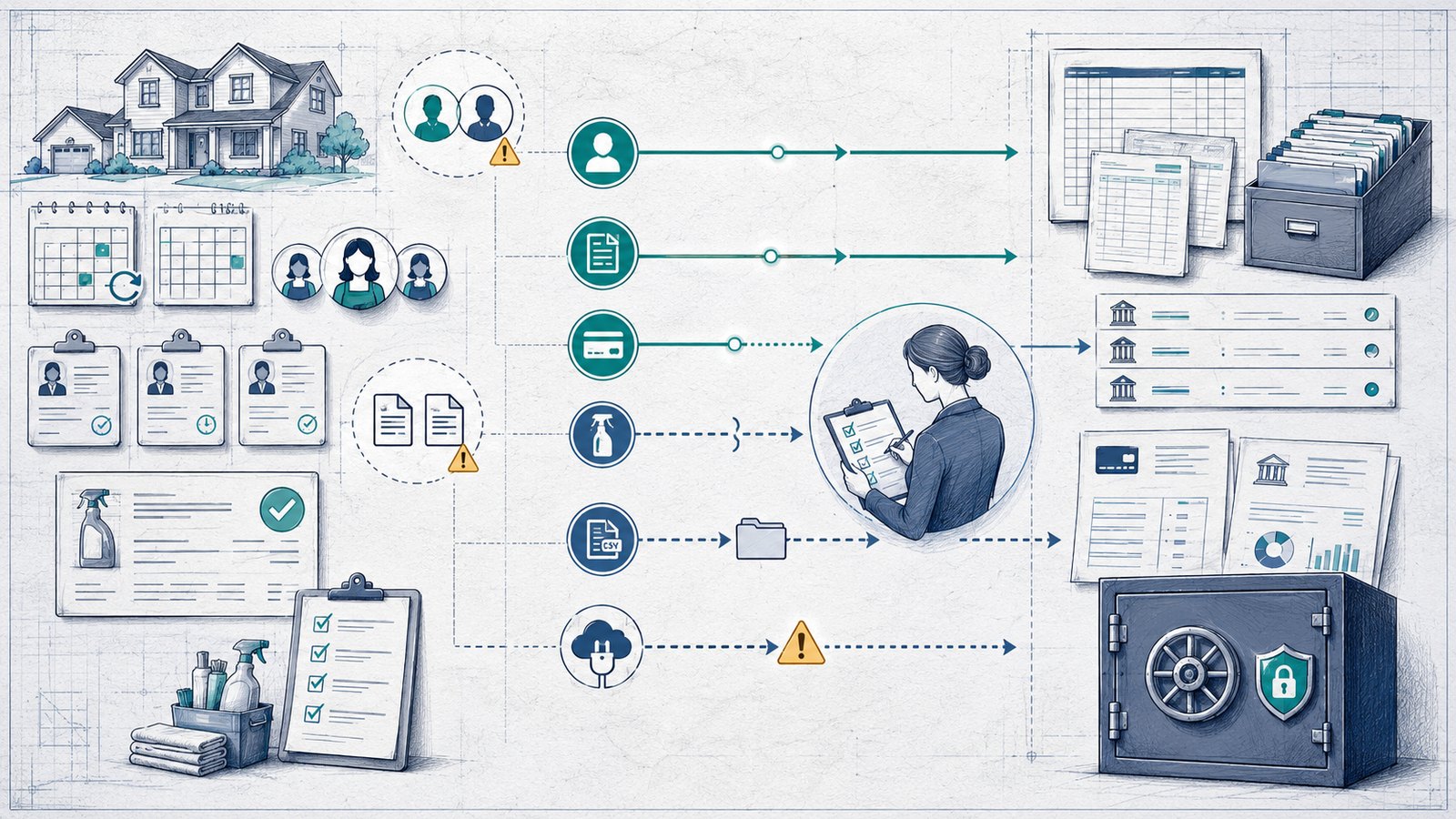
Affiliate disclosure: FieldOpsLab may earn a commission from some links on this page if affiliate links are added later. Our recommendations are based on evidence and buyer fit, not whether a product has an affiliate program.
Written by: LPSA
Evidence level: research_based
Product information checked: 2026-07-08
Pricing checked: 2026-07-08
Last meaningfully updated: 2026-07-08
Evidence status
Evidence status: This is a research_based integration and manual-work risk guide for US residential cleaning companies with 2–20 field workers and 1–2 office users. FieldOpsLab reviewed public ZenMaid pricing, scheduling, invoicing, credit-card-processing, terms, and third-party connector context where relevant.
FieldOpsLab did not use a controlled ZenMaid account, paid ZenMaid account, vendor demo, vendor correspondence, bookkeeper interview, operator interview, original screenshot set, QuickBooks account, live QuickBooks Online (QBO) sync, or live QuickBooks integration for this article. FieldOpsLab also did not verify duplicate-invoice behavior, duplicate-customer behavior, payment reconciliation, deposit behavior, refund behavior, tax treatment, sync error handling, QuickBooks Desktop (QBD) behavior, export completeness, disconnect behavior, downgrade behavior, cancellation experience, support quality, or final payable cost.
Public documentation can support a buyer-risk guide, but it cannot prove live accounting behavior for a specific cleaning company. This article evaluates software workflow only. It is not accounting, bookkeeping, tax, legal, payment-compliance, refund, deposit, payroll, short message service (SMS), Telephone Consumer Protection Act (TCPA), 10-digit long code (10DLC), privacy, or contract advice.
Quick answer
Based on public ZenMaid documentation reviewed on 2026-07-08, ZenMaid should not be treated as a fully documented live QuickBooks automation platform. ZenMaid’s public pricing page listed “Quickbooks integration” as “COMING SOON”. The public ZenMaid documentation reviewed for this article did not identify a live built-in QBO sync and did not provide object-level built-in QBO sync details for customers, invoices, payments, appointments, recurring schedules, service items, taxes, deposits, refunds, tips, discounts, processor fees, payouts, canceled or rescheduled appointments, sync errors, or export behavior into QBO.
That does not prove that no ZenMaid customer has private, beta, waitlisted, account-gated, or region-gated QuickBooks access. It means a residential cleaning buyer should not rely on a live built-in QBO workflow from public evidence alone. If confirmed live QBO sync is required before purchase, ask ZenMaid for written confirmation of current status, plan gate, sync direction, object scope, payment behavior, error handling, duplicate handling, export options, and disconnect or cancellation behavior.
The practical planning assumption is that ZenMaid’s accounting handoff may still require manual QBO entry, payment processor reports from Stripe or Square, comma-separated value (CSV) exports/imports, Zapier or another third-party connector, spreadsheet cleanup, and bookkeeper/accountant review unless ZenMaid confirms otherwise in writing. FieldOpsLab’s planning scenario math below uses standard public pricing and does not include temporary promotional discounts, which may change or expire.
Quick verdict
| Decision point | FieldOpsLab view |
|---|---|
| Most plausible fit | ZenMaid is most plausible when a residential cleaning business values cleaning-specific recurring maid-service operations more than immediate built-in QBO automation. |
| Main caution | Public ZenMaid documentation reviewed on 2026-07-08 listed QuickBooks integration as coming soon and did not document live built-in object-level QBO sync behavior. |
| Manual-work stance | Plan for manual entry, exports, Stripe/Square reports, Zapier or another third-party connector, and bookkeeper cleanup unless ZenMaid confirms a live workflow that fits your business. |
| Duplicate-record stance | Duplicate customers and duplicate invoices should be treated as workflow-governance risks, not as confirmed ZenMaid bugs. FieldOpsLab has not verified duplicate creation or duplicate prevention. |
| Pricing stance | ZenMaid’s visible plan prices are subscription floors, not all-in costs for a 5+1 or 15+2 team. SMS, payment-processing fees, third-party connector costs, migration, cleanup, taxes, and export/cancellation risk require confirmation. |
| Evidence level | research_based. |
Takeaway: ZenMaid can still be worth evaluating for recurring maid-service operations, but buyers who need confirmed live QBO sync should treat the accounting workflow as vendor-confirmed, not assumed.
In this article
- Key facts
- Buyer fit
- What ZenMaid + QuickBooks means
- What still requires manual work
- Duplicate-record risk map
- Pricing and plan-gate implications
- Invoices, payments, and accounting workflow
- Demo questions
- Export, migration, and cancellation risk
- What we could not verify
- Buyer verification checklist
- Final recommendation
Key facts
| Item | Research-based finding |
|---|---|
| Target buyer | US residential cleaning business with 2–20 field workers and 1–2 office users using, or considering, ZenMaid for operations and QBO for bookkeeping. |
| QuickBooks status signal | ZenMaid’s public pricing page reviewed on 2026-07-08 listed “Quickbooks integration” as “COMING SOON.” Source: ZenMaid pricing. |
| Built-in QBO sync documentation | Public ZenMaid documentation reviewed for this article did not identify a live built-in QBO sync or object-level built-in QBO sync documentation. |
| ZenMaid operational layer | Public ZenMaid pages describe scheduling, calendar/dispatch/map views, appointment reminders, booking forms, appointment-tied invoicing, Stripe/Square payments, cards on file, tips, and data export on Pro Max. Sources include pricing, invoicing, and credit-card processing. |
| Main accounting risk | Assuming cleaning-specific scheduling and invoicing also solves the QBO handoff. Manual entry, payment processor reports, exports, third-party connectors, and bookkeeper cleanup may still be needed. |
| Deposit signal | ZenMaid’s credit-card-processing page says deposits and pre-authorizations are not supported at this time. Source: ZenMaid credit-card processing. |
| Export signal | ZenMaid’s pricing page lists “Export of your data” on Pro Max, but public documentation reviewed for this article did not resolve object-by-object export completeness. |
| Evidence level | research_based. Public documentation only; no controlled account, paid account, vendor demo, live QBO sync, bookkeeper interview, operator interview, or QuickBooks account testing. |
Takeaway: The strongest public fact is not that ZenMaid has a live QuickBooks sync. The strongest public fact is that the pricing page still described QuickBooks integration as coming soon on the checked date.
Best for
- Residential cleaning businesses that mainly need recurring maid-service scheduling, appointment details, reminders, cleaner workflow, booking forms, and appointment-tied invoicing.
- Owners who are comfortable treating QBO handoff as a separate workflow until ZenMaid provides written confirmation of live integration scope.
- Small teams where manual QBO entry may still be manageable while cleaning-specific operations are the bigger problem.
- Buyers who can involve a qualified bookkeeper or accountant before relying on exports, connector workflows, or any future sync.
- Teams willing to request sample exports, processor reports, and written ZenMaid answers before purchase.
Avoid if
- You need confirmed live built-in QBO sync before purchase and cannot get written confirmation from ZenMaid.
- You need public object-level documentation showing exactly how customers, invoices, payments, products/services, taxes, deposits, refunds, tips, processor fees, payouts, discounts, recurring appointments, cancellations, and sync errors behave in QBO.
- You want to assume a QuickBooks label means payment reconciliation, duplicate control, tax handling, refunds, exports, or monthly close will work without review.
- You need final payable cost from the visible $39 or $49 plan price alone for a 5+1 or 15+2 team.
- You need this article to provide accounting, bookkeeping, tax, legal, payment-compliance, refund, deposit, payroll, SMS, TCPA, 10DLC, privacy, or contract advice.
Buyer scenario
The buyer is a US residential cleaning company with recurring weekly, biweekly, monthly, and custom residential cleaning appointments plus one-time cleans, first-time cleans, deep cleans, move-out cleans, and move-in cleans. The company has 2–20 field workers and 1–2 office users. It uses, or plans to use, ZenMaid for scheduling and recurring maid-service operations while QBO is used by the owner, bookkeeper, or accountant for bookkeeping.
The current workflow may include ZenMaid scheduling, booking forms, appointment reminders, appointment-tied invoices, payment links, Stripe or Square payment records, manual QBO invoices, processor exports, duplicate customer entry, spreadsheets, and bookkeeper cleanup. The buyer is not just asking whether ZenMaid mentions QuickBooks. The buyer is asking what public documentation supports, what remains undocumented, and what must be confirmed before relying on the workflow.
| Planning scenario | Field workers | Office users | Why the QBO handoff matters |
|---|---|---|---|
| Small recurring team | 2 | 1 | Manual QBO entry may still be tolerable if volume is low, but the owner should define customer, invoice, and payment source-of-truth rules early. |
| Growing recurring team | 5 | 1 | Recurring appointments, appointment edits, invoices, card payments, processor reports, and cleanup tasks create more handoff risk for one office user. |
| Larger small business | 15 | 2 | Two office users need shared rules, export routines, bookkeeper review, and written vendor confirmation before depending on any QBO workflow. |
Takeaway: Manual accounting handoff can work for a small team, but it becomes a governance problem as field workers, recurring jobs, office handoffs, and payment records increase.
What ZenMaid + QuickBooks means based on public documentation
In this workflow, ZenMaid is the cleaning operations layer and QBO is the accounting layer. ZenMaid’s public pages describe scheduling, dispatching, map views, recurring cleaning workflow language, appointment reminders, cleaner mobile access, booking forms, appointment-tied invoices, online payments, tips, and cards on file. QBO is where a business, bookkeeper, or accountant may expect accounting records, reporting, customer balances, payments, bank-feed review, and month-end cleanup.
The boundary matters because a cleaning operations system and an accounting file do not store the same kind of record. ZenMaid may know the appointment, cleaner assignment, notes, schedule changes, reminders, and customer communication context. QBO may need invoices, payments, taxes, products/services, refunds, deposits, fees, and bank-feed matches. A public feature page for one side does not prove that the other side receives every field correctly.
Based on public documentation reviewed on 2026-07-08, ZenMaid’s QuickBooks status should be described carefully:
- The public ZenMaid pricing page listed “Quickbooks integration” as “COMING SOON” under the Pro feature area.
- The public ZenMaid pages reviewed did not identify a live built-in QBO sync.
- The public ZenMaid pages reviewed did not provide object-level built-in QBO sync details.
- Zapier lists QuickBooks Online + ZenMaid templates, but Zapier is third-party connector context, not proof of a built-in ZenMaid QBO integration.
- Private, beta, waitlisted, account-gated, or region-gated access remains unresolved from public evidence.
Takeaway: The buyer should ask, “What does ZenMaid currently document and confirm for my account?” not just, “Does ZenMaid mention QuickBooks?”
How this article differs from the broad QBO shortlist and Jobber QuickBooks articles
This article is intentionally narrow. It does not replace FieldOpsLab’s broad QuickBooks shortlist, Jobber + QBO guide, ZenMaid product analysis, ZenMaid pricing analysis, or general invoicing/payment guide.
| Related FieldOpsLab article type | What that article covers | How this article stays different |
|---|---|---|
| Broad QBO shortlist | Compares several cleaning business software options that mention or document QBO workflows. See FieldOpsLab’s cleaning software with QuickBooks Online integration guide. | This article focuses only on ZenMaid + QuickBooks status, unknowns, manual handoff, and due diligence. |
| Jobber + QuickBooks guide | Goes deeper on Jobber + QBO using public documentation and research-based analysis. See FieldOpsLab’s Jobber QuickBooks setup guide. | Jobber-specific sync behavior must not be applied to ZenMaid. Article 37 did not use a controlled account, paid account, vendor demo, live QBO sync, bookkeeper interview, or operator interview. |
| Invoicing and payment software guide | Compares invoices, payment links, card-on-file workflows, deposits, tips, refunds, and payment collection across products. See FieldOpsLab’s invoicing and payment software guide. | This article asks whether ZenMaid’s invoice/payment workflow has a documented QBO handoff and what remains manual. |
| Hidden-cost guide | Explains how subscriptions, users, SMS, payments, add-ons, migration, exports, and cancellation affect real cost. See FieldOpsLab’s hidden-cost guide. | This article applies that cost-risk lens to ZenMaid + QuickBooks specifically. |
| Migration checklist | Plans object-by-object migration and exit risk across cleaning software. See FieldOpsLab’s cleaning software migration checklist. | This article focuses on why QBO records, if any, do not replace a full ZenMaid export or operational archive. |
| ZenMaid product or pricing analysis | Covers ZenMaid’s broader cleaning-specific fit, plan prices, SMS, team-size math, exports, payments, and terms. | This article narrows the lens to QuickBooks status, accounting handoff, manual work, and bookkeeper/accountant questions. |
Takeaway: Article 38 should not become a general ZenMaid review or a QuickBooks tutorial. Its job is to protect the buyer from assuming that a cleaning operations tool automatically solves accounting handoff.
ZenMaid accounting workflow from public documentation
Public ZenMaid documentation supports an operations workflow, not a complete accounting-sync workflow. The public workflow looks like this:
| Workflow step | Public documentation describes | Accounting handoff question |
|---|---|---|
| Customer and appointment setup | Scheduling, calendar views, dispatch, map views, and recurring-cleaning workflow language on ZenMaid product pages. | Can customer and appointment records export or sync to QBO, or must the office maintain QBO separately? |
| Booking forms and intake | Booking forms are listed on public pricing, with ZenMaid-branded forms on Pro and own-branded forms on Pro Max. | Do booking form details appear in invoices, exports, or any accounting handoff? |
| Appointment-tied invoicing | ZenMaid’s invoicing page says invoices are tied directly to appointments and can be generated when a job is marked complete. | Does the invoice reach QBO, and if so what fields, line items, status, tax, discount, tip, and payment information move? |
| Payments | ZenMaid describes Stripe/Square payments, saved cards through those processors, batch charging completed appointments, manual payment marking, open balances, and tips. | How should Stripe/Square reports, bank feed, ZenMaid status, and QBO records be reviewed together? |
| QuickBooks | Public pricing listed QuickBooks integration as coming soon; no built-in object-level QBO sync docs were identified. | Vendor confirmation required before relying on any built-in QBO workflow. |
| Third-party connectors | Pro Max lists Zapier integration, and Zapier lists QuickBooks Online + ZenMaid templates. | What does the connector move, what does it miss, what errors can occur, and what costs or limits apply? |
| Exports and exit | Pro Max lists data export, but object-level export completeness was not resolved publicly. | What sample exports can ZenMaid provide for customers, appointments, invoices, payments, services, notes, checklists, and recurring schedules? |
Takeaway: The public workflow is useful for planning questions, but it does not show that ZenMaid can replace QBO entry, processor reports, or bookkeeper review.
What public documentation says may sync
For built-in ZenMaid + QBO behavior, public documentation reviewed for this article does not support object-level sync claims. The safest object-level answer is vendor confirmation required.
| Object | Public documentation says | Direction | Buyer risk | Verification question |
|---|---|---|---|---|
| Customers / clients | No public built-in QBO customer sync documentation identified. Zapier lists customer/contact templates as third-party connector context only. | Vendor confirmation required. | Customer records may need manual creation, CSV import, or connector mapping. | Can ZenMaid create, update, or match QBO customers, and what happens if the customer already exists? |
| Products / services / items | No public built-in QBO item mapping documentation identified. | Vendor confirmation required. | Service names may diverge between ZenMaid, QBO, Stripe/Square, and spreadsheets. | Can services/items sync or export, and how are duplicates handled? |
| Invoices | ZenMaid documents appointment-tied invoicing, but not built-in QBO invoice sync. | Vendor confirmation required. | Invoices may need manual QBO entry, export/import, or third-party connector workflow. | Can invoices sync to QBO, and what fields move? |
| Payments | ZenMaid documents Stripe/Square payments and manual payment marking, but not built-in QBO payment sync. | Vendor confirmation required. | Payment status may not match QBO or bank deposits without review. | Can payments sync to QBO, and how are Stripe/Square processor records handled? |
| Tips | ZenMaid invoicing says tips can be logged with appointments and included in payroll exports; QBO behavior is not documented. | Vendor confirmation required. | Tips may require separate reporting and bookkeeper/accountant review. | Do tips export or sync to QBO, if at all? |
| Refunds | No public built-in QBO refund sync documentation identified. | Vendor confirmation required. | Refund records may need manual review across ZenMaid, Stripe/Square, bank feed, and QBO. | How are refunds shown in ZenMaid, processor reports, and QBO? |
| Payouts and processing fees | ZenMaid says it does not add extra processing fees in addition to Stripe/Square; QBO fee or payout mapping is not documented. | Vendor confirmation required. | Net deposits and fees may require processor reports and bookkeeper review. | Are payouts and processing fees represented anywhere in QBO, or only in processor reports? |
| Estimates / quotes | No public built-in QBO estimate/quote sync documentation identified for ZenMaid. | Vendor confirmation required. | Quote or estimate history may remain outside accounting. | Does ZenMaid support quotes/estimates for your workflow, and can any quote data export? |
| Appointments | ZenMaid supports appointments operationally; no QBO appointment sync documentation identified. | Vendor confirmation required. | QBO may not preserve appointment context, schedule changes, route history, or cleaner notes. | Does any invoice/export include appointment ID, date, status, cleaner, and recurring series reference? |
| Recurring appointments | Public pages support recurring maid-service positioning; no QBO recurring schedule sync documentation identified. | Vendor confirmation required. | Recurring cadence may need manual rebuild or separate operational archive. | Can recurring schedules export with cadence, future dates, skips, pauses, and exceptions? |
| Canceled or rescheduled appointments | No public built-in QBO behavior documented. | Vendor confirmation required. | Canceled or edited appointments may create invoice/payment cleanup questions. | What happens when an appointment is canceled or rescheduled after invoice creation? |
| Taxes, discounts, classes, and locations | No public built-in QBO field-mapping documentation identified. | Vendor confirmation required. | Accounting fields may need manual review or may be unsupported. | Which tax, discount, class, location, and tracking fields are available, if any? |
| Deposits / partial payments | ZenMaid’s credit-card-processing page says deposits and pre-authorizations are not supported at this time. | Vendor confirmation required for any workaround. | Deposit workflows may require another system or manual process. | If deposits or partial payments matter, what current workflow does ZenMaid recommend and what records are available? |
| Notes, attachments, messages, photos, and cleaner checklists | Public docs do not resolve QBO sync or complete object-level export for these operational records. | Vendor confirmation required. | Operational history may not move to QBO or export completely. | Can these records be exported before downgrade or cancellation? |
Takeaway: For built-in QBO sync, almost every important object is still a verification question. Do not convert Zapier templates or invoice feature pages into built-in QBO sync claims.
What still requires manual work or remains unclear
Manual work is not automatically a deal-breaker. For a small team, manual entry can be acceptable if it is controlled and reviewed. The risk is assuming manual work disappeared when public documentation does not show that it did.
| Object or behavior | Why it matters | Current public evidence | Risk for cleaning businesses | Buyer action |
|---|---|---|---|---|
| Customer creation in QBO | Customer naming affects invoices, balances, reporting, and duplicate cleanup. | No public built-in ZenMaid QBO customer sync docs identified. | Customers may be entered in ZenMaid, QBO, Stripe/Square, and spreadsheets with different names. | Ask ZenMaid to demonstrate customer matching or confirm manual entry/export workflow in writing. |
| Invoice creation in QBO | Invoices often drive receivables and bookkeeping review. | ZenMaid documents appointment-tied invoicing, but not built-in QBO invoice sync. | Office users may need manual QBO invoice creation or connector workflow. | Ask whether invoices sync, export, or require manual entry; request sample export fields. |
| Payment reconciliation | Payment status may appear in ZenMaid, Stripe/Square, bank feed, and QBO. | ZenMaid documents payments and open balances, but QBO payment sync is not documented. | Paid/unpaid status may not line up across systems without review. | Ask ZenMaid for payment report samples and ask a qualified bookkeeper/accountant how the records should be reviewed. |
| Processor fee reconciliation | Processor fees affect net deposits and bank-feed matching. | ZenMaid says it does not add extra processing fees beyond Stripe/Square, but QBO fee mapping is not documented. | Fees may need processor reports and cleanup outside ZenMaid. | Ask what reports are available and whether processor exports are required. |
| Deposits or partial payments | First-time, high-value, or move-out cleans may involve deposits in some businesses. | ZenMaid’s credit-card-processing page says deposits and pre-authorizations are not supported at this time. | Deposit workflows may sit outside ZenMaid and QBO sync assumptions. | Ask ZenMaid what current workflow exists if deposits or partial payments matter. |
| Refund handling | Refunds can affect customer balances, processor reports, and bank activity. | No public built-in QBO refund sync documentation identified. | Refund records may need manual comparison across systems. | Ask ZenMaid and a qualified bookkeeper/accountant what records are needed before relying on the workflow. |
| Tax handling | Tax fields and reporting depend on business facts and jurisdiction. | No public built-in QBO tax sync documentation identified. | Software workflow does not prove tax correctness. | Ask a qualified bookkeeper/accountant what tax-related fields should be reviewed. |
| Appointment-to-invoice mapping | Cleaning teams need to know which appointment generated which invoice or payment. | ZenMaid says invoices are tied directly to appointments, but QBO handoff is not documented. | QBO may not receive the appointment context the office expects. | Request sample invoice/export records with appointment references. |
| Recurring appointment schedules | Recurring cadence is central to maid-service operations. | No public QBO recurring schedule sync documentation identified. | Recurring logic may require manual archive or rebuild during migration. | Request recurring schedule export samples. |
| Canceled or rescheduled appointments | Schedule changes can affect invoice timing and payment status. | No public QBO rules identified for edits, cancellations, or reschedules. | Canceled jobs may leave records that require review. | Ask ZenMaid to demonstrate edits after invoice/payment creation. |
| Service item mapping | Service names affect invoice lines and reporting. | No public built-in item mapping documentation identified. | Services may need manual setup in both systems. | Ask whether products/services export or sync and how changes are handled. |
| Notes, attachments, messages, photos, and checklists | These records can matter for disputes, quality control, and migration. | Public export completeness is not resolved. | Operational history may remain trapped or incomplete after exit. | Request sample exports and archive options before purchase. |
| Cancellation, downgrade, and post-cancellation access | Data access matters when the business exits or reduces plan level. | ZenMaid terms discuss cancellation, non-refunds, downgrade risk, and possible account/content loss after termination. | The buyer may lose access sooner or in less detail than expected. | Confirm export timing, post-cancellation access, deletion timing, and downgrade effects in writing. |
Takeaway: The manual-work list is long because public documentation does not resolve object-level accounting behavior. Written vendor confirmation and bookkeeper/accountant review are the safest next steps.
Manual bookkeeping and duplicate-record risk map
Manual bookkeeping risk means the office or bookkeeper may need to re-enter, import, match, review, or clean records across ZenMaid, QBO, Stripe/Square, bank feeds, and spreadsheets. Duplicate-record risk means customers, invoices, payments, or services can appear more than once or under inconsistent names because there is no documented source-of-truth workflow.
This article does not label duplicate records as confirmed ZenMaid bugs. Public documentation and third-party connector pages support diligence questions, not product-defect claims. FieldOpsLab has not verified duplicate creation or duplicate prevention in a controlled account.
| Risk | How it could happen | Evidence basis | Cleaning-business consequence | Prevention / diligence question |
|---|---|---|---|---|
| Duplicate customers | A customer exists in ZenMaid, QBO, and Stripe/Square under different names or spellings. | FieldOpsLab editorial inference from lack of public built-in QBO matching docs; Zapier is third-party connector context only. | Bookkeeper cleanup, confused payment history, inconsistent reporting, and staff uncertainty. | Ask ZenMaid to demonstrate behavior when a customer already exists in QBO. |
| Duplicate invoices | The office creates an invoice in ZenMaid and later creates, imports, or connects another invoice in QBO. | FieldOpsLab editorial inference from no public built-in invoice sync docs. | Open balances and customer statements may look wrong. | Ask who should create invoices and whether ZenMaid exports invoice IDs, numbers, status, appointment references, and payment fields. |
| Payment mismatch | ZenMaid shows paid, Stripe/Square shows payout, the bank feed shows net deposit, and QBO may rely on manual entry. | Official ZenMaid payment pages support Stripe/Square and manual payment marking; QBO sync is not publicly documented. | Payment reconciliation work increases and month-end review may take longer. | Ask ZenMaid for payment report samples and ask a qualified bookkeeper/accountant how reports should be reviewed. |
| Service item drift | Services are named differently in ZenMaid, QBO, Stripe/Square, or spreadsheets. | Unknown requires vendor confirmation; no public QBO item mapping docs identified. | Revenue reporting and invoice line review may become inconsistent. | Ask whether services/items can sync or export and who owns naming changes. |
| Appointment/invoice timing gap | An appointment is completed, edited, canceled, or rescheduled after invoice creation or payment collection. | Official ZenMaid invoicing page describes appointment-tied invoicing; QBO edge behavior is unknown. | The office may need manual cleanup to explain status changes. | Ask ZenMaid to demonstrate completed, edited, canceled, and rescheduled appointment examples. |
| Connector error | Zapier or another third-party workflow moves partial fields, misses an edge case, or stops after an error. | Zapier is third-party connector context, not built-in ZenMaid proof. | Records may be incomplete or duplicated unless the office monitors errors. | Ask who monitors connector errors, what fields are mapped, and what cleanup process exists. |
Takeaway: Duplicate risk is mostly a governance question: who creates records, who edits them, who imports them, who fixes errors, and who reviews the accounting file before month end?
Scenario: 2 field workers + 1 office user
For a 2-field-worker + 1-office-user cleaning business, ZenMaid may be appealing because the company may still be close enough to owner control for manual accounting work to be manageable. The main reason to consider ZenMaid at this size is cleaning-specific workflow: recurring appointments, reminders, calendar visibility, appointment notes, booking forms, invoices, and Stripe/Square payment collection. The main caution is not to assume QBO automation exists from public documentation.
| Item | 2+1 planning note | Confidence |
|---|---|---|
| Invoice or billing volume | May be low enough for controlled manual QBO entry if the owner or office user keeps consistent rules. | Medium as planning logic; not an evidence-based volume claim. |
| Recurring appointment volume | Starter may fit only if the business stays under 40 appointments/month; Pro is more plausible if recurring volume grows. | High for public appointment cap; vendor confirmation required for actual plan fit. |
| Office handoff complexity | One office user can often maintain a manual checklist, but the checklist should exist before payment volume grows. | Medium. |
| QBO integration need | Lower than larger teams if manual entry is manageable, but the buyer should still avoid duplicate customer and invoice patterns early. | Medium. |
| Likely ZenMaid plan path | Starter only if appointment volume and feature needs fit; Pro or Pro Max if unlimited appointments, more templates, checklists, exports, or Zapier matter. | Medium. |
| Payment processor implications | Stripe/Square reports may be enough for review at low volume, but QBO handoff should be defined with a qualified bookkeeper/accountant. | Medium. |
| Manual export or cleanup | Manual export/import or manual QBO entry may be tolerable if records are clean and consistent. | Medium. |
| Recommendation | ZenMaid is plausible if cleaning-specific workflow matters more than immediate QBO automation. Ask for QuickBooks status and export samples before purchase. | Medium. |
Takeaway: At 2+1, ZenMaid can still make sense even if QuickBooks remains manual, but the buyer should build clean record rules before the business grows.
Scenario: 5 field workers + 1 office user
For a 5-field-worker + 1-office-user cleaning business, the manual accounting handoff becomes more fragile. One office user may be handling recurring appointment changes, completed jobs, invoice creation, customer follow-up, Stripe/Square payments, manual payment marking, tips, refunds, and QBO entry or exports. This is the point where written workflow rules matter more.
| Item | 5+1 planning note | Confidence |
|---|---|---|
| Invoice or billing volume | Likely high enough that manual QBO entry should be treated as a recurring office workload, not an occasional task. | Medium as planning logic. |
| Recurring appointment volume | Pro or Pro Max is more plausible than Starter for many growing recurring teams because Starter is capped at 40 appointments/month. | Medium to high for cap logic; vendor confirmation required. |
| Office handoff complexity | One office user needs a written process for when invoices are created, when payments are marked, when exports are pulled, and when QBO is updated. | Medium. |
| QBO integration need | Moderate to high if the business wants fewer duplicate records and less after-the-fact cleanup. | Medium. |
| Likely ZenMaid plan path | Pro or Pro Max may be needed depending on appointment volume, export need, Zapier need, branded booking forms, templates, and support requirements. | Medium. |
| Payment processor implications | Stripe/Square reports may become central to bookkeeping review if QBO sync is not confirmed. | Medium. |
| Manual export or cleanup | Manual entry can still work, but the office should plan for monthly cleanup, duplicate checks, processor report review, and sample exports. | Medium. |
| Recommendation | Verify QuickBooks status before purchase. If immediate QBO automation is required, do not rely on ZenMaid without written confirmation. | Medium. |
Takeaway: At 5+1, the question is not whether manual work is possible. It is whether one office user can sustain it without duplicate records, delayed cleanup, or inconsistent payment review.
Scenario: 15 field workers + 2 office users
For a 15-field-worker + 2-office-user cleaning business, ZenMaid’s cleaning-specific operations may still be valuable, but accounting workflow risk becomes more serious. Two office users need shared source-of-truth rules. The business should treat QuickBooks status, exports, payment reports, cancellation access, downgrade access, and final cost as written-confirmation topics.
| Item | 15+2 planning note | Confidence |
|---|---|---|
| Invoice or billing volume | Likely too large to rely on casual manual entry. Manual processes need ownership, schedule, review, and backup rules. | Medium as planning logic. |
| Recurring appointment volume | Starter is unlikely to fit many operations at this size because of the 40-appointment cap; Pro or Pro Max path should be vendor-confirmed. | Medium for cap logic; vendor confirmation required for actual plan and cost. |
| Shared office accountability | Two office users need written rules for creating, editing, exporting, importing, reviewing, and correcting records. | Medium. |
| QBO integration need | High if the business wants consistent invoice records, payment records, and fewer duplicate customer or invoice problems. | Medium. |
| Plan and accounting gate | Public pricing does not confirm live QBO integration; visible prices should not be treated as final all-in cost for this team. | High for public status; low for live behavior. |
| Payment and sync complexity | Processor fees, payouts, tips, refunds, failed payments, and bank-feed matching should be reviewed with a qualified bookkeeper/accountant. | Medium as diligence. |
| Export/migration/cancellation implication | Request object-by-object exports and confirm post-cancellation access before committing. | Medium. |
| Recommendation | If immediate QBO automation is a must-have, ZenMaid is risky without written confirmation that a live integration exists and fits the workflow. | Medium. |
Takeaway: At 15+2, public documentation is not enough for accounting reliance. The buyer should require written confirmation, sample exports, and bookkeeper/accountant review before purchase.
Pricing and plan-gate implications
ZenMaid’s public pricing page is useful for visible subscription floors, but it should not be treated as a complete team quote. Pricing, packaging, SMS charges, payment fees, Zapier or connector costs, data export, cancellation, downgrade, taxes, and terms can change. Use the current official pricing page before purchase.
| Cost or plan-gate category | Public documentation status | Buyer-risk interpretation | Buyer action |
|---|---|---|---|
| Subscription | Public pricing listed Starter at $19/month, Pro at $39/month, and Pro Max at $49/month when checked. | These are visible subscription floors, not all-in costs for a real team. | Recheck pricing and ask for a written quote for the actual cleaner and office-user count. |
| Workforce/team-size assumptions | Pricing page asks how many cleaners and office managers are on the team; terms require unique login credentials. | Do not assume $39 or $49 is final for 6 or 17 people. | Ask how ZenMaid prices 2+1, 5+1, and 15+2 scenarios. |
| Appointment limits | Starter lists up to 40 appointments/month; Pro and Pro Max list unlimited appointments. | Starter can become impractical quickly for recurring teams. | Model monthly appointments and ask what happens at or near the cap. |
| QuickBooks/accounting integration | Pro lists QuickBooks integration as coming soon. | Public pricing does not support relying on live built-in QBO sync. | Ask whether the integration is live, beta, waitlisted, plan-gated, region-gated, or unavailable. |
| SMS costs | Pricing page states SMS charges are not included. | Reminder and messaging spend should not be treated as included. | Ask for current SMS pricing, usage rules, and template or sending-volume limits. |
| Payment-processing fees | ZenMaid says it supports online payments with Stripe and Square and does not add extra processing fees in addition to those processors. | Processor costs still exist and are separate from subscription. | Ask ZenMaid and the processor for the current fee path and reporting options. |
| Zapier or third-party connectors | Pro Max lists Zapier integration; Zapier lists QuickBooks Online + ZenMaid templates. | Zapier is connector context, not built-in QBO proof. Zapier costs and limits may apply. | Confirm trigger/action coverage, field mapping, error monitoring, duplicate control, and connector pricing. |
| Onboarding and migration | Pricing page references transfer of contacts and calendar on Pro and Pro Max. | Contact/calendar transfer does not prove full accounting migration. | Ask what exact objects can be imported and what remains manual. |
| Bookkeeper cleanup and manual entry | Not priced publicly. | Unknown costs should not be treated as zero. | Ask a qualified bookkeeper/accountant to review sample exports and payment reports before estimating workload. |
| Export, downgrade, and cancellation | Pro Max lists data export; terms discuss cancellation, downgrade, non-refunds, taxes, and possible content/account consequences. | Export depth and post-cancellation access are not fully resolved publicly. | Request sample exports and written cancellation/downgrade access terms before purchase. |
Takeaway: The public plan price is only the visible floor. The real budget depends on team count, appointment volume, SMS, processor fees, connector costs, exports, migration, cleanup, taxes, and terms.
Before relying on ZenMaid + QuickBooks: Ask ZenMaid to confirm the current QuickBooks status, plan gate, sync direction, object scope, payment behavior, duplicate handling, export options, and disconnect or cancellation behavior in writing.
View ZenMaid pricing on the official site or compare the broader cleaning software with QuickBooks Online integration guide.
ZenMaid invoices, payments, and accounting workflow
ZenMaid’s public invoicing and payment pages describe useful operational features for cleaning teams. The invoicing page says ZenMaid can work with Stripe or Square, store cards through those processors, track payments, tips, and open balances, let the office mark cash/check/outside-system payments manually, resend unpaid invoices, tie invoices directly to appointments, and log tips with appointments. The credit-card-processing page says card data is stored through Stripe or Square infrastructure, completed appointments can be batch charged from the calendar view, deposits and pre-authorizations are not supported at this time, and ZenMaid does not add extra fees in addition to Stripe or Square charges.
Those public claims support ZenMaid as an appointment-tied invoicing and payment operations layer. They do not prove built-in QBO sync. The final accounting handoff remains a buyer-verification topic:
- Does any ZenMaid invoice move to QBO?
- Does any ZenMaid payment move to QBO?
- Does the buyer need Stripe or Square exports for processor fees, payouts, refunds, and bank-feed review?
- What happens when payment is marked manually in ZenMaid?
- What happens if an appointment is edited after an invoice is created?
- What happens if a customer tips after the appointment?
- What happens if a refund, discount, failed payment, or outside payment occurs?
Ask a qualified bookkeeper/accountant how payments, deposits, refunds, tips, processor fees, payouts, bank-feed matching, tax settings, and monthly close should be reviewed before relying on ZenMaid records, processor reports, exports, or third-party connector workflows.
ZenMaid + QuickBooks demo questions buyers should ask
Use these questions before purchase. Ask ZenMaid to demonstrate examples and provide written confirmation, especially if QBO sync is important to your buying decision.
- What is the current QuickBooks status: live, coming soon, beta, waitlisted, unavailable, region-gated, account-gated, or plan-gated?
- Is the workflow specifically for QuickBooks Online, QuickBooks Desktop, or another accounting workflow?
- If QBO is live for any accounts, which plan includes it?
- Is QBO included in the ZenMaid subscription or dependent on Zapier or another third-party connector?
- What objects sync, if any?
- What objects do not sync?
- What is the sync direction and trigger?
- Can ZenMaid create, update, or match QBO customers?
- What happens when a customer already exists in QBO?
- Can ZenMaid sync products, services, or items?
- What happens when a service item already exists in QBO?
- Can ZenMaid sync invoices?
- What happens when an invoice already exists in QBO?
- What happens when an appointment is edited after invoicing?
- What happens when payment arrives after the appointment or after invoice creation?
- Can payments, refunds, tips, processing fees, payouts, discounts, taxes, deposits, or partial payments sync or export?
- How are canceled or rescheduled appointments reflected in invoices, payments, exports, or QBO?
- If sync exists, where are sync errors visible and who receives error notifications?
- If sync exists, what duplicate cleanup process exists?
- Can ZenMaid provide sample exports for customers, appointments, invoices, payments, tips, refunds, payouts, services, and recurring schedules?
- What happens if the buyer disconnects QBO, downgrades, cancels, or migrates away?
- How long does the buyer retain access after cancellation?
- What data remains accessible after downgrade?
- What written documentation can ZenMaid provide before purchase?
Bookkeeper/accountant verification checklist
These are buyer questions for a qualified bookkeeper or accountant. They are not FieldOpsLab accounting instructions.
- What reporting structure should be reviewed before enabling any sync, connector, export/import, or manual-entry workflow?
- How should products/services be named or mapped if ZenMaid, QBO, Stripe/Square, and spreadsheets all contain service records?
- What tax settings or tax-related fields should be reviewed before relying on ZenMaid records or exports?
- What customer naming rules would reduce duplicate records?
- What invoice numbering or invoice-identification rules are needed if ZenMaid and QBO both contain invoice records?
- How should the office review payment status across ZenMaid, Stripe/Square, bank feed, and QBO?
- What records are needed for deposits, partial payments, prepayments, refunds, tips, processing fees, payouts, and chargebacks?
- If the business uses class, location, department, or tracking categories, what fields must be captured outside ZenMaid or in exports?
- What monthly close or cleanup checklist should the office follow?
- Who should edit customer, invoice, payment, refund, and tax-related records in ZenMaid versus QBO?
- What written process should exist before enabling a sync, third-party connector, or manual export/import routine?
- What sample exports, processor reports, and QBO records should be reviewed before purchase?
Accounting, tax, payment, and compliance cautions
This article evaluates software workflow only. FieldOpsLab is not giving accounting, bookkeeping, tax, legal, payment-compliance, refund, deposit, payroll, SMS, TCPA, 10DLC, privacy, or contract advice.
Public ZenMaid documentation does not prove accounting correctness for a specific cleaning business. Public documentation also does not prove how QBO, Stripe, Square, bank feeds, taxes, refunds, chargebacks, processor fees, payouts, discounts, tips, deposits, or partial payments should be handled for a specific company.
Buyers should confirm QBO status, payment reconciliation, deposits, refunds, taxes, processor fees, chargebacks, payouts, and bookkeeping treatment with ZenMaid, Intuit/QuickBooks where relevant, Stripe/Square where relevant, their bookkeeper/accountant, and qualified advisors where appropriate.
Export, migration, disconnect, cancellation, and QBO data risk
QBO sync, if available later or privately, is not the same as a full ZenMaid export. Accounting records in QBO may not preserve recurring schedules, appointment notes, cleaner assignments, checklists, message history, booking-form details, service ratings, payroll-adjacent records, or migration-ready operational context.
| Data or risk area | Public documentation status | Buyer risk | Buyer action |
|---|---|---|---|
| Customer/client export | Pro Max lists export of data, but object-level export docs were not identified. | Customer fields may not export in the format the buyer expects. | Request customer/client export samples before purchase. |
| Appointment export | No public object-level appointment export docs identified. | Appointment history, recurring exceptions, skipped visits, or service history may not export as expected. | Request appointment and recurring appointment export samples. |
| Invoice export | No public object-level invoice export docs identified. | Invoice history may not be migration-ready. | Request invoice export samples with line items, status, payment, tips, discounts, and appointment references. |
| Payment record export | No public complete payment-record export docs identified. | Payment, tip, refund, fee, and payout review may require processor reports. | Request ZenMaid payment report samples and processor report requirements. |
| Quote/estimate export | Not resolved publicly. | Quote or estimate history may not move cleanly. | Ask whether quote/estimate records exist and can be exported. |
| Product/service/item export | Not resolved publicly. | Service catalog may need manual rebuild. | Ask for product/service export options and samples. |
| Recurring schedule export | Not resolved publicly. | Cadence, skips, pauses, exceptions, and future appointments may require manual rebuild. | Request recurring schedule export samples. |
| Message history | Not resolved publicly. | Customer communication context may remain inaccessible after exit. | Ask for message export or archive options. |
| Cleaner notes and checklists | Pro lists digital checklists; object-level export was not resolved publicly. | Operational details may not move or may need manual archive. | Ask for checklist and note export samples plus post-cancellation access terms. |
| Tax settings | Not resolved publicly. | Tax-related fields may require manual documentation and advisor review. | Ask ZenMaid what fields export and ask a qualified advisor what records are needed. |
| Deposit/refund records | Deposits/pre-authorizations are not supported according to ZenMaid’s credit-card page; refund export is not resolved publicly. | Deposit/refund records may live outside ZenMaid or require processor reports. | Ask ZenMaid and the processor what reports are available. |
| QBO disconnect behavior if integration exists | Not resolved publicly. | Disconnect/reconnect behavior could affect mappings, records, or duplicates if a live integration later exists. | Ask ZenMaid to document disconnect and reconnect behavior before enabling sync. |
| Downgrade behavior | ZenMaid terms say downgrading may cause loss of content, features, or capacity. | Data or feature access may change after downgrade. | Export before downgrade and confirm access in writing. |
| Cancellation and post-cancellation access | Pricing FAQ says cancellation is available in account settings; terms discuss immediate effect if canceled before the paid-up month ends and possible account/content consequences after termination. | Post-cancellation access may not meet buyer expectations. | Confirm export timing, deletion timing, archive options, and post-cancellation access in writing. |
Takeaway: Ask for sample exports before purchase, not after cancellation. QBO should not be treated as the only archive of ZenMaid operations.
What we could not verify
Public evidence cannot verify the following for a specific ZenMaid buyer:
- Live QBO sync behavior.
- Whether QuickBooks integration is live for a specific buyer.
- Whether any private beta, waitlist, region gate, or account gate exists.
- Sync direction, sync triggers, and sync timing.
- Duplicate prevention or duplicate creation.
- Sync error handling and notifications.
- Customer matching, invoice matching, and service item mapping.
- Payment reconciliation, refunds, deposits, partial payments, tips, processor fees, payouts, discounts, taxes, classes, or locations.
- Recurring appointment, recurring invoice, cancellation, or reschedule edge cases.
- Migration effort and export completeness.
- Disconnect behavior, downgrade behavior, cancellation experience, post-cancellation access, support quality, or final payable cost.
Buyer verification checklist
Use this checklist before relying on ZenMaid + QuickBooks for a residential cleaning business.
- Get the exact ZenMaid plan, quote, billing cadence, taxes, SMS terms, and payment-processing assumptions in writing.
- Ask whether QuickBooks integration is currently live, coming soon, beta, waitlisted, plan-gated, region-gated, account-gated, or unavailable.
- Confirm whether the workflow is for QBO, QBD, Zapier, another connector, exports, or manual entry.
- Ask what syncs and what does not sync.
- Ask for sync direction, triggers, timing, error handling, and notifications.
- Ask how existing QBO customers, invoices, and service items are matched.
- Ask how duplicates are prevented, found, and cleaned up if any sync or connector workflow exists.
- Ask how payments, refunds, deposits, partial payments, tips, discounts, taxes, processor fees, payouts, and bank-feed matching are represented, if at all.
- Ask how recurring appointments, appointment edits, cancellations, and reschedules affect invoices, payments, exports, and QBO.
- Ask a qualified bookkeeper/accountant to review the workflow before connecting, importing, or manually entering records.
- Request sample exports for customers, appointments, recurring schedules, invoices, payments, services, notes, messages, checklists, and relevant history.
- Confirm migration/import support and what remains manual.
- Confirm disconnect, downgrade, cancellation, post-cancellation access, deletion timing, and export timing in writing.
- Do not treat public plan prices, third-party connector pages, or a QuickBooks label as final proof of accounting workflow fit.
Final recommendation
ZenMaid is most defensible as a cleaning-specific recurring maid-service operations layer. It may be a good operational shortlist when scheduling, recurring appointments, reminders, cleaner notes, booking forms, appointment-tied invoices, and Stripe/Square payments matter more than immediate built-in QBO automation.
For buyers who need confirmed live QBO sync before purchase, ZenMaid is risky based on public documentation alone. The public pricing page reviewed on 2026-07-08 listed QuickBooks integration as coming soon, and public ZenMaid documentation reviewed for this article did not provide object-level built-in QBO sync details. A buyer should ask ZenMaid for written confirmation before relying on any ZenMaid + QuickBooks workflow.
The safest purchase process is to separate operations fit from accounting fit. Evaluate ZenMaid for recurring cleaning operations, then separately confirm the accounting handoff: QBO status, Stripe/Square reports, manual entry, CSV exports/imports, Zapier or another connector, duplicate governance, bookkeeper/accountant review, export samples, and cancellation access. If ZenMaid cannot confirm the QBO workflow your business needs, plan for manual work or compare a product with currently documented QBO behavior before committing.
Methodology
This article uses a research_based evidence level. FieldOpsLab reviewed public ZenMaid pricing, invoicing, credit-card-processing, scheduling, and terms pages, plus Zapier as third-party connector context. Prior FieldOpsLab context was used only for workflow boundaries and non-duplication: broad QBO shortlist, Jobber + QuickBooks, invoicing/payments, hidden costs, migration, demo questions, ZenMaid product analysis, and ZenMaid pricing.
FieldOpsLab did not use a controlled ZenMaid account, paid ZenMaid account, vendor demo, live QBO sync, live QuickBooks integration, vendor correspondence, bookkeeper interview, operator interview, original screenshots, QuickBooks account, duplicate-invoice check, duplicate-customer check, payment reconciliation check, deposit/refund check, tax treatment check, export-completeness check, disconnect check, downgrade check, cancellation-experience check, support-quality check, or final-payable-cost check.
The 2+1, 5+1, and 15+2 scenarios are planning models for US residential cleaning businesses. They are not vendor quotes, not claims about exact monthly invoice volume, and not evidence that a particular workflow works in practice. Pricing, packaging, SMS costs, payment-processing fees, third-party connector costs, exports, cancellation, downgrade access, taxes, and terms can change. Recheck current official sources before purchase.
Sources
- ZenMaid pricing — public plan prices, appointment limits, SMS exclusion, QuickBooks coming-soon status, Stripe/Square payment listing, Pro Max export, Zapier/Mailchimp listing, and cancellation/trial FAQ context. Checked 2026-07-08.
- ZenMaid invoicing — appointment-tied invoices, Stripe/Square payment support, tips, open balances, manual payment marking, payment history, invoice resending, and cards-on-file context. Checked 2026-07-08.
- ZenMaid credit-card processing — Stripe/Square payment processing context, saved-card handling through processors, batch charging, deposit/pre-authorization status, and ZenMaid extra-fee statement. Checked 2026-07-08.
- ZenMaid cleaning service scheduling software — scheduling, recurring maid-service operations context, and cleaning-specific workflow positioning. Checked 2026-07-08.
- ZenMaid Terms of Service — unique-login policy, billing, non-refund language, taxes, downgrade risk, cancellation process, price-change language, and account/content termination context. Checked 2026-07-08.
- Zapier QuickBooks Online + ZenMaid integration page — third-party connector context only. Not used as proof of built-in ZenMaid QBO sync. Checked 2026-07-08.