
Affiliate disclosure: FieldOpsLab may earn a commission from some links on this page if affiliate links are added later. Our recommendations are based on evidence and buyer fit, not whether a product has an affiliate program.
Written by: LPSA
Evidence level: research_based
Product information checked: 2026-07-09
Pricing checked: 2026-07-09
Last meaningfully updated: 2026-07-09
Evidence status
Evidence status: This is a research_based category-decision guide for US residential cleaning companies with 2–20 field workers and 1–2 office users. FieldOpsLab reviewed public vendor documentation, public pricing pages, official help-center materials where available, and prior FieldOpsLab workflow context. This article evaluates software workflow and buyer diligence only.
FieldOpsLab did not use controlled product accounts, paid software accounts, vendor demos, live customer relationship management (CRM) workflow checks, live cleaning-software workflow checks, original screenshots, vendor correspondence, bookkeeper interviews, accountant interviews, operator interviews, cleaner interviews, or customer interviews for this article.
FieldOpsLab did not verify CRM-to-cleaning-software integration behavior, migration behavior, import behavior, export completeness, QuickBooks/accounting behavior, payroll/time behavior, payment behavior, short message service (SMS), email, phone, or artificial intelligence (AI) behavior, staff adoption, customer adoption, support quality, cancellation experience, post-cancellation access, or final payable cost. Vendor confirmation is required before purchase.
| Evidence item | Status for this article |
|---|---|
| Public evidence level | research_based. |
| Product access | No controlled product account and no paid software account was used. |
| Vendor demo or correspondence | No vendor demo access and no vendor correspondence were used. |
| Workflow evidence | No live CRM workflow, live cleaning-software workflow, CRM-to-cleaning-software integration, duplicate-contact behavior, source-of-truth behavior, staff adoption, or customer adoption was confirmed in practice. |
| Data and accounting evidence | Migration, import, export completeness, QuickBooks Online (QBO), QuickBooks Desktop (QBD), payments, payroll/time, post-cancellation access, support quality, and final payable cost remain unconfirmed in practice. |
| Compliance boundary | This article is not legal, tax, accounting, bookkeeping, payroll, employment-law, wage-and-hour, privacy, cybersecurity, payment-compliance, Payment Card Industry (PCI), record-retention, marketing-compliance, Telephone Consumer Protection Act (TCPA), 10-digit long code (10DLC), state/local, or contract advice. |
Takeaway: Treat this article as a planning framework, not a vendor quote or account-validated product evaluation. Public documentation can support a category decision, but it cannot prove live workflow fit for a specific cleaning company.
Quick answer
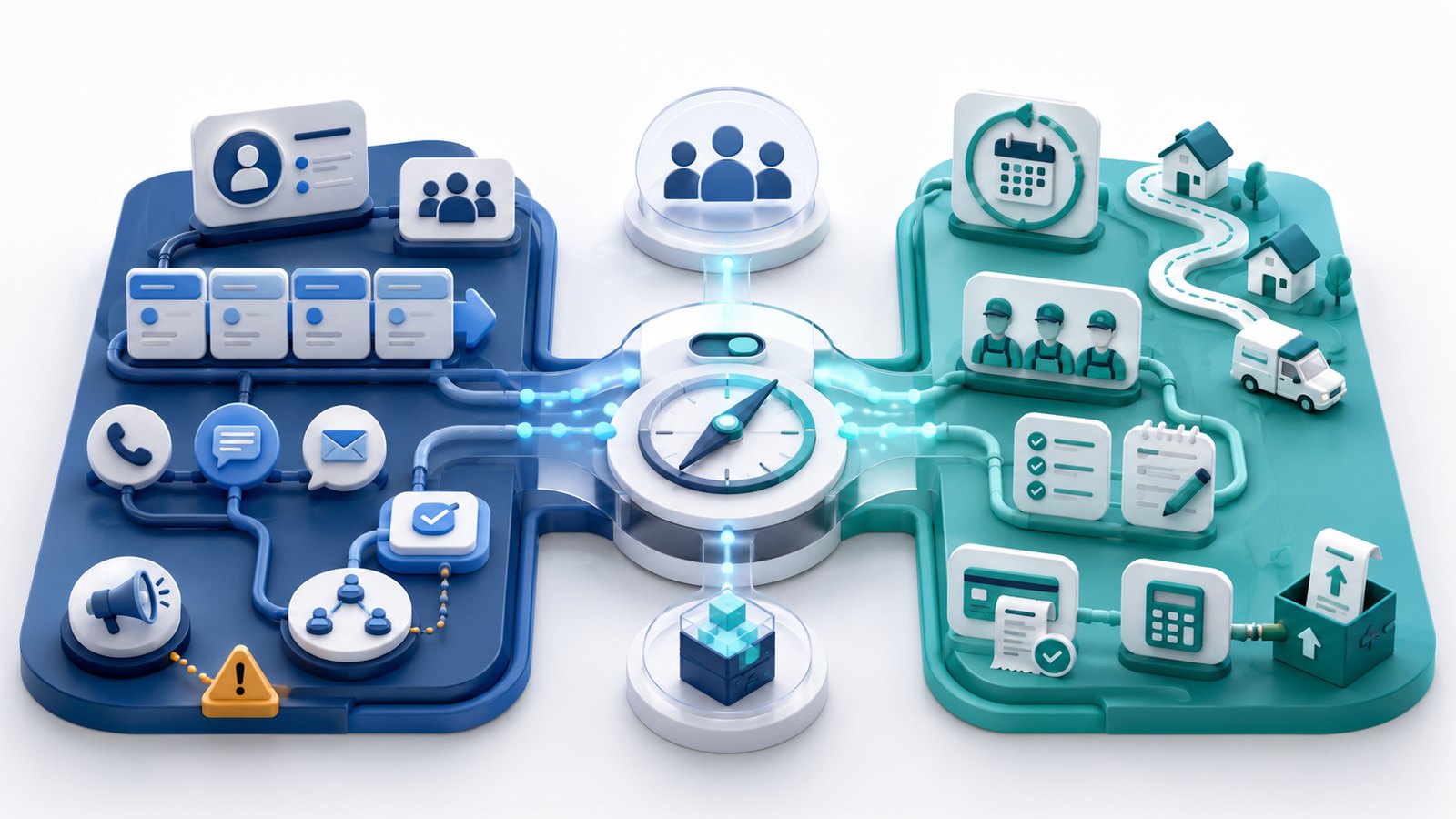
Most small residential cleaning companies should decide on the operating system first, then decide whether a standalone CRM is still needed. A CRM is usually stronger for leads, contacts, pipeline stages, quote follow-up, sales tasks, referrals, marketing campaigns, call notes, and sales reporting. Cleaning business software, booking-first software, or field service management (FSM) software is usually stronger for recurring schedules, one-time jobs, dispatch, cleaner mobile access, job notes, reminders, quotes, invoices, payments, online booking, customer self-service, QBO handoff, cancellations, rescheduling, service history, and exports.
CRM alone may be enough when the company has simple operations, scheduling and payments are already solved elsewhere, and the real bottleneck is lead tracking or quote follow-up. Cleaning business software is usually more practical when the company is losing control of recurring schedules, cleaner assignments, job notes, reminders, customer communication, payments, or accounting handoff. A CRM plus cleaning software may make sense only when lead volume, sales roles, referral tracking, marketing workflow, or a longer sales pipeline justify a second system.
There is no universal winner. A 2-field-worker team may need a simple manual stack, a lightweight CRM, or an entry operations tool depending on the bottleneck. A 5-field-worker team often needs a safer operations source of truth before adding CRM complexity. A 15-field-worker team usually needs cleaning operations software as the primary system, with a CRM layer only if the sales workflow is large enough to support source-of-truth rules, integration rules, and staff training.
Quick verdict
| Buyer situation | Most practical direction | Verify first |
|---|---|---|
| Lead tracking, quote follow-up, referrals, and sales tasks are the main bottleneck; scheduling and payments are already handled elsewhere. | A CRM alone may be enough, at least temporarily. | Pipeline stages, lead sources, quote follow-up, exports, duplicate contacts, and whether operations really are solved outside the CRM. |
| Recurring schedules, cleaner assignments, customer reminders, job notes, payments, and accounting handoff are breaking down. | Cleaning operations software should usually be the safer primary system. | Recurring setup, cleaner mobile view, payment workflow, QBO or accounting handoff, exports, migration, and cancellation access. |
| Website booking and customer self-service are the bottleneck. | Booking-first software may be more useful than a generic CRM. | Booking form logic, customer dashboard, provider math, payments, SMS/Twilio setup, exports, account deletion, and final cost. |
| Calls, missed leads, SMS, dispatch communication, and client portal messages are the bottleneck. | A communications-forward FSM tool may be more relevant than a generic CRM. | Phone/SMS/AI packaging, role pricing, QBO behavior, payment workflow, exports, contract terms, and final cost. |
| Lead volume, sales roles, marketing campaigns, and operations complexity are both meaningful. | CRM plus cleaning software may be justified. | Source-of-truth rules, contact matching, duplicate handling, opt-outs, application programming interface (API) or connector limits, field mapping, exports, and staff adoption. |
| Customer records, recurring schedule rules, payment process, or ownership of the system is unclear. | Delay buying until the workflow is cleaner. | Current source of truth, data cleanup, login model, vendor import/export path, training owner, and cancellation terms. |
Takeaway: Start with the bottleneck. A CRM is not automatically an operations system, and cleaning software is not automatically a sales and marketing CRM.
In this article
- Key facts
- Buyer scenario
- CRM vs cleaning software decision framework
- Category comparison table
- Product/category notes
- Signs you need CRM more than cleaning operations software
- Signs you need cleaning business software more than CRM
- When CRM + cleaning software may make sense
- Pricing and hidden costs
- Integration, source-of-truth, and duplicate-contact risk
- Migration, export, cancellation, and data risk
- Vendor demo and verification questions
- What we could not verify
- Final recommendation
- Methodology
- Sources
Key facts
| Item | Research-based finding |
|---|---|
| Target buyer | US residential cleaning company with 2–20 field workers and 1–2 office users choosing among CRM, cleaning business software, broad FSM, booking-first software, communications-forward FSM, or a temporary manual stack. |
| Core decision | Whether the main bottleneck is sales management, cleaning operations, online booking, communications, or data readiness. |
| CRM is usually stronger for | Leads, contacts, pipeline stages, quote follow-up, sales tasks, referrals, marketing campaigns, call notes, and sales reporting. |
| Cleaning business software is usually stronger for | Recurring schedules, one-time jobs, dispatch, cleaner mobile access, job notes, reminders, quotes, invoices, payments, online booking, customer self-service, QBO handoff, cancellations, rescheduling, service history, and exports. |
| Products discussed as cleaning operations examples | Jobber, Housecall Pro, ZenMaid, BookingKoala, and Workiz. |
| CRM examples used only for category context | HubSpot CRM, Pipedrive, Zoho CRM, monday CRM, and Salesforce Starter. |
| Manual baseline | Google Sheets, Google Calendar, Gmail labels, templates, phone notes, and simple forms can remain temporary tools or archives, but they become fragile as recurring schedules, cleaner assignments, payments, and customer history grow. |
| Cost stance | Pricing, packaging, usage fees, add-ons, marketing email, exports, implementation, payment fees, SMS, phone, AI, imports, cancellation, and terms can change. Treat all cost discussion as planning context, not a vendor quote. |
| Evidence level | research_based. |
Takeaway: A cleaning company should not ask, “Do we need a CRM?” in isolation. It should ask which system should own leads, quotes, recurring schedules, jobs, communication, payments, accounting handoff, and exportable history.
Best for
- Residential cleaning owners who are unsure whether to buy a CRM, cleaning business software, broad FSM, booking-first software, or both CRM and operations software.
- Teams with recurring weekly, biweekly, monthly, custom-frequency, one-time, first-time, deep-clean, move-in, and move-out jobs.
- Companies with 2, 5, or 15 field workers that need a practical scenario-based category decision, not a generic CRM roundup.
- Office users preparing vendor questions about lead intake, quote follow-up, recurring scheduling, cleaner mobile workflow, payments, QBO/accounting handoff, exports, migration, and cancellation access.
- Owners who need to decide whether spreadsheets, Google Calendar, and Gmail can stay temporary while the real source of truth is cleaned up.
Avoid if
- You want a universal product winner, a product ranking, or a lowest-price answer.
- You want a generic CRM product roundup that ignores recurring cleaning schedules, cleaner mobile access, job notes, customer reminders, payments, and exports.
- You need account-validated proof that any vendor will fit your live workflow, integrate with another system, migrate your data, export every object, sync accounting data, handle payments, support staff adoption, cancel cleanly, or preserve post-cancellation access.
- You want legal, tax, accounting, bookkeeping, payroll, employment-law, wage-and-hour, privacy, cybersecurity, payment-compliance, PCI, record-retention, marketing-compliance, SMS/TCPA/10DLC, state/local, or contract advice.
- You have not defined your current source of truth, lead stages, quote workflow, recurring schedule rules, payment workflow, accounting handoff, staff login model, import/export needs, or cancellation requirements.
Buyer scenario
The buyer is a US residential cleaning company with recurring and one-time residential cleaning work, 2–20 field workers, and 1–2 office users. The current workflow may include spreadsheets, Google Calendar, Gmail labels, templates, website forms, phone calls, text messages, online booking forms, QuickBooks, payment links, review tools, email marketing tools, or a cleaning software platform that no longer answers every question.
The company may be asking one of several questions at once: how to track new leads, how to follow up on quotes, how to schedule recurring jobs, how to give cleaners the right notes, how to send reminders, how to collect payments, how to hand information to QBO or another accounting system, how to let customers book or self-serve, how to preserve data before switching, and whether another system will create duplicate records.
| Planning scenario | Typical pressure | Why the category question matters |
|---|---|---|
| 2 field workers + 1 office user | Owner-led sales and operations, lower volume, but records may already be scattered across calendar, email, texts, and payment tools. | A standalone CRM may be enough only if operations are simple and solved elsewhere. Cleaning software may be more practical if recurring schedules, notes, reminders, and payments are already causing friction. |
| 5 field workers + 1 office user | One office user manages more leads, recurring changes, cleaner assignments, reminders, payments, and customer follow-up. | Cleaning operations software is usually the safer primary system if schedule and field workflow are slipping. CRM may be justified if quote follow-up or sales pipeline is the real bottleneck. |
| 15 field workers + 2 office users | Shared office accountability, more dispatch complexity, more communication, more reporting, more permissions, and more data risk. | Cleaning operations software is usually the safer source of truth. CRM plus cleaning software may be justified only when lead volume, sales roles, or marketing workflow support a second system. |
Takeaway: Team size matters, but the decisive issue is workflow complexity. A 5-person company with messy recurring schedules may need operations software sooner than a 15-person company with simple recurring routes and solved sales intake.
What CRM means for a cleaning business
A CRM is a system for managing relationships and sales activity around contacts and opportunities. In a residential cleaning business, that can mean tracking a website lead, call, referral, quote request, follow-up task, sales stage, call note, email sequence, referral source, campaign response, or won/lost status.
CRM value usually appears before the job becomes routine operations. It helps the office answer questions such as: Where did this lead come from? Has the quote been sent? Who needs a follow-up? Which leads are stalled? Which referral partners are working? How much possible revenue is in the pipeline? Which campaign produced the request?
That does not automatically make a CRM the operating system for the cleaning business. A generic CRM may not understand weekly and biweekly recurring schedules, one-off skipped visits, cleaner assignments, arrival windows, lockbox notes, pet notes, supplies, mobile checklists, payment collection after completed visits, customer self-service portals, QBO handoff, or export needs for operational history. A CRM can hold customer history from a sales perspective while still leaving the business without a reliable system for the Monday morning route.
What cleaning business software means
Cleaning business software is a broad label. It can mean cleaning-specific recurring maid-service software, a booking-first platform, a broad FSM system, or a communications-forward FSM system. The common thread is that the system is closer to operations than a generic CRM: customers, service addresses, quotes or bookings, jobs, recurring appointments, cleaner assignments, reminders, job notes, invoices, payments, and service history.
A cleaning-specific tool is usually strongest when recurring residential cleaning workflow, appointment detail, cleaner notes, checklists, reminders, and cleaning-specific simplicity matter more than broad sales pipeline depth. A booking-first tool is usually strongest when the bottleneck is website intake, service questions, add-ons, customer dashboard, provider scheduling, and customer self-service. A broad FSM platform is usually strongest when the business wants quotes, jobs, scheduling, dispatch, invoices, payments, customer communication, reporting, and QBO/accounting handoff in one operations layer. A communications-forward FSM platform is usually strongest when lead intake, calls, SMS, client portal messaging, dispatch, payments, QBO context, and AI-assisted communication features matter.
Operations software is not automatically a full sales and marketing CRM. Some products publish CRM-like customer records, lead intake, quote follow-up, automations, or marketing features, but the buyer should treat those as public documentation or vendor claims until the workflow is demonstrated and confirmed in writing.
How this differs from related FieldOpsLab guides
This article answers a category-fit question: should a cleaning business prioritize CRM capabilities, cleaning operations software, booking-first software, communications-forward FSM, broad FSM, both CRM and operations software, or a temporary manual stack?
That is different from a cleaning business software buying guide, which focuses on the broader software landscape. It is different from a migration checklist, which focuses on cutover readiness, and from a hidden-costs guide, which focuses on preserving budget visibility before switching or canceling. It is also different from focused guides on customer reminders and follow-up, online booking, invoicing and payments, QuickBooks Online workflow, cancellations, or rescheduling.
The boundary is simple: this article stops at category decision and workflow fit. It does not become a product ranking, a migration checklist, an export checklist, an accounting guide, a payroll guide, a sales strategy article, or a legal/compliance guide.
CRM vs cleaning software decision framework
Use the framework below before opening pricing pages. The goal is not to choose the tool with the most features. The goal is to choose the category that should become the source of truth for the most fragile part of the business.
| Signal | CRM alone | Cleaning software primary | CRM + cleaning software | Delay buying | Buyer action |
|---|---|---|---|---|---|
| Low operations complexity and few active leads | May be enough if a spreadsheet-like CRM tracks leads and follow-ups. | May be more than needed if schedules and payments are simple. | Usually unnecessary. | Reasonable if the current tools still work. | Write down lead stages and schedule rules before buying. |
| Recurring schedule mistakes | Usually not enough. | Usually the safer primary system. | Only if sales pipeline is also meaningful. | Possible if records are too messy to migrate. | Ask vendors to show weekly, biweekly, monthly, skipped, paused, and one-off rescheduled visits. |
| Missed quote follow-up | May be enough if quotes are tracked outside operations. | May be enough if the operations system includes quote follow-up. | May make sense if lead volume and sales roles justify two systems. | Possible if quote stages are undefined. | Map lead-to-quote-to-job and quote-to-recurring-service flow. |
| Online booking and customer self-service are weak | Usually not the first answer. | Useful if the platform includes booking and portal features. | Only if sales pipeline also needs CRM depth. | Possible if services and pricing are not standardized enough for booking. | Compare booking-first and operations-first tools with the same service examples. |
| Calls, SMS, and missed leads are the bottleneck | May help with pipeline but not necessarily dispatch communication. | May help if communication is built into operations. | May make sense if sales and operations both need structure. | Possible if phone ownership and opt-out rules are unclear. | Ask for phone, SMS, client portal, AI, export, and cost confirmation. |
| Duplicate contacts across systems | Risky if it becomes another customer list. | Risky if the CRM also owns lead data. | Only with documented source-of-truth rules. | Often appropriate until records are cleaned. | Define which system owns leads, customers, jobs, invoices, messages, and exports. |
Takeaway: If operations are the problem, buy an operations system before a CRM. If sales follow-up is the problem and operations are already controlled, a CRM may be enough.
Category comparison table
| Category | Example products | Strongest fit | Main limitation | Cost risk | Integration/export risk | Best-fit scenario |
|---|---|---|---|---|---|---|
| Generic CRM | HubSpot CRM, Pipedrive, Zoho CRM, monday CRM, Salesforce Starter. | Leads, contacts, pipeline, sales tasks, quote follow-up, campaigns, referrals, reporting. | Usually not a full recurring cleaning operations system. | Seats, marketing contacts, automations, sequences, add-ons, and annual terms. | Duplicate contacts, opt-outs, exports, source-of-truth rules, CRM-to-operations handoff. | Operations are already solved, but sales tracking is messy. |
| Cleaning-specific recurring tool | ZenMaid. | Recurring maid-service appointments, cleaner notes, reminders, booking forms, cleaning-specific simplicity. | Limited CRM depth compared with dedicated sales platforms. | Appointment limits, SMS, payment processing, exports, plan gates, and final pricing. | QBO/accounting status, export completeness, cancellation access, import scope. | Recurring residential cleaning workflow is the bottleneck. |
| Booking-first tool | BookingKoala. | Online booking, customer dashboard, service questions, add-ons, packages, provider scheduling, customer self-service. | Not a full deep-pipeline CRM by default. | Provider math, storage, contacts, SMS/Twilio, payment fees, add-ons, final cost. | Exports, account deletion, payment behavior, QBO behavior, customer portal data. | Website booking and self-service are the bottleneck. |
| Broad FSM | Jobber, Housecall Pro. | Quotes, jobs, scheduling, dispatch, reminders, invoices, payments, portals, reporting, QBO/accounting handoff. | May be broader than a simple maid-service workflow and may not replace a marketing CRM. | Users, add-ons, payment fees, onboarding, annual billing, larger-team pricing. | QBO/QBD behavior, exports, imports, cancellation, API availability, duplicate records. | Operations need one primary system before adding CRM. |
| Communications-forward FSM | Workiz. | Lead intake, calls, SMS, phone system, client portal, dispatch, estimates, jobs, payments, QBO context, AI communication context. | Pricing and add-ons may be quote-sensitive or usage-sensitive. | Phone, SMS, AI, role/user treatment, payments, contract terms, add-ons. | QBO behavior, exports, cancellation, support access, communication history. | Missed calls, dispatch communication, and lead response are major bottlenecks. |
| Manual/spreadsheet baseline | Google Sheets, Google Calendar, Gmail, templates, phone notes. | Temporary tracking, early-stage simplicity, export archives, data cleanup. | Fragile as recurring schedules, payments, communication history, and cleaner assignments grow. | Owner time, missed follow-ups, errors, cleanup time, duplicate records. | No structured exports beyond what the business maintains manually. | Workflow is simple or the business is cleaning data before buying. |
Takeaway: The category choice should come before the product shortlist. Comparing a CRM, booking-first tool, and broad FSM only by monthly price can hide the real workflow tradeoff.
Scenario: 2 field workers + 1 office user
At 2 field workers and 1 office user, the safest answer is often to keep the stack simple unless the bottleneck is already clear. A CRM alone may be enough if the company has simple recurring schedules, low payment complexity, and a separate schedule/payment system that already works. Cleaning operations software may be more practical if recurring visits, cleaner notes, reminders, customer history, or payments are already slipping. Buying both systems is often too much unless the company has unusually high lead volume, paid marketing, referrals, or multi-step follow-up.
| Decision factor | 2+1 planning note | Buyer action | Confidence |
|---|---|---|---|
| CRM alone | May be enough when operations are simple and the owner mainly needs lead and quote follow-up tracking. | Use a simple pipeline and confirm where the schedule and payments live. | Medium |
| Cleaning software primary | More practical if recurring schedules, access notes, cleaner instructions, reminders, and payment follow-up are already creating risk. | Ask vendors to show one full recurring customer workflow before purchase. | Medium |
| Both systems | Often too much for this stage unless lead volume or marketing workflow is unusually high. | Document source-of-truth rules before adding a second system. | Medium |
| Delay buying | Appropriate if customer records, schedule rules, quote stages, or payment ownership are unclear. | Clean the spreadsheet, define stages, and export a backup first. | High |
| Likely recommendation | Use CRM only for sales tracking if operations are stable; use cleaning software first if operations are the pain point. | Choose one primary system and avoid duplicate contact lists. | Medium |
Takeaway: A 2+1 team should avoid buying complexity just because a feature list looks impressive. The first purchase should solve the pain the owner actually feels every week.
Scenario: 5 field workers + 1 office user
At 5 field workers and 1 office user, operations pressure often becomes more visible. One office user may be juggling new leads, recurring schedule changes, cleaner questions, customer reminders, payment follow-up, quote status, and accounting handoff. Cleaning operations software is usually the safer primary system if recurring schedules, cleaner assignments, reminders, online booking, payments, or QBO/accounting handoff are becoming harder to manage. A CRM may be justified if quote follow-up, referral tracking, multiple lead channels, or sales tasks are the real bottleneck.
| Decision factor | 5+1 planning note | Buyer action | Confidence |
|---|---|---|---|
| Lead and quote volume | CRM starts to help when leads are coming from several channels and follow-up is inconsistent. | Define lead stages and ask whether the operations platform can handle follow-up before adding a separate CRM. | Medium |
| Recurring schedule pressure | Cleaning operations software is usually safer if recurring routes, skips, pauses, and cleaner assignments are fragile. | Demo weekly, biweekly, monthly, one-off reschedule, skipped visit, and pause examples. | High |
| Office handoff | One office user needs one reliable source of truth, not multiple unsynced customer lists. | Write down which system owns contacts, customers, quotes, jobs, invoices, and messages. | High |
| Payments and accounting | Payment follow-up and QBO/accounting handoff can become more meaningful as recurring volume grows. | Ask vendors to demonstrate the handoff and provide written confirmation. | Medium |
| Likely recommendation | Use cleaning operations software as primary if operations are slipping; add CRM only if sales follow-up cannot be handled well enough inside the operations tool. | Demo lead-to-quote-to-job and quote-to-recurring-service workflow before purchase. | Medium |
Takeaway: For a 5+1 team, the most common mistake is adding sales software before the office has a dependable operations source of truth.
Scenario: 15 field workers + 2 office users
At 15 field workers and 2 office users, cleaning operations software is usually the safer primary system because shared office accountability becomes more consequential. Dispatch, customer communication, reporting, permissions, cleaner mobile access, payments, QBO/accounting handoff, exports, and cancellation access are no longer side issues. A CRM plus cleaning software may be justified only when lead volume, dedicated sales roles, marketing campaigns, referral programs, or longer sales cycles support the extra system.
| Decision factor | 15+2 planning note | Buyer action | Confidence |
|---|---|---|---|
| Operations source of truth | Cleaning operations software is usually the safer primary system because two office users need shared records and accountability. | Define who can create, edit, reschedule, invoice, message, export, and cancel records. | High |
| CRM justification | A CRM may be justified if lead volume, sales roles, campaigns, or longer sales cycles are real enough to support a second system. | Document source-of-truth rules before connecting CRM and operations software. | Medium |
| Cleaner mobile adoption | Cleaner mobile access becomes more important and should be demonstrated before purchase. | Ask vendors to show the cleaner view for recurring jobs, notes, checklists, and changes. | Medium |
| Reporting and permissions | Office permissions, assignment visibility, and reporting become more important as work spreads across crews. | Ask vendors to demonstrate roles, reporting, and accountability with a 17-login planning scenario. | Medium |
| Delay risk | Delay may still be appropriate if duplicate-contact rules, data quality, integration, exports, staff adoption, or cancellation access are unresolved. | Request sample imports, sample exports, written pricing, and cancellation/access answers before signing. | High |
Takeaway: A 15+2 team can justify more software, but only with tighter rules. Two systems without source-of-truth discipline can create more confusion than one imperfect system.
Product/category notes
The products below are examples for category fit. This is not a product ranking and not a claim that any product will fit a specific cleaning company without a vendor demonstration and written confirmation.
Jobber
Category role: Broad FSM and operations example with CRM-like customer and quote context based on public documentation.
Most plausible fit: Jobber is most relevant when quotes, jobs, invoices, payments, Client Hub, QBO, customer communication, recurring work, and day-to-day field-service operations need to sit in one operations layer.
Not best for: Buyers who need a dedicated sales and marketing CRM with deep campaign management, or buyers who need cleaning-specific workflows that public documentation does not clearly resolve.
Verify first: Plan gates, pipeline or marketing add-ons, QBO behavior, mobile access, extra users, exports, import help, cancellation, post-cancellation access, payment fees, and final payable cost. Public Jobber sources to review include Jobber pricing, Client Hub, visits documentation, and client export documentation.
Housecall Pro
Category role: Broad home-service FSM example with CRM-like customer records and operations workflow based on public documentation.
Most plausible fit: Housecall Pro is relevant when scheduling, dispatch, estimates or proposals, jobs, invoices, payments, online booking, customer communication, review management, QBO, QBD context, and mobile roles matter in one home-service platform.
Not best for: Buyers who need a cleaning-specific recurring maid-service tool first, or buyers who cannot confirm plan gates, add-ons, users, and final cost in writing.
Verify first: User thresholds, add-ons, online booking, review management, QBO/QBD behavior, exports, payment behavior, larger-team pricing, cancellation, post-cancellation access, and final payable cost. Public Housecall Pro sources to review include Housecall Pro pricing, integrations, QBO onboarding documentation, and jobs and customers import/export documentation.
ZenMaid
Category role: Cleaning-specific recurring maid-service software example with limited CRM depth.
Most plausible fit: ZenMaid is most plausible when recurring maid-service workflow, appointment detail, cleaner notes, reminders, booking forms, and cleaning-specific simplicity matter more than broad CRM depth.
Not best for: Buyers who need deep sales pipeline management, formal multi-step CRM campaigns, or confirmed live QBO automation from public evidence alone.
Verify first: Current pricing, appointment limits, SMS cost, payment processing, QBO/accounting status, export availability, cancellation, post-cancellation access, and final payable cost. Public ZenMaid sources to review include ZenMaid pricing, cleaning scheduling, invoicing, credit-card processing, and terms.
BookingKoala
Category role: Booking-first and customer self-service software example, not a full deep-pipeline CRM by default.
Most plausible fit: BookingKoala is most relevant when online booking, service questions, add-ons, packages, customer dashboard, provider scheduling, customer self-service, and booking conversion are the bottleneck.
Not best for: Buyers whose main problem is sales pipeline depth, recurring dispatch operations, or accounting handoff that needs fully confirmed object-level behavior before purchase.
Verify first: Provider math, storage/contact limits, SMS/Twilio setup, payment behavior, QBO behavior, exports, cancellation/deletion, customer dashboard behavior, and final payable cost. Public BookingKoala sources to review include BookingKoala pricing, customer dashboard documentation, Twilio setup documentation, and account pause/close documentation.
Workiz
Category role: Communications-forward FSM example with CRM-like lead intake, phone, SMS, dispatch, client portal, QBO context, and AI-related communication context where public documentation supports it.
Most plausible fit: Workiz is most relevant when calls, missed leads, SMS, phone workflow, client portal communication, dispatch, estimates, payments, QBO context, and AI communication features are a more important bottleneck than generic CRM pipeline stages alone.
Not best for: Buyers who need the simplest public pricing model, a cleaning-specific recurring scheduler first, or confirmed final cost without a vendor quote.
Verify first: Quote-sensitive packaging, user/role treatment, phone/SMS/AI costs, payment behavior, QBO behavior, exports, contract terms, add-ons, cancellation, and final payable cost. Public Workiz sources to review include Workiz pricing plans, phone system, and terms and conditions.
Generic CRM examples
HubSpot CRM, Pipedrive, Zoho CRM, monday CRM, and Salesforce Starter are useful as category context for contacts, leads, pipelines, sales tasks, sequences, campaign context, reporting, and sales visibility. They should not be used as proof that a CRM replaces recurring cleaning operations software.
Use CRM examples to ask better questions: Can leads be tracked cleanly? Can follow-up be assigned? Can the office see pipeline value? Can contacts export? Can the CRM integrate with the cleaning operations system without creating duplicate records? The buyer should treat CRM vendor pricing and feature pages as official vendor claims unverified in practice, not as evidence of cleaning-business workflow fit.
Spreadsheet / Google Calendar / Gmail baseline
Manual tools can remain acceptable temporarily when the business is small, the owner controls the workflow, and the main records are easy to audit. Google Sheets can track leads, customers, service frequency, and basic quote status. Google Calendar can hold appointments. Gmail labels and templates can help with lightweight follow-up. Those tools can also remain useful as export archives.
They become fragile when recurring schedules, cleaner assignments, access notes, customer communication, payment follow-up, and customer history grow faster than the owner’s memory. Before buying software, clean the spreadsheet, define the current source of truth, back up key data, and decide whether the next system should own sales, operations, booking, communication, or accounting handoff.
Signs you need CRM more than cleaning operations software
A CRM may deserve priority when the business already has a stable schedule, stable payment workflow, and a separate operations system that cleaners and the office can actually use. In that case, the problem is not the day’s route; it is the sales pipeline before the job becomes recurring work.
- High lead volume: Leads come from ads, Google, referrals, website forms, calls, and past customers, but no one can see where each lead stands.
- Longer sales cycle: The business sells recurring starts, larger homes, move-out jobs, or occasional commercial opportunities that require multiple touches before booking.
- Quote follow-up bottleneck: Quotes are sent but not followed up, or the owner cannot tell which quotes are open, accepted, declined, or stale.
- Referral tracking: Referrals matter, but the business cannot reliably connect new customers to referral sources or partners.
- Email or campaign workflow: The business needs structured campaigns, reactivation, referral requests, or segmented lead follow-up beyond basic job reminders.
- Sales task accountability: A specific person needs assigned tasks, due dates, call notes, and pipeline reporting.
- Operations already solved elsewhere: Recurring scheduling, cleaner notes, dispatch, reminders, invoices, payments, and exports are already under control in another system.
Signs you need cleaning business software more than CRM
Cleaning business software usually deserves priority when the business is not losing leads so much as losing operational control. If customers are already booked but the office struggles to schedule, remind, assign, invoice, collect, or explain what happened, a generic CRM is probably not the first fix.
- Recurring schedule chaos: Weekly, biweekly, monthly, skipped, paused, or custom recurring appointments are hard to track.
- Cleaner mobile workflow gaps: Cleaners do not have reliable access to addresses, access instructions, notes, checklists, or day-of changes.
- Missed job notes: Pets, alarms, supplies, preferences, room notes, and special instructions live in texts or the owner’s memory.
- Rescheduling and cancellation confusion: One-off changes damage the recurring series, create route gaps, or leave unclear history.
- Weak customer reminders: Reminders are manual, inconsistent, or disconnected from the real schedule.
- Disconnected payments: Invoices, card payments, payment links, open balances, and customer communication do not sit near the job record.
- QBO/accounting handoff pain: The office or bookkeeper has to clean up customer, invoice, payment, or service records after the fact.
- No self-service path: Customers cannot book, request changes, approve quotes, view visits, or pay in a predictable portal.
- Export and migration risk: The business cannot easily preserve customer, schedule, job, message, invoice, or payment history if it switches later.
When CRM + cleaning software may make sense
CRM plus cleaning software can make sense when the cleaning company has enough sales and marketing complexity to justify two systems. That usually means higher lead volume, separate sales/admin roles, multiple lead channels, referral programs, marketing campaigns, long-cycle recurring or commercial opportunities, or a dedicated sales pipeline that the operations system cannot manage well enough.
Even then, the cleaning operations system should usually remain the source of truth for jobs, visits, assigned cleaners, job notes, invoices, payments, customer service history, and operational exports. The CRM may own leads, marketing source, pipeline stage, sales tasks, campaign history, and pre-customer notes. The business should write down what happens when a lead becomes a customer, when a quote becomes a job, and when contact data changes in one system but not the other.
| Record type | CRM likely owns | Cleaning software likely owns | Rule to document |
|---|---|---|---|
| New lead | Lead source, stage, owner, task, follow-up history. | Usually not until the lead becomes a quote, booking, or customer. | When does a lead become an operational customer? |
| Customer/contact | Sales relationship, referral source, campaign tags. | Service address, access instructions, job history, billing context. | Which system wins if phone, email, or address changes? |
| Quote or estimate | Pipeline stage and follow-up task. | Quote details that become job, recurring service, invoice, or payment workflow. | Where is the final accepted quote preserved? |
| Recurring job | Usually not the source of truth. | Frequency, schedule, visits, cleaner assignment, notes, reminders. | CRM should not override recurring operations without a documented handoff. |
| Messages and opt-outs | Marketing and sales communication context. | Operational reminders, appointment updates, customer-service history. | How are opt-outs, unsubscribes, and communication preferences respected across systems? |
| Exports | Leads, contacts, deals, tasks, campaign records. | Customers, schedules, jobs, visits, invoices, payments, notes, operational history. | What export is needed before switching or canceling either system? |
Takeaway: Two systems can work only when the business writes down source-of-truth rules. Without those rules, CRM plus cleaning software can create duplicate contacts and conflicting histories.
Pricing and hidden costs
Pricing should be modeled in layers. A CRM subscription and a cleaning software subscription are only the starting points. Unknown costs are not zero, and planning estimates are not vendor quotes.
| Cost layer | What to include | Why it matters | Buyer action |
|---|---|---|---|
| CRM subscription | Seats, contact limits, pipeline features, automations, sequences, marketing email, reporting, and add-ons. | A free or low-entry CRM can become more expensive when sales and marketing features expand. | Price the exact number of office and sales users plus the features needed for follow-up. |
| Cleaning software subscription | Office users, field users, providers, technicians, appointment limits, storage, portals, booking, reminders, mobile access, and reporting. | A plan that fits one office user may not fit every cleaner who needs mobile access. | Ask whether every field worker, crew lead, and office user needs a paid login or provider slot. |
| Messaging and communication | SMS, email, phone system, call tracking, AI answering, missed-call recovery, reminders, campaigns, Twilio, or communication add-ons. | Communication usage can change real cost and should not be treated as included unless the vendor confirms it. | Model realistic monthly message, phone, and AI usage before signing. |
| Payments | Card, card-on-file, automated clearing house payments, payment links, instant payouts, refunds, chargebacks, payout timing, and payment add-ons. | Payment-processing costs can be larger than a small subscription difference. | Ask which fee applies to the way customers actually pay. |
| Accounting and integrations | QBO, QBD if relevant, native integrations, Zapier, application programming interface (API) access, connectors, duplicate cleanup, and advisor review. | An integration logo does not prove the sync scope or cleanup burden. | Ask vendors to demonstrate sync direction, field mapping, duplicate handling, exports, and disconnect behavior. |
| Implementation and migration | Onboarding, data cleanup, import help, recurring schedule rebuilds, training, old-system overlap, and internal labor. | Moving from manual tools or another platform is rarely only a contact import. | Request sample imports, sample exports, and written migration scope. |
| Exit and cancellation | Exports, downgrade access, account deletion, post-cancellation access, refund terms, renewal terms, and archive time. | The cost of leaving matters before the business commits annually. | Ask for cancellation and export answers before purchase, not after frustration starts. |
Takeaway: The real budget is not CRM price versus cleaning software price. It is the combined cost of people, communication, payments, integrations, migration, exports, cancellation, and internal workflow change.
Before choosing a system: Confirm whether the real bottleneck is lead follow-up, recurring scheduling, cleaner workflow, customer self-service, communications, payments, accounting handoff, data cleanup, or cancellation risk before comparing CRM and cleaning software pricing.
Integration, source-of-truth, and duplicate-contact risk
The highest-risk setup is usually not one imperfect system. It is two systems that both think they own the customer. If the CRM has leads and contacts, the cleaning platform has customers and service addresses, QBO has customers and invoices, the payment processor has payment records, and the email system has opt-outs, the company needs rules before data starts moving.
At minimum, document the lead-to-customer conversion, quote-to-job handoff, customer update process, duplicate-contact cleanup process, opt-out or unsubscribe handling, and export process. If the systems connect through a native integration, Zapier, API, web forms, or manual export/import, the buyer should ask for the supported objects, sync direction, field mapping, error handling, and sample records. FieldOpsLab has not verified any CRM-to-cleaning-software integration behavior for this article.
- CRM contacts versus cleaning software customers: Decide when a lead becomes an operational customer.
- Quote-to-job handoff: Decide where the final accepted quote, scope, price, and recurring setup live.
- Duplicate contacts: Decide which system wins when names, emails, phone numbers, or addresses conflict.
- QBO/customer records: Decide how customer records, invoices, payments, refunds, deposits, and service items are reviewed before accounting close.
- Customer portal accounts: Decide whether customers update data in a portal, CRM form, booking form, or by calling the office.
- Exports: Decide which export files are needed from each system before switching or canceling.
Migration, export, cancellation, and data risk
CRM exports and cleaning software exports are not the same thing. A CRM may export contacts, leads, deals, pipeline stages, tasks, notes, campaign fields, and activity history. Cleaning operations software may need to preserve customers, service addresses, upcoming visits, recurring schedule rules, jobs, visits, assigned cleaners, notes, checklists, photos, reminders, invoices, payments, customer portal context, and exportable service history.
A customer comma-separated values (CSV) file is useful, but it is rarely a complete backup of cleaning operations. Before buying, ask each vendor for sample exports. Before canceling, export core records while access is still available. Preserve QBO, payment processor, payroll/time, email, calendar, photo, and form records separately where they remain separate systems. This article does not replace a migration or export checklist; it only flags the category-decision risk.
| Data object | CRM export question | Cleaning software export question | Risk if ignored |
|---|---|---|---|
| Contacts and customers | Can contacts, lead source, tags, stages, and notes export? | Can customers, service addresses, access notes, and preferences export? | Duplicate records or lost customer context. |
| Deals, quotes, and estimates | Can deals, stages, tasks, and quote follow-up history export? | Can quotes, accepted scopes, line items, deposits, and quote-to-job history export? | Lost sales history or unclear pricing history. |
| Jobs and recurring schedules | Usually not the CRM’s strongest export object. | Can recurring series, future visits, skips, pauses, cancellations, and cleaner assignments export? | Future schedule must be rebuilt from memory. |
| Notes, checklists, photos, and messages | Can notes and sales activities export? | Can cleaner notes, checklists, photos, reminders, messages, and portal history export? | Customer-specific instructions and service history may be lost. |
| Invoices and payments | May only hold sales context unless integrated. | Can invoices, payments, open balances, refunds, and payment context export? | Accounting cleanup and customer-balance confusion. |
| Cancellation and post-cancellation access | What remains accessible after downgrade or cancellation? | What remains accessible after downgrade, cancellation, nonrenewal, or deletion? | Data may be harder to access after cancellation. |
Takeaway: Choose software with the exit in mind. The system that looks easy to start can be risky if it cannot preserve the records the business needs later.
When to delay buying CRM or cleaning software
Buying should be delayed when the business cannot yet describe what the new system is supposed to own. Delay does not mean doing nothing. It means cleaning the records, defining the workflow, and collecting vendor answers before committing to a plan, annual term, or migration project.
- The current source of truth is unclear.
- Customer records contain duplicates, outdated addresses, inconsistent phone numbers, or missing service notes.
- Recurring schedule rules are not documented.
- Quote stages, quote follow-up ownership, and sales tasks are not defined.
- Payment and accounting handoff are not defined.
- No one owns the CRM or operations workflow after purchase.
- The team cannot realistically use two systems.
- The vendor cannot show an import/export path or sample files.
- Annual contract pressure appears before the buyer has a pilot, sample data, or written answers.
- Current simple tools still solve the main bottleneck and the business is not ready for a cleaner source of truth.
Vendor demo and verification questions
Ask the vendor to demonstrate the workflow with realistic residential cleaning examples. Do not accept a generic feature list as a substitute for a workflow walkthrough and written confirmation.
- Show how a website lead, phone lead, referral, or booking request enters the system.
- Show the contact or customer record, including service address, notes, communication history, and source fields.
- Show how a lead becomes a quote, how the quote is followed up, and how an accepted quote becomes a job or recurring service.
- Show weekly, biweekly, monthly, custom, skipped, paused, and one-off rescheduled recurring visits.
- Show the cleaner mobile view for today’s job, access instructions, notes, checklists, and customer changes.
- Show reminders, customer communication, phone/SMS/email behavior, and any AI-related workflow that affects lead intake or customer messages.
- Show online booking, booking questions, customer portal or dashboard, customer self-service, and what the office can control.
- Show invoice, payment, card-on-file, refund, deposit, payout, and QBO/accounting handoff behavior where relevant.
- Show the CRM-to-cleaning-software handoff if both systems are used.
- Show how duplicate contacts are detected, prevented, merged, or handled.
- Show how opt-outs, unsubscribes, or communication preferences are handled if the workflow includes marketing or SMS.
- Show a sample import using the buyer’s actual fields or a realistic sample file.
- Show sample exports for contacts, leads, quotes, jobs, recurring schedules, notes, invoices, payments, and messages where available.
- Show cancellation, downgrade, account deletion, and post-cancellation access rules.
- Provide written pricing, plan gates, add-ons, integrations, import/export scope, cancellation, and terms confirmation before purchase.
What we could not verify
Public vendor pages and help-center articles can describe features, pricing pages, documentation, and vendor claims. They cannot prove how a specific cleaning business will experience the workflow in practice. FieldOpsLab has not verified the items below for Article 44.
| Unresolved item | Why it matters |
|---|---|
| Live CRM behavior | A CRM feature page does not prove cleaning-business lead and quote workflow fit. |
| Live cleaning-software behavior | Public operations documentation does not prove live recurring-schedule edge cases or cleaner adoption. |
| CRM-to-cleaning-software integration | Public integration language does not prove duplicate handling, source-of-truth behavior, field mapping, or sync reliability. |
| Migration, import, and export completeness | Sample docs do not prove that every customer, schedule, note, photo, message, invoice, or payment record exports or imports cleanly. |
| QuickBooks/accounting behavior | QBO or QBD references do not prove invoice, payment, refund, tax, duplicate, or reconciliation behavior for a specific business. |
| Payment, payroll/time, SMS/email/phone/AI behavior | Usage, delivery, fees, payouts, exports, and edge cases require vendor confirmation and appropriate advisor review where relevant. |
| Staff and customer adoption | Public documentation cannot prove that cleaners, office users, or customers will use the system correctly. |
| Support, cancellation, post-cancellation access, and final payable cost | Public pages cannot prove account-specific support quality, cancellation experience, access after cancellation, taxes, add-ons, usage fees, or final invoices. |
Takeaway: Any claim that affects purchase, migration, integration, export, cancellation, or final cost should be confirmed directly with the vendor in writing.
Buyer verification checklist
- Write the exact reason for buying CRM, cleaning software, booking-first software, FSM, or both systems.
- Name the current bottleneck: leads, quote follow-up, recurring schedules, cleaner workflow, online booking, communication, payments, accounting handoff, exports, or data quality.
- Name the current source of truth for leads, customers, service addresses, quotes, jobs, schedules, invoices, payments, messages, and exports.
- Count monthly leads, quote requests, open quotes, recurring jobs, one-time jobs, cancellations, reschedules, and customer messages.
- Decide who needs logins: owner, office users, cleaners, crew leads, sales users, bookkeeper, or contractors where relevant.
- Decide whether cleaners need mobile access and what they must see.
- Map customer communication: reminders, quote follow-up, invoice follow-up, phone, SMS, email, portal, reviews, and marketing campaigns.
- Map payment workflow: invoice timing, card-on-file use, payment links, refunds, deposits, open balances, processor records, and fees.
- Map QBO/accounting handoff and involve a qualified advisor where appropriate.
- Write CRM-to-cleaning-software rules if both systems are used.
- Define duplicate-contact and source-of-truth rules.
- Request sample import templates and sample export files before purchase.
- Create a training plan for office users, cleaners, and any sales users.
- Create a cutover plan and backup plan.
- Ask for written confirmation of pricing, plan gates, add-ons, integrations, migration, exports, cancellation, downgrade, post-cancellation access, and terms.
If phone intake is the missing CRM layer, evaluate it with FieldOpsLab’s AI receptionist guide, 50-scenario test plan, and missed-call revenue calculator.
Final recommendation
For most US residential cleaning companies with 2–20 field workers and 1–2 office users, cleaning business software, booking-first software, communications-forward FSM, or broad FSM should usually be considered as the primary operating system before buying a standalone CRM. The reason is practical: recurring schedules, cleaner assignments, job notes, reminders, payments, QBO/accounting handoff, rescheduling, cancellations, service history, and exports often create more operational risk than the sales pipeline does.
A generic CRM is most plausible when the main bottleneck is leads, pipeline stages, quote follow-up, referrals, marketing campaigns, sales tasks, call notes, or sales reporting, and scheduling, dispatch, payments, accounting handoff, and customer operations are already solved elsewhere. CRM plus cleaning software may make sense when lead volume, sales roles, marketing workflow, or multi-channel pipeline complexity justify two systems. In that case, source-of-truth rules matter as much as features.
Jobber and Housecall Pro are broad FSM examples; ZenMaid is a cleaning-specific recurring maid-service example; BookingKoala is a booking-first customer self-service example; Workiz is a communications-forward FSM example; HubSpot CRM, Pipedrive, Zoho CRM, monday CRM, and Salesforce Starter are CRM category examples only. Spreadsheets, Google Calendar, and Gmail can remain temporary or archival tools, but they become risky as the operating system once recurring schedules, cleaner assignments, payment follow-up, and customer history grow.
The safest next step is to name the bottleneck, choose the category first, then ask vendors to demonstrate the exact workflow and provide written confirmation before purchase.
Methodology
FieldOpsLab prepared this article as a research_based category-decision guide. The analysis uses public vendor pricing pages, official product pages, official help-center materials where available, public terms or billing pages where relevant, and prior FieldOpsLab workflow research for residential cleaning teams. Product information and pricing were checked on 2026-07-09.
The product examples were selected to represent different categories a residential cleaning buyer may consider: broad FSM, cleaning-specific recurring software, booking-first software, communications-forward FSM, generic CRM, and manual baseline tools. The article does not rank products and does not name a universal winner.
FieldOpsLab did not use controlled product accounts, paid software accounts, vendor demos, original screenshots, vendor correspondence, bookkeeper interviews, accountant interviews, operator interviews, cleaner interviews, or customer interviews. Public documentation can support buyer questions and planning logic, but live workflow behavior, integrations, migration, imports, exports, accounting behavior, payments, messaging, adoption, support, cancellation, post-cancellation access, and final payable cost require vendor confirmation.
Sources
| Source | Public URL | Used for |
|---|---|---|
| Jobber pricing | https://www.getjobber.com/pricing/ | Public pricing and plan-context source for Jobber; final pricing requires current vendor confirmation. |
| Jobber Client Hub | https://www.getjobber.com/features/client-hub/ | Public vendor claim for customer self-service context, unverified in practice. |
| Jobber visits documentation | https://help.getjobber.com/hc/en-us/articles/7924045219479-Visits | Public documentation describing visit workflow context, not proof of live cleaning workflow fit. |
| Jobber client export documentation | https://help.getjobber.com/hc/en-us/articles/115009619328-Export-Client-Information | Public export-context source; export completeness remains unverified. |
| Housecall Pro pricing | https://www.housecallpro.com/pricing/ | Public pricing and plan-context source for Housecall Pro; final pricing requires current vendor confirmation. |
| Housecall Pro integrations | https://www.housecallpro.com/integrations/ | Public integration-context source, unverified in practice. |
| Housecall Pro QBO onboarding guide | https://help.housecallpro.com/en/articles/3006688-quickbooks-online-integration-onboarding-guide | Public QBO documentation context; live accounting behavior remains unverified. |
| Housecall Pro jobs/customers import-export documentation | https://help.housecallpro.com/en/articles/6797101-how-to-import-export-jobs-and-customers | Public import/export context; object-level completeness remains unverified. |
| ZenMaid pricing | https://get.zenmaid.com/pricing | Public pricing and feature-context source for ZenMaid; final pricing and plan gates require confirmation. |
| ZenMaid scheduling | https://get.zenmaid.com/cleaning-service-scheduling-software | Public vendor claim for cleaning-specific scheduling context, unverified in practice. |
| ZenMaid invoicing | https://get.zenmaid.com/invoicing | Public invoicing-context source; payment and accounting behavior remain unverified. |
| ZenMaid credit-card processing | https://get.zenmaid.com/credit-card-processing | Public payment-context source; payment behavior and final fees remain unverified. |
| BookingKoala pricing | https://www.bookingkoala.com/pricing/ | Public pricing and provider/context source for BookingKoala; final pricing requires confirmation. |
| BookingKoala customer dashboard documentation | https://help.bookingkoala.com/help/customer-dashboard-explained | Public customer self-service context, unverified in practice. |
| BookingKoala Twilio setup documentation | https://help.bookingkoala.com/help/set-up-twilio | Public SMS/Twilio setup context; messaging behavior and costs remain unverified. |
| BookingKoala pause or close account documentation | https://help.bookingkoala.com/help/pausing-or-closing-your-account | Public cancellation/account-status context; cancellation experience remains unverified. |
| Workiz pricing plans | https://www.workiz.com/pricing-plans/ | Public pricing and package-context source for Workiz; quote-sensitive costs require confirmation. |
| Workiz phone system | https://www.workiz.com/features/phone-system/ | Public phone/communications feature context, unverified in practice. |
| Workiz terms and conditions | https://www.workiz.com/terms-and-conditions/ | Public terms context; contract, cancellation, and final account outcomes require confirmation. |
| HubSpot CRM | https://www.hubspot.com/products/crm | Generic CRM category context only; not proof of cleaning operations workflow behavior. |
| HubSpot pricing | https://www.hubspot.com/pricing | Official pricing context for CRM cost questions; pricing can change. |
| Pipedrive sales CRM | https://www.pipedrive.com/en/products/sales | Generic CRM category context only; not proof of cleaning operations workflow behavior. |
| Pipedrive pricing | https://www.pipedrive.com/en/pricing | Official pricing context for CRM cost questions; pricing can change. |
| Zoho CRM | https://www.zoho.com/crm/ | Generic CRM category context only; not proof of cleaning operations workflow behavior. |
| Zoho CRM pricing | https://www.zoho.com/crm/zohocrm-pricing.html | Official pricing context for CRM cost questions; pricing can change. |
| monday CRM | https://monday.com/crm | Generic CRM category context only; not proof of cleaning operations workflow behavior. |
| monday pricing | https://monday.com/pricing | Official pricing context for CRM cost questions; pricing can change. |
| Salesforce Starter | https://www.salesforce.com/small-business/starter/ | Generic CRM category context only; not proof of cleaning operations workflow behavior. |