
Affiliate disclosure: FieldOpsLab may earn a commission from some links on this page if affiliate links are added later. Our recommendations are based on evidence and buyer fit, not whether a product has an affiliate program.
Written by: LPSA
Evidence level: research_based
Product information checked: 2026-07-09
Pricing checked: 2026-07-09
Last meaningfully updated: 2026-07-09
Evidence status
Evidence status: This is a research_based migration workflow guide for US residential cleaning companies with 2–20 field workers and 1–2 office users. FieldOpsLab reviewed public vendor pricing pages, official help-center articles, official import/export documentation where available, official terms or billing pages where available, official payment and QuickBooks documentation where relevant, and published FieldOpsLab workflow research.
FieldOpsLab did not use controlled product accounts, paid software accounts, vendor demos, live spreadsheet-to-software migration runs, live data import runs, live data export runs, original screenshots, vendor correspondence, bookkeeper interviews, accountant interviews, operator interviews, cleaner interviews, or customer interviews for this article.
FieldOpsLab did not confirm import behavior, export completeness, QuickBooks/accounting behavior, payroll/time behavior, payment behavior, cleaner mobile adoption, customer portal adoption, support quality, cancellation experience, post-cancellation access, or final payable cost in a controlled account. This article evaluates software workflow only. Public vendor documentation does not prove legal, tax, accounting, payroll, privacy, security, payment, messaging, contract, or record-retention compliance for a specific cleaning business.
Quick answer
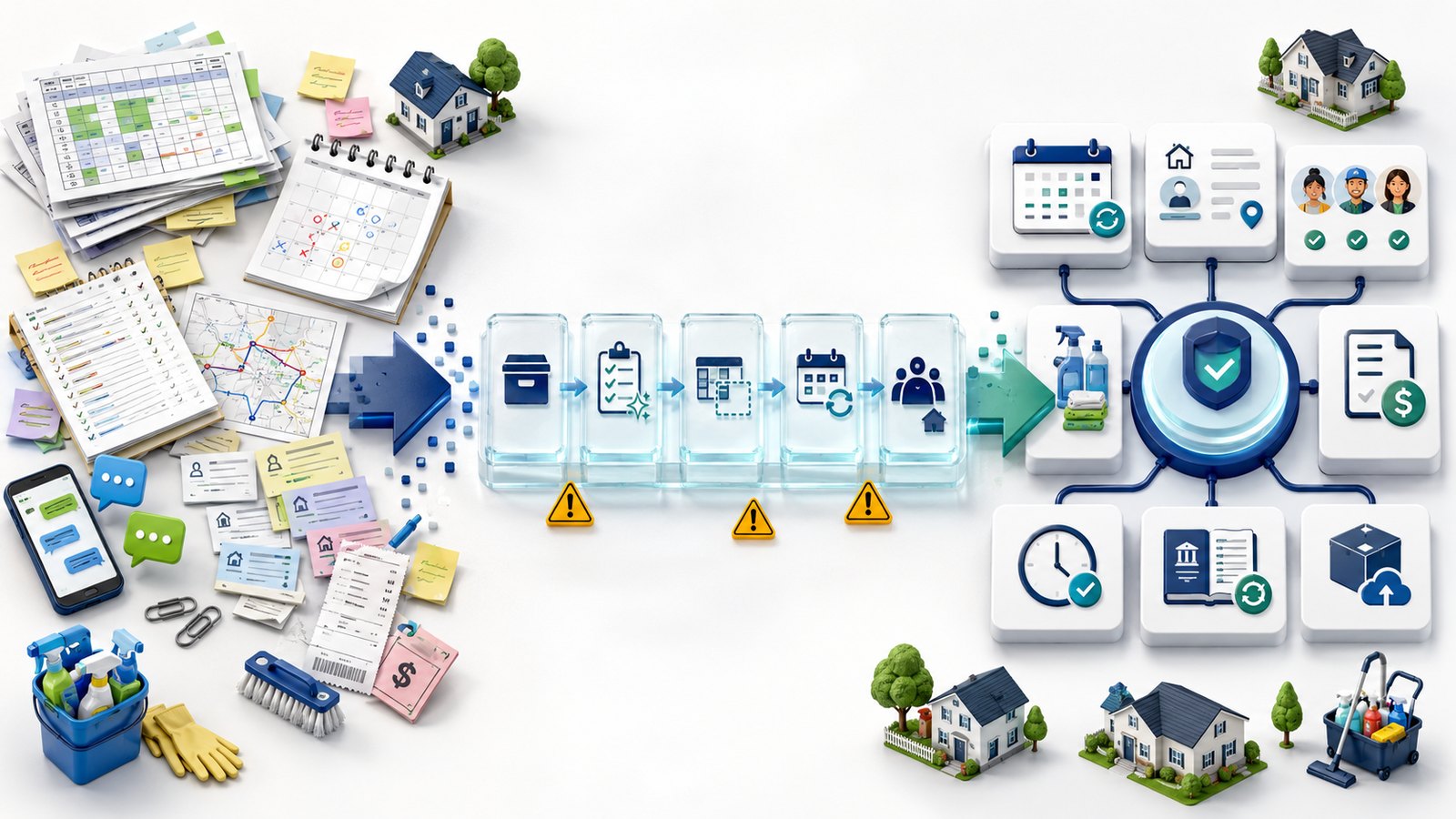
Moving a cleaning business from spreadsheets to software is a workflow cutover, not just a customer-list import. The business has to decide what happens to customers, service addresses, recurring schedules, one-time jobs, skipped visits, paused service, cleaner assignments, access instructions, pets, supplies, allergies, prices, quotes, invoices, open balances, payment context, QuickBooks Online (QBO), time records, payroll context, photos, forms, and exportable history.
The safer approach is to inventory the current spreadsheet and manual workflow first, make backups, clean customer and address data, document recurring schedule rules, decide what should be imported versus archived, request vendor import templates, try a small sample import where possible, train the office, train cleaners or crew leads, run a short parallel review if the business can support it, then cut over to one new operational source of truth.
There is no universal migration tool for every residential cleaning company. Jobber and Housecall Pro are plausible broad field service management (FSM) examples when the business wants a wider operations platform. ZenMaid is plausible when recurring maid-service scheduling and cleaner notes are central. BookingKoala is plausible when online booking, customer dashboard, provider scheduling, and self-service are central. Workiz is plausible when calls, short message service (SMS), lead intake, dispatch, and communications are central. Spreadsheets can remain useful as a backup and export archive, but they should not remain the long-term operating system after the business expects the new software to run operations.
Any cost discussion below is planning context, not a vendor quote, and excludes temporary promotional discounts unless they are clearly labeled as temporary.
Quick verdict
| Decision point | FieldOpsLab view |
|---|---|
| Core migration idea | Treat the move as an operations cutover: data cleanup, schedule rebuilding, staff adoption, payment/accounting handoff, backup, and exit planning all matter. |
| Small 2+1 team | A focused cutover may be plausible after backups, cleanup, and a sample import, but recurring schedule rules and access notes still need careful review. |
| Growing 5+1 team | A phased or pilot migration is often safer because recurring schedules, cleaner assignments, reminders, payments, and one office-user bottlenecks create more risk. |
| Larger 15+2 team | Treat migration as a staged project with shared office rules, permissions, training, accounting handoff, time/payroll context, export planning, and vendor written confirmation. |
| Highest-risk objects | Recurring schedules, service addresses, access instructions, customer notes, cleaner assignments, prices, open balances, saved-payment context, QBO/accounting handoff, time records, and export access. |
| Evidence level | research_based. |
Takeaway: Buy the software after you understand the migration objects. If recurring schedules, notes, payments, and accounting handoff are unclear, importing contacts first can create a messy system faster than it creates a better one.
In this article
- Key facts
- Buyer scenario
- What moving from spreadsheets to software actually means
- Migration readiness checklist
- Data inventory
- Step-by-step migration workflow
- Product/category migration notes
- Pricing and hidden costs
- Export, backup, cancellation, and exit-plan risk
- Vendor demo and verification questions
- What we could not verify
- Final recommendation
Key facts
| Item | Research-based finding |
|---|---|
| Target buyer | US residential cleaning company with 2–20 field workers and 1–2 office users moving from spreadsheets, Google Calendar, email, texts, paper notes, QuickBooks, payment links, and disconnected tools into cleaning business software. |
| Article type | Migration workflow guide. It is not a product ranking, pricing-only article, accounting guide, payroll guide, legal guide, privacy guide, or migration test report. |
| Core buyer question | How should the business move without losing operational control over customer records, recurring schedules, job history, notes, prices, payment context, accounting handoff, time records, exports, and staff adoption? |
| Most important migration boundary | The spreadsheet is often the source of truth, the calendar is the schedule layer, email/text is the communication layer, QBO is the accounting layer, payment processors hold payment context, and the new software becomes the operations layer. |
| Highest-risk data | Recurring schedules, skipped/paused/canceled visits, service addresses, access instructions, cleaner notes, customer notes, prices, open balances, saved-payment context, QBO/accounting handoff, payroll/time context, and export access. |
| Safer sequence | Inventory, back up, clean, document recurrence, choose category, request import templates, try a small sample, train staff, run a short parallel review where possible, cut over, audit, and export/backup again. |
| Product examples | Jobber, Housecall Pro, ZenMaid, BookingKoala, Workiz, and the spreadsheet/manual archive baseline are used as migration-fit examples, not as a universal winner list. |
| Cost stance | All cost discussion is planning context, not a vendor quote. Unknown costs are not zero. |
| Evidence level | research_based. |
Takeaway: The first migration question is not “Which app imports my customer list?” It is “Which operational records must still be usable the Monday after cutover?”
Best for
- Residential cleaning owners moving from Google Sheets, Excel, Google Calendar, Gmail, texts, phone notes, paper route sheets, QuickBooks, separate payment links, and manual payroll/time exports into a more structured operations system.
- Teams with recurring weekly, biweekly, monthly, and custom cleaning schedules plus one-time deep cleans, move-in/move-out jobs, first-time cleans, and occasional skipped or paused visits.
- Businesses that need a migration workflow before choosing among broad FSM, cleaning-specific recurring scheduling, booking-first, communications-forward, or manual/archive options.
- Office users preparing vendor demo questions about customer imports, recurring schedules, service addresses, cleaner notes, payments, QBO, time records, exports, cancellation, and post-cancellation access.
- Owners who want to avoid buying software first and trying to clean messy data later.
Avoid if
- You want a universal product winner, a product ranking, or a lowest-price answer.
- You need proof that a specific vendor will import every customer, schedule, note, payment, invoice, time record, and attachment successfully for your exact spreadsheet.
- You want legal, tax, accounting, bookkeeping, payroll, employment-law, wage-and-hour, privacy, cybersecurity, payment-compliance, PCI, record-retention, state/local, short message service (SMS), Telephone Consumer Protection Act (TCPA), 10-digit long code (10DLC), or contract advice.
- You are not ready to define source-of-truth rules for customers, schedules, prices, payments, QBO/accounting, time records, exports, and cancellation access before cutover.
- You plan to treat the old spreadsheet as the permanent operating system after the software cutover.
Buyer scenario
The assumed buyer is a US residential cleaning company with 2–20 field workers and 1–2 office users. The business has recurring residential clients, one-time jobs, customer notes, cleaner preferences, access instructions, pet and supply details, prices, payment context, and some mix of QBO, payment processor records, payroll/time records, cloud photo folders, website forms, and manual communication history.
The current workflow may be practical but fragile. A spreadsheet might list customers, addresses, frequency, price, assigned cleaner, and gate code. Google Calendar might hold the future schedule. Gmail and text threads might hold customer changes. QuickBooks might hold invoices and open balances. A payment processor might hold card or payment-link records. Paper route sheets might hold daily assignments. That stack can work while the owner remembers the details, but it becomes risky when recurring volume, staff handoffs, payment follow-up, and customer history grow.
| Scenario | Current workflow complexity | Migration pressure | Planning stance |
|---|---|---|---|
| 2 field workers + 1 office user | Lower complexity, but the owner may still rely on memory for recurring schedules, access notes, pricing, and customer preferences. | Risk is concentrated in a small number of records: active customers, recurring rules, access instructions, prices, open balances, and first-week schedule accuracy. | A focused cutover can be plausible after cleanup, backup, and a small sample import or manual rebuild plan. |
| 5 field workers + 1 office user | Moderate complexity. One office user may manage multiple recurring routes, customer changes, reminders, payment follow-up, and cleaner questions. | Recurring schedules, cleaner assignments, notes, reminders, open balances, and mobile adoption become harder to fix after the fact. | A pilot or phased approach is often safer than moving every workflow at once. |
| 15 field workers + 2 office users | High complexity. Multiple crews, shared office edits, staff turnover, communications, payments, and accounting handoff create many failure points. | The business needs source-of-truth rules, permissions, staged training, sample imports, export planning, accounting review, time/payroll context, and fallback procedures. | Treat migration as a staged project with vendor written confirmation before live cutover. |
Takeaway: The same spreadsheet can be a simple contact list at 2 cleaners and a risky operating system at 15 cleaners. Migration complexity rises faster than headcount because office handoffs, recurring exceptions, and customer history multiply.
What moving from spreadsheets to software actually means
For a cleaning business, the spreadsheet is rarely just a spreadsheet. It may be the source of truth for customer names, phone numbers, emails, service addresses, recurring frequency, job price, pets, alarms, lockboxes, supplies, preferred cleaner, and cancellation notes. The calendar may be the schedule layer. Email and texts may be the communication layer. QBO may be the accounting layer. Payment processors may hold payment status or saved-payment context. Payroll or time tools may hold worker time. Paper notes may hold route and cleaner instructions.
Moving to software means deciding which system owns each workflow after the cutover date. The new operations software may become the place where the office creates customers, schedules recurring visits, assigns cleaners, sends reminders, creates invoices, collects payments, and communicates with clients. But QBO can still remain the accounting layer, the payment processor can still hold processor-specific records, and payroll/time systems may still remain the source for payroll-sensitive records.
| Current layer | What it may hold today | Migration question |
|---|---|---|
| Spreadsheet | Customers, addresses, frequency, price, cleaner, notes, lead status, paused service, old jobs. | Which fields become import candidates, which stay archived, and which need manual cleanup? |
| Calendar | Future jobs, recurring patterns, skipped visits, cleaner blocks, arrival windows. | Can recurrence be rebuilt or imported, and how will exceptions be represented? |
| Email/text threads | Customer changes, complaints, access updates, vacation skips, payment reminders. | What communication history stays archived, and what current notes must be transferred? |
| QuickBooks/accounting | Invoices, payments, open balances, products/services, customer balances, reports. | Does QBO remain the accounting layer while the new software owns operations prospectively? |
| Payment processor | Payment links, transaction history, saved-payment context, payouts, refunds, disputes. | What stays in the processor, what appears in software, and what requires customer reauthorization? |
| Payroll/time records | Time sheets, job time, worker records, payroll exports, pay-period context. | What stays archived, and how will future time records reach payroll or an advisor-reviewed process? |
| New operations software | Customers, jobs, recurrence, assignments, notes, reminders, portals, invoices, payments, reporting, exports. | Which workflows move first, which move later, and what export options exist if the company changes tools again? |
Takeaway: A customer import is only one part of migration. The real cutover is deciding where the business will create, edit, trust, export, and archive every operational record after the switch.
How this differs from related FieldOpsLab guides
This article is narrower than a general software buying guide and more practical than a checklist-only migration page. It focuses on moving from spreadsheet-based operations into software, especially the sequence and data decisions before cutover.
| Related FieldOpsLab guide | What that guide covers | Article 41 boundary |
|---|---|---|
| Cleaning Software Migration Checklist | General migration diligence across platforms and data objects. | This article focuses specifically on moving from spreadsheets, calendars, texts, paper notes, QBO, and disconnected tools into software. |
| Cleaning Business Software Buying Guide | Software categories and buyer-fit framework. | This article applies category choice to the migration sequence and cutover risks. |
| Hidden Costs in Cleaning Business Software | Subscription, users, providers, SMS, phone, artificial intelligence (AI), payments, onboarding, migration, export, and cancellation costs. | This article uses hidden-cost categories only to explain migration planning and buyer diligence. |
| Time Tracking and Team Assignment Software | Cleaner assignment, mobile time, payroll handoff, and field-user workflow. | This article only covers time and assignment as migration objects and cutover risks. |
| Invoicing and Payment Software | Invoices, payments, payment links, card-on-file context, and payment follow-up. | This article covers those records only as data and workflow handoff questions during migration. |
| Cancellations and Rescheduling | Skipped visits, reschedules, pauses, one-visit versus series changes, and customer communication. | This article treats skipped, paused, and canceled visits as high-risk migration data. |
| Cleaning Business Software That Integrates with QuickBooks Online | QBO integration shortlist and accounting handoff risks. | This article treats QBO as the accounting layer that may remain separate while operations move. |
| Future export guide | Deeper pre-switch export and data portability planning. | This article keeps exports in scope only as migration readiness, backup, and exit-plan risk. |
Takeaway: Use this article when the main problem is the transition from spreadsheet-based operations to software. Use the related guides when the main question is pricing, QBO, payments, time tracking, cancellations, or platform exit planning.
Migration readiness checklist
Before buying software or sending a spreadsheet to a vendor, the office should be able to answer the questions below. This is a buyer-diligence checklist, not a promise that any software can import every object.
- Current source of truth identified: which spreadsheet, calendar, payment record, and QBO file is considered current?
- Customer data cleaned: names, emails, phone numbers, active status, inactive status, and old leads reviewed.
- Duplicate customers reviewed: likely duplicates marked for merge, archive, or manual cleanup.
- Service addresses standardized: street, unit, city, state, ZIP, billing contact, and service-location notes separated where possible.
- Recurring schedule rules documented: frequency, day, time window, assigned cleaner, skipped visits, paused service, and next scheduled date.
- Pricing and service items documented: standard cleans, deep cleans, add-ons, discounts, custom prices, and QBO/service-item mapping questions listed.
- Customer notes reviewed: access instructions, pets, allergies, supplies, alarms, parking, customer preferences, and internal notes separated where possible.
- Payment/open balance status reviewed: open invoices, payment links, partial payments, deposits, tips, refunds, failed payments, and saved-payment context identified.
- QBO/accounting workflow reviewed: what stays in QBO, what may sync prospectively, and what a qualified advisor should review.
- Cleaner assignments reviewed: current crews, preferred cleaners, substitute rules, route sheets, and who needs mobile access.
- Staff roles documented: office users, cleaners, crew leads, admin permissions, edit rights, payment visibility, and time-entry rules.
- Import format confirmed: comma-separated value (CSV), spreadsheet, or vendor template requirements requested from the vendor.
- Export samples requested: customer, job, recurring, note, invoice/payment, time, attachment, and form export samples requested where supported.
- Fallback plan created: route sheets, customer contact list, service-address list, and read-only archive available during cutover.
Data inventory: what to move, archive, rebuild, or verify
The data inventory should use cautious categories. Many customer records are likely import candidates. Many historical records are usually archive candidates. Recurring logic, notes, payments, saved cards, QBO mappings, time records, and attachments often require vendor confirmation or manual rebuild.
| Data object | Likely migration path | Why it matters | Buyer verification question | Confidence |
|---|---|---|---|---|
| Customers | Likely import candidate after cleanup. | Core record for scheduling, reminders, invoices, payments, and history. | What fields import, how are duplicates handled, and can inactive customers be separated? | Medium |
| Service addresses | Likely import candidate if structured; manual rebuild if buried in notes. | Cleaners need the right home, unit, route, and access context. | How does the system handle billing address, service address, multiple properties, apartments, and units? | Medium-low |
| Recurring schedules | Depends on selected software; often rebuild manually or confirm with vendor. | Recurring revenue and route stability depend on accurate cadence and future visits. | Can weekly, biweekly, monthly, custom, skipped, paused, and canceled cases be imported or recreated? | Low-medium |
| One-time jobs | Likely archive for history; import active/future jobs if supported. | Future jobs matter for cutover; old jobs may be useful but not operational. | Can future one-time jobs import without combining with completed history? | Medium-low |
| Skipped visits and paused service | Usually archive plus rebuild current exceptions. | Prevents accidental reminders, missed revenue, or visits to paused customers. | How do skipped, paused, resumed, and canceled future visits appear in schedule and history? | Low |
| Cancellation history | Usually archive; rebuild current status only if needed. | Useful for customer context and exception history. | Can cancellation reasons, dates, and future-service status be represented? | Low |
| Cleaner assignments | Often rebuild manually after customers and schedules are loaded. | Mobile views, routes, accountability, and first-week operations depend on assignments. | Can staff/team assignment import, or should assignments be rebuilt inside the new software? | Low-medium |
| Cleaner notes and checklists | Often rebuild manually or archive. | Cleaner instructions can affect service quality and customer-specific work. | Which notes are internal, cleaner-visible, customer-visible, checklist items, or custom fields? | Low |
| Access instructions | Possible notes/custom-field candidate; high-priority cleanup object. | Gate codes, lockboxes, alarms, parking, and entry instructions affect daily service. | Where do access notes appear on mobile, who can see them, and can they export later? | Medium-low |
| Pets, allergies, supplies, and property notes | Possible notes, tags, custom fields, or checklist items. | Helps prepare cleaners and reduce customer-specific mistakes. | Can these notes be structured, mobile-visible, searchable, and exportable? | Medium-low |
| Service frequency | Usually tied to recurring schedule setup. | Weekly, biweekly, monthly, and custom patterns drive the future calendar. | How does the vendor map frequency, next visit, arrival window, and exception rules? | Medium-low |
| Service items and prices | Depends on software; may be price book import, manual setup, or QBO mapping. | Prices affect quotes, invoices, billing consistency, and accounting handoff. | Can services, add-ons, discounts, taxes, and QBO products/services be mapped safely? | Medium |
| Quotes and estimates | Usually archive unless active quotes must move. | Sales context matters, but old quote history may not be needed for daily operations. | Should active quotes be recreated in the new system, and what happens to old quote status? | Low-medium |
| Invoices | Depends on accounting workflow; vendor and advisor review needed. | Duplicate invoices and open-balance confusion can create major office cleanup. | Should invoices remain in QBO, sync prospectively, be represented in the new system, or stay archived? | Medium-low |
| Payments and open balances | Vendor confirmation required; usually not a simple import. | Cash flow and receivables can break faster than contact data. | How are partial payments, credits, deposits, tips, refunds, failed payments, and open balances represented? | Low-medium |
| Card-on-file context | Vendor confirmation required; do not assume portability. | Stored payment methods may be processor-specific, platform-specific, or authorization-specific. | Can saved-payment methods move, or must customers reauthorize payment with the new processor or platform? | Low |
| Email/text history | Usually archive; rebuild only current critical notes. | Customer context may live in threads, but full communication import is often unresolved publicly. | Can message history be imported or exported, and what should become an operational note? | Low |
| Review request history | Usually archive; rebuild future review workflow. | Useful for customer-status context, but often platform-specific. | Can review request logs export or migrate, or should the new workflow start prospectively? | Low |
| Payroll/time records | Usually archive in the existing payroll/time system; future workflow requires review. | Time records can affect payroll and labor reporting workflows. | How should historical records and future time exports be handled with the payroll provider or qualified advisor? | Low-medium |
| QuickBooks records | Usually keep QBO as accounting layer; connect prospectively only after review. | QBO is not a complete operations archive. | What syncs, what does not sync, which direction does data move, and how are duplicates handled? | Medium-low |
| Photos and attachments | Usually archive; reattach critical items if supported. | Photos can support property context, service history, and customer communication. | Can attachments import/export, what are storage limits, and what happens after cancellation? | Low |
| Forms and custom questions | Often rebuild manually. | Booking forms, service questions, add-ons, and intake fields control new-customer accuracy. | Can old form fields and submissions move, or should forms be rebuilt in the new system? | Medium-low |
Takeaway: Contacts are usually the easy part. Recurrence, notes, payments, accounting handoff, time records, attachments, and exit access are where migration risk usually hides.
Step-by-step migration workflow
- Freeze the old spreadsheet structure. Stop adding new columns or changing field meanings while migration files are being prepared.
- Make a complete backup. Save customer sheets, calendars where possible, route sheets, payment/accounting reports, time records, forms, and relevant cloud folders before any import attempt.
- Clean customer records. Review duplicates, inconsistent names, old leads, inactive customers, multiple contacts, and missing phone/email fields.
- Clean service addresses. Separate billing contacts from service locations where possible, and standardize street, unit, city, state, ZIP, and access fields.
- Classify active, inactive, paused, canceled, and lead records. Decide which records need operational access after cutover and which can remain in an archive.
- Document recurring schedule rules. Capture frequency, day, time window, assigned cleaner or crew, property notes, skipped visits, paused service, billing timing, and known exceptions.
- Decide which history stays archived. Older jobs, emails, texts, invoices, payments, photos, review logs, and time records may be better kept in an archive if the new system does not clearly support them.
- Choose the software category. Decide whether the current problem calls for broad FSM, cleaning-specific recurring scheduling, booking-first workflow, communications-forward workflow, or a manual/archive transition.
- Ask vendors for import templates and sample exports. Request current templates for customers, service addresses, jobs, recurring schedules, service items, notes, and relevant exports.
- Try a small sample import where possible. Include duplicates, multiple service addresses, notes, one recurring schedule, one one-time job, and one inactive or paused customer.
- Train the office user or users. Cover source-of-truth rules, scheduling, customer edits, import corrections, reminders, invoicing/payment handoff, exports, and support escalation.
- Train cleaners or crew leads. Confirm who needs mobile access, what they can see, how notes/checklists appear, how schedule changes arrive, and what to do if the app is unavailable.
- Run a short parallel review if possible. Compare old and new schedules for a scheduling, billing, or payroll cycle without turning dual entry into a permanent workflow.
- Cut over to the new source of truth. Confirm in writing which system owns new customers, new jobs, recurring edits, reminders, payments, and time records after the cutover date.
- Audit the first week. Compare a sample of customers, addresses, jobs, recurring visits, notes, reminders, payments, time records, and QBO/accounting handoff.
- Export and back up after cutover. Pull a post-cutover export or report snapshot where available, and preserve the final old spreadsheet archive.
Scenario: 2 field workers + 1 office user
A 2+1 team can often keep the migration narrow. The business may have fewer active customers, fewer recurring patterns, and less office handoff. But small does not mean risk-free. A lost access note, wrong recurring day, missing price, or unclear open balance can still create customer problems the first week.
The most plausible migration path is a focused cutover after the owner backs up the old spreadsheet, cleans active customers, documents recurring schedules, and tries a small sample import or manual setup. Cleaning-specific recurring scheduling or lightweight broad FSM can both be plausible, depending on whether the main problem is recurring maid-service detail or a broader operations stack.
| Migration item | 2+1 planning note | Buyer action | Confidence |
|---|---|---|---|
| Current workflow | Usually manageable, but owner memory may be doing more work than the spreadsheet shows. | Write down what is only in the owner’s head before import. | Medium |
| Customer list | Small enough to clean manually in many cases. | Review duplicates, inactive records, missing addresses, and old leads. | Medium |
| Recurring schedules | Often possible to rebuild manually if import is uncertain. | Document day, time, frequency, cleaner, next visit, and known skips. | Medium-low |
| Training | May be light if only the office or crew lead uses the app. | Confirm whether every cleaner, only the owner, or only a crew lead needs mobile access. | Medium-low |
| Payments/accounting | May remain manual or sync prospectively. | Ask the vendor and a qualified advisor how open invoices and payment links should be handled. | Low-medium |
| Fallback | Easier to maintain than larger teams. | Keep a current route sheet, customer contact list, and read-only spreadsheet archive for the first week. | Medium |
Takeaway: A 2+1 team can move with a narrower project, but it still needs backups, recurring-schedule documentation, and a first-week fallback.
Scenario: 5 field workers + 1 office user
A 5+1 team is where spreadsheet operations often start to strain. One office user may be coordinating recurring customers, cleaner swaps, reminders, route sheets, payment follow-up, and customer changes at the same time. If the migration fails, the office user becomes the bottleneck for cleaner questions, customer questions, and import corrections.
For this scenario, a pilot or phased approach is often safer than moving everything at once. The business might start with active customers, future schedules, current notes, and reminders, while keeping older job history, message history, photos, and older payment context archived. Broad FSM can be plausible if the buyer wants scheduling, jobs, invoices/payments, reminders, and QBO close to operations. Cleaning-specific software remains plausible when recurring maid-service scheduling and cleaner notes dominate.
| Migration item | 5+1 planning note | Buyer action | Confidence |
|---|---|---|---|
| Data cleanup | Duplicates, old leads, and unclear active/inactive records are more likely. | Set duplicate and inactive-customer rules before import. | Medium |
| Recurring schedule risk | Higher because one office user manages more active clients and exceptions. | Test several recurring examples before cutover. | Low-medium |
| Cleaner assignments | Substitutions and crew changes may not import cleanly. | Prepare to rebuild assignments inside the selected software if needed. | Low-medium |
| Cleaner mobile adoption | Five cleaners create more device, login, and training variability. | Decide all-cleaner versus crew-lead access before pricing and rollout. | Medium-low |
| Payments/accounting | More invoices and open balances raise handoff risk. | Ask the vendor and a qualified advisor to review invoice, payment, and QBO workflow. | Low-medium |
| Training | The office user can become the migration bottleneck. | Train the office before cleaner rollout and define support escalation. | Medium |
| Fallback | Needs more structure than a 2+1 team. | Keep route backups, active customer export, and current schedule archive during the first cycle. | Medium |
Takeaway: At 5+1, the main risk is not whether contacts can move. It is whether one office user can keep schedules, assignments, reminders, payments, and cleaner questions under control during cutover.
Scenario: 15 field workers + 2 office users
A 15+2 team should not treat migration as a simple import. Multiple crews, shared office responsibility, staff turnover, payment follow-up, schedule exceptions, and accounting handoff create too many failure points for a casual cutover.
This team should separate migration into stages: data cleanup, active customer import or rebuild, recurring schedule setup, cleaner assignment, office permissions, mobile rollout, payment/accounting workflow, time/payroll context, export plan, and first-week support. The office also needs source-of-truth rules: who creates customers, who edits recurring schedules, who changes prices, who marks jobs complete, who handles payments, who reviews QBO sync, who fixes import errors, and who owns exports.
| Migration item | 15+2 planning note | Buyer action | Confidence |
|---|---|---|---|
| Migration style | A large single cutover is higher risk because too many workflows move at once. | Use staged rollout, sample imports, office workflow review, and written vendor answers. | Medium |
| Shared office rules | Two office users need consistent edit ownership. | Document who owns customers, schedules, prices, payments, QBO review, and exports. | Medium |
| Recurring schedules | High risk because volume and exceptions compound. | Audit recurring series, skips, pauses, and canceled service before and after cutover. | Low-medium |
| Cleaner mobile adoption | Cannot be assumed across 15 field workers. | Decide every-cleaner, crew-lead, dispatcher-only, or hybrid access model. | Medium-low |
| QuickBooks/accounting handoff | Shared office edits can create duplicate or inconsistent records if rules are unclear. | Ask vendor and qualified advisor to review sync direction, object scope, duplicates, payments, refunds, and disconnect implications. | Low-medium |
| Payroll/time context | Historical records are sensitive and often should stay archived unless the receiving workflow is clearly demonstrated. | Confirm with payroll provider or qualified advisor how future time records should flow. | Low-medium |
| Export/cancellation risk | Large teams create more data to lose or lock inside a platform. | Request export samples and post-cancellation access details before importing. | Medium-low |
| Fallback | Needs documented first-week procedures. | Keep route sheets, customer contacts, service addresses, active schedule, and office escalation plan available. | Medium |
Takeaway: A 15+2 team needs migration governance: roles, permissions, staged training, accounting handoff, time-record decisions, exports, and fallback procedures before the first live week.
Product/category migration notes
The products below are examples of different migration paths. They are not ranked, and FieldOpsLab has not confirmed live migration outcomes in a controlled account. Use current official documentation and vendor written answers before purchase.
Jobber migration notes
Jobber remains a plausible broad FSM migration path when a cleaning business wants operations software for customers, scheduling, jobs/visits, reminders, quotes, invoices, payments, mobile field workflow, Client Hub, and QBO context. Official Jobber documentation also includes public client export and recurring jobs report pages, which can help buyers ask export questions before purchase.
Do not assume Jobber will import recurring schedules, notes, payment context, QBO mapping, or export every operational object exactly as the buyer expects. Ask Jobber for current import templates, sample imports, sample exports, row/file limits, onboarding/import support scope, recurring-job setup, visit editing, skipped visit handling, QBO workflow, payment behavior, cancellation access, and post-cancellation access.
Housecall Pro migration notes
Housecall Pro remains a plausible broad FSM migration path when a cleaning business wants scheduling, dispatch, customers, jobs, estimates, invoices, payments, online booking, reviews, mobile field workflow, and QBO or QuickBooks Desktop (QBD) context. Housecall Pro publishes help-center documentation for customer/job import and export, and price book import/export.
Public import/export documentation does not prove a buyer’s messy spreadsheet will import cleanly. Ask Housecall Pro to demonstrate customer, job, price book, service address, notes, recurring job, service plan, payment, QBO/QBD, export, cancellation, and post-cancellation workflows. Treat onboarding/import assistance and any additional fees as buyer-confirmation items.
ZenMaid migration notes
ZenMaid remains a plausible recurring maid-service migration fit when the spreadsheet workflow is mostly residential cleaning appointments, recurring schedules, cleaner notes, appointment details, reminders, booking forms, and cleaning-specific operations. ZenMaid’s public pricing page describes a cleaning-specific plan structure and, on the checked date, listed SMS charges as not included, QuickBooks integration as coming soon, and data export on Pro Max.
Do not assume ZenMaid will import schedules, contacts, appointments, notes, or full recurring history without written confirmation. Ask ZenMaid to confirm exact importable objects, transfer help, recurring appointment setup, skipped appointment handling, cleaner mobile view, reminder costs, QuickBooks/accounting status, workforce/login pricing, export access, cancellation, and post-cancellation access.
BookingKoala migration notes
BookingKoala remains a plausible booking-first migration path when spreadsheets are being replaced by online booking forms, service questions, add-ons, customer dashboards, provider scheduling, payments, notifications, and customer self-service. BookingKoala public documentation also creates buyer-diligence questions around provider counts, storage, campaign contacts, Twilio setup, upgrades/downgrades, and account cancellation.
Do not assume complete import/export, provider history migration, dashboard adoption, payment behavior, cancellation-fee behavior, or post-cancellation access. Ask BookingKoala to demonstrate customer/provider import fields, recurring booking setup, service forms, add-ons, custom questions, provider dashboards, customer dashboards, payment processor workflow, stored-card implications, Twilio/SMS costs, export samples, account deletion, downgrade, and cancellation access.
Workiz migration notes
Workiz remains a plausible communications-forward migration path when the spreadsheet workflow is combined with calls, SMS, lead intake, estimates, jobs, dispatch, mobile workflow, Workiz Pay, client portal, and QBO context. Public Workiz materials emphasize communications, phone, online booking, payments, and QuickBooks integration; Workiz should not be treated as cleaning-specific software from public evidence alone.
Do not overstate import/export coverage if public documentation does not prove exact objects. Ask Workiz to confirm importable and non-importable objects, client/job/estimate/invoice/payment implications, note and assignment portability, phone/SMS/lead-history portability, Workiz Pay behavior, QBO sync direction, Pro User versus Free User treatment, phone/SMS/artificial intelligence (AI) costs, contract terms, cancellation, exports, and post-cancellation access.
Spreadsheet/manual archive baseline
Google Sheets, Excel, Google Calendar, Gmail, manual texts, paper route sheets, QBO, payment processor records, payroll/time exports, photo folders, and website forms remain useful as source files and archives. They are not useless after cutover. They help the office audit the first week, resolve customer questions, and recover from import problems.
The key change is source-of-truth control. After the cutover, the business should know which system owns new customers, new jobs, recurring edits, reminders, payments, and time records. The old spreadsheet can be read-only or reference-only while the new operations system becomes the active operating layer.
Customer, schedule, and job data cleanup
Before migration, the office should clean the data that controls daily work. This does not mean every old record needs to be perfect. It means active customers, future schedules, prices, notes, access instructions, and open operational items should be clear enough that the new system does not inherit avoidable confusion.
| Cleanup area | What to check | Why it matters |
|---|---|---|
| Duplicate customers | Similar names, spouse names, old email addresses, duplicate phone numbers, old leads, and merged households. | Duplicate customers can split job history, reminders, invoices, and payment context. |
| Service addresses | Unit numbers, ZIP codes, city/state, billing address, second homes, move-out/move-in locations, and apartment notes. | Wrong addresses create route mistakes and customer frustration. |
| Active status | Active, inactive, paused, canceled, one-time lead, old quote, and seasonal customer status. | The new software should not remind or schedule customers who are not active. |
| Recurring frequency | Weekly, biweekly, monthly, every four weeks, custom cadence, preferred day, arrival window, and next visit. | Frequency errors can shift the entire recurring schedule. |
| Crew assignment | Preferred cleaner, backup cleaner, pair/crew, crew lead, substitution notes, and route constraints. | Cleaner assignment drives mobile views, route sheets, and customer expectations. |
| Access notes | Gate code, lockbox, alarm, parking, pet location, key location, customer presence, and special entry rules. | Access notes are operationally sensitive and need clean mapping and permission review. |
| Pet, supply, and allergy notes | Pets, allergies, preferred products, customer-supplied supplies, no-go products, and property-specific notes. | Cleaner preparation and customer-specific service depend on these details. |
| Service-item names | Standard clean, recurring clean, deep clean, move-out, add-ons, inside oven, inside fridge, windows, laundry, and custom tasks. | Consistent names help quotes, invoices, reporting, and accounting handoff. |
Takeaway: Clean active operational records first. Older history can often stay archived until the business has a clear reason to import it.
Payments, invoices, QuickBooks, and open balances
QBO can remain the accounting layer while cleaning operations move into software. That does not mean the new software should own every historical invoice or payment record. It also does not mean QBO sync removes the need for review. The buyer should confirm, with the vendor and a qualified bookkeeper or accountant where relevant, whether invoices, open balances, credits, refunds, deposits, tips, service items, taxes, and payment records should remain in QBO, sync prospectively from the operations system, be represented as notes, or be handled another way.
Stored payment methods require special caution. Saved cards or payment tokens may be tied to a processor, platform, merchant account, or customer authorization flow. Customers may need to reauthorize payment if stored payment methods cannot be migrated, but that question requires vendor and processor confirmation. This article does not provide payment-compliance or PCI advice.
- Ask whether open invoices remain in QBO, appear in the new operations system, or sync only after cutover.
- Ask how partial payments, deposits, refunds, tips, credits, processing fees, and failed payments are represented.
- Ask what happens if the same customer exists in QBO and the new operations software.
- Ask what syncs, what does not sync, and which direction data moves.
- Ask the vendor to show sample invoice, payment, refund, and open-balance records before a live accounting connection.
- Ask what exports remain available if the buyer disconnects QBO or cancels the operations software later.
Time tracking, payroll context, and cleaner assignment
Time tracking, payroll context, and cleaner assignment should be handled as software workflow and buyer diligence, not payroll advice. The business should confirm whether cleaner names, worker status, pay rates, time sheets, timesheet approvals, job-level time, travel time, and payroll exports are operationally necessary in the new cleaning software.
Historical payroll/time records often remain in the original payroll or time system, or in a retained export archive, unless the receiving system is clearly demonstrated and advisor review is appropriate. Future time records should be discussed with the payroll provider or a qualified advisor where relevant.
- Confirm who needs mobile access: every cleaner, crew leads only, office users only, or a hybrid model.
- Confirm what cleaners can see: customer contact details, notes, access instructions, checklists, prices, payment status, and schedule edits.
- Confirm whether time entries are job-level, general clock entries, route status updates, or payroll-ready records.
- Confirm whether time reports can export in a useful format for payroll or advisor review.
- Confirm fallback steps if cleaners cannot log in, lose device access, or do not see a job on the mobile schedule.
Staff training, customer communication, and cutover timing
Training and cutover should be planned as workflow changes, not fixed timelines. The office should learn the system before cleaner rollout so it can answer field questions. Cleaner training should cover device access, login, route view, job notes, access instructions, checklists, time tracking if used, customer contact rules, and fallback steps if the app is unavailable.
Customer communication may be needed when reminders, payment links, booking forms, online portals, or review requests change. A simple message can explain that reminders or payment links may look different after a certain date. Avoid promising customers a perfect transition; focus on where they should contact the office if something looks wrong.
Cutover timing should avoid unusually complex weeks when possible: holidays, heavy cancellation weeks, payroll deadlines, large route reshuffles, or major staff changes. A fallback plan should include a current route sheet, customer contact list, service-address list, and read-only spreadsheet archive.
Pricing and hidden costs
Software cost is more than the advertised subscription. Treat all cost discussion as planning estimates, not vendor quotes. Pricing, packaging, usage fees, add-ons, payment fees, SMS, phone, AI, imports, exports, cancellation, post-cancellation access, and terms can change. Ask vendors for current written pricing and terms before purchase.
| Cost layer | What to ask | Why unknown costs are not zero |
|---|---|---|
| Subscription plan | Which plan fits the exact workflow, not the smallest advertised plan? | Plan gates can affect recurrence, automations, exports, integrations, support, or users. |
| Users, providers, and roles | Who needs logins: office users, cleaners, crew leads, admin users, providers, or limited users? | People-count rules can change both cost and workflow capability. |
| Import/onboarding/migration help | Is import help included, paid, limited, plan-gated, or quote-only? | Data cleanup and recurring rebuild work can be more expensive than the base plan. |
| Payments | What are card, bank, saved-card, payout, refund, dispute, and processor costs? | Payment fees are often separate from the software subscription. |
| Communications | What do SMS, phone, voice, AI, reminders, call tracking, or Twilio cost? | Message and phone usage can grow with recurring customers and reminder volume. |
| Accounting integration | Is QBO or QBD access plan-gated, add-on, or cleanup-intensive? | Integration setup can require vendor help and qualified advisor review. |
| Time/payroll handoff | Does time tracking export in a useful format, and what does payroll software require? | Payroll/time handoff can create cleanup work even when scheduling is working. |
| Training and productivity | How much office and cleaner time is needed during cutover? | Internal labor and first-week slowdown are real costs even when not billed by the vendor. |
| Annual terms and cancellation | What are renewal, downgrade, refund, cancellation, data deletion, and post-cancellation access rules? | Exit risk can become a cost if exports or access are limited later. |
Takeaway: Model cost in layers: plan + people + import help + communications + payments + accounting setup + training + export/cancellation risk. Do not treat missing prices as free.
Before starting the cutover: Build a migration checklist that covers customer records, recurring schedules, notes, payments, accounting handoff, exports, cancellation access, and staff training before sending live data to a vendor.
Export, backup, cancellation, and exit-plan risk
Importing data into software should not be the last backup a cleaning business ever makes. Before purchase, ask for sample exports and cancellation/downgrade terms. After cutover, keep an archive of the old spreadsheet/manual system and learn how to export from the new system before the business needs to leave.
Export questions should cover customers, service addresses, jobs/visits, recurring schedules, skipped/paused/canceled visit history, notes, checklists, access instructions, pets, allergies, supplies, property notes, attachments, photos, message history, invoices, payments, open balances, time reports, service items, prices, forms, custom questions, and customer portal records.
Accounting sync does not replace full operational export. QBO may contain accounting records, but it may not preserve recurring schedules, job notes, cleaner assignments, message history, customer portal activity, attachments, photos, or full operational context.
When to delay migration
A cleaning company should consider slowing down migration when the business cannot answer key source-of-truth, data, payment, accounting, payroll/time, and fallback questions. This is a workflow-risk recommendation only.
- Customer data is too messy to tell which customers are active.
- Recurring schedules are undocumented or only remembered by one person.
- Service addresses are incomplete or buried in customer notes.
- Prices and service items are inconsistent.
- No one owns the source of truth before cutover.
- Cleaner mobile adoption is not planned.
- QBO/accounting workflow is unresolved.
- Open balances are unclear.
- Payroll/time records are messy or source-of-truth ownership is unclear.
- The vendor cannot show import format, supported fields, or sample exports.
- The vendor cannot answer downgrade, cancellation, and post-cancellation access questions.
- There is no fallback plan.
- Annual-contract pressure appears before a pilot, sample import, or written workflow confirmation.
Vendor demo and verification questions
Use these questions with any vendor before importing live operational data. Ask for written confirmation where the answer affects purchase, implementation, cancellation, or accounting workflow.
- Show the exact customer import template or supported import fields.
- Show a sample customer import using multiple contacts, duplicate-like records, and multiple service addresses.
- Show how service addresses, billing addresses, and multiple properties are handled.
- Show how recurring schedules are created, imported if supported, edited for one visit, edited for future visits, skipped, paused, resumed, and canceled.
- Show how skipped visits, paused service, and canceled service appear in the schedule and history.
- Show the mobile cleaner view, including address, arrival window, notes, access instructions, pets, allergies, supplies, checklist, and assignment details.
- Show how office notes, cleaner notes, customer-visible notes, and checklists differ.
- Show price/service item setup and whether price book import or QBO mapping is available.
- Show invoice/payment workflow, payment status, open balance handling, refunds, tips, deposits, failed payments, and payment links where relevant.
- Show QBO/accounting handoff, including sync direction, triggers, duplicates, products/services, invoices, payments, refunds, and disconnect behavior.
- Show time tracking, timesheet reporting, and payroll export if the buyer expects to use those workflows.
- Show SMS/email reminder settings, message history, opt-out behavior, and exportability where relevant, without treating this as SMS, TCPA, or 10DLC advice.
- Show online booking, customer portal, customer dashboard, customer self-service, and portal invitation flow if relevant.
- Show export examples before purchase: customers, jobs, recurring data, notes, invoices/payments, time records, attachments, and forms where supported.
- Show cancellation, downgrade, data retention, post-cancellation access, and account deletion workflow.
- Provide written confirmation for import scope, export scope, cancellation/downgrade access, pricing, add-ons, terms, onboarding, and support scope.
What we could not verify
Public documentation can show pricing pages, help-center instructions, feature descriptions, terms, and vendor-described workflows. It cannot confirm how a specific cleaning company’s messy spreadsheet, recurring schedule, notes, accounting file, payment processor, payroll/time records, staff behavior, and customers will behave during a live migration.
- Live migration behavior.
- Import success rate.
- Messy-spreadsheet cleanup quality.
- Deduplication or merge behavior.
- Import field mapping.
- Import row limits or file-size limits unless explicitly documented and current.
- Recurring schedule edge cases.
- Skipped, paused, or canceled visit behavior.
- Customer note mapping.
- Access-instruction mapping.
- Pet, allergy, supply, and property-note mapping.
- Photos or attachments migration.
- Open-balance behavior.
- Stored-payment-method behavior.
- QBO/accounting sync behavior.
- Payroll/time tracking handoff.
- Cleaner mobile adoption.
- Customer portal adoption.
- Support responsiveness and support quality.
- Migration effort.
- Export completeness.
- Downgrade or cancellation experience.
- Post-cancellation access.
- Final cost after taxes, add-ons, import help, payment fees, SMS, phone, AI, training, migration, and usage.
If a behavior cannot be confirmed from current official sources, use this operating rule: vendor confirmation required.
Buyer verification checklist
- Exact plan and quote: Get current plan, users/providers, add-ons, onboarding/import scope, payment fees, communications costs, taxes, terms, renewal, downgrade, and cancellation details in writing.
- Who needs logins: Confirm office users, cleaners, crew leads, admin users, provider slots, free or limited users, and permission levels.
- Import template: Obtain exact CSV templates or supported fields for customers, service addresses, jobs, recurring schedules, notes, service items, and other relevant objects.
- Sample import: Use a small sample import where possible before full cutover.
- Customer duplicate rules: Ask how duplicates are detected, skipped, merged, or created.
- Recurring schedule setup: Demonstrate weekly, biweekly, monthly, custom, paused, skipped, and canceled cases.
- Service address handling: Confirm multiple properties, apartments/units, billing addresses, and route visibility.
- Notes/checklists: Confirm internal notes, customer-visible notes, cleaner notes, access instructions, checklists, and mobile visibility.
- Mobile access: Confirm cleaner/crew-lead view, permissions, device requirements, and fallback workflow.
- Reminder settings: Confirm email/SMS/app notifications, templates, timing, opt-out behavior, and message-history export where relevant.
- Payments/open balances: Confirm whether open invoices, partial payments, credits, deposits, tips, refunds, and saved payments stay in QBO/payment processor or appear in the new system.
- QuickBooks/accounting handoff: Confirm sync direction, plan gates, object scope, duplicate handling, service-item mapping, payment behavior, disconnect, and export implications.
- Time/payroll handoff: Confirm time record exports, timesheet approvals, payroll provider workflow, and advisor review where relevant.
- Training plan: Document office training, cleaner training, crew-lead training, and first-week support.
- Cutover date: Choose a date after backup, sample import, office training, and fallback setup.
- Backup/export plan: Preserve old spreadsheet/export archive and ask for new-system exports after cutover.
- Cancellation/downgrade: Confirm cancellation process, downgrade consequences, refunds if any, data deletion, and post-cancellation access.
- Written vendor confirmation: Request written answers for critical import/export/cancellation/pricing/workflow questions.
- Qualified advisor review: Ask a qualified bookkeeper, accountant, payroll advisor, attorney, or other appropriate advisor to review sensitive workflows where relevant.
Before cutover, follow FieldOpsLab’s customer and job data export checklist. Also review the data portability and cancellation risk comparison before the old account is downgraded or closed.
Final recommendation
A residential cleaning business should not move from spreadsheets to software by buying the software first and cleaning data later. The safer workflow is to treat migration as a data and operations project: inventory the current stack, clean active records, document recurring schedule rules, decide what to import versus archive, request vendor templates, try a small sample, train the office, train cleaners or crew leads, run a short parallel review where possible, cut over, audit the first week, and create a new export/backup routine.
For a 2+1 team, the migration can be narrower if the business has clean active customers, simple recurring schedules, and a strong fallback. For a 5+1 team, recurring schedules, cleaner assignments, reminders, payments, and office workload make a pilot or phased rollout more attractive. For a 15+2 team, the migration should be treated as a staged project with shared office rules, permissions, mobile adoption planning, accounting handoff review, time/payroll context, export samples, and written vendor confirmation.
Product category should follow the spreadsheet problem. Choose broad FSM when the business wants a general operations platform. Choose cleaning-specific software when recurring maid-service scheduling and cleaner notes are central. Choose booking-first software when online booking and customer/provider self-service are central. Choose communications-forward software when calls, SMS, leads, dispatch, and follow-up drive the workflow. Keep spreadsheets as an archive, not as the permanent operating system after cutover.
Methodology
FieldOpsLab built this article as a research_based workflow guide for US residential cleaning companies with 2–20 field workers and 1–2 office users. The analysis uses current official public vendor sources checked on 2026-07-09 and published FieldOpsLab research on cleaning software workflows.
Sources included official pricing pages, official help-center articles, official import/export documentation, official billing/cancellation or terms pages where available, official payment pages where relevant, and official QuickBooks or integration pages where relevant. Product examples were used to illustrate migration-fit categories and buyer verification questions. They were not used to create a product ranking.
FieldOpsLab did not use controlled product accounts, paid accounts, vendor demos, live migration runs, live import runs, live export runs, original screenshots, vendor correspondence, bookkeeper interviews, accountant interviews, operator interviews, cleaner interviews, or customer interviews. Public documentation can support planning, but buyer-specific import, export, payment, accounting, payroll/time, adoption, support, cancellation, post-cancellation access, and final cost outcomes require vendor confirmation and qualified advisor review where relevant.
Sources
- Jobber pricing.
- Jobber: Export Client Information.
- Jobber: Recurring Jobs Report.
- Housecall Pro pricing.
- Housecall Pro: How to Import & Export Jobs and Customers.
- Housecall Pro: Price Book Import or Export Services and Materials.
- Housecall Pro: QuickBooks Online Integration Onboarding Guide.
- ZenMaid pricing.
- ZenMaid Terms of Service.
- ZenMaid invoicing.
- ZenMaid credit card processing.
- BookingKoala pricing.
- BookingKoala: Close/cancel your account.
- BookingKoala: Upgrade or downgrade your subscription.
- BookingKoala: Set up Twilio.
- Workiz pricing and plans.
- Workiz QuickBooks integration.
- Workiz communications suite.
- Workiz terms and conditions.